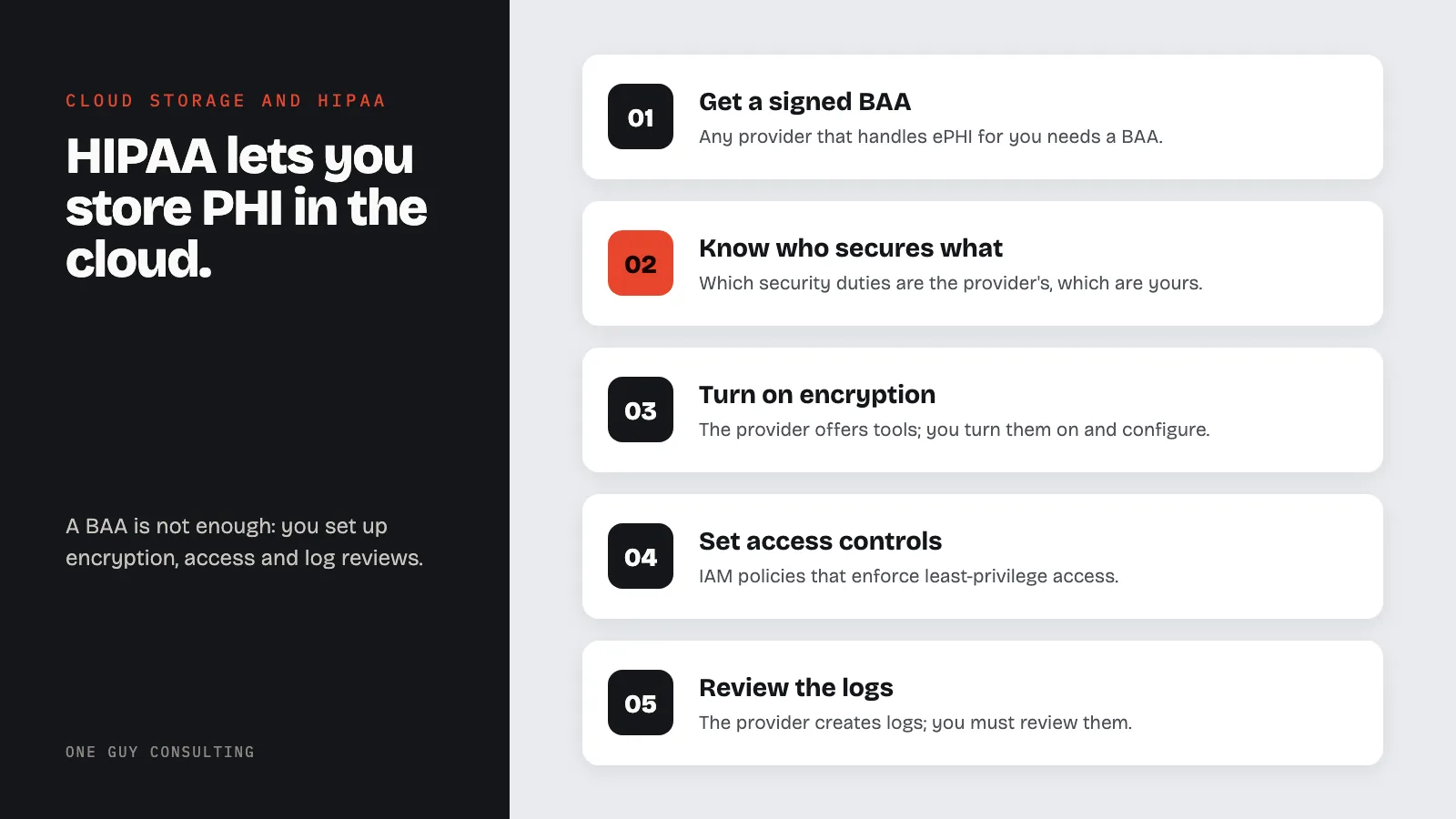
Yes, HIPAA lets your practice store patient health data (PHI) in the cloud. The cloud provider must sign a Business Associate Agreement (BAA), a contract that makes it protect your data. Signing it is not enough. You still have to set up encryption, access controls, and log reviews yourself. The provider only secures its own hardware and systems.
Cloud Storage Compliance for Healthcare Data
Cloud healthcare compliance is a defining challenge for modern practices. Clinical systems, health records, imaging archives, and patient portals are moving to the cloud. This shift offers real benefits in scale, uptime, and cost. But storing health data (PHI) in the cloud creates rules you must follow.
HIPAA does not ban cloud computing. OCR has stated clearly that covered entities and business associates may use cloud services to create, receive, keep, or transmit ePHI. You must have the right safeguards in place. Your cloud provider must also sign a Business Associate Agreement (BAA).
The key is understanding the shared responsibility model. You must also pick compliant providers and apply the controls HIPAA requires.
Cloud Service Models and HIPAA Implications
Understanding IaaS, PaaS, and SaaS
Cloud services come in three main models. Each model creates different HIPAA duties.
Infrastructure as a Service (IaaS) gives you virtual servers, storage, and networking. The provider runs the physical hardware. You manage the operating system, apps, and data. Examples include Amazon EC2, Azure Virtual Machines, and Google Compute Engine.
- HIPAA duty: You carry most of the compliance load. You must configure, patch, and secure the OS and app layers. The provider handles physical security and hardware uptime.
Platform as a Service (PaaS) gives you a managed platform to build and run apps. The provider manages the hardware and runtime. Examples include Azure App Service, AWS Elastic Beanstalk, and Google App Engine.
- HIPAA duty: Duties are split more evenly. The provider covers hardware and platform security. You own app-level security, access controls, and data handling.
Software as a Service (SaaS) delivers full apps over the internet. The provider manages everything, from hardware to the app itself. Examples include cloud EHR systems, telehealth platforms, and practice management tools.
- HIPAA duty: The provider handles most tech compliance. You are still in charge of who can log in, how your account is set up, and how your staff use the platform.
Choosing the Right Model
The model you pick directly affects your compliance burden.
- IaaS gives you maximum control but requires the most compliance work from your practice.
- PaaS balances flexibility with managed compliance.
- SaaS cuts your tech compliance burden but demands thorough vendor checks.
No matter which model you pick, your practice stays fully responsible for HIPAA compliance. A BAA alone does not transfer your compliance duties to a cloud provider.
The Shared Responsibility Model
How Responsibility Is Divided
Every major cloud provider uses a shared responsibility model. This model defines which security duties belong to the provider and which belong to you. Healthcare practices must understand this split clearly.
Cloud provider duties often include:
- Physical security of data centers.
- Network hardware security.
- Hypervisor and virtualization layer security.
- Hardware upkeep and replacement.
- Environmental controls such as power, cooling, and fire suppression.
- Compliance certifications for the underlying systems.
Customer duties often include:
- Data classification and protection.
- Identity and access management.
- App-level security.
- Encryption key management.
- Network setup and firewall rules.
- Operating system patching in IaaS setups.
- Monitoring and audit log review.
- Incident response and breach notification.
Shared duties may include:
- Encryption setup: the provider offers tools, but you must turn them on and configure them.
- Logging and monitoring: the provider creates logs, but you must review them.
- Patch management, which varies by service model.
Common Misunderstandings
Practices often make these mistakes about shared responsibility.
- Assuming the provider handles everything just because they signed a BAA.
- Failing to turn on security features the provider offers but does not enable by default.
- Skipping audit log review even though the provider creates full logs.
- Not encrypting data despite the provider offering encryption tools.
- Ignoring access control setup and leaving default permissions in place.
BAA Requirements with Cloud Providers
When a BAA Is Required
You need a BAA with any cloud provider that will create, receive, keep, or transmit ePHI on your behalf. This includes:
- Cloud storage providers hosting databases, file systems, or backups with PHI.
- Cloud computing providers processing or analyzing PHI.
- Cloud app providers (SaaS) through which PHI is accessed or managed.
- Disaster recovery and backup providers that store copies of PHI.
- Content delivery networks that may cache or transmit PHI.
What the BAA Must Address
Every BAA must include the terms HIPAA requires (45 CFR 164.504(e) and 164.314(a)). A cloud BAA should also cover these items.
- Data location and residency limits, if relevant.
- Subcontractor management for multi-tier cloud setups.
- Breach Notification steps and timelines specific to the cloud setup.
- Data return and destruction steps when the contract ends.
- Audit rights allowing you to verify the provider's compliance.
- Security incident reporting and response steps.
- Encryption standards and key management duties.
Encryption in the Cloud
Encryption Requirements for Healthcare Data
HIPAA calls encryption an addressable rule. That means you must use it if it is a sensible fit for your practice and its risks. If it is not, write down why, and use another measure that protects just as well, if one makes sense. In practice, everyone expects PHI in the cloud to be encrypted. A Security Rule change proposed in January 2025 would make encryption required, but it is only a proposal and is not law yet.
Encryption at rest:
- Encrypt all stored PHI using AES-256 or equal algorithms.
- Apply encryption at the storage volume, database, and file levels.
- Key management must keep encryption keys protected and rotated on a regular schedule.
Encryption in transit:
- All PHI sent between your practice and the cloud should use TLS 1.2 or higher. HIPAA does not name a TLS version, but this is the accepted standard.
- Encrypt internal cloud network traffic that contains PHI as well.
- API communications must use encrypted channels.
Key management considerations:
- Decide whether you or the cloud provider will manage encryption keys.
- Customer-managed keys give more control but require day-to-day skill.
- Provider-managed keys are simpler but give the provider theoretical access to PHI.
- Hardware Security Modules (HSMs) provide the highest level of key protection.
Data Residency and Sovereignty
Where Your Data Lives Matters
Cloud providers run data centers around the world. Healthcare practices must know where their PHI physically lives.
- U.S. data residency is usually preferred for HIPAA-covered data, though HIPAA does not explicitly ban international storage.
- State laws may set data residency rules that affect your cloud storage choices.
- Government contracts and certain payer rules may require U.S.-only storage.
- Data sovereignty laws in other countries may affect how PHI stored abroad can be accessed or shared.
Most major cloud providers offer region selection tools. These let you specify where your data is stored and processed. Set up your cloud environment to keep PHI storage within approved geographic regions.
Major Cloud Providers and HIPAA Offerings
Amazon Web Services (AWS)
AWS covers a long list of HIPAA-eligible services under its BAA. Key features include:
- AWS BAA available to all customers through the AWS Artifact portal.
- HIPAA-eligible services clearly listed and regularly expanded.
- AWS CloudTrail for full audit logging.
- AWS KMS for encryption key management.
- AWS Config for compliance monitoring and setup checks.
- Amazon GuardDuty for threat detection.
- Dedicated HIPAA compliance docs and setup guidance.
Microsoft Azure
Azure gives strong healthcare compliance tools with broad certifications.
- Azure BAA included by default in Microsoft's Data Protection Addendum (DPA).
- Microsoft Defender for Cloud for security monitoring and compliance checks.
- Azure Key Vault for encryption key management.
- Azure Policy for enforcing compliance setups.
- Microsoft Sentinel (formerly Azure Sentinel) for security information and event management.
- Microsoft Cloud for Healthcare with industry-specific compliance features.
Google Cloud Platform (GCP)
GCP offers a growing healthcare compliance portfolio.
- GCP BAA covering eligible services.
- Google Cloud Healthcare API for managing healthcare data formats such as FHIR, HL7, and DICOM.
- Cloud Key Management Service for encryption key management.
- Cloud Audit Logs for compliance monitoring.
- VPC Service Controls for restricting data access.
- Google Security Operations (formerly Chronicle) for security analytics and threat detection.
- Healthcare-specific compliance docs and solution guides.
Comparing Providers
When picking a cloud provider for healthcare data, check these factors.
- BAA scope and which specific services are covered.
- Compliance certifications such as HITRUST, SOC 2, FedRAMP, and ISO 27001.
- Healthcare-specific features and integrations.
- Data residency options and geographic access.
- Security tools built into the platform.
- Support responsiveness for security incidents.
- Pricing clarity for compliant setups.
Access Controls and Backup Considerations
Implementing Cloud Access Controls
Strong access control in cloud environments requires these steps.
- Identity and Access Management (IAM) policies that enforce least-privilege access.
- Multi-factor authentication for all admin and clinical access.
- Service accounts with minimal permissions for automated steps.
- Regular access reviews to remove permissions that are no longer needed.
- Network segmentation that isolates PHI workloads from non-sensitive systems.
- Just-in-time access for admin functions that are rarely needed.
Backup and Disaster Recovery
Cloud backup plans for PHI must cover these areas.
- Backup encryption that meets or exceeds production encryption standards.
- Backup access controls that limit who can access or restore backup data.
- Geographic redundancy to keep backups in compliant regions.
- Recovery testing to confirm that backups can be restored successfully.
- Retention policies that match backup retention to medical record retention rules.
- Backup deletion to ensure PHI is properly destroyed when retention periods end.
For related guidance on securing telehealth data in the cloud, see our guide on telemedicine HIPAA compliance.
Cloud Storage Compliance FAQ
Is it HIPAA-compliant to store PHI in the cloud?
Yes, provided that the right safeguards are in place and the cloud provider has signed a BAA. OCR has confirmed that cloud computing is allowed under HIPAA. You must pick a provider willing to sign a BAA, apply the right security controls, encrypt PHI, and understand the shared responsibility model.
Do all cloud services require a BAA?
Only cloud services that create, receive, keep, or transmit PHI require a BAA. If a cloud service never touches PHI (for example, a CDN that only serves static, non-PHI content), a BAA may not be required. When in doubt, sign a BAA to ensure coverage.
What happens if our cloud provider has a breach?
The cloud provider must tell you about a breach without unreasonable delay. It can never take more than 60 calendar days after it finds the breach (45 CFR 164.410). Your BAA can set a shorter deadline. You, as the covered entity, must then notify affected individuals and HHS as the HIPAA Breach Notification Rule requires. Understanding HIPAA penalties shows why fast breach response matters.
Can we use multiple cloud providers for PHI?
Yes, multi-cloud strategies are allowed but add compliance complexity. Each provider must sign a BAA. Your compliance program must also account for the security controls and shared responsibility model of each provider. You must keep consistent encryption, access control, and monitoring standards across all providers.
Who is responsible if we misconfigure our cloud environment?
You are. Under the shared responsibility model, you own the setup of access controls, encryption settings, network rules, and other customer-managed security features. Finding and fixing your own setup mistakes is your job, not the provider's. Misconfigurations that expose PHI can lead to enforcement actions against your practice, not the cloud provider.
Cloud Storage Compliance Conclusion
Cloud storage gives healthcare practices big advantages in scale, reliability, and cost. But those gains only come when you build the right compliance safeguards in. You must understand the shared responsibility model, sign complete BAAs, use encryption and access controls, and pick providers with strong healthcare compliance programs.
One Guy Consulting offers compliance software for your practice. It includes vendor management with digital BAAs, a Security Risk Assessment tool, and an incident management system. The Full-Scope plan adds 4 hours a month of 1:1 implementation calls with Chuck. Contact us today to keep your cloud vendors and BAAs organized.
Cloud Provider HIPAA Compliance Comparison
The three major cloud providers all support HIPAA compliance, but their approaches to BAAs, encryption defaults, and compliance tooling differ.
| Feature | AWS | Microsoft Azure | Google Cloud |
|---|---|---|---|
| BAA Available | Yes (AWS Artifact) | Yes (Data Protection Addendum) | Yes (BAA addendum) |
| HIPAA-Eligible Services | Published list of eligible services | Most Azure services covered | Most GCP services covered |
| Default Encryption at Rest | AES-256 by default on S3; you must turn it on for some services, such as EBS volumes | AES-256 by default on core storage services | AES-256 (all services) |
| Encryption in Transit | TLS supported | TLS supported | TLS supported |
| Customer-Managed Keys | Yes (KMS) | Yes (Key Vault) | Yes (Cloud KMS) |
| Access Logging | CloudTrail | Azure Monitor | Cloud Audit Logs |
| Compliance Certifications | SOC 2, HITRUST, FedRAMP | SOC 2, HITRUST, FedRAMP | SOC 2, HITRUST, FedRAMP |
Key point: Signing a BAA with a cloud provider does not make your implementation compliant. The provider secures the infrastructure; the customer is responsible for configuring access controls, encryption settings, logging, and data retention. Even with a BAA in place, HHS cloud guidance says you should understand the cloud setup yourself. You need to know it well enough to do your own risk analysis (a check of where your patient data could be at risk).
Sources
- 45 CFR 164.312: Technical Safeguards (Access Controls, Encryption)
- 45 CFR 164.314: Organizational Requirements (BAA Provisions)
- HHS Guidance on HIPAA and Cloud Computing
- 45 CFR 164.308(a)(1): Security Management Process