You can use a free template, but HIPAA requires none: the Security Rule requires "an accurate and thorough assessment of the potential risks and vulnerabilities" to your electronic protected health information (ePHI) (45 CFR 164.308(a)(1)(ii)(A)) and names no form or tool.
The free HHS SRA Tool (version 3.7, a Windows app or an Excel workbook) is built for small and medium providers.
The longer answer matters to the office manager who has just been told the risk assessment is due Friday and has a blank spreadsheet open. A HIPAA risk assessment template is only as good as what gets written into it. A pretty form with the wrong rows is still the wrong rows.
This guide sets out the two sentences of the rule, the fields a usable template captures (with an example row), what the free HHS tool does and does not do, how a template, the HHS tool and a compliance platform compare on cost, and four ways a template can fail.
What a HIPAA Risk Assessment Template Must Capture
The Rule in Two Sentences
The Security Rule puts the risk assessment under the security management process at 45 CFR 164.308(a)(1). The first sentence is the analysis. Under 164.308(a)(1)(ii)(A), a covered entity or business associate must "Conduct an accurate and thorough assessment of the potential risks and vulnerabilities to the confidentiality, integrity, and availability of electronic protected health information held by the covered entity or business associate."
The second sentence is the follow-through. Under 164.308(a)(1)(ii)(B), it must "Implement security measures sufficient to reduce risks and vulnerabilities to a reasonable and appropriate level to comply with § 164.306(a)."
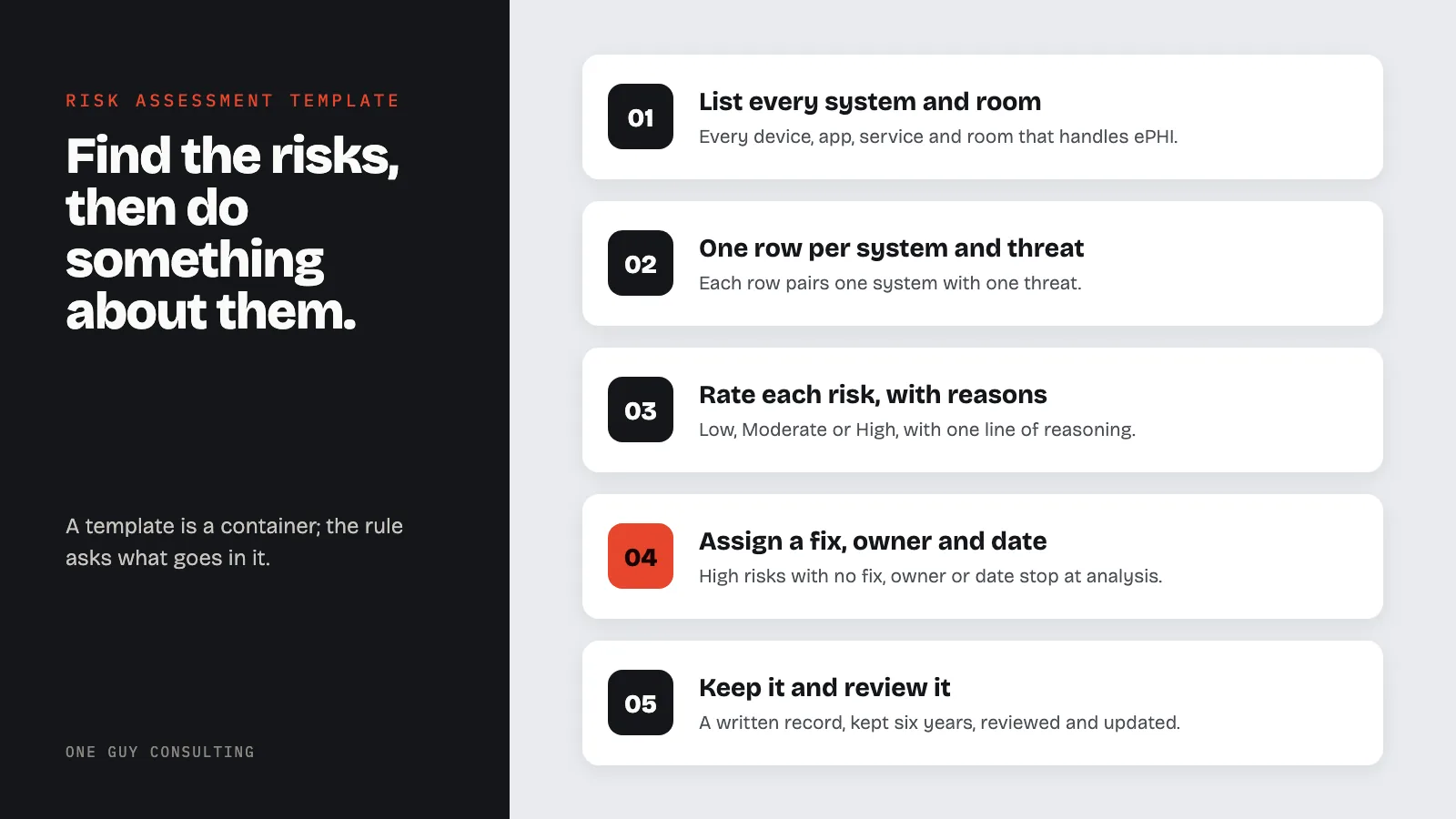
In plain words: find the risks, then do something about them. A template that stops after the first sentence never reaches the second.
Neither sentence names a form, a software product or a scoring method. The Security Rule's general rules at 45 CFR 164.306(b)(2) list what a practice weighs when it chooses security measures, starting with "The size, complexity, and capabilities of the covered entity or business associate." A three-person office and a hospital are held to the same sentence, and they answer it at different sizes.
The paperwork has its own rule. Under 45 CFR 164.316(b)(1)(ii), "If an action, activity or assessment is required by this subpart to be documented, maintain a written (which may be electronic) record of the action, activity, or assessment." A spreadsheet counts as written. A conversation in the break room does not.
The Template, Field by Field
The rule names no fields, so the layout below is one practical option, not a list from the regulation or from HHS. This security risk assessment template has one row for each pairing of a system and a threat, and eleven columns. The right-hand column is a worked example for a front-desk laptop.
| Field | What goes in it | Example row |
|---|---|---|
| System or location | Every device, application, service and room that creates, receives, maintains or transmits ePHI | Front-desk laptop |
| ePHI held | What patient information sits on it or passes through it | Schedule, demographics, scanned insurance cards |
| Threat | What could go wrong | Theft of the laptop after hours |
| Vulnerability | The weakness that lets the threat succeed | Laptop left on the desk overnight; disk not encrypted |
| Current safeguard | What is already in place, as it actually works today | Password at sign-in; office door locked |
| Likelihood | Low, Moderate or High, with one line of reasoning | Moderate: street-level office with foot traffic |
| Impact | Low, Moderate or High, with one line of reasoning | High: full patient schedule and card images |
| Risk level | Likelihood and impact combined, using one scale for every row | High |
| Fix | The security measure that reduces the risk | Turn on full-disk encryption; lock the laptop in a drawer at close |
| Owner | One named person | Office manager |
| Due date | A real date, then the date it was done | 30 days out; completion date recorded |
The Low, Moderate and High scale in the example is the one the HHS SRA Tool uses. Its version 3.7 User Guide defines a High likelihood as "a probable chance of occurrence" and a High impact as "a catastrophic disruption with consequential damage." The rule names no scoring method, so this scale is one option. Using one scale on every row keeps the ratings comparable; a sheet where every rating is Low says little about the actual risks.
The last three columns track the follow-through that the second sentence of the rule asks for.
The Free HHS SRA Tool 3.7
The HHS SRA Tool (Security Risk Assessment Tool) is the government's own security risk assessment tool. Its page on HealthIT.gov, fetched September 29, 2026, says the Office of the National Coordinator for Health IT (ONC) developed it together with the HHS Office for Civil Rights (OCR). The same page says: "The target audience of this tool is medium and small providers; thus, use of this tool may not be appropriate for larger organizations."
It comes in two forms, both at version 3.7:
- The Windows application. The page says it installs on 64-bit versions of Microsoft Windows 7, 8, 10 and 11. It walks the user through multiple-choice questions, threat and vulnerability ratings, and asset and vendor lists, then produces reports.
- The Excel workbook. The same content in a spreadsheet, for anyone without Windows. The page describes it as "intended to replace the legacy 'Paper Version'."
Three details matter for a small practice. First, the User Guide says the Windows installer "is available at no cost." Second, the page says "All information entered into the tool is stored locally on the user's computer," and that "HHS does not collect, view, store, or transmit any information entered into the SRA Tool." Back up that file, because HHS keeps no copy. Third, the tool's remediation section is optional: the User Guide says "This section is optional to complete within the tool. Areas of risk always require response, but these response plans may be documented outside the SRA Tool."
HHS is also plain about the tool's limits. The version 3.7 notes on the page list a reminder "that the SRA Tool survey alone may not identify all risks present in an organization." The page's Disclaimer says: "Use of this tool is neither required by nor guarantees compliance with federal, state or local laws."
So the HHS tool is a solid, no-cost way to run the questionnaire. It is not proof of compliance, and skipping its optional remediation section does not skip the response to each risk.
Template, HHS Tool or a Platform
Three routes lead to the same written record. The difference is how much of the record the route builds, and how much help comes with it.
| Route | What it is | Remediation tracking | Help | Cost |
|---|---|---|---|---|
| Blank template (spreadsheet or document) | The eleven columns above, filled in by the practice | Only if the practice adds the columns and keeps them current | None built in | Staff time |
| HHS SRA Tool 3.7 | Windows app or Excel workbook; guided questions, threat ratings, reports; data stays on the practice's computer | Optional Remediation Report inside the tool | References and education in the tool; an ONC help desk for tool problems | No cost for the Windows app, per the User Guide; the workbook downloads from the same page |
| One Guy Consulting Self-Guided | Compliance software: Security Risk Assessment tool (63 questions), automated gap analysis, automated remediation plans, policy and procedure templates, compliance dashboard | Automated remediation plans | The software | $60 a month, $675 for 12 months, or $1,175 for 24 months |
| One Guy Consulting Full-Scope | Everything in Self-Guided, plus incident response guidance as needed and CMS audit response support | Automated remediation plans | 4 hours a month of 1:1 implementation calls with Chuck to get your plan set up; for the Security Risk Assessment, Chuck "Guides you through answering the audit" | $120 a month, $1,300 for 12 months, or $2,300 for 24 months |
On either plan, a 5-person office pays the same as a 25-person office. The feature pages explain the Security Risk Assessment tool, the gap analysis and the remediation plans one at a time, and the HIPAA compliance software page shows how they fit together.
Four Ways a Template Fails
A template can fail on any of these four points. Use the list as a HIPAA risk assessment checklist before calling the job done.
- The scope misses something. The fax line, the scanner that emails to a shared inbox, the second office, the phone used for patient texts. Version 3.7 of the HHS tool added a question "to ensure SRAs account for every location that creates, receives, maintains, or transmits ePHI." Start the template with that list.
- The ratings have no reasons. Every row Low, or every row copied from a sample, shows the form was filled in, not that the risks were assessed. One line of reasoning per rating fixes this.
- It stops at the ratings. A list of High risks with no fix, owner or date stops at the analysis in 164.308(a)(1)(ii)(A) and never reaches the risk management step in 164.308(a)(1)(ii)(B). The gap between the two is where the work is.
- It is never touched again. A 2022 assessment describes a 2022 office. New software, a new vendor, a move or a breach all change the rows.
Enforcement shows the cost of the first sentence going undone. On March 5, 2026, HHS OCR announced a settlement with MMG Fusion, LLC, a software company and business associate that OCR found had potentially failed to conduct an accurate and thorough risk analysis; it paid $10,000 after OCR considered its financial condition. On July 29, 2026, OCR announced a $552,250 ransomware settlement with OSF Healthcare System, and a risk analysis failure was among the findings in that agreement.
The HIPAA compliance checklist for small practices covers the rest of the program around the risk assessment.
Keeping and Updating It
Required records have a retention period. 45 CFR 164.316(b)(2)(i) says to "Retain the documentation required by paragraph (b)(1) of this section for 6 years from the date of its creation or the date when it last was in effect, whichever is later." Superseded versions count, so keep the old ones too.
Review them periodically and when things change. 45 CFR 164.316(b)(2)(iii) says to "Review documentation periodically, and update as needed, in response to environmental or operational changes affecting the security of the electronic protected health information." The evaluation standard at 164.308(a)(8) also uses the word "periodic." Neither sentence sets a number of months.
That leaves the calendar to the practice. Writing a review date into the practice's own policy, and adding a review after any new system, new vendor, move or security incident, turns "periodically" into something that actually happens. The HHS tool's version 3.7 notes also list "Potential review triggers for when to update security assessments."
On January 6, 2025, HHS published a proposed rule to change the Security Rule (90 FR 898). It is a proposal, not a final rule, and none of its proposed changes is law today. The current text quoted above is the text in force.
This article is educational and is not legal advice. For questions about how the rule applies to a specific practice, consult a healthcare attorney.
FAQ
Is there a free HIPAA risk assessment template?
Yes. The HHS SRA Tool comes as a Windows application and as an Excel workbook, both version 3.7. Its User Guide says the Windows installer is available at no cost, and the workbook downloads from the same HealthIT.gov page. A blank spreadsheet with the eleven fields in this guide is another option; 45 CFR 164.308(a)(1)(ii)(A) names no required form.
Can the HHS SRA tool be used for a HIPAA risk assessment?
Yes. HealthIT.gov names medium and small providers as the tool's target audience. Its Disclaimer says the tool is for informational purposes only and that using it is not required by law, and the version 3.7 notes say the survey alone may not identify every risk. Its User Guide says areas of risk "always require response" and that response plans may be documented outside the tool.
Is there a HIPAA risk assessment template in Excel?
Yes. The SRA Tool Excel Workbook, version 3.7, holds the same content as the Windows application in spreadsheet form. HealthIT.gov says it can be used with Excel or another program that handles .xlsx files, that "Some features and formatting may only work in Excel," and that it is "intended to replace the legacy 'Paper Version'."
What does a completed HIPAA risk assessment look like?
The rule names no form. One layout is a written record with one row for each system and threat: the ePHI involved, the vulnerability, current safeguards, likelihood and impact ratings with reasons, the risk level, and the fix with an owner and a due date. In the HHS tool, the Risk Report lists selected vulnerabilities and their threats, the Detailed Report rates each threat by likelihood and impact, and the optional Remediation Report records remediation activities, an owner and a due date.
How often does a HIPAA risk assessment have to be updated?
The current rule sets no fixed number of months. 45 CFR 164.316(b)(2)(iii) says to "Review documentation periodically, and update as needed, in response to environmental or operational changes affecting the security of the electronic protected health information." The Security Rule changes HHS proposed in January 2025 are not final.
A template is a container. The Security Rule asks for what goes in it: an accurate and thorough assessment of the potential risks and vulnerabilities to the practice's ePHI, and security measures sufficient to reduce them to a reasonable and appropriate level. Where the rule requires something to be documented, its documentation standard asks for a written record, kept for six years, reviewed periodically and updated as needed. Pick the container that the practice will actually keep filled.
Want help putting this in place? The Full-Scope plan from One Guy Consulting pairs the compliance software with 4 hours a month of 1:1 implementation calls with Chuck Weiselberg, C.H.P., to get your plan set up. It is $120 a month, $1,300 for 12 months paid upfront, or $2,300 for 24 months, with no per-user fees. See how it works or book a free HIPAA compliance review. No obligation, no pressure.
Sources
- 45 CFR 164.308 (administrative safeguards: risk analysis, risk management, evaluation)
- 45 CFR 164.316 (policies and procedures and documentation requirements)
- 45 CFR 164.306 (security standards: general rules)
- HealthIT.gov, Security Risk Assessment Tool (fetched September 29, 2026)
- HealthIT.gov, SRA Tool v3.7 User Guide (fetched September 29, 2026)
- Federal Register, HIPAA Security Rule To Strengthen the Cybersecurity of Electronic Protected Health Information, proposed rule, 90 FR 898 (January 6, 2025)
- HHS OCR, settlement with MMG Fusion, LLC (March 5, 2026)
- HHS OCR, settlement with OSF Healthcare System (July 29, 2026)
- HHS OCR, Resolution Agreements and Civil Money Penalties (OSF Healthcare System, July 29, 2026)
Related Reading