Free HIPAA Checklist
Get the free HIPAA compliance checklist (PDF)
The seven steps below as a printable checklist, each step quoting the regulation it comes from. It arrives by email as a PDF.
No spam. Unsubscribe anytime.
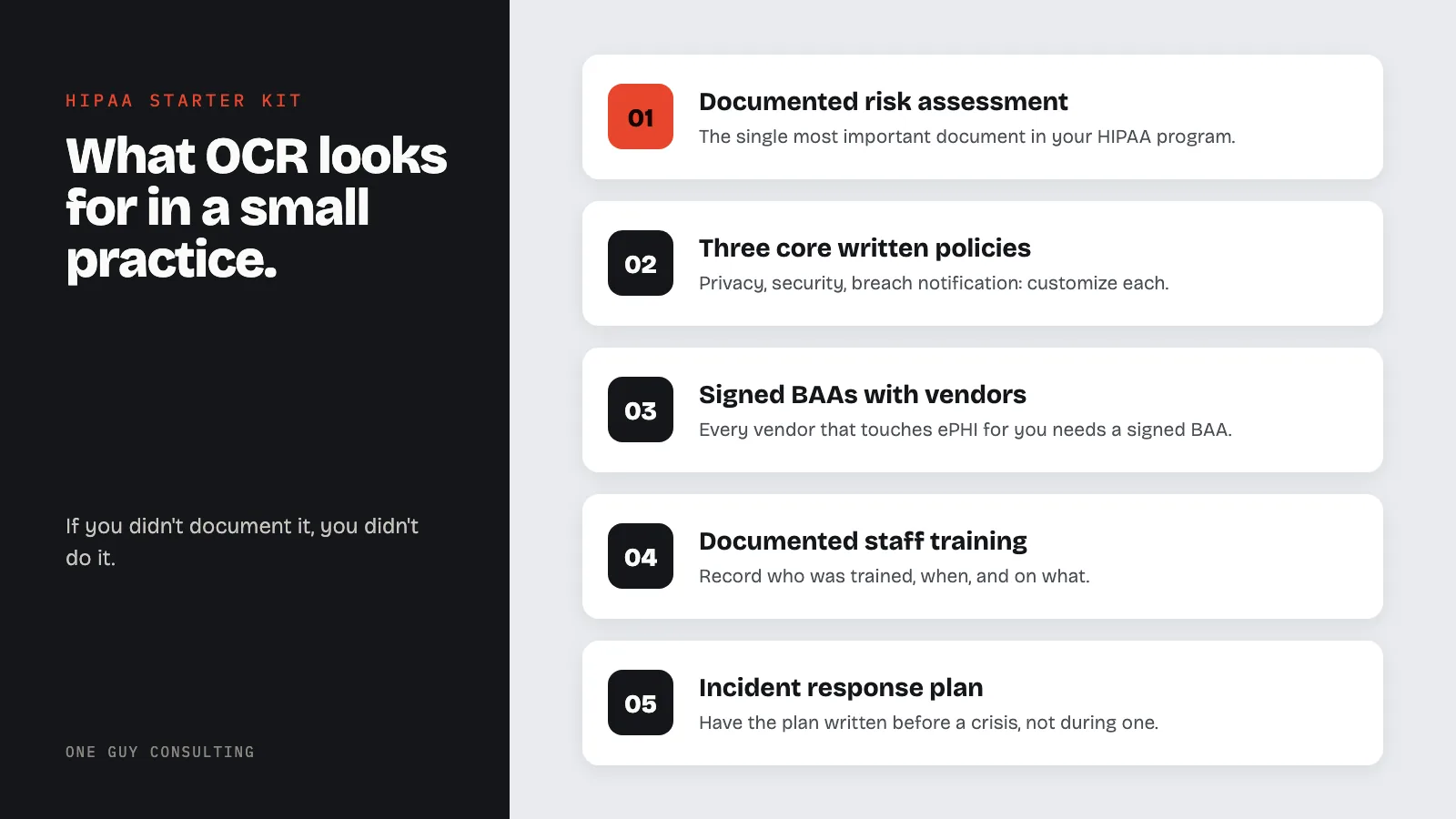
OCR doesn’t expect a small practice to operate like a 500-bed hospital. When it investigates one, usually after a breach report or patient complaint, it wants to see six things: a documented risk assessment, written policies and procedures, signed Business Associate Agreements, evidence of workforce training, an incident response plan, and breach notification procedures.
Google “HIPAA compliance cost” and the first page of results will convince you that getting compliant requires $10,000 to $50,000 and a six-month consulting engagement.
If you’re running a small clinic or solo practice, that picture makes HIPAA feel impossible. So you buy a generic policy template, stick it in a binder, and hope nobody asks about it. Or you do nothing and tell yourself you’ll get to it next quarter.
Both approaches leave you exposed. And neither reflects what OCR (the Office for Civil Rights, the agency that enforces HIPAA) actually expects from a practice your size.
OCR doesn’t expect you to operate like a 500-bed hospital. They expect you to demonstrate that you’ve thought about the risks to your patients’ data and taken reasonable steps to address them. For a small practice, that’s achievable, and it doesn’t have to cost five figures.
What OCR Actually Looks For in a Small Practice
When OCR investigates a small practice (usually after a breach report or patient complaint), they want to see six things:
- A documented risk assessment
- Written policies and procedures
- Signed Business Associate Agreements
- Evidence of workforce training
- An incident response plan
- Breach notification procedures
Six categories. None require enterprise software. None require a dedicated compliance officer. All require documentation, because in HIPAA’s world, if you didn’t document it, you didn’t do it.
Let’s break down each one with realistic costs, time estimates, and exactly what “good enough” looks like for a 1-50 person practice.
Key HIPAA Terms Defined
Everything in this checklist maps to a specific section of the HIPAA rules. Each term below is defined in the regulation's own words so you can check the requirement yourself.
- Risk analysis: the Security Rule requires you to "conduct an accurate and thorough assessment of the potential risks and vulnerabilities to the confidentiality, integrity, and availability of electronic protected health information" that your practice holds. It is a Required implementation specification, not an optional one (45 CFR §164.308(a)(1)(ii)(A)).
- Security official: every covered entity must "identify the security official who is responsible for the development and implementation of the policies and procedures" required by the Security Rule (45 CFR §164.308(a)(2)). This is the Step 1 designation below.
- Policies and procedures: you must "implement reasonable and appropriate policies and procedures" to meet the Security Rule standards, keep them "in written (which may be electronic) form," and retain that documentation "for 6 years from the date of its creation or the date when it last was in effect, whichever is later" (45 CFR §164.316(a) and (b)).
- Workforce training: the Security Rule requires "a security awareness and training program for all members of its workforce (including management)" (45 CFR §164.308(a)(5)(i)), and the Privacy Rule separately requires a covered entity to "train all members of its workforce on the policies and procedures with respect to protected health information" (45 CFR §164.530(b)(1)).
- Business associate agreement (BAA): the written contract a covered entity must have with any vendor that creates, receives, maintains, or transmits PHI on its behalf. The required contents are listed in the regulation (45 CFR §164.504(e)).
- Security incident procedures and breach notification: you must "implement policies and procedures to address security incidents" (45 CFR §164.308(a)(6)(i)), and when a breach of unsecured PHI occurs, notify affected individuals "without unreasonable delay and in no case later than 60 calendar days after discovery of a breach" (45 CFR §164.404(b)).
- Physical safeguards: the four physical standards are facility access controls, workstation use, workstation security, and device and media controls (45 CFR §164.310). Step 6 below is the walk-through that covers them.
1. The HIPAA Risk Assessment: The One Thing You Cannot Skip
The risk assessment is the single most important document in your HIPAA compliance program. It’s also the most commonly missing one.
Risk analysis failures are the most frequently cited violation in OCR enforcement actions. In 2025, OCR launched a dedicated risk analysis enforcement initiative and announced 10 penalties by May alone, most targeting organizations that never conducted a risk assessment or hadn’t updated theirs in years. In 2026, OCR is expanding that initiative to include risk management as well.
What it involves: Inventorying every system that stores or transmits ePHI: EHR, email, cloud storage, laptops, phones, fax machines. For each, you identify threats, estimate likelihood and impact, and document what controls you have in place.
The free option: HHS released a Security Risk Assessment tool specifically for small practices, updated to version 3.6 in September 2025. It walks you through the process step by step and produces documentation that satisfies OCR. A focused person can complete it in a day.
The paid option: A consultant-led assessment runs $1,500 to $5,000 for a small practice. Worth it if you’ve never done this before and want documentation that holds up under scrutiny.
Critical: Your assessment must be current. A risk assessment from 2021 that hasn’t been reviewed is a liability, not an asset. HIPAA requires review whenever significant changes occur, and best practice is at least annually. If you are unsure whether your practice is ready for an OCR audit, our guide on HIPAA audit readiness for small practices covers the specific documentation and controls OCR expects to see.
2. Written HIPAA Policies: Three Documents, Not Three Hundred Pages
For a small practice, three core policies cover the essential ground:
Privacy Policy: How you use and disclose PHI, who can access it, patient rights. Ties directly to your Notice of Privacy Practices, which patients must receive. (Updated NPP requirements took effect February 16, 2026 under the new HIPAA rules.)
Security Policy: How you protect electronic PHI: access controls, passwords, device policies, encryption, incident handling. This is where “addressable” specifications live. And no, addressable doesn’t mean optional.
Breach Notification Policy: How you determine if a breach occurred, the 60-day notification timeline, when HHS gets notified, what notifications must contain. Know the March 1 small breach reporting deadline for breaches affecting fewer than 500 individuals.
Three to five pages each. Written in plain language specific to your practice. Actually distributed to staff. Reviewed annually. An OCR investigator can spot a generic template downloaded from the internet with the name swapped out, and it won’t help you.
Cost: DIY using NIST and HHS templates is free. Custom policies from a consultant run $500 to $2,000.
3. Business Associate Agreements: Your Vendor Liability Shield
Every vendor that touches ePHI on your behalf needs a signed BAA. Your list probably includes more vendors than you think: EHR provider, billing service, clearinghouse, transcription service, IT company, answering service, cloud storage, shredding company.
Not having signed BAAs is one of the most common HIPAA violations, and the cheapest to fix.
Why this matters right now: In 2025, over 80% of stolen healthcare records came through third-party vendors and business associates. There were 130 confirmed ransomware attacks on healthcare businesses with an average ransom demand of $532,000. When your vendor gets hacked, the BAA is what defines who’s responsible for what.
Cost: Nothing but time. Work through your vendor list, confirm BAAs are on file, request them where they’re missing. Most healthcare vendors have standard templates ready to sign.
4. Employee HIPAA Training: Annual, Documented, Non-Negotiable
Every workforce member who handles PHI must receive HIPAA training. “We’re a small team, everyone just knows” doesn’t satisfy the requirement.
Cover what PHI is, how your practice protects it, how to recognize phishing and security incidents, and each person’s responsibilities under your policies. Document who was trained, when, and on what. For specifics on how often HIPAA staff training should happen at small practices, the short answer is more often than once a year.
Why it’s urgent: Hacking incidents accounted for over 80% of healthcare breaches in 2025, and lack of trained staff was the number one factor in successful ransomware attacks, cited in 42% of incidents. Training is the cheapest control you can deploy against the biggest category of attacks.
Cost: Online platforms run $15 to $50 per employee per year. For 10 people, that’s $150 to $500. You can also train in-house for free. Just document it with sign-off sheets.
5. Incident Response Plan: Your Breach Playbook
When a laptop gets stolen or your billing company calls to say they’ve been hacked, you need a plan that already exists, not one you’re writing in the middle of a crisis.
For a small practice, this is a two to three page document: who is your Privacy Officer, how do incidents get reported internally, how do you determine if it’s a reportable breach, and what are the notification steps. If you want a deep-dive on what those first critical hours look like, read our guide on the first 72 hours after a ransomware attack.
Cost: An hour of focused time.
6. Physical Safeguards: The Afternoon Walk-Through
Walk your office and check: Are screens visible from waiting areas? Do computers auto-lock after inactivity? Is paper PHI in locked storage? Are devices secured when taken offsite? How do you dispose of old records and equipment?
Fix what’s easy. Document what you found and what you fixed. This is one of the highest-impact compliance activities you can do in a single afternoon, and it costs nothing.
What Your Small Practice Does NOT Need (Yet)
Small practices get sold services they don’t need. OCR does not require:
- SOC 2 audits. Voluntary certifications for tech companies. Not required for covered entities.
- Penetration testing. The proposed HIPAA Security Rule changes may eventually require vulnerability scanning, but formal pen testing isn’t a current small-practice requirement.
- A dedicated CISO. You need a designated Security Officer. That can be you or your office manager. Just document the appointment.
- Enterprise compliance platforms. Software is convenient but not required. A well-organized file system works fine. If you are weighing options, our Compliancy Group comparison and Drata comparison break down how popular platforms stack up for HIPAA-specific needs.
- $10,000+ consulting engagements. A 5-person dental practice does not need the same compliance program as a 200-bed hospital. And yes, if you are wondering, are dentists under HIPAA? They absolutely are. Any dental practice that bills insurance electronically is a covered entity with the same compliance obligations as any other provider.
The Realistic HIPAA Compliance Cost Breakdown
| Approach | Estimated Cost | Best For |
|---|---|---|
| Full DIY (your time + free HHS tools) | $0 - $500 | Solo practitioners with time |
| Template-based with consultant review | $500 - $2,000 | Small practices wanting validation |
| One Guy Consulting Full-Scope plan (flat annual rate) | $1,300/year ($120/month) | Practices that need it done right, fast, with a consultant on the file |
A 10-person family medicine practice does not need an enterprise compliance engagement.
The Cost of Doing Nothing Is Much Higher
OCR’s 2026 penalty tiers, updated January 28, 2026 for inflation, break down like this:
| Violation Level | Minimum Per Violation | Maximum Per Violation | Annual Cap |
|---|---|---|---|
| Tier 1: Lack of knowledge | $145 | $73,011 | $2,190,294 |
| Tier 2: Reasonable cause | $1,461 | $73,011 | $2,190,294 |
| Tier 3: Willful neglect, corrected | $14,602 | $73,011 | $2,190,294 |
| Tier 4: Willful neglect, not corrected | $73,011 | $2,190,294 | $2,190,294 |
OCR imposed 21 financial penalties in 2025, collecting roughly $17.7 million across 2024 and 2025. Their enforcement is increasingly targeting smaller organizations: a $103,000 fine hit a substance abuse clinic with just a handful of staff.
Beyond fines, healthcare organizations hit by cyberattacks in 2025 were four times more likely to incur losses exceeding $200,000 compared to the year before. Forensic investigation, legal counsel, patient notification, and lost business add up fast when you don’t have a health system’s resources behind you.
A $1,300-a-year Full-Scope plan versus a potential six-figure breach response cost isn’t a close calculation.
What’s in the Full-Scope Plan
One Guy Consulting built the Full-Scope plan for independent practices and small clinics that need to get compliant without spending five figures, and without becoming HIPAA experts themselves. It is a flat $1,300 a year ($120 a month if billed monthly), with no per-user fees and no per-module charges. A 5-person office pays the same rate as a 25-person office. Here’s what’s included:
Security Risk Assessment, Done With You - The portal’s risk assessment tool, mapped to the Security Rule, and Chuck guides you through answering the audit so the answers reflect how your practice actually operates - Automated gap analysis and a remediation plan built from your answers - Administrative, physical, and technical safeguard audits
Written Policies and Procedures - 38 customizable HIPAA policy and procedure templates covering the Privacy Rule, Security Rule, and Breach Notification Rule
Business Associate Agreements and Vendor Management - Digital BAA creation and tracking with automated contract execution - Vendor inventory with risk ratings and a full vendor review, so you know which BAAs are signed, pending, or missing
Workforce Training - Six training modules with progress tracking and completion records - Guided delivery, so the annual training actually happens and the documentation exists when someone asks for it
Incident Response - Incident management system with anonymous reporting - Incident response guidance from Chuck when something happens, including the breach determination and the notification steps
Four Hours With Chuck Every Month - 1:1 implementation calls with Chuck to get your plan set up - Incident response guidance as needed - CMS audit response support, audit-readiness prep, and evidence packaging, as needed
Compliance Dashboard - Progress tracking across the risk assessment, policies, training, BAAs, and incidents, so nothing falls through the cracks
Everything is written in plain English, not legal jargon. Built to produce the documentation OCR actually asks for during an investigation. Full plan details and pricing, including the Self-Guided plan at $675 a year if you would rather run the platform yourself.
Starting From Zero: The Exact 7-Step Sequence
If you have nothing in place today, here’s the order that matters:
Step 1: Designate a Privacy and Security Officer
Can be you. Can be your office manager. Make it official and write it down. This takes five minutes and satisfies a specific HIPAA requirement.
Step 2: Complete Your Risk Assessment
Use the free HHS SRA tool or get help. Everything else builds on this. Your policies, training, and safeguards should all flow from the risks you identify here.
Step 3: Write Your Three Core Policies
Privacy, Security, Breach Notification. Customize them to your practice: your specific EHR, your specific workflows, your specific team. Generic templates with swapped names don’t hold up under OCR scrutiny.
Step 4: Train Staff and Document It
Names, dates, topics covered, signatures. Do this quarterly, not just annually. The 2025 breach data shows that untrained staff are the number one factor in successful attacks.
Step 5: Audit Vendors and Get BAAs Signed
Work through the list systematically. EHR, billing, clearinghouse, IT support, cloud storage, answering service, shredding company. If they touch patient data, they need a signed BAA.
Step 6: Walk Your Office for Physical Safeguards
Screen visibility, auto-lock settings, locked storage, device security, disposal procedures. Fix and document. One afternoon, zero dollars.
Step 7: Create Your Incident Response Plan
Two to three pages covering who does what when something goes wrong. Include contact information, reporting procedures, and breach determination criteria. Don’t wait until you’re in the first 72 hours of a ransomware attack to figure this out.
That’s the checklist. It won’t make you invincible, but it puts you in a fundamentally different position than having nothing. If OCR investigates, this documentation is the difference between a conversation and a penalty.
Related Reading
- How to Run a Risk Assessment That Won’t Get You Fined: The step-by-step process for your most important compliance document
- Why ‘Addressable’ Doesn’t Mean ‘Optional’: The HIPAA myth that gets practices fined
- HIPAA Fines Just Went Up: New Penalty Amounts for 2026: Updated enforcement numbers you need to know
- The Business Associate Agreement Mistakes That Will Cost You: Common BAA errors and how to fix them
- MFA Is About to Be Required for HIPAA: The security control that prevents the most breaches
- Compliancy Group vs One Guy Consulting: How one of the most popular HIPAA platforms compares on speed, cost, and automation
- Accountable vs One Guy Consulting: DIY compliance platform vs. execution-focused approach
You can do this yourself. The HHS tools are free, templates exist, and the requirements for a small practice are achievable. Or you can let someone handle it. If you are searching for the best HIPAA compliance software or the best HIPAA compliance platform for a small practice, look for one that covers the six items above in a single package rather than charging separately for each piece. One Guy Consulting’s Full-Scope plan was built for exactly this situation: the risk assessment, policies, training, BAA tracking, and incident response in one place, with four hours of one-on-one consulting every month, for a flat $1,300 a year. See what happens after you sign up or learn more about what’s included.
Frequently Asked Questions
What does a small medical practice need to become HIPAA compliant?
A small practice needs a completed risk analysis, written Privacy and Security policies, signed Business Associate Agreements with all vendors that touch PHI, documented workforce training, and a designated HIPAA Security Officer.
How long does it take a small practice to get HIPAA compliant?
With focused effort, a small practice can complete the core requirements in weeks, not months. The risk analysis, policy adoption, BAA execution, and initial staff training can all be finished quickly when using templates built for small practice workflows.
What is the first step in HIPAA compliance for a new practice?
The first step is conducting a Security Risk Assessment. You cannot build a meaningful compliance program without first identifying where PHI lives, who can access it, and what threats exist. Everything else follows from the risk assessment findings.
Does a solo practitioner need to comply with HIPAA?
Yes. Solo practitioners who transmit PHI in electronic form for covered transactions are covered entities under HIPAA. There is no size exemption.
What is a Business Associate Agreement and why does a small practice need one?
A Business Associate Agreement is a required contract with any vendor or service provider that creates, receives, maintains, or transmits PHI on your behalf. Without signed BAAs, your practice is exposed to OCR enforcement regardless of how well your internal controls are documented.