HIPAA for Dental Practices: Compliance Without the Complexity

Practical guidance for healthcare teams and business associates

HIPAA Compliance for Dental Practices Does Not Have to Be Complicated

Your dental practice handles sensitive patient information every single day. From the moment a new patient fills out their health history form to the time you send X-rays to an oral surgeon, you are dealing with protected health information. That means HIPAA applies to you - and it applies with real consequences for non-compliance.

Dental practices are covered entities under HIPAA. That is not a gray area. Whether you run a solo practice out of a strip mall or manage a three-location group with ten clinicians, the rules are the same. The good news is that compliance for a small dental office is manageable. You do not need a full-time compliance team. You need the right structure, documented policies, and consistent habits.
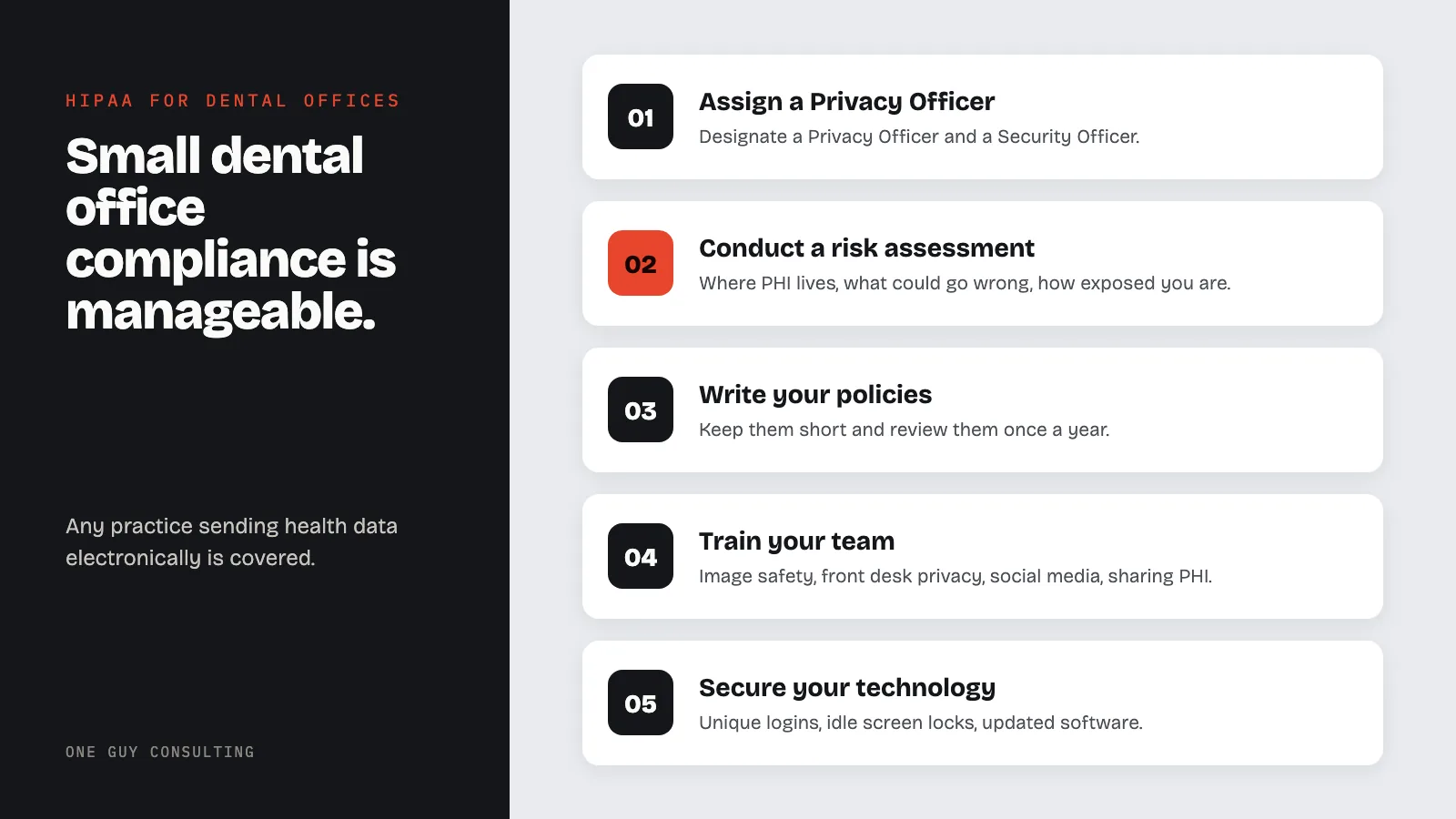
This guide walks through HIPAA requirements specific to dental practices - the PHI you handle, the violations that happen most often in dental offices, and the practical steps you can take to build a real compliance program. If you are starting from scratch, check out our HIPAA compliance starter kit for small practices to get oriented before diving in here.

Why Dental Practices Must Comply with HIPAA

Some dental office managers are surprised to learn that HIPAA applies fully to them. It does. Dental practices meet the definition of a covered entity because they provide healthcare services and transmit patient health information electronically - usually for billing and insurance claims.

The Health Insurance Portability and Accountability Act covers any practice that electronically transmits health information for covered transactions. That includes claims, eligibility inquiries, referrals, and remittance advice. If your practice uses a billing system, submits claims electronically, or accepts electronic payment from insurers, you are a covered entity. There is no minimum patient volume. There is no revenue threshold.

The Office for Civil Rights at the U.S. Department of Health and Human Services enforces HIPAA. They investigate complaints and conduct audits. Dental practices have been fined for violations. A practice in Massachusetts paid $500,000 after a laptop with unencrypted patient records was stolen. A practice in California faced action after posting patient photos on social media without authorization. These are not hypothetical scenarios - they happened in real dental offices run by real people who thought they were careful.

Beyond federal enforcement, HIPAA compliance protects your patients and your reputation. A breach in a small dental office is a community event. Patients talk. Local news covers it. The cost of prevention is always lower than the cost of a breach. Understanding what PHI you handle is where compliance starts.

PHI in a Dental Office

Protected health information is any information that can identify a patient and relates to their health, healthcare, or payment for healthcare. Dental practices generate PHI in more ways than most staff realize. Here is where it lives in a typical dental office.

Patient Records

The patient chart is the most obvious source of PHI. It includes health history forms, treatment notes, periodontal charting, clinical findings, diagnoses, and treatment plans. Any note a hygienist or dentist writes about a patient is PHI. Scanned intake forms are PHI. Consent forms with patient signatures and health information are PHI. Even appointment reminders - if they contain health details - qualify as PHI.

Paper charts in physical files are PHI. Digital charts in your practice management software are PHI. Printed routing slips sitting in the rack outside treatment rooms - those are PHI too. Every format counts.

Digital X-rays and Imaging

Dental radiographs are among the most specific categories of PHI your practice handles. A bitewing, a panoramic film, or a cone beam CT scan linked to a patient name or date of birth is protected health information. This is true whether the image is stored on a local server, a cloud platform, or a USB drive in your desk drawer.

The same applies to intraoral photographs, photographic series for cosmetic treatment planning, and study models tied to patient records. If the image can be linked back to an identifiable person, it is PHI. We will cover digital imaging security in depth later in this guide.

Insurance and Billing Data

Insurance claims contain some of the most sensitive patient information your office generates. They include the patient's name, date of birth, insurance ID, employer information, diagnosis codes, procedure codes, and treatment dates. When you submit a claim electronically - which most practices do - you are transmitting PHI.

Explanation of benefits documents, insurance correspondence, and billing ledgers are all PHI. So are pre-authorization requests and the responses you receive from insurers. Your front desk team handles this category of PHI constantly, often without thinking about it as a compliance issue.

Appointment Scheduling

Scheduling information is often overlooked as a PHI source. An appointment with a dental specialist implies something about a patient's health. A cancelled implant consultation tells a story. The reason a patient rescheduled their cleaning - if documented - is PHI. Even the fact that someone is a patient at your practice is considered PHI.

Recall postcards with procedure details, appointment confirmation emails that mention treatment type, and voicemails left on patient phones that reference dental work - these are all PHI. Your scheduling system and the data in it are subject to HIPAA protections.

Communication with Patients

Any communication that links a patient's identity to their dental care is PHI. Email threads about treatment plans, text messages confirming procedures, and phone call notes in the patient chart all qualify. If you use a patient communication platform - for recall reminders, post-treatment instructions, or review requests - that platform is handling PHI, and you need a business associate agreement in place.

Social media is a frequent problem area. Posting before-and-after photos requires written authorization from the patient, even if faces are partially obscured. Commenting on a patient's social media post about their dental visit is a HIPAA violation if it confirms they are your patient. Responding to a Google review that reveals clinical information is also a violation. These situations happen regularly in dental offices.

Most Common HIPAA Violations in Dental Practices

Dental offices are not usually negligent. Most violations happen because staff follow habits that seem reasonable but are not compliant. Knowing where violations occur most often helps you close those gaps before a complaint or audit surfaces them.

Open Conversations at the Front Desk

This is the single most common violation in dental practices. The reception area is typically small. The front desk is close to the waiting room. Staff confirm appointments, discuss insurance coverage, ask about medical history updates, and take calls - all within earshot of other patients.

HIPAA requires reasonable safeguards. That does not mean you need soundproof walls, but it does mean your team needs to be conscious about what they say and where they say it. Lowering voices, using patient names less in open areas, and moving sensitive conversations to a private space all reduce risk. A low partition between the check-in window and the waiting area helps. A privacy screen on the front desk monitor helps more.

Train your front desk team to treat every conversation involving patient information as private. It takes less than five minutes to step around a corner. That habit prevents a complaint that takes fifty hours to respond to.

Unencrypted Digital Records

Encryption is one of the most important technical safeguards in HIPAA's Security Rule. If your practice management software stores patient data on a local server, that server should be encrypted. If staff carry patient data on laptops or USB drives, those devices need to be encrypted.

Many dental offices use older practice management software that stores data in plaintext on local drives. If that server is stolen, patient information is immediately accessible. Encryption means that even if hardware is taken, the data cannot be read without the decryption key. Our guide to HIPAA encryption requirements explains what the standard requires and what tools meet it.

Cloud-based practice management platforms handle encryption differently. Some encrypt data in transit and at rest by default. Others require you to configure settings. Do not assume your software vendor handles encryption automatically. Ask for documentation. Review their business associate agreement. Confirm what they protect and what they leave to you.

Missing Business Associate Agreements

Any vendor that accesses, stores, or transmits PHI on your behalf is a business associate. Before they touch patient data, you need a signed business associate agreement in place. Most dental offices are missing these for multiple vendors.

Common dental practice business associates include your practice management software vendor, your dental imaging software provider, your IT support company, your billing service, your patient communication platform, your cloud backup service, your answering service, your shredding company, and your dental lab (if they receive patient-linked impressions or records). Some dental offices also need agreements with their marketing agency if that agency manages patient review data.

The business associate agreement establishes what the vendor can do with PHI, how they protect it, what happens in a breach, and how they return or destroy data when the relationship ends. If you do not have this agreement and the vendor has a breach involving your patients' data, you share liability. Go through your vendor list. Request agreements from any vendor that touches PHI. Most established vendors have a standard agreement ready.

No Documented Training

HIPAA requires you to train all workforce members who handle PHI. That includes dentists, hygienists, assistants, front desk staff, office managers, and any contractors who work in your office. Training must happen at hire and when relevant policies change. You must document that training occurred.

A verbal explanation during orientation does not satisfy this requirement. You need records: who was trained, when, and on what. Many dental practices do occasional all-staff meetings with HIPAA reminders but keep no documentation. If OCR investigates a complaint and asks for training records, "we talked about it" is not an acceptable answer.

Our guide to employee HIPAA training essential topics covers what your training program should include. For dental offices, make sure training covers digital imaging security, front desk privacy practices, and social media rules - the three areas where dental staff most often make mistakes.

Improper Disposal of Patient Records

Patient records - paper and digital - must be disposed of properly when they are no longer needed. Throwing paper charts in a regular trash bin is a HIPAA violation. Recycling printed routing slips without shredding them is a violation. Selling or donating old office computers without wiping the hard drives is a violation.

Paper PHI must be shredded by a certified shredding service or destroyed so the information cannot be read. If you use a shredding company, get a business associate agreement and a certificate of destruction for each pickup. Digital PHI must be wiped using a method that meets NIST standards - deleting files and emptying the trash is not sufficient. A vendor who does certified drive wiping can provide documentation.

Dental practices that relocate or close are especially vulnerable here. Old charts, stored X-ray films, hard drives pulled from retired computers - these items need proper disposal protocols before they leave your control.

Shared Logins on Office Computers

Sharing logins is one of the most common technology violations in small dental offices. When three staff members share a single username and password for the practice management system, there is no audit trail. You cannot tell who accessed a record, who modified clinical notes, or who printed a patient's insurance information. If a breach occurs, you cannot investigate it.

HIPAA's Security Rule requires unique user identification for each person who accesses electronic PHI. That means every staff member who logs into your practice management software, your imaging software, and your email needs their own credentials. This is not optional. Set up individual accounts. Use strong passwords. Enable automatic logoff after inactivity so workstations do not stay logged in when staff walk away from the desk.

Building a Dental Practice Compliance Program

Compliance does not happen by accident. It takes structure. The following steps give a three to ten person dental office a realistic path from no program to a working one. You do not have to do everything at once - but you need to start, and you need to document your progress.

Assign a Privacy Officer

HIPAA requires every covered entity to designate a Privacy Officer and a Security Officer. In a small dental office, these roles are often filled by the same person - typically the office manager or the practice owner. The Privacy Officer handles patient rights, policies, and complaints. The Security Officer handles technical safeguards, risk analysis, and breach response.

Write down who fills these roles. Include it in your policies. This person needs to understand what HIPAA requires, have authority to enforce policies, and have time to actually do the work. Assigning the role to someone who has no bandwidth for it does not satisfy the requirement. It just creates a name on paper that will not hold up under scrutiny.

Conduct a Risk Assessment

The HIPAA Security Rule requires a documented risk assessment. This is not a one-time checkbox - it is an ongoing process. But if you have never done one, starting with a formal baseline assessment is the right first move.

A risk assessment identifies where PHI lives in your practice, what threats could compromise it, and how vulnerable you are to those threats. For a dental office, that means looking at your practice management software, imaging system, email, physical records storage, workstation security, staff access controls, and vendor relationships.

Our step-by-step guide to conducting a HIPAA risk assessment walks through the process in plain language. If you want a structured template to work from, our HIPAA risk assessment template guide provides a framework sized for small practices. For a structured review of where your practice currently stands, our gap analysis service can identify your specific vulnerabilities.

Write Your Policies

Every covered entity needs written HIPAA policies and procedures. For a dental practice, those policies need to address how you protect patient records, how you handle access requests, how you respond to breaches, how you train staff, how you manage business associates, and how you handle the physical security of your office.

Policies do not have to be long or complicated. A one-page policy on workstation security is more useful than a twenty-page document no one reads. Use plain language. Make sure policies reflect what your office actually does - not what a generic template says you should do. A policy you cannot follow is worse than no policy because it creates a documented gap between your stated practice and your actual practice.

Review your policies annually. Update them when something changes - new software, new staff, new procedures, new vendors. Document every review. Dated policy updates are evidence of an active compliance program.

Train Your Team

Training is the compliance investment with the highest return. Most violations in dental offices are not caused by sophisticated attacks. They are caused by staff who did not know what the rule was or did not think it applied in that moment. Training closes that gap.

New hire training should cover HIPAA basics, your office-specific policies, and the situations most likely to come up in their role. A dental assistant needs to know about imaging security and proper disposal of clinical records. A front desk coordinator needs to know about conversations in public areas, social media rules, and verifying patient identity before releasing information. Our HIPAA training service covers the core requirements for dental office staff and produces the documentation you need for compliance records.

Annual refresher training keeps HIPAA front of mind and satisfies the documentation requirement. It does not have to be a half-day seminar. A one-hour structured review with a sign-in sheet and a brief quiz provides adequate documentation for most practices.

Secure Your Technology

Technology security for a dental office involves several layers. Your practice management software, imaging system, and any cloud platforms you use are the core. But so is the basic configuration of the computers and network your office runs on.

Start with the fundamentals. Every workstation should require a login with a unique password. Screens should lock after a short period of inactivity - five to ten minutes is standard for a clinical environment. Software should be kept updated to close known security vulnerabilities. Your office network should use a firewall, and guest Wi-Fi for patients should be on a separate network from your clinical systems.

Physical safeguards matter too. Workstations that face waiting areas should have privacy screens. Server rooms or network closets should be locked. Visitor access to clinical areas should be controlled. Our guide to HIPAA physical safeguards covers the specific requirements and practical solutions for a dental office setting.

Manage Business Associates

Once you have identified your business associates, managing those relationships is ongoing. Signed agreements are the starting point. You also need to verify that your vendors actually have reasonable security practices in place - not just a signature on an agreement.

Ask your software vendors about their security certifications, breach notification procedures, and data retention policies. If a vendor cannot tell you clearly how they protect PHI or how they would notify you of a breach, that is a red flag. Vendors who handle dental imaging data should be able to tell you where data is stored, how it is encrypted, and what their breach response process looks like.

Keep a log of your business associates, the agreements in place, and when each agreement was last reviewed. When you add a new vendor, adding the BAA to your checklist before they access any patient data should be a standard step in your onboarding process.

Digital Imaging and Cloud Storage

Dental practices handle some of the most storage-intensive PHI in any healthcare setting. A single full-mouth series of X-rays can be 20 to 40 megabytes. A cone beam CT scan can exceed a gigabyte. Multiply that across a patient base of a few thousand and the storage requirement grows fast. Cloud platforms have become the standard solution - but cloud storage for dental images comes with compliance requirements that not every practice fully addresses.

Cone beam CT scanners and intraoral cameras generate DICOM files - a standard medical imaging format. DICOM files contain embedded patient metadata: name, date of birth, patient ID, study date, and clinical information. This metadata makes the image file itself a complete PHI record. If that file is stored without encryption or transmitted without security controls, you have a HIPAA exposure whether you realize it or not.

Intraoral cameras that sync to practice management software automatically are creating PHI at the moment of capture. If your camera vendor's app stores images in a proprietary cloud without a signed business associate agreement, you have a gap. This is not a theoretical concern. Several dental equipment vendors use cloud sync features that activate by default without surfacing the compliance requirements to the user.

Cloud-based practice management systems - platforms like Dentrix Ascend, Carestream Cloud, or Dental Intelligence - handle PHI on your behalf and must sign a business associate agreement with your practice. Most major vendors offer these agreements and will send them on request. The agreement should specify that they will notify you within 60 days of discovering a breach involving your patients' data, consistent with the HIPAA Breach Notification Rule.

Image sharing with specialists is another area that creates compliance exposure. When you send X-rays to an oral surgeon or a periodontist, you are sharing PHI. Sending DICOM files or high-resolution images over standard email without encryption is not compliant. Secure messaging platforms, encrypted email services, or your imaging software's built-in referral tools are the appropriate channels. If you regularly refer to the same specialists, set up a formal sharing protocol and document it.

Local server storage is still common in dental offices, particularly those that have been operating for more than a decade. If your imaging data lives on a server in your office, that server needs to be physically secured, regularly backed up to an encrypted off-site location, and protected by access controls. A server in an unlocked storage room with no backup process is both a HIPAA risk and a business continuity risk. If that server fails or is stolen, you lose patient records with no recourse.

Backup verification is often skipped. Many dental offices have a backup running but never confirm that the backup is actually working and restoring correctly. Test your backup restoration at least annually. Know how long it would take to recover your imaging data in a failure scenario. Document that test. If you use a managed IT service for your dental office, your service agreement should include backup verification as a standard item.

Patient Rights in the Dental Setting

HIPAA gives patients specific rights regarding their health information. Your dental practice is required to honor those rights and have policies in place to handle them. Most small dental offices are aware of these rights in general terms but do not have documented procedures for handling requests - which creates problems when a patient actually makes one.

Patients have the right to access their medical records, including dental records and X-rays. When a patient requests copies of their records - whether they are transferring to a new dentist, getting a second opinion, or simply want their own files - you must provide those records within 30 days. You can charge a reasonable cost-based fee for copying, but you cannot require a patient to explain why they want their records or delay the request while you try to collect a balance owed.

Digital X-rays and imaging records are included in the right of access. If a patient asks for their CBCT scan files or their full-mouth series in DICOM format, you should be able to provide them. If your imaging software does not export standard formats easily, this is a technical gap worth addressing. Patients receiving their images on a CD was the standard for a long time, but HIPAA access rules now allow patients to request records in electronic format, and practices should be able to accommodate that.

Patients also have the right to request amendments to their records if they believe the information is incorrect or incomplete. You are not required to make every amendment a patient requests, but you must respond to the request, document your decision, and give the patient the opportunity to add a statement of disagreement if you deny their request.

Patients have the right to an accounting of disclosures - a list of instances where their PHI was shared without their authorization. Standard disclosures for treatment, payment, and operations are excluded from this accounting, but disclosures made for other purposes - such as public health reporting or law enforcement - must be tracked. This is a requirement many small practices are not prepared to fulfill because they have no tracking system in place.

Finally, patients have the right to restrict certain uses and disclosures of their information. The most practically significant restriction in a dental setting is the right to request that you not share their information with their insurance company for a service the patient is paying for out of pocket. If a patient pays cash for a procedure and requests that you not bill their insurance or share any information about that visit with their insurer, you are required to honor that request. This comes up occasionally with patients who want to keep certain dental work private from a spouse who shares their insurance plan.

Frequently Asked Questions

Does HIPAA apply to my dental practice even if I am a solo practitioner?

Yes. HIPAA applies to any dental practice that electronically transmits health information for standard healthcare transactions. That includes submitting claims, checking eligibility, and receiving electronic remittance. Solo practitioners are covered entities the same as group practices. The requirements scale with your practice size in some ways - a solo practitioner may have simpler policies and fewer business associates - but the core requirements are the same.

Do I need a business associate agreement with my dental lab?

It depends on what the lab receives from you. If you send physical impressions without any patient-identifying information, no agreement is required. If you send digital impressions, design files, or any records that include the patient's name, date of birth, or other identifying information linked to their dental treatment, then yes - the lab is a business associate and you need a signed agreement before sharing that data. Most digital impression workflows tie patient identity to the case file, so agreements are typically required in modern practices.

What should I do if a patient leaves a negative review that mentions a dental procedure?

Do not respond in a way that confirms the person is your patient or that reveals any clinical information. A response like "We're sorry you had this experience with your root canal" confirms both their identity as a patient and their treatment history, which is a HIPAA violation. You can respond with a generic invitation to contact your office directly to discuss their concerns. If the review is factually inaccurate, consult with a healthcare attorney about your options - do not address the clinical details publicly.

What are the penalties for HIPAA violations in dental practices?

Penalties range from $141 to $2,134,831 per violation category per year, depending on the level of culpability. Violations that result from willful neglect and are not corrected carry the highest penalties. Smaller practices are not exempt from significant fines. Several dental offices have paid six-figure settlements following data breaches or complaints. The state attorneys general can also enforce HIPAA independently in many states, adding another layer of enforcement risk. Our guide to HIPAA violations and penalties explains the full penalty structure and how enforcement decisions are made.

How much does it cost to become HIPAA compliant as a dental practice?

Costs vary based on where your practice starts and what gaps you need to close. A practice with no existing program, outdated software, and untrained staff will spend more than one with modern cloud-based systems and some existing documentation. Common cost categories include a risk assessment, policy development or purchase, staff training, technical upgrades like encryption tools and access controls, and potentially IT support for security configuration. Our article on HIPAA compliance cost breakdown walks through realistic estimates for small practices at different starting points. Most small dental offices complete their initial compliance program for $2,000 to $8,000 spread across the first year, with lower ongoing costs after the foundation is in place.

Start Your Compliance Program and Keep Patients' Trust

HIPAA compliance is not a one-time project. It is a set of habits, policies, and documented practices that protect your patients and protect your practice. The dental offices that handle this well are not the ones with the most sophisticated technology or the biggest compliance budgets. They are the ones that take the requirements seriously, assign ownership, and build consistent processes their entire team follows.

The steps in this guide give you a realistic path forward. Start with the risk assessment - it will tell you where your gaps are and where to focus first. Build your policies around what your office actually does. Train your team on the situations they will actually encounter. Manage your business associate agreements as a living list, not a one-time task.

If you want to see where your dental practice stands today, our HIPAA compliance checklist walks through the major requirements in a format you can work through with your team. For a more thorough look at specific vulnerabilities in your current setup, our gap analysis service provides a structured review of your practice's compliance posture with a clear list of what needs to be addressed.

Your patients trust you with their health information. That trust is worth protecting. The time you invest in compliance is time invested in the foundation of your practice - and in the confidence that comes from knowing you have done the work.

Related reading: Common HIPAA violations and how to prevent them - HIPAA physical safeguards for your office - HIPAA compliance checklist for small practices