Healthcare groups need specific tools and services to manage HIPAA compliance well. The best HIPAA compliance tools cover five core areas: security risk assessment, written policies, workforce training, business associate agreement tracking, and ongoing compliance checks. For small practices without a compliance team, a consulting service paired with the right HIPAA compliance management software cuts the guesswork.
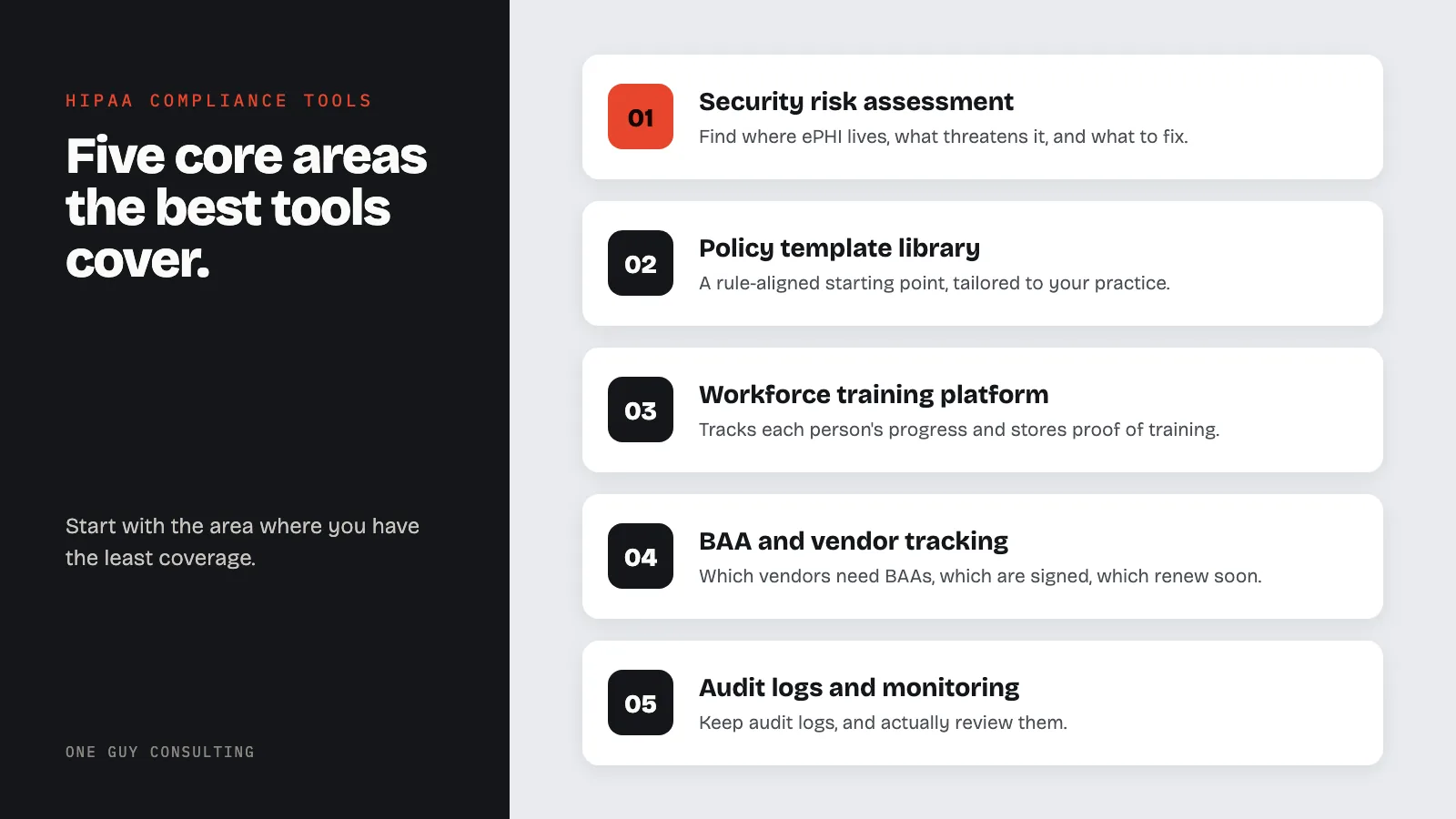
The best platforms combine policy management, workforce training tracking, risk assessment automation, and business associate agreement oversight into a single compliance management system. It also builds audit-ready records from day one.
Effective HIPAA compliance tools act as a watchdog for your organization, continuously monitoring access controls, tracking policy acknowledgments, flagging expired BAAs, and alerting you to compliance gaps before they become audit findings or breach triggers.
This guide breaks down each tool type, compares major platforms, and picks the best options based on practice size and budget. Whether you are starting a compliance program from scratch or checking your current stack, these are the areas that matter most.
Recommended HIPAA Compliance Tools and Services
The most effective HIPAA compliance approach combines software tools with expert guidance. Key tools and services include: a Security Risk Assessment (SRA) platform for finding and recording risks to electronic protected health information (ePHI), a HIPAA policy template library covering Privacy, Security, and Breach Notification Rules, workforce training with per-employee completion tracking, a Business Associate Agreement (BAA) tracking system, and compliance checks with audit log review. For small to mid-size practices, One Guy Consulting provides all five parts through 1:1 guidance and a compliance portal. That means a Certified HIPAA Professional walks you through the setup rather than leaving you to figure out the software alone.
1. Security Risk Assessment Tool or Template
If there is one compliance rule that trips up more practices than any other, it is the Security Risk Assessment (SRA). The HIPAA Security Rule at 45 CFR 164.308(a)(1) requires covered entities to run an accurate and thorough review of the risks and weak spots affecting the privacy, accuracy, and access of ePHI. Start with our HIPAA policy templates to build your records base. This is not optional, and it is not a checkbox. It is the base on which your entire Security Rule compliance program is built.
An SRA tool helps you find where ePHI lives in your practice. It shows what threats could harm it, how weak your current controls are, and what fixes you need to make. Done right, an SRA also gives you a solid paper trail. It shows that you took a step-by-step, risk-based approach to compliance. That is exactly what OCR wants to see.
What to Look For in an SRA Tool
- Threat and vulnerability identification: The tool should prompt you to consider a broad range of threats technical, physical, and administrative not just cybersecurity risks.
- Risk scoring: Look for a methodology that scores likelihood and impact so you can prioritize remediation efforts based on actual risk level.
- Remediation tracking: An SRA that produces a list of risks but no plan to address them is incomplete. You need to document how each identified risk will be mitigated, accepted, or transferred.
- Repeatability: Your SRA should be conducted regularly at minimum annually and whenever there is a significant operational change. The tool should support repeat assessments over time.
SRA Tool Options
The Department of Health and Human Services (HHS) offers a free SRA Tool at healthit.gov. It is built for small to medium healthcare providers. It walks through the assessment in a clear, step-by-step format.
For practices that want more depth, paid SRA platforms from vendors like Compliancy Group or Accountable HQ offer guided reviews with built-in records. For groups that want expert oversight, a consultant-led risk assessment adds an outside view and a documented professional review. That carries real weight if you ever face an OCR probe. The full consulting vs software comparison covers when each model fits.
2. HIPAA Policy Template Library
Written policies are the backbone of HIPAA compliance. The Privacy Rule, Security Rule, and Breach Notification Rule each require covered entities to create, put in place, and keep a full set of written policies and procedures. These documents govern everything from how your staff handles patient records requests to what happens when a laptop goes missing. Without them, you cannot show compliance. And you cannot train your workforce the same way each time.
For most small practices, writing policies from scratch is not practical or needed. A quality policy template library gives you a recorded starting point. It aligns with the rules and can be tailored to fit how your specific practice works.
What to Look For in a Policy Library
- Comprehensive coverage: Your policy library should address all three HIPAA rules Privacy, Security, and Breach Notification not just one or two. Look for libraries that cover minimum necessary standards, access controls, workforce sanctions, business associate requirements, and incident response.
- Customizability: Templates are a starting point, not a finish line. The tool or service should make it straightforward to tailor policies to your organization's actual processes, systems, and workforce structure.
- Version control: HIPAA requires you to retain documentation for six years. Your system should track when policies were created, when they were last reviewed, and who approved them.
- Plain language: Policies that only compliance attorneys can understand are not useful for day-to-day workforce training. Well-written templates balance regulatory accuracy with readability.
Policy Library Options
Policy template sets come from compliance consulting firms, HIPAA-focused vendors, and services like those offered by One Guy Consulting's policy template library. When comparing options, ask whether the templates have been reviewed by compliance experts. Also ask if they get updated when the rules change. A stale policy set can create a false sense of safety.
3. Employee Training Platform
HIPAA requires covered entities to provide HIPAA training to all members of the workforce - not just clinical staff - and to record that training took place. This rule applies to new hires (training must happen before they access PHI) and to all current staff on a regular basis. The most common finding in OCR enforcement actions and settlements is weak or unrecorded workforce training.
A training platform makes sure your staff gets the same HIPAA-focused education each time. It tracks each person's progress and stores proof of training. You can pull up that proof fast if you ever need to respond to a complaint or audit.
What to Look For in a Training Platform
- HIPAA-specific content: Generic "privacy awareness" training is not sufficient. Your platform should cover the specifics of HIPAA the Privacy Rule, Security Rule, your organization's policies, and employees' individual responsibilities.
- Assessment and verification: Training that ends with a quiz or knowledge check is more defensible than passive video watching. Documented quiz scores show that employees engaged with the material.
- Completion tracking and records: The platform should generate completion records you can store and produce on demand. Individual completion records are useful for documentation in personnel files. But beware of compliance badge risks that create false confidence.
- Role-based content: Front desk staff, billing personnel, and clinical providers have different PHI exposure. Platforms that allow role-based training tracks provide more targeted education.
Training Platform Options
Learning management systems (LMS) with HIPAA training modules range from free basic options to robust platforms built for large groups. Many compliance vendors bundle training with their broader compliance tools. For practices that prefer live or guided sessions, custom HIPAA training programs can be given in person or online. They can be tailored to your practice's specific policies and systems.
4. BAA Tracking and Vendor Management System
Business Associate Agreements (BAAs) are legally required whenever a vendor or contractor accesses, processes, stores, or sends PHI on your behalf. This includes your EHR vendor, your billing service, your cloud storage provider, your IT managed services firm - anyone who touches your patient data. Not having a signed BAA with each of these parties is a direct HIPAA breach. It is a finding that shows up often in OCR settlements.
The problem for most practices is not knowing that BAAs are required. It is keeping track of which vendors need them, which ones have been signed, and which ones are up for renewal. A BAA tracking and vendor management system solves that problem.
What to Look For in BAA Management
- BAA inventory: The system should maintain a complete list of all vendors who require a BAA, along with their agreement status and document storage.
- Expiration and renewal alerts: BAAs do not expire automatically, but vendor contracts do. Your system should flag when a vendor relationship is up for review and prompt you to confirm that the BAA remains current and appropriate.
- Vendor security assessment tracking: Beyond the BAA itself, your organization should periodically evaluate whether each business associate is maintaining adequate safeguards. A vendor management system helps you document those evaluations.
- Document storage: Signed BAAs must be retained for six years. The system should store agreements securely and make them easy to retrieve.
BAA Management Options
For very small practices with a handful of vendors, a clean spreadsheet can serve as a basic BAA tracker. For practices with more moving parts, vendor management platforms built for healthcare compliance offer workflow tools, document storage, and alerts. If managing your vendor ties and BAA program feels like too much, a BAA management service can handle the heavy lifting. It makes sure nothing slips through the cracks.
5. Compliance Monitoring and Audit Log Tool
HIPAA compliance is not a one-time event. It is an ongoing program. The Security Rule requires covered entities to set up hardware, software, and process controls to record and review activity in systems that hold ePHI. In plain terms: you need audit logs, and you need to actually look at them.
Audit logging captures who accessed patient records, when, from where, and what they did. Without this, you cannot spot bad access, look into possible breaches, or show that your access controls work as planned. Audit logs are also a key source of proof during breach probes - both for your side and for OCR.
What to Look For in Compliance Monitoring
- Audit log aggregation: Your organization likely has PHI in multiple systems your EHR, your practice management software, your cloud storage, your email platform. A monitoring tool that aggregates audit logs across systems gives you a comprehensive view rather than siloed data in each application.
- Access monitoring and anomaly detection: Advanced tools flag unusual access patterns such as a user accessing records outside their normal work hours or downloading an unusually large number of records that may indicate a breach or insider threat.
- Compliance dashboards: Visibility into your compliance posture helps you identify gaps before they become incidents. Look for dashboards that show policy adherence, training completion rates, outstanding risk items, and open action items in one place.
- Incident tracking: When a potential breach or privacy incident occurs, you need a documented workflow for investigation and response. A compliance management platform with built-in incident tracking keeps that process organized and auditable.
Compliance Monitoring Options
Many EHR systems include built-in audit log features. Check whether yours is turned on and whether you are actually reviewing those logs on a set schedule. For broader checks beyond the EHR, Security Information and Event Management (SIEM) tools provide enterprise-grade log gathering and anomaly detection. They usually need technical know-how to set up and run. Compliance platforms built for healthcare - such as those from Vanta, Drata, or healthcare-focused vendors - offer easier dashboards with HIPAA-specific controls built in.
What Are the Best Compliance Tools for Small Businesses?
The best compliance tools for small businesses are ones that provide expert guidance along with the software, not just self-service platforms. Small healthcare practices - solo providers, dental offices, two- or three-doctor groups - have the same compliance duties as large hospital systems. But they lack the budget or staff to manage them on their own.
The best approach for small businesses is a HIPAA consulting service that includes a compliance portal. One Guy Consulting pairs a Certified HIPAA Professional with a software platform covering risk analysiss, policy management, training, and BAA tracking. This model removes the learning curve that stalls small businesses on self-service platforms.
For practices that need to start with a free tool, the HHS/ONC SRA Tool (healthit.gov, updated to v3.6 in September 2025) is government-issued and OCR-backed. Software-only options include Accountable HQ and Compliancy Group.
What Tools Do Healthcare Compliance Professionals Use?
Healthcare compliance pros use a mix of rule databases, risk assessment platforms, policy systems, training tools, and audit records software. The core toolkit includes: the HHS/ONC SRA Tool or a paid risk assessment platform for yearly security risk analysiss, a HIPAA policy library with version-tracked templates covering Privacy, Security, and Breach Notification Rules, a learning management system (LMS) for running and tracking workforce training, BAA management software for tracking vendor deals and renewal dates, and compliance dashboards for ongoing audit log review and gap tracking. Compliance officers at larger groups also use Security Information and Event Management (SIEM) systems to pull audit logs into one place. Many compliance pros rely on consulting partners like One Guy Consulting to handle the technical setup while they focus on oversight. See our HIPAA compliance officer guide for the full scope of what a compliance officer should be managing.
How to Choose the Right Tools for Your Practice
The five areas above form the core of a working HIPAA compliance program. But knowing what tools exist and knowing which ones fit your practice are two different things. Here is a practical way to make those choices.
Start with the Non-Negotiables
If you have not yet done a Security Risk Assessment, written HIPAA policies, or given your staff recorded training, those are your first three tasks - in that order. These are the areas where OCR most often finds problems. They are also the base that makes everything else work better. Tools in these three areas are easy to find at fair prices.
Consider Practice Size and Complexity
A solo practice with two staff members and a single EHR has very different needs than a multi-site specialty group with dozens of workers and ten vendor ties. Larger, more complex groups justify stronger tools - vendor management platforms, SIEM tools, formal LMS systems. Smaller practices can often reach solid compliance with simpler, lower-cost tools and well-recorded manual steps.
Do Not Over-Invest in Software Alone
A common mistake is treating compliance as a software problem. The right tools help. But policies that are not followed, training that is not enforced, and risk analysiss that sit in a drawer do not protect your patients or your practice. It does not matter how fancy your platform is. Process habits and staff follow-through matter more than the brand of tool you use.
Build Gradually
You do not need to do everything at once. Fix the highest-risk gaps first, build from there, and revisit your compliance stack each year as part of your SRA process. A compliance program built step by step and kept up over time is far stronger than a pricey toolset that nobody uses.
How We Evaluated These HIPAA Compliance Tools
We scored each tool on five criteria: rule coverage (does it address the Privacy Rule, Security Rule, and Breach Notification?), ease of use for non-technical staff, clear pricing, support quality, and whether the platform creates audit-ready output that would hold up with an OCR investigator. Tools sold as "HIPAA compliance software" vary widely in what they actually do. This breakdown focuses on what matters for real practices, not feature lists built for marketing. Two names that come up in HIPAA searches but did not make this list are Dot Compliance, a quality management system built for FDA-regulated companies rather than a HIPAA program (see our Dot Compliance comparison), and Secureframe, which is built for SOC 2 and ISO 27001 first (see the Secureframe comparison).
HIPAA Compliance Tool Comparison Table
The table below sums up the major platforms across the areas that matter most for compliance program choices. Pricing reflects public info as of mid-2026 and may change. Always check directly with the vendor.
| Tool | Best For | Price Range | Risk Assessment | Policy Library | BAA Management | Staff Training | Audit-Ready Reports |
|---|---|---|---|---|---|---|---|
| One Guy Consulting | Small to mid-size practices wanting 1:1 guidance plus a compliance portal | $675 or $1,300 a year, flat | Yes (guided) | Yes (HIPAA-specific templates) | Yes | Yes (role-based) | Yes |
| HHS/ONC SRA Tool | Any covered entity needing a free OCR-recognized baseline | Free | Yes (risk assessment only) | No | No | No | Limited |
| Compliancy Group | Small practices wanting guided compliance coaching | Quote on request | Yes | Yes | Yes | Yes | Yes |
| Accountable HQ | Budget-conscious small practices | See vendor site | Yes | Yes | Yes | Yes | Limited |
| Medcurity | Dental offices and small medical groups | Custom quote | Yes (dental-specific) | Yes | Yes | Yes | Yes |
| Vanta | Digital health startups needing SOC 2 + HIPAA | See vendor site | Yes (automated) | Limited | Yes | Limited | Yes |
| Drata | Tech-forward mid-market organizations | See vendor site | Yes (automated) | Limited | Yes | Limited | Yes |
| Sprinto | SaaS companies pursuing HIPAA + other frameworks | Custom quote | Yes | Limited | Yes | Limited | Yes |
| Hyperproof | Enterprise GRC and multi-framework compliance | Custom quote | Yes | Yes | Yes | Limited | Yes |
| ComplyAssistant | Mid-size health systems and IDNs | Custom quote | Yes | Yes | Yes | Yes | Yes |
Best HIPAA Compliance Tools for Small Practices (1–10 Staff)
Small practices - solo providers, small dental offices, two- or three-doctor groups - have the same compliance duties as large hospital systems. But they lack the budget or staff to match. The right tools for this group do three things well: they make the Security Risk Assessment easy to finish and record, they provide written policies ready to tailor without legal help, and they track training completion without needing a full-time admin.
The free HHS/ONC SRA Tool (healthit.gov, updated to v3.6 in September 2025) is the must-have starting point for any small practice. It is government-issued, OCR-backed, and free. It does not replace a full compliance program. But it meets the core risk analysis rule under 45 CFR § 164.308(a)(1) when done right.
For practices that want guided support beyond the free tool, Accountable HQ and Compliancy Group both offer entry-level plans. These bundle risk assessment, policy templates, and training at fair monthly rates.
For dental offices, Medcurity provides dental-specific policy templates and BAA tracking for common platforms like Dentrix, Eaglesoft, and Weave.
One Guy Consulting's platform is built for this group - practices that need a real compliance program without a big budget. Unlike self-service platforms where you handle the software alone, One Guy Consulting pairs each practice with a Certified HIPAA Professional. That person walks through the risk assessment, tailors policies, and provides ongoing guidance. Our HIPAA risk assessment guide shows what a solid SRA looks like and what OCR expects to find.
Best HIPAA Compliance Tools for Mid-Size Medical Groups
Medical groups with 10 to 100 staff and more than one location face a different challenge: keeping compliance in sync across teams and sites where staff have different PHI access levels. At this size, a spreadsheet for BAA tracking breaks down. Training slips through the cracks. The risk assessment gets complex enough that the free SRA Tool no longer covers the full picture.
Mid-size groups gain the most from platforms that bring compliance into one place. They need a single dashboard where the compliance officer can see overdue training, old policies needing review, open risk items, and vendor agreement status all at once. Compliancy Group and ComplyAssistant both serve this group with coaching-backed setups. For groups with existing EHR systems and IT support, SIEM tools for audit log gathering become useful at this scale. See our HIPAA compliance officer guide for the full scope of what a compliance officer at this size should manage.
Best HIPAA Compliance Tools for Digital Health Startups
Digital health startups and health tech firms face a distinct compliance profile. They need HIPAA compliance to close enterprise sales and pass legal review. They often need it alongside SOC 2 Type II, ISO 27001, or other security frameworks. For this group, general-purpose GRC platforms built for cloud-native firms - Vanta, Drata, and Sprinto - are the top choices. These platforms connect to AWS, GCP, Azure, and common SaaS tools to gather evidence for security controls on autopilot.
The tradeoff is that these platforms focus on security frameworks, not healthcare-specific compliance. Their HIPAA modules cover the Security Rule well but are thinner on Privacy Rule records, staff training content, and the kind of policy library a healthcare-native platform provides. Digital health startups using Vanta or Drata for SOC 2 should add a healthcare-specific policy library and formal BAA tracking for the covered entity side of their customer ties.
How Can I Automate HIPAA Compliance for My Healthcare Organization?
HIPAA compliance automation means using software to handle the recurring, record-heavy tasks that keep a compliance program running. The best areas to automate include: yearly Security Risk Assessment workflows that carry forward past findings and track fixes, policy review scheduling with alerts when policies are due for annual review, workforce training that triggers for new hires and sends reminders to current staff, BAA tracking with expiration alerts and vendor review workflows, and incident logging with built-in four-factor breach risk score calculations.
For healthcare groups, the best path to automation depends on practice size. Small practices (1-10 staff) gain the most from a compliance platform that bundles automation into a managed service. One Guy Consulting handles the initial setup and ongoing compliance tasks through its portal. The practice gets automation without needing to set up or manage the software itself. Mid-size groups (10-100 staff) typically use platforms like Compliancy Group or ComplyAssistant that offer workflow automation with compliance coaching. Large groups and digital health firms often layer HIPAA-specific tools on top of broader GRC platforms like Vanta or Drata.
The key point is the line between automation that replaces expert judgment and automation that supports it. The strongest HIPAA compliance programs automate records and tracking while keeping a qualified professional involved in risk choices, policy work, and incident response. Software that hands out a compliance badge without expert review creates a false sense of safety.
Free vs. Paid HIPAA Compliance Tools: Which Do You Need?
The honest answer depends on the size and complexity of your practice. Here is a useful breakdown:
The free tier can work if: you have five or fewer staff, your EHR provides built-in audit logging that you actively review, you have the discipline to finish the HHS SRA Tool fully and record a fix plan, and you can create or adapt policy templates from a trusted source. The risk is not that the free tools are bad. It is that they need more discipline to use right. Small practices often misjudge what "done properly" really means.
Paid software earns its cost when: you have more than ten staff, you have many vendor ties needing BAA tracking, your risk assessment is complex enough that the free SRA Tool feels lacking, or you want workflow tools that create records on their own rather than relying on manual notes. A compliance failure leading to an OCR settlement costs far more than years of software fees. The 2023 settlement with Yakima Valley Memorial Hospital - $240,000 for failing to sanction workforce members who accessed PHI without cause - shows the point. The gap was in workforce management and audit log review. That is exactly what a monitoring platform covers.
For practices in between - too large for manual work but not ready for enterprise GRC - mid-market healthcare compliance platforms offer the best balance. Look for a platform that can grow with you rather than one you will need to swap out in two years. A current risk assessment will tell you which gaps to close first and which tools address them.
HIPAA compliance can feel out of reach for small and mid-size practices - mainly when you are also running a business and caring for patients. But the practices that struggle most are not the ones with tight budgets. They are the ones without a clear system. The right tools give you structure: recorded proof that you found risks, wrote policies, trained your staff, managed your vendors, and checked your systems on a regular basis. That recorded structure is what sets a strong compliance program apart from a legal risk.
The five areas covered here - risk assessment, policy management, workforce training, BAA tracking, and compliance checks - are not the only parts of a full HIPAA program. But they are the most useful base you can build. Start by finding which of these areas you have the least coverage in. Then focus on closing those gaps before adding more advanced tools.
If you are not sure where your program stands or which tools make sense for your case, the best first step is an honest look at where things are today. Schedule a free consultation to talk through where your practice is now. We can map out what a practical, right-sized compliance stack might look like for your group.
Frequently Asked Questions
What is the best free HIPAA compliance tool?
The HHS/ONC Security Risk Assessment (SRA) Tool is the best free option. It is government-issued, OCR-backed, and was updated to v3.6 in September 2025. It walks covered entities through the risk analysis process required under 45 CFR § 164.308(a)(1). Download it free at healthit.gov. For written policies, HHS also publishes model notices and sample forms at hhs.gov/hipaa. These serve as a solid starting point.
Do I need HIPAA compliance software or can I manage it manually?
For groups with fewer than five staff, a manual approach with written policies and the free SRA Tool can work. You must finish it fully and keep records for the required six-year holding period. For practices with ten or more staff, software cuts the risk of record gaps that cause OCR audit failures. The value of software is the structure and follow-through it creates across a larger workforce, not the feature count.
What features should I look for in HIPAA compliance software?
Key features include: a risk assessment module that creates exportable records, a policy library with HIPAA-specific templates you can tailor, business associate agreement tracking with document storage and renewal alerts, staff training with per-employee finish records and quiz scores, breach incident logging with a four-factor risk assessment workflow, and audit-ready reports you can pull up on short notice. Extra features like automated control checks and EHR links add value at larger scale. But they are not must-haves for a strong small-practice compliance program.
Is there HIPAA compliance software specifically for dental offices?
Yes. Several platforms serve dental practices directly. Medcurity and Compliancy Group offer dental-specific policy templates and BAA tracking for common dental vendors like Dentrix, Eaglesoft, and Weave. Dental offices face the same HIPAA rules as any other covered entity. But they have specific PHI types - X-rays, periodontal charts, patient photos - and vendor ties that general-purpose tools sometimes miss. See our full guide on HIPAA compliance for dental practices.
How much does HIPAA compliance software cost?
Pricing varies a lot by platform and practice size, and vendors change it often, so check each vendor’s current pricing page. Enterprise platforms like ComplyAssistant and Hyperproof are custom-quoted. One Guy Consulting is $675 or $1,300 a year, flat.
What is the difference between HIPAA compliance software and a HIPAA consultant?
HIPAA compliance software provides tools for risk assessment, policy management, training, and records - but the practice must use the software right and read the rules correctly. A HIPAA consultant provides expert guidance on how to set up compliance, what your specific risks are, and how to respond to incidents or audits. The best approach combines both: a compliance platform for records and tracking, paired with a consultant who makes sure the program is built right. One Guy Consulting uses this model. A Certified HIPAA Professional works directly with each practice through a compliance portal that handles the records side.
How do I automate HIPAA compliance?
Automate the recurring record tasks: risk assessment follow-ups, policy review reminders, training due-date alerts, BAA renewal tracking, and incident logging workflows. Platforms like One Guy Consulting, Compliancy Group, and Vanta build this automation into their compliance dashboards. The key is to automate the admin tracking while keeping a qualified professional involved in risk choices and policy reading. Automation should support expert judgment, not replace it.
See How They Compare
- Compliancy Group vs One Guy Consulting (2026)
- Accountable vs One Guy Consulting (2026)
- Drata vs One Guy Consulting (2026)
- Vanta vs One Guy Consulting (2026)
- Secureframe vs One Guy Consulting (2026)
Key stat: No single HIPAA compliance tool covers every requirement. The Security Rule alone contains over 50 implementation specifications across administrative, physical, and technical safeguards. Most tools focus on a subset - risk assessment, training, or policy management - meaning practices typically need either multiple tools or a consulting partner to achieve full compliance coverage.
Small Practice Resources
- HIPAA Compliance Checklist for Small Practices
- HIPAA Compliance Cost Breakdown
- HIPAA Consulting Cost for Small Practices
- How to Automate HIPAA Compliance
- HIPAA Policies and Training for Small Practices
- HIPAA Compliance Checklist for Small Practices
Small Practice Resources
- HIPAA Compliance Checklist for Small Practices
- HIPAA Compliance Cost Breakdown
- HIPAA Consulting Cost for Small Practices
- How to Automate HIPAA Compliance
- HIPAA Policies and Training for Small Practices
- HIPAA Compliance Checklist for Small Practices
Related Reading
- Compliancy Group vs. One Guy Consulting (2026)
- How Long Does HIPAA Compliance Take?
- HIPAA Fines 2025: The Full Breakdown
Related: Why Accountable HQ's HIPAA Certification Badge Means Nothing to OCR