A healthcare cybersecurity framework is a structure that lines up your people, processes, and tech to protect patient data. Many healthcare teams build it on the NIST Cybersecurity Framework. It is voluntary, maps to the HIPAA Security Rule, and scales from small clinics to large health systems. Some teams also adopt HITRUST CSF.
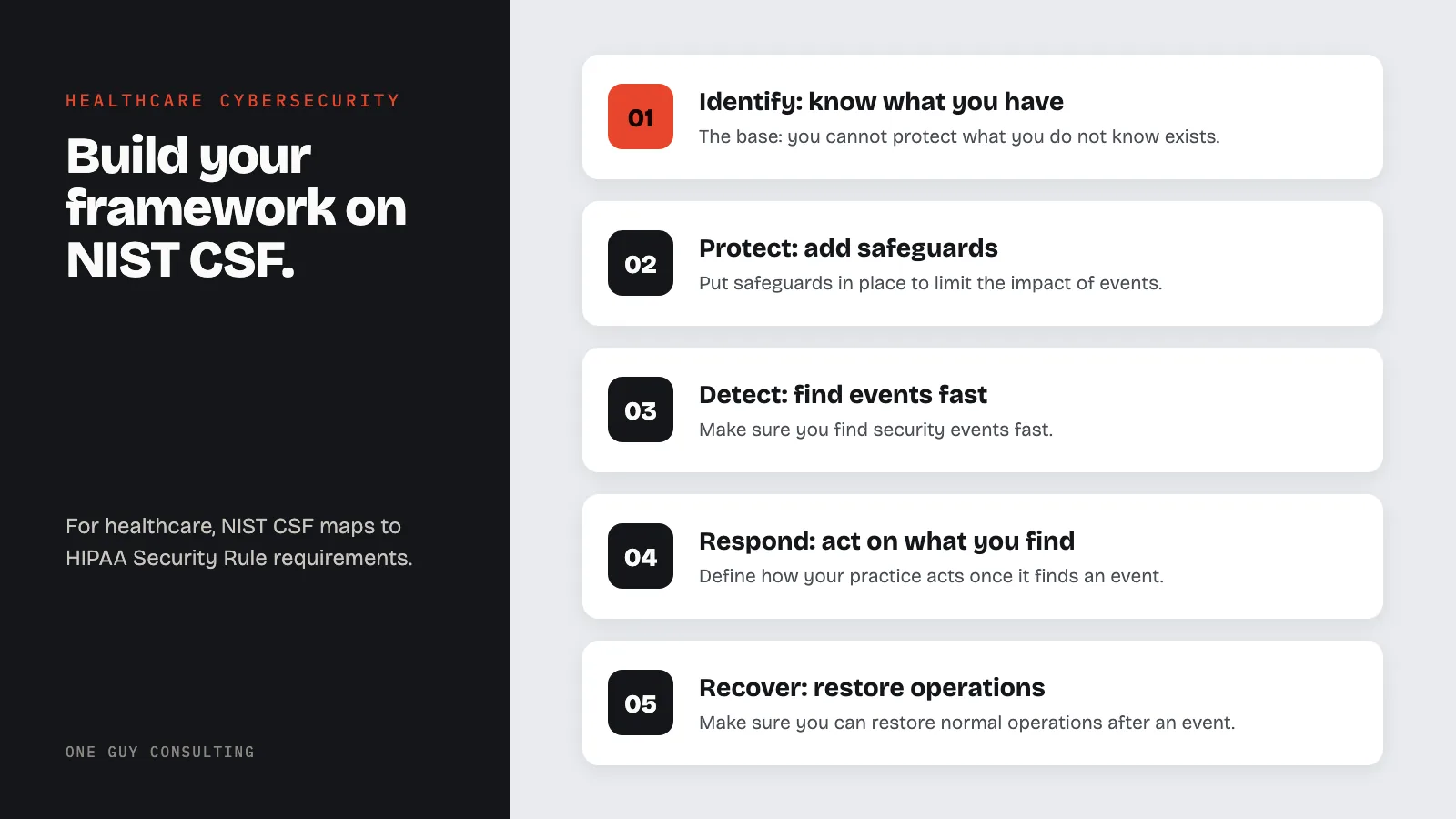
Building a strong healthcare cybersecurity program takes more than buying security tools. It needs a clear framework. That framework must line up people, processes, and tech around shared goals.
Healthcare faces a unique threat space. Cyber attacks can harm patients directly. They can disrupt care and expose millions of health records.
The NIST Cybersecurity Framework (NIST CSF) is one of the most widely used guides for security programs across industries. A complete healthcare cybersecurity framework incorporates endpoint detection and response, network segmentation to isolate clinical systems from general traffic, zero trust architecture principles, and continuous vulnerability scanning to identify threats before they reach patient data. For healthcare, it maps to HIPAA Security Rule requirements. It also tackles the specific challenges that make healthcare a top target for attacks.
Endpoint security in healthcare is a critical component of any cybersecurity framework. Medical devices, workstations, mobile devices, and remote access points all create attack surfaces that must be managed under both NIST CSF and HIPAA Security Rule requirements.
This guide walks healthcare IT teams through building a cybersecurity framework on NIST CSF. It covers zero trust design and modern defense methods.
Why Healthcare Needs a Structured Cybersecurity Framework
The Unique Healthcare Challenge
Healthcare cybersecurity differs from other industries. Life-critical systems, complex tech, strict rules, and a diverse team create real challenges. A structured, step-by-step approach is key.
Factors that make healthcare cybersecurity especially hard:
- Patient safety link: Attacks can delay surgeries, disrupt medicines, disable monitors, and divert emergency patients. Lives are at risk.
- Legacy system prevalence: Many sites run key systems on outdated platforms. These cannot be patched or replaced easily.
- Medical device growth: Thousands of connected devices come from hundreds of makers. Many have little built-in security.
- 24/7 operations: Hospitals never close. That makes maintenance windows and updates very hard to schedule.
- Team variety: Clinical staff, employees, contractors, students, and volunteers all need different levels of access.
- Rule burden: HIPAA, state privacy laws, CMS rules, Joint Commission standards, and insurance mandates create layered rules.
The Case for NIST CSF in Healthcare
NIST CSF offers several benefits for healthcare teams:
- Risk-based approach: Focuses resources on the top threats. Not on rigid checklists.
- HIPAA alignment: Maps directly to HIPAA Security Rule admin, physical, and technical safeguards.
- Scale: Works for small clinics and large health systems. Tiers match your current maturity.
- Common language: Builds shared vocab across IT, clinical, compliance, and exec teams.
- Ongoing growth: Built on a cycle of review, setup, tracking, and tuning.
The Six Core Functions of NIST CSF 2.0
NIST CSF 2.0 groups cybersecurity work into six functions: Govern, Identify, Protect, Detect, Respond, and Recover. Govern was added in version 2.0. It covers setting, sharing, and tracking your security strategy and policies; the governance step under Identify below is part of it. Each function applies at every stage. Healthcare teams must address all six to get full protection.
Function 1: Identify
The Identify function is the base of your security program. You cannot protect what you do not know exists. Healthcare teams need clear sight of assets, data flows, processes, and threats.
Asset Management
A full, accurate list of all tech assets is the first step.
Your asset list must include:
- Hardware: Servers, workstations, laptops, mobile devices, network gear, printers, and medical devices.
- Software: OS, apps, EHR platforms, medical device software, cloud services, and third-party connections.
- Data: Locations, volumes, types, and flows of all PHI and other sensitive data.
- Network connections: Internal networks, external links, VPN tunnels, wireless networks, and partner connections.
- People: Team members, their roles, access levels, and the systems they use.
Automated tools should back up manual list-building steps. They help find shadow IT, unknown devices, and rogue access points.
Risk Assessment
Regular risk assessments are both a HIPAA rule and a security best practice. The Identify function requires you to know your risk stance across all areas.
A healthcare risk assessment should check:
- Threats: External attackers, insider threats, natural disasters, system failures, and vendor risks like the 2026 Vercel security incident.
- Weak spots: Technical flaws, process gaps, training gaps, and physical security concerns.
- Chance: The chance each threat will exploit each weak spot, based on current data and history.
- Impact: The possible harm of each risk scenario on patient care, finances, and standing.
- Current controls: How well existing security measures reduce known risks.
Business Environment
Security must support your mission and goals, not block care. Knowing that fit helps security spending work for you.
- Map key business processes to the tech systems that support them.
- Identify links between clinical flows and IT systems.
- Define risk tolerance levels for different types of systems and data.
- Set up governance that connects security decisions to executive leadership.
Function 2: Protect
The Protect function puts safeguards in place to limit the impact of security events. Healthcare teams must balance strong security with the freedom that clinical care needs.
Access Control
Controlling who can reach systems and data is the most basic protection.
Healthcare access control rules:
- Multi-factor auth (MFA): Use it for remote access, privileged accounts, and all systems with PHI. The current HIPAA Security Rule does not name MFA. The January 2025 proposed rule (a draft change HHS has not finished) would require it, but it is not final.
- Role-based access (RBAC): Access tied to job functions. This enforces the HIPAA minimum necessary standard.
- Privileged access mgmt: Secure storage, tracking, and rotation of admin credentials.
- Session management: Auto timeout, re-login rules, and concurrent session limits.
- Emergency access steps: Documented break-glass steps for clinical crises that need quick access to patient data.
Data Security
Protecting PHI through its full life needs multiple layered controls.
- Encryption at rest: AES-256 encryption for all stored ePHI, including databases, file shares, backups, and portable media.
- Encryption in transit: TLS 1.2 or higher for all network traffic carrying PHI.
- Data loss prevention (DLP): Detecting and blocking banned data transfers via email, web, cloud storage, and removable media.
- Secure disposal: Certified wipe of PHI on all media, with a documented chain of custody.
- Backup integrity: Regular checks that backups are full, clean, and restorable.
Protective Technology
Tech controls form the front line of your defense.
- Firewalls and intrusion prevention: Next-gen firewalls with deep packet inspection, app control, and intrusion prevention.
- Email security: Strong threat protection against phishing, email fraud, and malicious attachments.
- Web security: URL filtering, SSL inspection, and cloud access security brokers (CASB) for SaaS apps.
- Endpoint protection: Next-gen AV, endpoint detection and response (EDR), and app controls.
- Patch management: Risk-based patching with set timelines and backup controls for systems that cannot be patched.
Team Training
People are both the biggest weak spot and the strongest defense in healthcare security. Ongoing training is a key protective step.
- Security awareness training for all staff, completed at least once a year.
- Phishing drills run monthly, with targeted retraining for employees who fail.
- Role-based training for IT staff, clinicians, managers, and leaders.
- Incident reporting training that helps every employee spot and report possible security events.
- Compliance training covering HIPAA rules, team-level policies, and their own duties.
Function 3: Detect
The Detect function ensures you find security events fast. Healthcare breaches take an average of 279 days to identify and contain, the longest of any industry (IBM Cost of a Data Breach Report 2025). Better detection is one of the best investments you can make.
Continuous Monitoring
Good detection needs constant sight of all systems and networks.
Essential monitoring tools:
- Security Info and Event Management (SIEM): Central log collection, correlation, and alerting across all key security systems.
- Network detection and response (NDR): Deep sight into network traffic patterns, with behavior checks to detect odd patterns.
- Endpoint detection and response (EDR): Real-time watching of endpoint actions for signs of compromise.
- User and Entity Behavior Analytics (UEBA): Machine learning detection of odd user behavior that may flag hacked accounts or insider threats.
- Cloud security posture mgmt: Ongoing checks of cloud settings for bad configs and policy violations.
Detection Processes
Tech alone is not enough. Detection also needs defined steps. Alerts must be sorted, reviewed, and passed up correctly.
- Alert triage steps that rank events by impact and urgency.
- Escalation paths that link security analysts to incident responders, managers, and clinical leads.
- Threat hunting that actively searches for hidden breaches using threat data.
- Vulnerability scanning running continuously for external systems and at least monthly for internal systems.
- Penetration testing annually, with extra testing after major changes.
These schedules are good practice, not current law. The current HIPAA Security Rule sets no scan or penetration test schedule. The January 2025 proposed rule would require vulnerability scans at least every six months and a penetration test at least every 12 months, but it is not final.
Anomaly and Event Detection
Healthcare settings produce huge amounts of data. Good detection needs tuned tools that tell real threats from normal noise.
- Set baselines: Define normal behavior for users, systems, and network traffic.
- Threshold alerting: Trigger alerts when actions exceed defined limits.
- Pattern detection: Use machine learning to find subtle oddities that rule-based systems miss.
- Correlation: Link related events across multiple systems to spot complex, multi-stage attacks.
- Device monitoring: Specific tracking for connected medical devices that may not support standard security agents.
Function 4: Respond
The Respond function defines how your practice acts once it finds a security event. Speed and teamwork are key. Every hour of delay raises the cost and harm of a breach.
Response Planning
A documented, tested incident response plan is the base of good response.
Your incident response plan must address:
- Incident classification: Clear criteria for categorizing events by type and severity.
- Response team activation: Who to contact, how to assemble the team, and the chain of command.
- Containment steps: Pre-defined steps for different incident types. Balance security with clinical ops.
- Communication steps: Internal notices, exec briefings, legal support, and external breach alerts.
- Evidence preservation: Steps for collecting and protecting evidence.
- Clinical impact check: Steps for checking and reducing impacts on patient care during active incidents.
Communications
Coordinated contact during incidents prevents confusion. It manages stakeholder expectations and supports compliance.
- Internal contact: Defined channels for notifying leadership, IT staff, clinical teams, and the broader team.
- External contact: Pre-approved templates and steps for talking to patients, media, regulators, and law enforcement.
- Legal teamwork: Early involvement of legal counsel to protect privilege and guide regulatory talks.
- Vendor notice: Steps for notifying affected business associates and coordinating a joint response.
Analysis and Mitigation
Thorough review during and after incidents enables good containment and helps prevent a repeat.
- Root cause review: Find the initial attack path, the route of breach, and the controls that failed.
- Impact check: Determine the scope of data exposure, systems affected, and people impacted.
- Threat actor review: Understand the attacker's tactics, methods, and steps (TTPs) to guide containment and future defenses.
- Fix actions: Apply quick fixes right away to stop further damage. Plan long-term steps to address root causes.
Function 5: Recover
The Recover function ensures you can restore normal ops after a security event. For healthcare, how fast you recover directly affects patient care and safety.
Recovery Planning
Documented steps enable fast restore of key systems and services.
- Prioritized recovery sequence: Restore systems in order of clinical and operational priority.
- Recovery time objectives (RTOs): Define the maximum acceptable downtime for each key system.
- Recovery point objectives (RPOs): Define the maximum acceptable data loss for each system.
- Backup procedures: Documented manual and paper-based steps for clinical ops during outages.
- Update plan: Keep stakeholders informed about restore progress and expected timelines.
Backup and Restore
Reliable backups are the best safety net against ransomware and destructive attacks.
- 3-2-1 backup strategy: Keep three copies of data on two different media types. Store one copy offline or offsite.
- Immutable backups: Use write-once storage or air-gapped systems that attackers cannot encrypt or delete.
- Regular testing: Run monthly restore tests to verify backup integrity and restore steps.
- Backup encryption: Encrypt all backup media to protect data if backups are stolen or lost.
- Documented steps: Step-by-step restore guides for each key system, tested and updated regularly.
Lessons Learned
Every security event is a chance to strengthen your defenses.
- Post-incident reviews: Hold formal after-action reviews within 30 days of every major incident.
- Fix tracking: Document each fix and track it to completion.
- Framework updates: Revise policies, steps, and tech controls based on incident findings.
- Training updates: Include lessons learned in team training programs.
- Industry sharing: Contribute anonymized threat data to healthcare info-sharing groups.
Healthcare-Specific Security Controls
Medical Device Security
Connected medical devices are one of healthcare's hardest security problems. Many cannot be updated. They run old OS versions. They were built without security in mind.
Medical device security strategies:
- Network isolation: Put medical devices on dedicated, segmented network segments with strict firewall rules.
- Passive monitoring: Use network-based tracking to detect odd device behavior without installing agents.
- Maker engagement: Work with device makers to get security patches and learn about known weak spots.
- Buying standards: Include security rules in medical device purchasing criteria. Require patch support commitments.
- Risk-based priority: Apply the strongest controls to devices that directly affect patient safety or contain PHI.
- Device lifecycle: Plan for device replacement when security support ends, just as you plan for clinical obsolescence.
Electronic Health Record (EHR) Security
EHR systems hold the most sensitive patient data in your practice. They need strict, layered security controls.
- Access auditing: Log and review all EHR access. Set automated alerts for odd patterns.
- Privilege management: Strictly limit admin access. Use change-control measures.
- Integration security: Secure all links between the EHR and other systems, including HL7, FHIR, and API links.
- Vendor management: Hold EHR vendors to security standards through BAAs, SLAs, and regular security reviews.
- Disaster recovery: Keep tested failover and recovery steps specific to your EHR setup.
Telehealth Security
The growth of telehealth creates new attack surfaces that need specific security attention.
- Platform security: Use only telehealth platforms that meet HIPAA rules and have signed BAAs.
- End-to-end encryption: Ensure all video, audio, and data transfers are encrypted.
- Patient identity check: Verify patient identity before sharing PHI during virtual visits.
- Recording storage: Store recorded telehealth sessions securely with controlled access.
- Home network tips: Give clinicians security guidance for running telehealth from home networks.
Zero Trust Architecture for Healthcare
Principles of Zero Trust
Zero trust drops the old perimeter-based security model. No user, device, or connection is trusted by default. Every request is checked, no matter where it comes from.
Core zero trust principles applied to healthcare:
- Verify each request: Check every access request using all available data. This includes user ID, device health, location, and behavior.
- Least privilege access: Grant the minimum access needed for each task. Grant it for the minimum time required.
- Assume breach: Design systems as if the network is already compromised. This limits the damage any successful attack can cause.
Implementing Zero Trust in Healthcare
Healthcare teams can adopt zero trust step by step. Focus on the highest-value cases first.
Phase 1: Identity-Centric Controls
- Roll out MFA for all users and systems.
- Use single sign-on (SSO) with conditional access rules.
- Enable risk-based auth that adjusts to context.
- Set up identity governance for lifecycle mgmt.
Phase 2: Device Trust
- Deploy device health checks for all endpoints.
- Use cert-based device auth.
- Set device compliance rules that gate network access.
- Extend device trust to medical devices through network-based rules.
Phase 3: Network Micro-Segmentation
- Define app-level access rules to replace broad network rules.
- Use software-defined perimeter (SDP) for key apps.
- Deploy east-west traffic checks to detect lateral movement.
- Remove hidden trust between network segments.
Phase 4: Data-Focused Security
- Classify and label all data based on sensitivity.
- Use attribute-based access control (ABAC) for fine-grained data access choices.
- Deploy DLP rules that follow data across all setups.
- Encrypt data at every stage of its life.
Zero Trust and HIPAA Alignment
Zero trust principles align naturally with HIPAA rules:
| HIPAA Rule | Zero Trust Control |
|---|---|
| Access controls (164.312(a)) | Verify explicitly, least privilege. |
| Audit controls (164.312(b)) | Full logging of all access decisions. |
| Integrity controls (164.312(c)) | Data-led security, integrity checks. |
| Transmission security (164.312(e)) | Encrypt all contact, assume breach. |
| Person or entity auth (164.312(d)) | MFA, risk-based auth. |
Cloud Security for Healthcare
Securing Cloud-Hosted PHI
Healthcare teams increasingly rely on cloud services for EHR hosting, data review, telehealth, and admin functions. Securing PHI in the cloud needs a shared-duty approach.
Essential cloud security controls:
- Cloud posture mgmt (CSPM): Always monitor cloud settings for bad configs and compliance violations.
- Cloud workload protection: Secure VMs, containers, and serverless functions with runtime protection.
- Identity and access mgmt: Extend zero trust identity controls to cloud setups with cloud-native IAM.
- Data encryption: Use customer-managed encryption keys (CMEK) for all stored PHI. Key mgmt steps must meet HIPAA rules.
- Network security: Use virtual network segmentation, private endpoints, and cloud firewalls.
- Logging and tracking: Enable full cloud audit logging and connect it to your SIEM for central sight.
Cloud Vendor Assessment
Not all cloud providers meet healthcare security needs. Thorough review is needed before you commit.
- BAA availability: Confirm the provider will sign a HIPAA-compliant BAA.
- Compliance certs: Verify SOC 2 Type II, HITRUST, and FedRAMP certs as needed.
- Data location: Know where PHI will be stored and processed, including backup sites.
- Incident response: Review the provider's breach notice and incident response skills.
- Data portability: Make sure you can export your data in usable formats if you need to switch.
Healthcare Cybersecurity FAQ
What cybersecurity framework should healthcare teams use?
NIST CSF is the most widely used cybersecurity framework in healthcare. It aligns well with HIPAA rules and scales to teams of all sizes. It takes a risk-based approach so you can focus resources where they matter most. Some teams also adopt HITRUST CSF, which builds on NIST CSF and adds healthcare-specific controls.
How does zero trust design apply to healthcare settings?
Zero trust removes hidden trust in healthcare networks. Every request must be checked, no matter where it comes from. In healthcare, this means verifying the ID of every user and device before granting access to patient data. It also means using least-privilege access aligned with the HIPAA minimum necessary standard. Most teams roll this out in phases, starting with identity and access controls.
What are the biggest cybersecurity threats facing healthcare teams?
Ransomware, phishing, and third-party breaches are the top three threats. Ransomware is very dangerous in healthcare because it can disrupt patient care and threaten lives. Phishing is the most common entry point for attackers. Growing reliance on vendors and cloud services makes supply chain attacks a rising concern. For a full review, see our healthcare data breach prevention guide.
How often should healthcare teams update their cybersecurity framework?
Review and update your framework at least once a year. Also review it after major incidents, big tech changes, new rules, or shifts in the threat landscape. Ongoing checks and quarterly risk assessments help you spot gaps between formal updates.
How much should healthcare teams budget for cybersecurity?
Industry benchmarks suggest healthcare teams should put 6-10% of their total IT budget toward cybersecurity. Many teams still fall short of this target. The right budget depends on your size, risk profile, compliance needs, and current security maturity level. The average cost of a healthcare data breach is $7.42 million, the highest of any industry (IBM Cost of a Data Breach Report 2025). Strong cybersecurity investment pays off.
Cybersecurity Framework Takeaways
Building a complete cybersecurity framework is not optional for healthcare teams. It protects patients. It keeps clinical ops running. It meets legal rules and defends against ever more advanced threats.
NIST CSF gives you the structure. Zero trust gives you the design. Healthcare-specific controls address the unique challenges of protecting connected clinical environments. Start where you are. Prioritize based on risk. Commit to ongoing growth.
One Guy Consulting helps healthcare practices build a HIPAA compliance program that fits how they work. From your risk analysis to remediation plans, OGC brings 10 years of HIPAA compliance experience across thousands of healthcare businesses. Start your risk assessment to begin building a cybersecurity program that protects your patients and your practice.
Key stat: The NIST Cybersecurity Framework is voluntary, but OCR has repeatedly referenced it as a benchmark for evaluating whether a covered entity has implemented reasonable security measures. The 2021 HIPAA Safe Harbor Law (HR 7898) requires HHS to consider recognized security practices, including the NIST CSF, as a mitigating factor when determining fines and audit outcomes.
Frequently Asked Questions
What is network security in healthcare?
Network security in healthcare refers to the policies, tools, and practices that protect a healthcare organization's computer networks and the electronic protected health information that flows through them. Key components include firewalls, network segmentation to isolate clinical systems from guest Wi-Fi and administrative networks, intrusion detection and prevention systems, VPN access for remote clinicians, and continuous network monitoring. The HIPAA Security Rule requires covered entities to implement technical safeguards under 45 CFR 164.312 that protect ePHI during transmission across networks.
What is endpoint security in healthcare?
Endpoint security in healthcare protects every device that connects to the organization's network and accesses ePHI, including workstations, laptops, tablets, smartphones, and medical devices. Effective endpoint security includes full-disk encryption, anti-malware software, automatic patch management, device inventory tracking, mobile device management for BYOD policies, and remote wipe capabilities for lost or stolen devices. Under the HIPAA Security Rule, endpoint security falls under both physical safeguards (device and media controls) and technical safeguards (access controls and audit logging).
Sources
- NIST Cybersecurity Framework (CSF)
- NIST SP 800-66 Rev. 2: HIPAA Security Rule Implementation
- 45 CFR 164.308: Administrative Safeguards
- CISA Healthcare Cybersecurity Resources
- IBM Cost of a Data Breach Report 2025