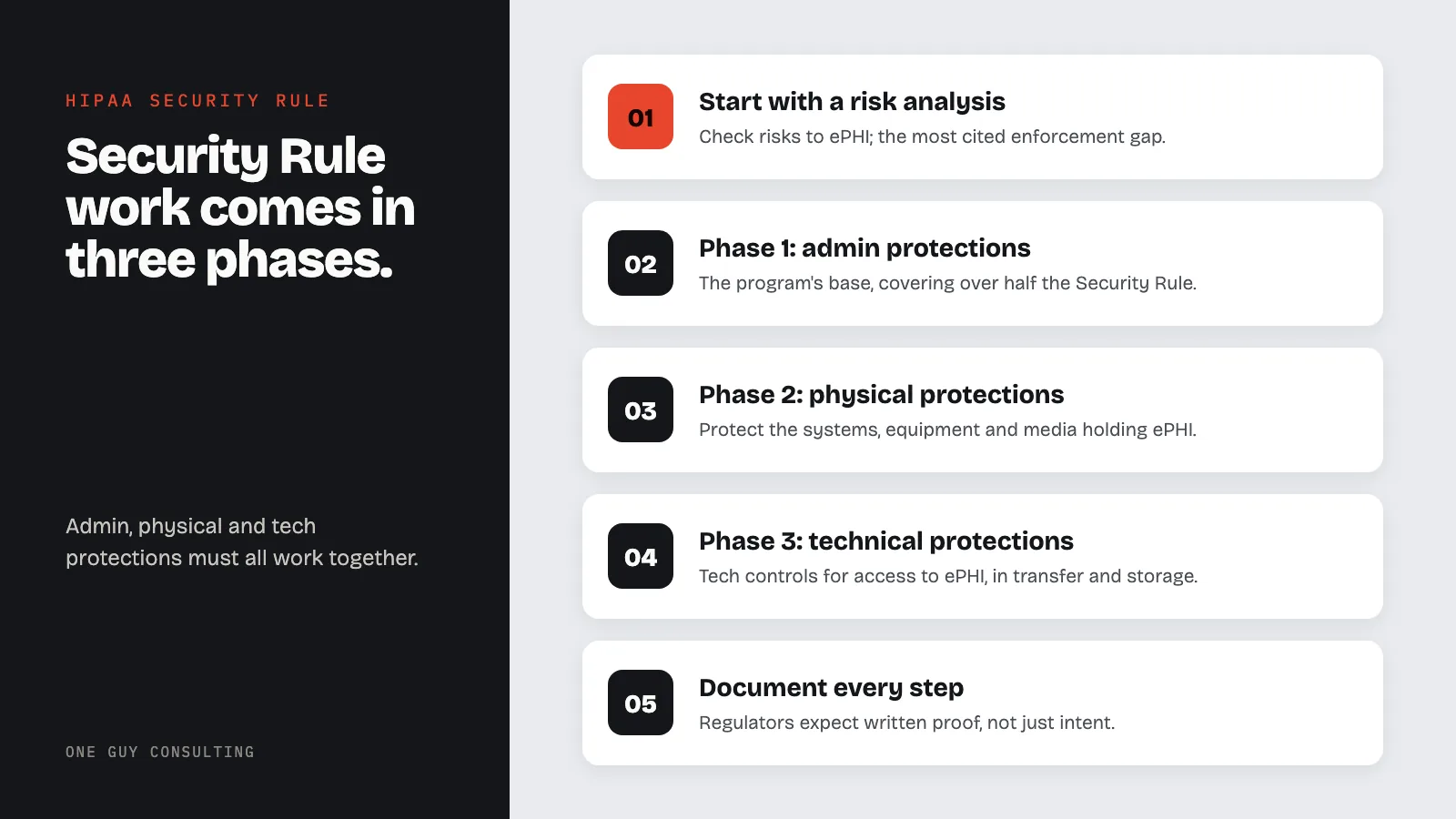
HIPAA Security Rule compliance is built in three phases: admin protections first, then physical protections, then technical protections, and all three must work together. Start with a thorough risk analysis, the single most cited gap in HIPAA enforcement, and name a security official. Document every step, because regulators expect written proof, not just intent.
HIPAA Security Rule setup Roadmap
The HIPAA Security Rule sets the national standard for protecting digital health data (ePHI).
Covered entities and business associates must follow it. Skipping it brings serious fines and reputation damage.
Many habits struggle to turn broad rules into clear steps. This roadmap breaks the work into phases you can act on.
Understanding the HIPAA Security Rule
Purpose and Scope
The HIPAA Security Rule lives at 45 CFR Part 160 and Part 164 (Subparts A and C). It applies to all covered entities and their business associates that create, receive, keep, or send ePHI.
The Privacy Rule covers all forms of health data. The Security Rule covers only digital data.
The rule requires your practice to:
- Ensure the data privacy, accuracy, and access of all ePHI you create, receive, keep, or send.
- Protect against reasonably anticipated threats to the security or accuracy of ePHI.
- Protect against reasonably anticipated not allowed uses or shares of ePHI.
- Ensure team compliance with the Security Rule's rules.
Required vs. Addressable implementation specifications
People often confuse required and addressable specs. Required specs must be set up exactly as described: no flexibility exists. Addressable specs are not optional.
For each addressable spec, you must do one of three things. You can set it up as described, use an equivalent alternative, or write down why it does not fit your setting.
That choice must be in writing. Regulators expect to see proof that you weighed each addressable spec seriously, not that you skipped it to save money.
The Three Safeguard Categories
The Security Rule splits protections into three groups: admin, physical, and tech protections. Each group covers a different part of ePHI protection. All three must work together.
Strong tech controls mean little without solid admin policies. And great policies fail without tech controls to back them up.
Phase 1: admin protections
admin protections form the base of any HIPAA security program. They cover more than half of the Security Rule's rules. They address the human and team side of security.
Without strong admin protections, your tech and physical controls lack the structure they need to work.
Security Management Process
The security management process is the cornerstone of admin protections. It requires policies and steps to prevent, detect, contain, and correct security breaches. It has four key parts:
- Risk analysis: Run a thorough, accurate check of risks and weak points that could affect ePHI. This is the single most cited gap in HIPAA enforcement. Read our HIPAA risk review article for a full guide.
- Risk management: Put security measures in place to reduce risks to a reasonable and appropriate level.
- Sanction policy: Apply right penalties to staff who break security policies.
- Information system action review: Regularly review audit logs, access reports, and security incident records.
Document every step of the security management process. Regulators expect to see written proof of your compliance, not just your intent.
Assigned Security Responsibility
The Security Rule requires you to name a security official. This person develops and carries out your security policies. They are the single point of clear ownership for your HIPAA security posture.
In small practices, this person may also serve as the privacy officer. But the duties must be clearly defined and written down.
The security official needs enough authority to enforce compliance across departments. They need proper training and direct access to leadership to report on security incidents. Our compliance officer guide details the full scope of duties this role requires.
team Security and Training
team security controls ensure only authorized staff can access ePHI. Access must be managed throughout the full employment lifecycle. Key rules include:
- access rights and supervision: Set steps for granting access to ePHI based on job function.
- team clearance: Use steps to confirm that each staff member's access level is right.
- ending steps: Remove access right away when staff leave or change roles.
Security knowledge and training is a required spec that many habits underestimate. Effective training must cover:
- Security reminders: Regular updates about new threats and policy changes.
- Protection from malicious software: Steps to guard against, detect, and report malware. The right HIPAA compliance tools can automate malware detection and reporting.
- Login tracking: Steps for watching login attempts and reporting odd action.
- Password management: Best habits for creating, changing, and protecting passwords.
Train staff at onboarding, annually, and after any major change to ePHI security. Record all training (dates, content, and attendance) to show compliance.
backup Planning
You must create a backup plan for events that damage ePHI systems. This plan has five parts:
- Data backup plan: Create and keep exact copies of ePHI that you can retrieve.
- Disaster recovery plan: Set steps to restore lost data from backups.
- Emergency mode operation plan: Define steps for running key steps during an emergency.
- Testing and revision: Test and update backup plans often.
- Applications and data criticality analysis: Rate which apps and data are most key so you know what to restore first.
Test your backup plan with tabletop exercises. Simulated recovery drills reveal gaps before a real emergency does.
Phase 2: Physical protections
Physical protections protect the systems, equipment, and media that store or send ePHI. Technical controls get a lot of attention. But physical security failures (stolen laptops, unapproved building access) are among the most common causes of HIPAA breaches.
Facility Access Controls
You must limit physical access to digital systems and the spaces that house them. At the same time, you must allow properly authorized access. Specs include:
- backup operations: Steps for facility access during emergencies to support data restoration.
- Facility security plan: Policies to protect the building and equipment from unapproved access, tampering, and theft.
- Access control and validation: Steps to control and confirm physical access based on a person's role.
- upkeep records: Policies for writing down repairs and changes to physical security parts such as locks and doors.
Use badge access, visitor logs, security cameras, and locked server rooms. Physical barriers should block entry to areas where ePHI is stored or processed.
Workstation and Device Security
Workstation use policies must spell out approved functions, how to perform them, and the physical setting where workstations can be used. Workstation security rules require physical controls that limit access to authorized users only.
Device and media controls cover hardware and digital media that hold ePHI. You must set up:
- Disposal: Steps for safely removing ePHI from hardware or media before disposal.
- Media re-use: Steps for wiping ePHI from digital media before it is reused.
- clear ownership: Records of hardware and media movements, including who is responsible.
- Data backup and storage: Create retrievable copies of ePHI before moving any equipment.
Keep a full list of all devices and media that hold ePHI. This list speeds up breach response by helping you identify affected data fast.
Phase 3: Technical protections
Technical protections are technology-based controls that manage access to ePHI. They also protect ePHI during transfer and storage. These controls turn admin policies into system-level protections.
Access Controls
Access control is a required standard with four specs:
- Unique user finding (required): Assign a unique name or number to track each user who accesses ePHI.
- Emergency access step (required): Set steps for getting needed ePHI during an emergency.
- Automatic logoff (addressable): Use digital steps that end sessions after a set period of no action.
- encryption and decryption (addressable): Use tools to encrypt and decrypt ePHI at rest.
Role-based access control (RBAC) is the most common way to meet access control rules. RBAC assigns permissions based on job function. This ensures staff see only the ePHI they need, in line with the minimum needed standard from the Privacy Rule.
Audit Controls and Integrity
Audit controls require hardware, software, and steps to record and review action in ePHI systems. Effective audit logs should capture:
- User login and logout events.
- Access to ePHI records.
- Changes made to ePHI.
- Admin actions such as account creation and permission changes.
- Failed access attempts.
Integrity controls protect ePHI from improper changes or destruction. You must use digital tools to confirm that ePHI has not been altered or destroyed without access rights. Common tools include checksums, digital signatures, and database accuracy checks.
transfer Security
You must use tech controls to block unapproved access to ePHI sent over digital networks. Two addressable specs support this:
- Integrity controls: tools to detect any improper changes to ePHI during transfer.
- encryption: Encrypt ePHI whenever it travels over open networks.
Use TLS 1.2 or higher for all network transfers that involve ePHI. Apply end-to-end encryption for emails that contain ePHI. Use VPN connections for remote access to ePHI systems.
transfer encryption is technically addressable. But regulators treat it as well required for any data that leaves your direct physical control.
Authentication
The person or group login checks standard requires steps to verify who is seeking access to ePHI. Modern setups often include:
- Multi-factor login checks (MFA) for all ePHI system access.
- Certificate-based login checks for system-to-system communications.
- Biometric login checks for high-security access points.
- Single sign-on (SSO) with strong identity providers.
MFA is no longer a luxury. Regulators and auditors expect it. Practices that rely only on passwords for ePHI access face serious risk in enforcement actions.
Building Your setup Timeline
review Phase (Months 1-2)
Start with a full gap analysis comparing your current security posture to every Security Rule standard and spec. This phase includes:
- Inventory all ePHI: Find every system, app, and location where ePHI is created, received, kept, or sent.
- Conduct a risk analysis: Follow the steps in our HIPAA risk review guide.
- Document current controls: Map existing security measures to specific Security Rule rules.
- Identify gaps: Build a ranked list of missing or weak controls.
- set up baseline metrics: Record your current security posture so you can measure progress.
Fix Phase (Months 3-8)
Address gaps in order of risk priority. Fix high-risk weak points that could cause a breach first. Tackle moderate-risk items next. For each gap:
- Define the specific control or policy needed.
- Assign duty to a team member or department.
- Set a realistic deadline.
- Allocate the budget and resources required.
- Document the fixes as they progress.
Sustainment Phase (Ongoing)
HIPAA Security Rule compliance is not a one-time project. Ongoing actions include:
- Annual risk analysiss: Reassess risks at least once a year and after any major change.
- Continuous tracking: Review audit logs, access reports, and security alerts regularly.
- Policy updates: Revise policies to address new threats, technologies, and changes in your practice.
- team training: Run annual training and targeted education for new threats.
- Incident response drills: Test your incident response and backup plans with regular exercises.
- Vendor management: Review business associate agreements and check vendor compliance each year.
Policies and Procedures Documentation
What Must Be Documented
The Security Rule requires written policies and steps for each standard and spec. Required written records includes:
- Policies for each Security Rule standard (admin, physical, tech).
- steps describing how each policy works in practice.
- Risk analysis and risk management records.
- Sanction records for policy breaches.
- Training records including content, dates, and attendance.
- Incident response records writing down security incidents and corrective actions.
- Business associate agreements and vendor reviews.
- backup plan test records and results.
Retention Requirements
Keep all Security Rule written records for six years from the date it was created or last in effect, whichever is later. Use a record management system that supports version control, access tracking, and secure storage.
Good written records is your strongest defense in an audit or breach inquiry. Practices that produce clear, organized compliance records consistently get better outcomes in enforcement actions.
Security Rule FAQ
What is the difference between required and addressable specs?
Required specs must be set up exactly as the rule describes. Addressable specs require a written down review. You must set up the spec, use an equivalent alternative, or write down why the spec does not fit your setting. Addressable does not mean optional.
How often should we conduct a HIPAA Security Rule risk analysis?
The Security Rule does not set a specific frequency. Industry best practice and OCR guidance call for a full risk analysis at least once a year. Run one after any major change: new systems, new locations, or big changes to your practice. See our HIPAA risk review guide for the full process.
Do small practices need to implement all Security Rule requirements?
Yes. The Security Rule applies to all covered entities and business associates no matter what of size. The rule is designed to scale: the specific measures you use may vary based on your size, complexity, and risk profile. Small practices should read our HIPAA rule-keeping checklist for practical guidance.
What are the penalties for Security Rule breaches?
Fines range from $145 to $2,190,294 per breach depending on the level of fault. Annual maximums are $2,190,294 per breach category. Willful neglect cases can bring criminal penalties including imprisonment.
Beyond financial fines, habits face reputation damage, loss of patient trust, and possible exclusion from federal healthcare programs.
Is encryption required under the HIPAA Security Rule?
encryption is an addressable spec for both data at rest and data in transit. Choosing not to encrypt requires written justification and an equivalent alternative. Under the proposed 2026 Security Rule, encryption shifts from addressable to required -- see our full breakdown of HIPAA encryption requirements for 2026. The timeline has slipped, though; the 2027 delay explains where finalization stands. In practice, regulators and auditors treat encryption as a baseline expectation.
Practices that skip ePHI encryption face much higher risk in enforcement actions and breach reviews.
Security Rule setup Takeaways
Carrying out the HIPAA Security Rule takes a structured, multi-phase effort. It needs commitment from leadership, dedicated resources, and ongoing attention. This roadmap takes you from admin protections through physical and tech controls to sustained compliance.
The cost of rule-breaking far exceeds the cost of a proper security program. Practices that take a proactive, step-by-step approach protect their patients, their reputation, and their financial health.
One Guy Consulting provides expert guidance on HIPAA Security Rule setup, from initial gap reviews to full compliance programs. Our HIPAA rule-keeping guide covers the full rule-based space. Our policy library delivers ready-to-use templates that speed up your compliance timeline. Contact us to build a security program that meets rule-based rules and genuinely protects patient data. security policy templates HIPAA compliance checklist risk assessment template guide
Security Rule Implementation Checklist
The Security Rule organizes its requirements into standards and implementation specifications. Each specification is either required (R) or addressable (A).
| Standard | CFR Section | Key Specifications | Type |
|---|---|---|---|
| Risk Analysis | 164.308(a)(1)(ii)(A) | Conduct accurate and thorough risk assessment | R |
| Risk Management | 164.308(a)(1)(ii)(B) | Implement measures to reduce risk to reasonable levels | R |
| Workforce Security | 164.308(a)(3) | Authorization, clearance, termination procedures | A |
| Access Controls | 164.312(a)(1) | Unique user IDs, emergency access, auto-logoff, encryption | R + A |
| Audit Controls | 164.312(b) | Record and examine system activity | R |
| Transmission Security | 164.312(e)(1) | Integrity controls, encryption | A |
| Contingency Plan | 164.308(a)(7) | Backup plan, disaster recovery, emergency mode | R + A |
| Evaluation | 164.308(a)(8) | Periodic technical and nontechnical evaluation | R |
Key stat: The Security Rule contains 18 required implementation specifications and 22 addressable specifications across its three safeguard categories. Addressable specifications require a documented decision: implement as written, implement an equivalent alternative, or document why the specification is not applicable. OCR expects to see this documentation during any investigation.
Sources
- 45 CFR Part 164, Subpart C - Security Standards
- NIST SP 800-66 Rev. 2 - HIPAA Security Rule Implementation
- 45 CFR 164.308 - Administrative Safeguards
- HHS Security Rule Guidance