Yes, HIPAA applies to dentists. Every dental practice that transmits health information electronically is a HIPAA covered entity, subject to the same Privacy Rule, Security Rule, and Breach Notification Rule requirements as hospitals and large health systems. Whether you run a solo practice or a three-location group, the rules apply equally, and compliance for a small dental office is manageable.
HIPAA Compliance for Dental Practices Does Not Have to Be Complicated
Your dental practice handles sensitive patient information daily. Health history forms, X-rays, insurance claims - all of it is protected health information (PHI). HIPAA applies to you, with real consequences for non-compliance.
Dental practices are covered entities under HIPAA. Whether you run a solo practice or a three-location group, the rules apply equally. The good news: compliance for a small dental office is manageable. You need the right structure, documented policies, and consistent habits. If you are starting from scratch, read our HIPAA compliance checklist for small practices first.
Are dentists under HIPAA? Yes. Every dental practice that transmits health information electronically is a HIPAA covered entity, subject to the same Privacy Rule, Security Rule, and Breach Notification Rule requirements as hospitals and large health systems.
Key Takeaways for Dental HIPAA Compliance
- Dental practices that transmit claims electronically are covered entities under HIPAA. The Privacy and Security Rules apply to solo offices and multi-location groups alike.
- The PHI a dental office handles includes patient records, digital X-rays and imaging, insurance and billing data, appointment scheduling, and patient communications.
- The most common dental HIPAA violations are open front-desk conversations, unencrypted digital records, missing business associate agreements, undocumented training, improper record disposal, and shared logins.
- A defensible program needs a documented Security Risk Assessment, written and tailored policies, dated workforce training, signed BAAs with every software and service vendor, and technical safeguards such as encryption and unique user logins.
- OCR enforces these rules against dental practices, with financial penalties for gaps such as missing BAAs, improper PHI disposal, and unauthorized employee access to records.
Why HIPAA Applies to Dental Offices
HIPAA covers any practice that sends health data online. This includes claims, referrals, and payment info. If you bill online or accept insurance payments, you are covered. There is no minimum size or revenue cutoff.
The online billing trigger is what makes this a must. Even cash-only offices may be covered if they send any claims online. Paper-only, cash-only practices with zero online billing are exempt - but in 2026, that is almost no one.
The Office for Civil Rights (OCR) at HHS enforces HIPAA. Dental practices have been fined for violations. A Massachusetts provider paid $1.5 million after a stolen laptop with unencrypted patient records. A California practice faced action after posting patient photos on social media without authorization. These are real events in real dental offices.
PHI in a Dental Office
Protected health information is any information that identifies a patient and relates to their health, healthcare, or payment for care. In a dental practice, PHI lives in:
- Patient records - health history forms, treatment notes, periodontal charting, diagnoses, treatment plans, consent forms
- Digital imaging - bitewing X-rays, panoramic films, cone beam CT scans, intraoral photos linked to patient records. DICOM files contain embedded patient metadata making the file itself a complete PHI record
- Insurance and billing - claims with patient name, date of birth, insurance ID, diagnosis codes, procedure codes, EOBs, pre-authorization requests
- Scheduling - appointment details, recall postcards with procedure info, confirmation emails mentioning treatment type
- Communications - email threads about treatment, text messages confirming procedures, phone notes in charts, patient portal messages
Every format counts - paper, digital, verbal. If it links back to an identifiable person and relates to their care, it is PHI.
Common HIPAA Violations in Dental Practices
Most violations happen because staff follow habits that seem reasonable but are not compliant.
Open conversations at the front desk. Front desks are small. Staff confirm visits, talk about insurance, and take calls where other patients can hear. HIPAA says to lower voices, move private talks out of earshot, and use privacy screens. The front desk HIPAA rules walk through sign-in sheets, calling names, and voicemail as well. This is the most common issue in dental offices, and the open operatory layout makes it worse when clinical discussions carry into shared spaces.
Unencrypted digital records. Many offices use older software that stores data in plain text on local drives. If that server is stolen, patient info is open for anyone to read. Our guide to HIPAA encryption requirements explains what the standard requires.
Missing business associate agreements. Any vendor that touches PHI on your behalf is a business associate. Most dental offices are missing BAAs for key vendors - their software, imaging, IT support, billing, labs, and shredding.
No documented training. HIPAA requires training at hire and when policies change, with documentation of who was trained, when, and on what. Our guide to employee HIPAA training essential topics covers what your program should include.
Shared logins. When staff share one login, there is no audit trail. HIPAA requires a unique user ID for each person who sees ePHI. Set up one account per person with strong passwords and auto-logoff.
Improper record disposal. Paper PHI must be shredded. Digital PHI must be wiped using NIST-standard methods. Dental practices that relocate or close face special risks with old charts, X-ray films, and retired computer hard drives. HIPAA requires you to retain compliance documentation for six years.
Building a Compliance Program
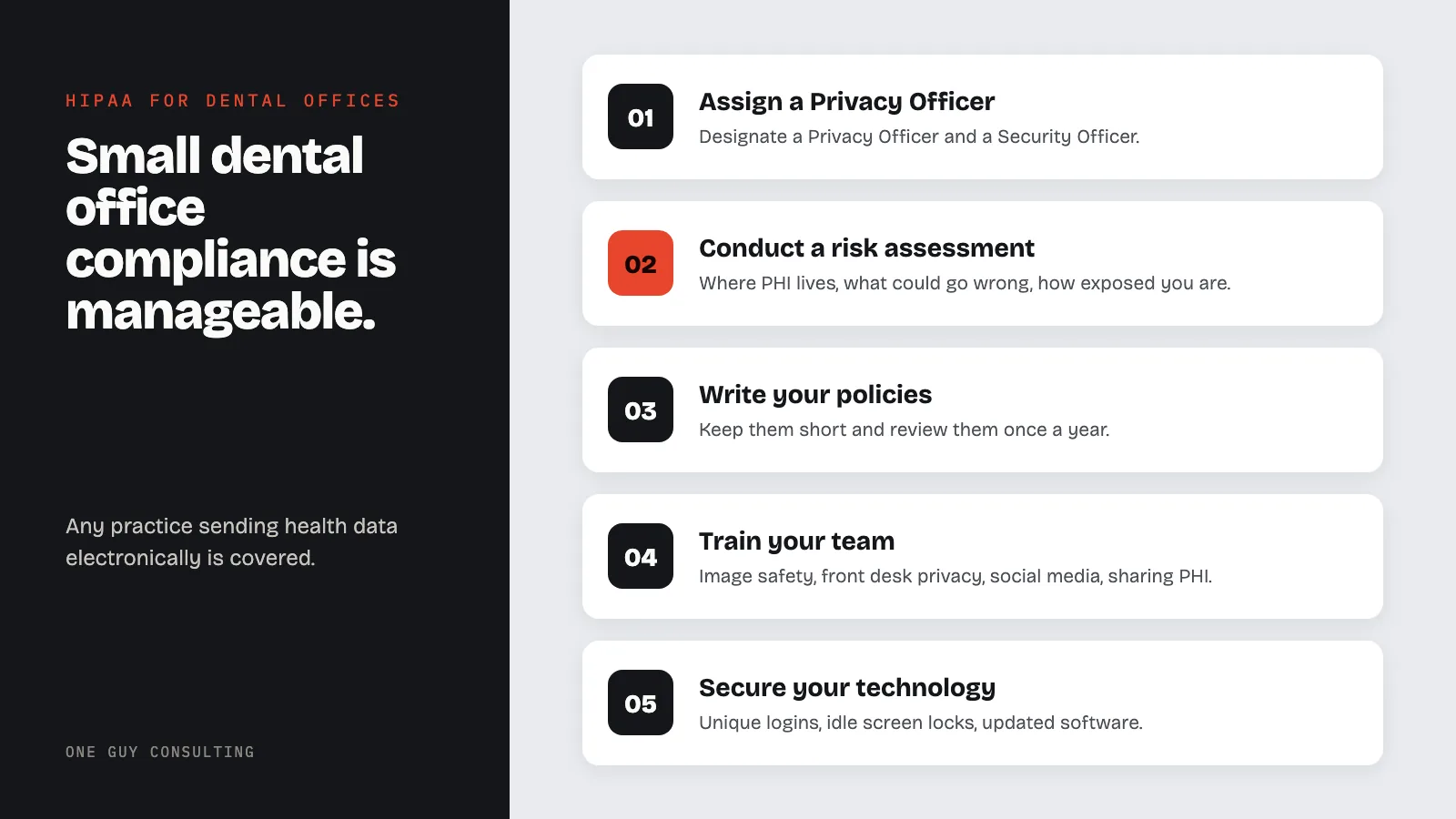
Assign a Privacy Officer. HIPAA requires every covered entity to designate a Privacy Officer and Security Officer. In a small office, the same person often fills both roles. Write down who fills these roles and include it in your policies.
Conduct a risk assessment. The Security Rule requires a written risk analysis (SRA) on a regular basis. It maps where PHI lives, what could go wrong, and how exposed you are. Our guide to conducting a HIPAA risk assessment walks through the process. For a structured review, our gap analysis service identifies your specific vulnerabilities.
Write your policies. Policies must cover how you protect records, handle access requests, respond to breaches, train staff, manage vendors, and lock down your office. Keep them short and review once a year. One clear page beats twenty pages no one reads.
Train your team. Focus training on digital image safety, front desk privacy, social media rules, and when staff can and cannot share PHI. Our HIPAA training service covers core requirements and produces documentation for compliance records.
Secure your technology. Give each person a unique login. Set screens to lock when idle. Keep software up to date. Use firewalls. Keep guest Wi-Fi off the clinical network. Physical safeguards include privacy screens on workstations, locked server rooms, and controlled visitor access.
BAA Checklist: Common Dental Vendors
Most major dental software vendors offer a standard BAA. The gap is usually on the practice side - never requesting it or losing the signed copy.
| Vendor Category | Examples | BAA Required? |
|---|---|---|
| Practice management software | Dentrix, Eaglesoft, Open Dental, Carestream | Yes |
| Cloud imaging / DICOM storage | Dentsply Sirona, Apteryx XVWeb | Yes |
| Patient communication platforms | Weave, Demandforce, Lighthouse 360 | Yes |
| Dental billing services | Any third-party billing company | Yes |
| Cloud backup providers | Carbonite, Backblaze, Acronis | Yes - if PHI included |
| IT support / managed services | Any MSP with system access | Yes |
| Dental laboratories | Labs receiving patient-identified digital files | Yes - if records include identifiers |
| Electronic prescribing | DrFirst, Rcopia | Yes |
Proposed 2025 Security Rule Updates for Dental Practices
HHS proposed updates to the HIPAA Security Rule in a Notice of Proposed Rulemaking (NPRM) published in January 2025; they are not final. Three proposed changes would directly affect dental practices:
Multi-factor authentication would be required. Most practice management platforms support authenticator apps or SMS-based MFA. Enable it on all accounts that access ePHI.
Encryption of ePHI at rest and in transit would be required. This would apply to patient records on local servers, dental imaging files, email containing patient information, and data transmitted to labs or insurers. Cloud platforms usually handle this automatically. For local servers, BitLocker (Windows) or FileVault (Mac) are standard tools.
Annual risk analysis would be explicitly required. OCR has flagged weak risk analysiss in more than 80 percent of its cases. The proposed rule would make the yearly requirement clear.
DSOs and Multi-Location Practices
DSOs face unique problems. Each site may run different software, use different vendors, and train staff at different levels - but the DSO is liable for all of them. Keep one vendor list that maps each vendor to each site with BAA dates. Use one training platform across all sites. When buying a new practice, check every BAA first - you inherit their compliance gaps.
Frequently Asked Questions
Do dentists have to follow HIPAA?
Yes. Any dental office that files claims online, checks patient coverage, or sends digital referrals is a HIPAA covered entity. Size does not matter.
Do I need a BAA with my dental lab?
If you send digital scans or any records with patient names linked to their care, yes. Most digital scan workflows tie the patient to the file, so a BAA is needed.
What should I do if a patient leaves a negative review mentioning a procedure?
Do not confirm they are your patient or reveal clinical details. Respond with a generic invitation to contact your office directly. A response like "We're sorry about your root canal experience" confirms both patient status and treatment history - both HIPAA violations.
What are the penalties for dental HIPAA violations?
Fines range from $145 to over $2 million per violation type per year. Several dental offices have paid six-figure settlements. State attorneys general can also enforce HIPAA independently. Our guide to HIPAA violations and penalties covers the full structure.
Do dental X-rays count as PHI?
Yes. X-rays linked to a patient are PHI - including digital images in your software, files on local drives, and scans sent to labs.
Will the proposed Security Rule require dental practices to implement MFA?
Not yet. This is a proposed change. The proposed Security Rule update would move MFA from "addressable" to required for all covered entities handling ePHI. Enabling MFA now on your practice management platform, email, and cloud storage accounts.
Start Your Compliance Program
Start with the risk assessment - it tells you where your gaps are. Build policies around what your office actually does. Train your team on situations they will encounter. Manage your business associate agreements as a living list, not a one-time task.
For a thorough look at your current compliance posture, our gap analysis service provides a structured review with a clear list of what needs to be addressed.
Key stat: Dental practices follow the same HIPAA rules as hospitals. HHS data shows dental offices make up a growing share of breaches - most from lost or stolen devices without encryption or staff accessing records they should not see.