Audit Your Facility's HIPAA Physical Safeguards
Physical safeguards protect the buildings, rooms, and equipment where health data lives. This audit covers facility access, workstation security, and device and media handling: the physical safeguard standards in 45 CFR 164.310.
Required under 45 CFR 164.310(a) to (d)
What Are HIPAA Physical Safeguards?
HIPAA physical safeguards are the protections required under the HIPAA Security Rule for the facilities, rooms, and equipment where electronic Protected Health Information (ePHI) is stored, accessed, or transmitted.
Physical safeguards keep your buildings, rooms, and equipment safe from break-ins, disasters, and people who should not be there. They are one of the three safeguard categories scored in your HIPAA security risk assessment.
The HIPAA Security Rule defines four physical safeguard standards under 45 CFR 164.310:
- Facility Access Controls: 45 CFR 164.310(a)
- Workstation Use: 45 CFR 164.310(b)
- Workstation Security: 45 CFR 164.310(c)
- Device and Media Controls: 45 CFR 164.310(d)
Each standard has steps you must take and steps you should take. Learn more from the HHS physical safeguards guidance.
Physical safeguards are the most skipped part of HIPAA. Many practices invest in IT security but leave server rooms unlocked and screens open in public areas. A device and IT audit covers the technical side; this audit covers the building.
Physical security is limited to locks and alarms.
Physical security is not limited to locks and alarms. It also encompasses visitor access policies, workstation configuration, clean desk rules, and how sensitive information is handled by staff daily.
Implementation Examples by Standard
- Facility Access (164.310(a)): Maintain a visitor sign-in log at reception. Use badge readers or key cards with access logs for restricted areas.
- Workstation Use (164.310(b)): Document which workstations may access ePHI and define acceptable use for each type.
- Workstation Security (164.310(c)): Install privacy filters on monitors in shared areas. Enable automatic screen lock after a defined period of inactivity.
- Device Controls (164.310(d)): Document procedures for wiping data from devices before disposal or reuse. Maintain an inventory of all portable devices that access ePHI.
Who Needs a Physical Safeguard Audit?
A physical safeguard audit is particularly important for organizations in the following situations:
Physical Safeguard Compliance Benchmarks
Common gaps we see before a physical audit. Your results will match your own setup.
Physical Safeguard Gap Distribution
Where most practices have gaps in physical controls
- Facility Access32%
- Workstation Use24%
- Workstation Security22%
- Device Controls14%
- Visitor Management8%
Physical Control Maturity by Area
How mature each control area is (0 to 100)
Compliance: Before vs. After Audit
Typical physical safeguard improvement post-engagement
- Before42%
- After86%
Typical post-audit improvement, delivered in weeks, not months
Five-Step Physical Audit Process
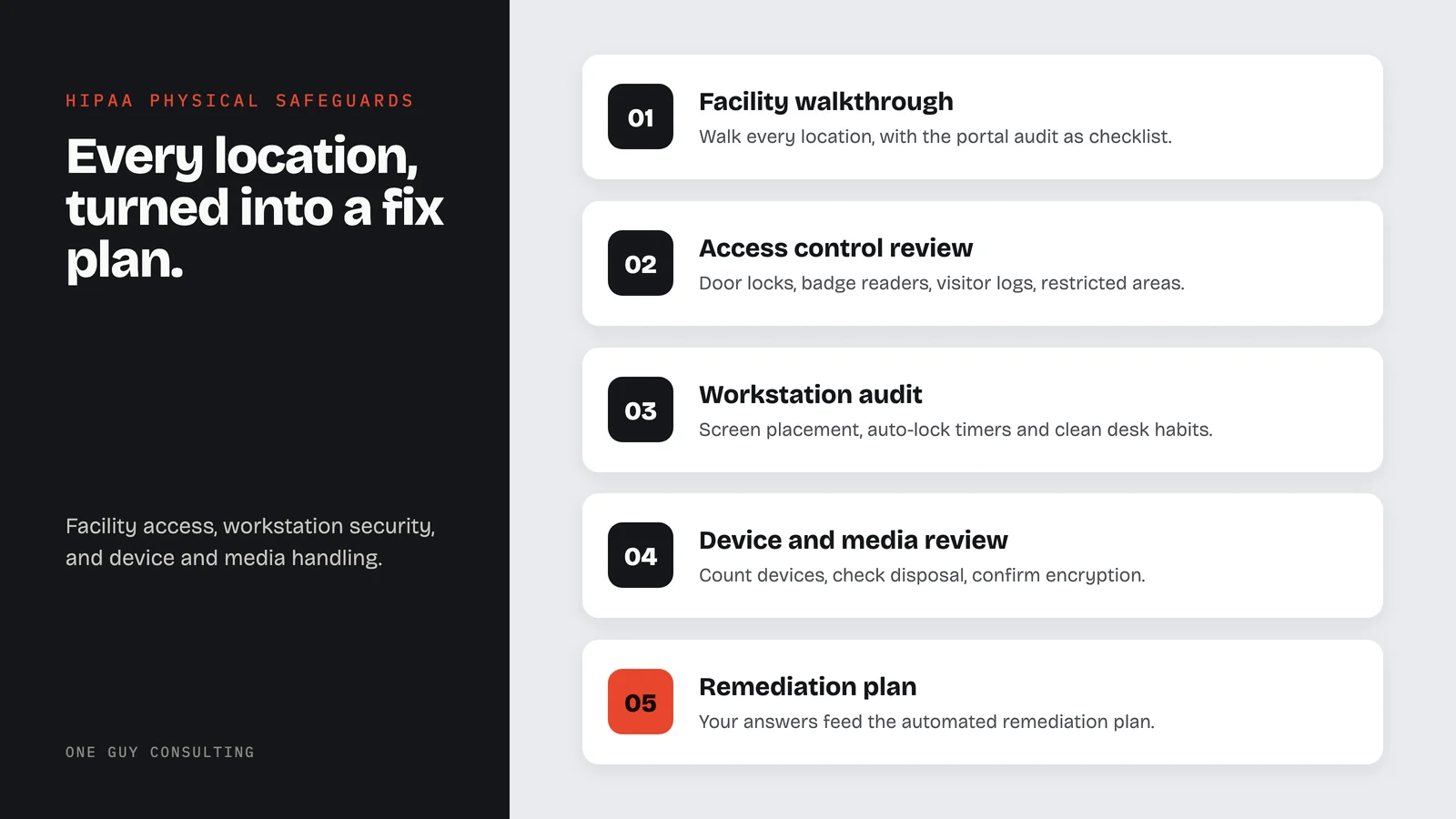
This process covers every location and turns findings into a clear fix plan.
- 01
Facility Walkthrough
Your team walks every location where ePHI is stored or accessed, with the physical audit in the portal as the checklist.
- 02
Access Control Review
Check door locks, badge readers, visitor logs, and restricted areas.
- 03
Workstation Audit
Look at screen placement, auto-lock timers, and clean desk habits.
- 04
Device and Media Review
Count portable devices, check disposal steps, and confirm encryption on thumb drives and laptops.
- 05
Remediation Plan
Your answers feed the automated remediation plan, and on Full-Scope Chuck guides you through answering the audit.
Physical Safeguard Audit Case Study
A three-location practice needed to prove physical safeguard compliance for a payer audit. They had basic locks and alarms but no written access rules, visitor sign-in sheets, or workstation policies.
The main server room had no lock. Front desk screens faced the waiting area with no privacy filters. No one tracked portable devices. Old hard drives sat in an open closet.
All three locations passed the audit with documented proof. Server rooms got dedicated locks. Privacy screens went up. Devices were tracked. Old hard drives were wiped and destroyed with records.
Implementation Timeline
Most physical audits are complete in weeks, not months, depending on the number of locations. Single-site audits finish fastest.
- List all locations in the portal
- Gather current security write-ups
- Decide who walks each location
- Your team walks each location with the audit
- Record what you find
- Check locks, badges, and visitor logs
- Answers roll into the automated gap analysis
- Each gap gets a remediation step
- Review the plan (with Chuck on Full-Scope)
- Work through the remediation plan
- Track progress on the compliance dashboard
- Keep the records for audits and payer reviews
Physical Safeguard Patterns by Healthcare Specialty
Physical needs change by practice type. We match our findings and fix plans to how your office works.
Medical Practices
Shared workstations, exam rooms, and lab areas that need clear rules about who can access what.
Behavioral Health
Therapy rooms, group spaces, and extra privacy needs for how clients move through the office.
Dental Practices
Screens that patients can see, X-ray rooms, and areas that need limited access.
Pharmacies
Drug storage areas that also hold ePHI, plus open counter workstations.
Business Associates
Data centers, remote offices, and shared work areas where PHI is used off-site.
Telehealth Providers
Home offices, laptops, and keeping remote work areas safe.
What Your Physical Audit Includes
Every audit covers the four standards. You get documents you can show during an OCR audit, payer review, or internal check.
Physical Audit Record
Your answers for each location, recorded in the physical audit in the portal.
Facility Access Control Assessment
Your check of locks, badges, visitor logs, and restricted areas.
Workstation Security Review
Where screens face, auto-lock timers, and clean desk rules.
Device and Media Inventory
A full list of devices that touch ePHI, showing which are encrypted and how old ones are disposed of.
Remediation Action Plan
A remediation plan built from your answers, automated in both plans.
Part of both plans
Physical safeguard tools come with Self-Guided and Full-Scope. Full-Scope adds 4 hours a month of 1:1 implementation calls with Chuck.
Compare plans →Physical safeguard audits are included in both plans.
Two plans, six ways to pay. No per-user fees. Pick the level of help you want from Chuck.
- The platform on its own, no consulting time
- SRA, gap analysis, remediation plans
- Policy templates and staff training
- Vendor and BAA management
- Everything in Self-Guided
- 4 hours a month of 1:1 implementation calls with Chuck
- Incident response guidance
- CMS audit response support
One payment, two full years of coverage.
Secure checkout by Stripe. Your payment details go straight to Stripe and never touch our servers.
Why Physical Audits Deliver Better Outcomes
Physical safeguards are the foundation. The best encryption does not help if someone can walk into your server room. We audit what matters, write up what we find, and give you a clear path to fix every gap.
Physical audits often lead to fast wins. A privacy screen, a moved monitor, or a $50 lock can close big gaps right away.
Practices that do yearly audits find and fix problems before they turn into audit failures or breaches. Catching issues early is always cheaper.
Common Pitfalls We Help You Avoid
These are the most common physical problems found during audits:
- No physical audits: Many practices check their IT every year but never walk through their building
- Main office only: Practices with more than one site often check the main office but skip the other sites
- No visitor tracking: Open doors and blank sign-in sheets are some of the most common findings
- Screen exposure: Screens that face public areas show PHI to people who should not see it
- Old media left around: Hard drives, USBs, and paper records that are not properly wiped and destroyed create risk
How to Track Progress After a Physical Audit
Track your progress with a few monthly numbers. How many locations have been audited? How many findings are closed? How long does each fix take?
Good proof matters as much as closing items. Marking a finding "done" without proof will not hold up in an audit. Get photos, updated policies, or vendor sign-offs for each fix.
Controls slip over time. Doors get propped open, locks break, and new gear shows up with no review. An annual audit catches this drift early.
Annual audits catch this kind of drift before it becomes a finding.
Frequently Asked Questions
What does a physical safeguard audit cover?+
Do we need a physical audit if we already have good IT security?+
How often should physical audits be performed?+
Can physical audits be done remotely?+
What are the most common physical safeguard failures?+
Ready to Secure Your Physical Environment?
We will walk your facility, document what we find, and give you a clear plan to meet every physical safeguard requirement.
Deep-Dive Resources
These guides help you put audit findings into action:
Explore our other HIPAA services
Questions About Physical Safeguard Audits?
Tell us about your situation or question.
Or email us at hello@oneguyconsulting.com
Book Your Free 30 Minute HIPAA Compliance Review