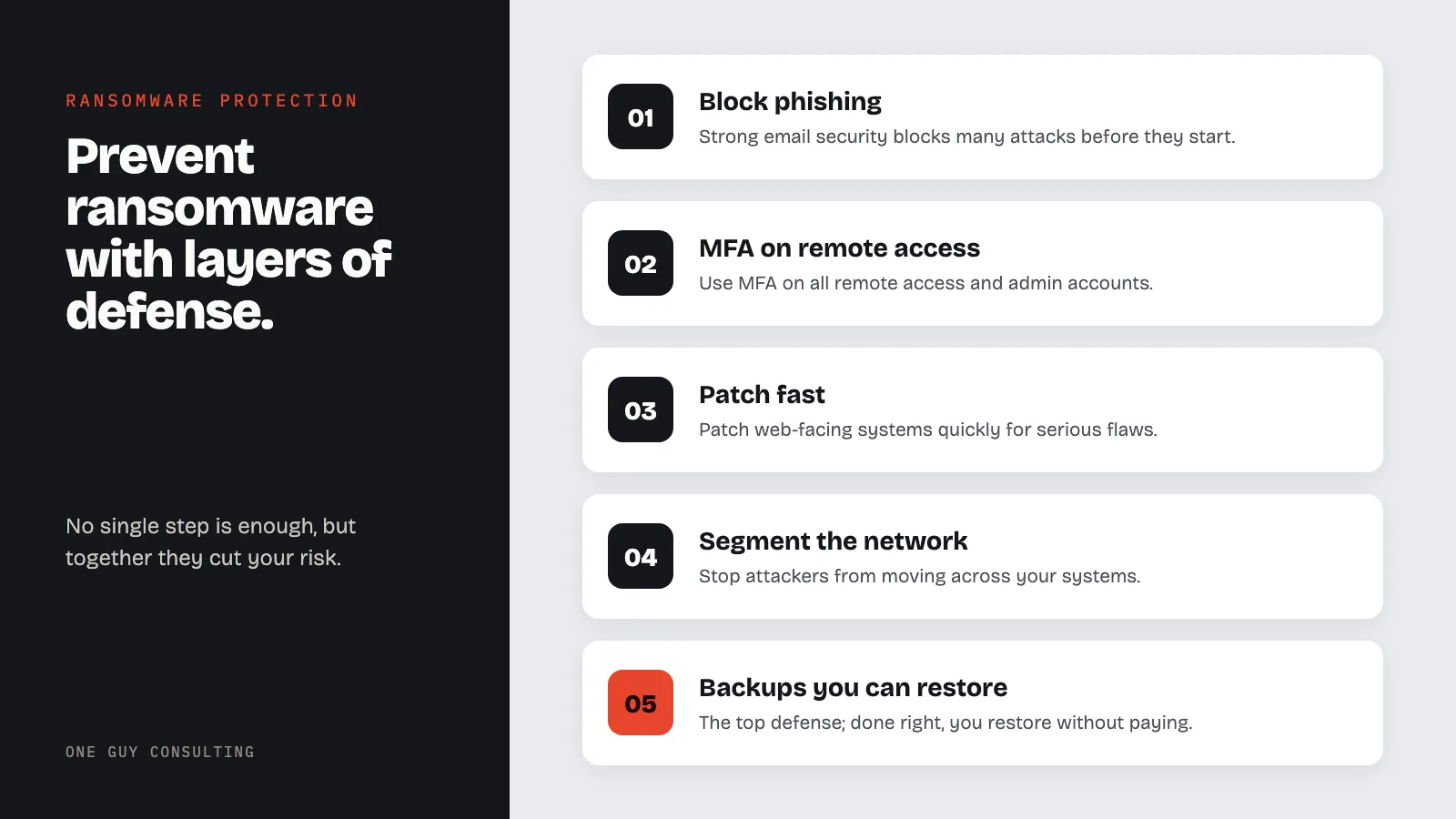
Healthcare practices prevent ransomware with layers of defense. Block phishing with strong email security, and use MFA on all remote access. Patch fast, segment the network, put EDR on every device, and limit admin rights. Keep tested backups that attackers cannot change. No single step is enough, but together they cut your risk and let you restore without paying.
Healthcare Ransomware Threat Landscape
Key Definitions
- Ransomware: Malicious software that encrypts files on a system and demands payment (usually in cryptocurrency) to restore access. In healthcare, it can lock EHR systems, billing records, and patient data.
- ePHI (Electronic Protected Health Information): Individually identifiable health information created, received, maintained, or transmitted in electronic form. Defined at 45 CFR 160.103.
- Double Extortion: An attack method where the attacker both encrypts files and steals copies of the data. Even if the victim restores from backup, the attacker threatens to publish the stolen data unless paid.
- Attack Vector: The method an attacker uses to gain initial access to a network, such as phishing emails, exposed remote desktop services, or compromised vendor credentials.
- C2 (Command and Control) Infrastructure: Servers and communication channels the attacker uses to control malware after it is deployed inside a target network.
- Indicators of Compromise (IOCs): Forensic evidence (such as suspicious IP addresses, file hashes, or unusual network traffic patterns) that indicates a system has been breached.
Under HHS guidance issued in July 2016, ransomware on systems containing ePHI is presumed to be a reportable HIPAA breach. The only way to overcome this presumption is a four-factor risk assessment. The covered entity (or business associate) must use it to show a low chance that PHI was compromised. Ransomware encryption does not protect your data. It locks you out of it.
Ransomware attacks on U.S. healthcare are common. Attacks have caused patient diversions, delayed surgeries, knocked out care systems, and exposed millions of records. This guide covers threats, prevention, backups, response planning, HIPAA requirements, and recovery.
How Ransomware Targets Healthcare
Modern ransomware attacks follow a set pattern. But that pattern is hard to stop without layered defenses.
The typical ransomware attack chain:
Initial access: They get in via phishing or flaws in web-facing systems. Stolen login credentials and vendor supply chain attacks are also common.
Persistence and recon: Attackers plant hidden back doors. They then spend days mapping the network and finding key systems and backups.
Privilege escalation: They take over admin accounts for the widest possible access.
Data theft: Before encrypting files, they steal patient records, financial data, and internal files for extra leverage.
Backup destruction: Attackers find and destroy backups, cutting off restore without paying.
Ransomware deployment: They encrypt as many systems as they can at once, often striking on nights or weekends.
Extortion: Attackers demand payment in crypto. They threaten to post stolen data if payment is not made.
The Double Extortion Model
Most ransomware groups now use double extortion. They encrypt files and steal data. Even after recovery, PHI can end up on the dark web.
The double extortion threat creates a hard decision:
Pay the ransom: No guarantee of data deletion, funds criminal groups, and may violate OFAC sanctions.
Refuse to pay: Risk of patient data being posted, regulatory heat, and costly penalties.
Negotiate: May cut the payment but keeps attackers in play longer.
Attack Vectors Specific to Healthcare
Healthcare practices face attack paths that are risky in care settings.
Phishing targeting care staff: Emails disguised as lab results exploit the urgency of care work.
Vulnerable web-facing systems: Unpatched VPNs, web portals, and remote desktops give direct network access.
Medical device compromise: Connected devices running old software can serve as entry points. Security tools often miss them.
Third-party vendor access: Service providers, EHR vendors, and device makers with network access all create risk.
Insider-assisted attacks: Angry employees or stolen passwords speed up attacks and help attackers move through systems.
Healthcare-Specific Attack Vectors in Detail
Healthcare organizations face attack paths that differ from other industries. These are the vectors most commonly exploited in healthcare ransomware incidents.
- RDP (Remote Desktop Protocol) exploitation: Many healthcare organizations enable RDP for remote access to EHR systems and workstations. Exposed RDP ports are scanned continuously by automated tools. Once credentials are brute-forced or purchased from initial access brokers, attackers have direct interactive access to the network.
- Phishing targeting billing and administrative staff: Billing departments handle high volumes of email attachments: EOBs, claims, referral documents. Attackers craft emails mimicking insurance companies, clearinghouses, or referring providers. One click on a malicious attachment gives the attacker a foothold.
- Supply chain attacks via medical device vendors: Medical device manufacturers and service technicians often have persistent VPN or remote access to devices they support. Compromising the vendor's network gives attackers a trusted pathway into the healthcare organization's network. The Telnyx breach showed how vendor compromise cascades.
- Unpatched EHR systems and clinical applications: EHR systems, lab interfaces, and PACS servers often run on older operating systems or delayed patch cycles because of uptime requirements. Known vulnerabilities in these systems are catalogued and exploited.
- Compromised credentials from data broker markets: Staff credentials stolen in unrelated breaches (personal email, social media) are reused on work systems. Healthcare staff reusing passwords across personal and work accounts give attackers a direct login.
Ransomware Prevention Strategies
Email and Phishing Defense
Phishing is one of the most common entry points. Strong email security blocks many attacks before they start.
Essential email defense controls:
Advanced email filtering: Deploy AI-powered email defense that catches spear phishing, email fraud, and zero-day attachments.
DMARC rules: Set DMARC to reject to stop domain spoofing.
Link defense: Enable real-time URL scanning to block malicious sites in emails.
Attachment sandboxing: Open email attachments in a sandbox before sending them to users.
Security awareness training: Run monthly phishing tests with instant feedback and retrain staff who click.
Reporting tools: Give staff a one-click button to flag suspicious emails for your team.
Vulnerability Management
Unpatched flaws in web-facing systems are another common entry point. A strict patch plan is essential.
Critical and exploited flaws: Focus patches on flaws exploited in the wild. Use CISA's Known Exploited Vulnerabilities list.
Patch web-facing systems as fast as you can for serious flaws. Use other safeguards until the patch is in.
Conduct regular flaw scanning: Scan external systems continuously. Scan internal systems at least monthly.
Perform annual pen testing: Hire testers to simulate real attacks on your setup.
Manage device flaws: Work with device makers to get patches. Isolate devices that cannot be updated.
Network Architecture and Segmentation
Good network design limits damage. It stops attackers from moving across your systems.
Network segments for ransomware defense:
- Separate clinical networks from admin and guest networks with strict firewall rules.
- Segment devices onto their own VLANs with restricted internet access.
- Use micro-segments for EHR servers, backup systems, and domain controllers.
- Restrict side-to-side spread by blocking unneeded server-to-server traffic.
- Deploy network detection tools that flag recon scanning and side-to-side spread.
- Eliminate flat networks where one bad workstation gives access to the entire network.
For a full network security plan, see our healthcare security framework guide.
Endpoint Hardening
Each endpoint is a possible entry point. Hardening each one cuts both the chance and impact of an attack.
Endpoint Detection and Response (EDR): Deploy EDR on all endpoints to spot and block ransomware encryption.
Application whitelisting: Restrict program execution to approved apps to block ransomware files.
Disable unnecessary services: Remove RDP, PowerShell remoting, WMI, and other admin tools not in use.
Local administrator restriction: Remove local admin rights from standard user accounts. This stops privilege escalation, where an attacker gives themselves more access.
USB and removable media controls: Block or monitor removable media. It can bring in ransomware.
Windows Attack Surface Reduction (ASR) rules: Enable ASR rules that block Office macro execution and credential theft.
Identity and Access Security
Stolen admin passwords let ransomware spread across an entire network. Protecting identities is protecting against ransomware.
Multi-factor authentication (MFA): Use MFA on all remote access and cloud apps.
Privileged Access Management (PAM): Vault, rotate, and monitor all admin passwords.
Service account security: Audit service accounts for excess rights. Remove shared passwords.
Active Directory hardening: Use tiered admin. Disable legacy auth. Watch for credential attacks.
Conditional access policies: Restrict access based on device health and location.
Backup Best Practices for Ransomware Resilience
Backups are the top defense against ransomware. Done right, you restore without paying. Done poorly, they become another target.
The 3-2-1-1 Backup Strategy
The traditional 3-2-1 strategy has evolved to deal with ransomware threats.
- 3 copies of all critical data.
- 2 different storage media types (disk, tape, cloud).
- 1 copy stored offsite in a separate location.
- 1 copy that is locked or air-gapped, cut off from the production network. Attackers cannot reach it.
Immutable and Air-Gapped Backups
Locked backups are the most critical defense against ransomware and threats like the Kadnap botnet. They cannot be changed or deleted, even by admins.
Implementing locked copies:
Object lock storage: Use cloud storage with object lock to stop deletion or changes for a set period.
Write-once media: Tape backups create a natural air gap when stored off-site.
Immutable backup appliances: Deploy purpose-built backup systems with immutability that prevent admin override.
Air-gapped networks: Keep a disconnected backup setup. Connect it only during scheduled backup windows through controlled, watched links.
Backup Testing and Validation
Untested backups are not real backups. Test them to confirm recovery works when you need it.
Monthly restoration tests: Restore a sample of files and system images. Verify they are complete and accurate.
Quarterly full restore drills: Run full restore drills to confirm you can restore care ops from backup.
Validate backup encryption: Confirm backup data is encrypted to protect PHI. Check that encryption keys are available.
Test time to recover: Measure actual time to recover against your RTOs. Adjust if gaps exist.
Document procedures: Keep restore guides for every key system: EHR, lab, pharmacy, and imaging.
EHR and Clinical System Backups
Clinical systems need special backup care.
- EHR database backups should run often. How often depends on how much data you can afford to lose. Run transaction log backups more often.
- Device configs: back up whenever changes are made. Store copies off the devices.
- Clinical application servers need data and system state backups for quick recovery.
- Integration engine configs: back them up. You need them to restore data flows between systems.
- Test care system restore, not just database recovery. Confirm apps work after you restore.
Incident Response for Ransomware
Immediate Response Actions
The first 60 minutes are critical. Pre-set actions limit encryption spread and preserve options for recovery.
First 60 minutes:
- Isolate affected systems by disconnecting from the network. Do not power them off. It may destroy key evidence.
- Activate your response team. Notify leadership, legal counsel, and your cyber insurer.
- Assess the scope of encryption across EHR, backups, domain controllers, and devices.
- Preserve evidence. Capture memory images and network logs. Do this before you take steps to contain the attack, since those steps can change your systems.
- Activate downtime steps if patient care systems are affected. Patient safety comes first. Forensic work can wait.
- Notify law enforcement: the FBI and CISA. They can provide technical help and threat intel.
Investigation and Containment
After initial stabilizing, focus on the full scope of the attack. Make sure attackers are fully contained.
- Identify the ransomware variant. This reveals its traits, decryption tools, and how attackers act.
- Determine the initial access vector to close the entry point and prevent re-infection.
- Map the scope of encryption across all systems. Include those not yet showing ransom notes.
- Assess data theft by checking logs for large outbound transfers. Large transfers signal double extortion.
- Check backup integrity before restoring. Attackers often plant ransomware in backups.
- Reset all credentials across admin, service, and user accounts. Passwords were likely stolen. Do not reuse old ones.
The Ransom Payment Decision
Whether to pay a ransom is one of the hardest calls a practice may face. There is no single right answer.
Factors to consider:
- Recovery capability: Can you restore ops from backups in time?
- Patient safety: Is the delay in restoring systems creating patient safety risks?
- Data theft: Has patient data been stolen? How likely is public risk?
- Legal risk: OFAC sanctions may block payment to some groups. Get legal counsel first.
- Insurance coverage: Does your cyber insurance cover ransom payments?
- No guarantees: Paying does not guarantee full recovery. Many who pay still lose some or all of their data.
The FBI and CISA advise against paying because it funds criminal groups and invites future attacks. But each practice still has to make its own call.
HIPAA Implications of Ransomware
Ransomware as a HIPAA Breach
HHS guidance says ransomware attacks are presumed HIPAA breaches. The only exception is if the covered entity (or business associate) can show a low chance PHI was compromised.
Key HHS guidance points:
- Ransomware on systems with ePHI is a security incident under the HIPAA Security Rule.
- When ransomware encrypts ePHI, HHS calls it an unauthorized acquisition. That means attackers took control of the data. HIPAA counts that as a disclosure it does not allow.
- Even if ransomware only encrypts data and does not steal it, the unauthorized encryption itself counts as a disclosure HIPAA does not allow.
- To avoid giving breach notice, a covered entity must run the four-factor risk assessment. The assessment must show a low chance PHI was compromised.
When Ransomware Triggers Notification
Unless an entity can show a low chance PHI was compromised, all breach notification rules apply:
- Individual notice to all affected patients. Send it without unreasonable delay, and no later than 60 calendar days after you discover the breach.
- HHS notice through the HHS breach portal. If 500 or more people are affected, notify HHS at the same time as patients. If fewer than 500, keep a log and report within 60 days after the calendar year ends.
- Media notice if more than 500 residents of a state or jurisdiction are affected.
- Business associate notice: if the attack hits a business associate, it must tell the covered entity (your practice). It has to do this without unreasonable delay, and no later than 60 calendar days after discovery.
Required records:
- Security incident records: Timeline of events, systems hit, and steps taken to contain the attack.
- Risk assessment: Four-factor analysis for breach notice duties.
- Notification records: Copies of all notices sent with proof of delivery.
- Corrective action plan: Steps taken to prevent recurrence, per HIPAA security rules.
- Policy updates: Updated security policies based on lessons learned.
HIPAA Requirements for Ransomware Response
HIPAA imposes specific requirements that apply directly to ransomware incidents. These are not suggestions. They are enforceable standards. OCR (the HHS Office for Civil Rights, which enforces HIPAA) can check them during a breach investigation.
| Requirement | CFR Citation | What It Means for Ransomware |
|---|---|---|
| Security Incident Procedures | 45 CFR 164.308(a)(6) | You must have policies for identifying, responding to, and documenting security incidents. A ransomware attack is a security incident. If you have no documented response procedure, that is a separate compliance failure on top of the breach itself. |
| Contingency Plan | 45 CFR 164.308(a)(7) | You must maintain a data backup plan, disaster recovery plan, and emergency mode operation plan. You must also address testing and updating those plans. That part is "addressable." That means you do it if it is reasonable and appropriate for your practice. If it is not, you write down why and what you do instead. If untested backups fail during a ransomware recovery, that can point to a gap under this standard. |
| Access Control | 45 CFR 164.312(a)(1) | Technical policies must allow access only to authorized persons. If ransomware spreads because a single compromised account had access to all systems, OCR may examine whether access controls were implemented. |
| Audit Controls | 45 CFR 164.312(b) | You must implement hardware, software, and procedural mechanisms to record and examine activity in systems containing ePHI. These audit logs are critical for determining the scope of a ransomware incident and completing the required breach risk assessment. |
| Transmission Security | 45 CFR 164.312(e)(1) | Technical measures must guard against unauthorized access to ePHI during transmission. If ransomware exfiltrates data, OCR may review whether ePHI was encrypted in transit. |
| Risk Analysis | 45 CFR 164.308(a)(1)(ii)(A) | You must conduct an accurate and thorough assessment of risks to ePHI. Ransomware risk should appear in your risk analysis. If it does not, that gap is a finding in itself. |
| Security Awareness Training | 45 CFR 164.308(a)(5) | You must run a security awareness and training program for all staff. It covers things like security reminders and protection against malicious software. If phishing is the entry point and staff had no training, OCR can cite this standard. |
Recovery Planning Checklist
Use this checklist to verify your practice can recover from a ransomware attack. Several items tie to a specific HIPAA requirement.
- Backup restoration tested within the past 90 days, with documented results: 45 CFR 164.308(a)(7)(ii)(D)
- At least one backup copy is immutable or air-gapped (disconnected from the production network)
- Written incident response plan with named roles, contact numbers, and decision authority: 45 CFR 164.308(a)(6)
- Downtime procedures printed and stored in a location accessible without network access
- Contact list prepared: IT vendor, cyber insurance carrier (policy number and claims line), healthcare attorney, FBI IC3 (ic3.gov), CISA (1-888-282-0870)
- EHR vendor emergency support contact number documented and accessible offline
- Communication plan for patients, staff, and media during an outage
- Breach notification timeline documented: individual notice without unreasonable delay (no later than 60 calendar days), HHS portal reporting, media notice if more than 500 residents of a state or jurisdiction are affected
- Four-factor breach risk assessment template prepared for immediate use after an incident
- Cyber insurance policy reviewed within the past 12 months. Confirm ransomware coverage, notification cost coverage, and forensic investigation coverage
- Post-incident risk assessment scheduled per 45 CFR 164.308(a)(1)(ii)(A)
Recovery Planning
Phased Restore Approach
Recovery from a ransomware attack should follow a phased plan. Put patient care first and prevent re-infection.
Phase 1: Stabilize (Days 1-3)
- Activate care downtime steps and manual workflows.
- Set up clean communication channels outside the affected network.
- Begin an investigation to find how far the attack spread and what caused it.
- Check backup integrity. Then plan the restore order.
Phase 2: Core System Restoration (Days 3-10)
- Rebuild domain systems on clean machines with new credentials.
- Restore EHR and key apps from clean, verified backups.
- Add close monitoring on all restored systems.
- Reconnect clinical units in order of priority.
Phase 3: Full Restoration (Days 10-30)
- Restore remaining systems and apps.
- Check data accuracy on all restored systems.
- Run a full flaw check.
- Start adding long-term fixes.
Phase 4: Harden (Days 30-90)
- Apply fixes from the attack review.
- Add more tools to monitor threats.
- Conduct an updated risk assessment reflecting the new threat landscape.
- Update response plans from lessons learned.
- Give updated training to all staff.
Building Long-Term Strength
A ransomware attack is destructive. But it pushes practices to build a stronger defense. Practices that make real fixes during recovery come out stronger.
Post-incident improvements should include:
- Zero trust architecture adoption to remove assumed trust and limit side-to-side spread.
- Round-the-clock monitoring with 24/7 ops.
- Improved backup systems with air-gapped copies that are tested often.
- Strengthened vendor security with stronger vetting of third-party access.
- Executive engagement in security oversight. Firsthand ops impact drives this commitment.
Ransomware Protection FAQ
Should a healthcare entity pay the ransomware demand?
There is no clear answer. The FBI advises against paying. It funds criminal groups and brings more attacks. Weigh patient safety, recovery ability, and legal risk. Get input from legal counsel, law enforcement, and your insurer. Reliable, tested backups remove the need to pay in most cases.
Is a ransomware attack automatically a HIPAA breach?
HHS guidance presumes ransomware attacks on systems with ePHI are HIPAA breaches. Entities can overcome this with a four-factor risk assessment. It must show a low chance PHI was compromised. Some data may already have been encrypted to HHS standards before the attack. If it stayed unreadable to the attacker, breach notice may not be required.
How long does it take to recover from a healthcare ransomware attack?
Restore time depends on scope and backups. Practices with tested, locked copies can restore key care systems much faster. Without good backups, the outage can stretch to weeks or months.
What should healthcare entities do right away after discovering ransomware?
Cut off affected systems without powering them off. Start your response team. Notify leadership, legal counsel, law enforcement, and your insurer. Assess the scope. Preserve evidence. Patient safety comes first throughout.
How can healthcare entities prevent ransomware attacks?
Prevention requires a layered approach.
- Deploy strong email defense to block phishing.
- Use MFA on all remote access and admin accounts.
- Keep a strict patch program.
- Segment the network to limit side-to-side spread.
- Deploy EDR on all endpoints.
- Restrict admin rights.
- Maintain immutable, tested backups.
No single control is enough, but together they cut ransomware risk dramatically.
Ransomware Protection Takeaways
Ransomware can knock out EHR systems for weeks. Practices that recover with minimal disruption share common traits: tested backups, documented incident response plans, MFA on all remote access, and staff trained to recognize phishing.
The cost of a compliance program that includes risk assessment, backup testing, access controls, and workforce training is a fraction of the cost of a single ransomware recovery. That recovery includes downtime, breach notification, forensic investigation, legal fees, and potential OCR penalties.
One Guy Consulting helps healthcare practices build ransomware defense into their HIPAA compliance programs, including risk assessments, security policies, and incident response planning. Contact us to talk about your current readiness.
Key stat: HHS issued guidance in 2016 confirming that a ransomware attack is a reportable breach unless the entity can demonstrate a low probability that PHI was compromised. Ransomware encryption does not protect your data. It locks you out of it. Every ransomware incident that affects ePHI needs a breach risk assessment. The only exception is if you choose to give breach notice anyway.
Sources
- 45 CFR 164.308(a)(7): Contingency Plan
- 45 CFR 164.312(a)(2)(iv): Encryption
- CISA: Stop Ransomware
- NIST SP 800-66 Rev. 2: HIPAA Security Rule Implementation