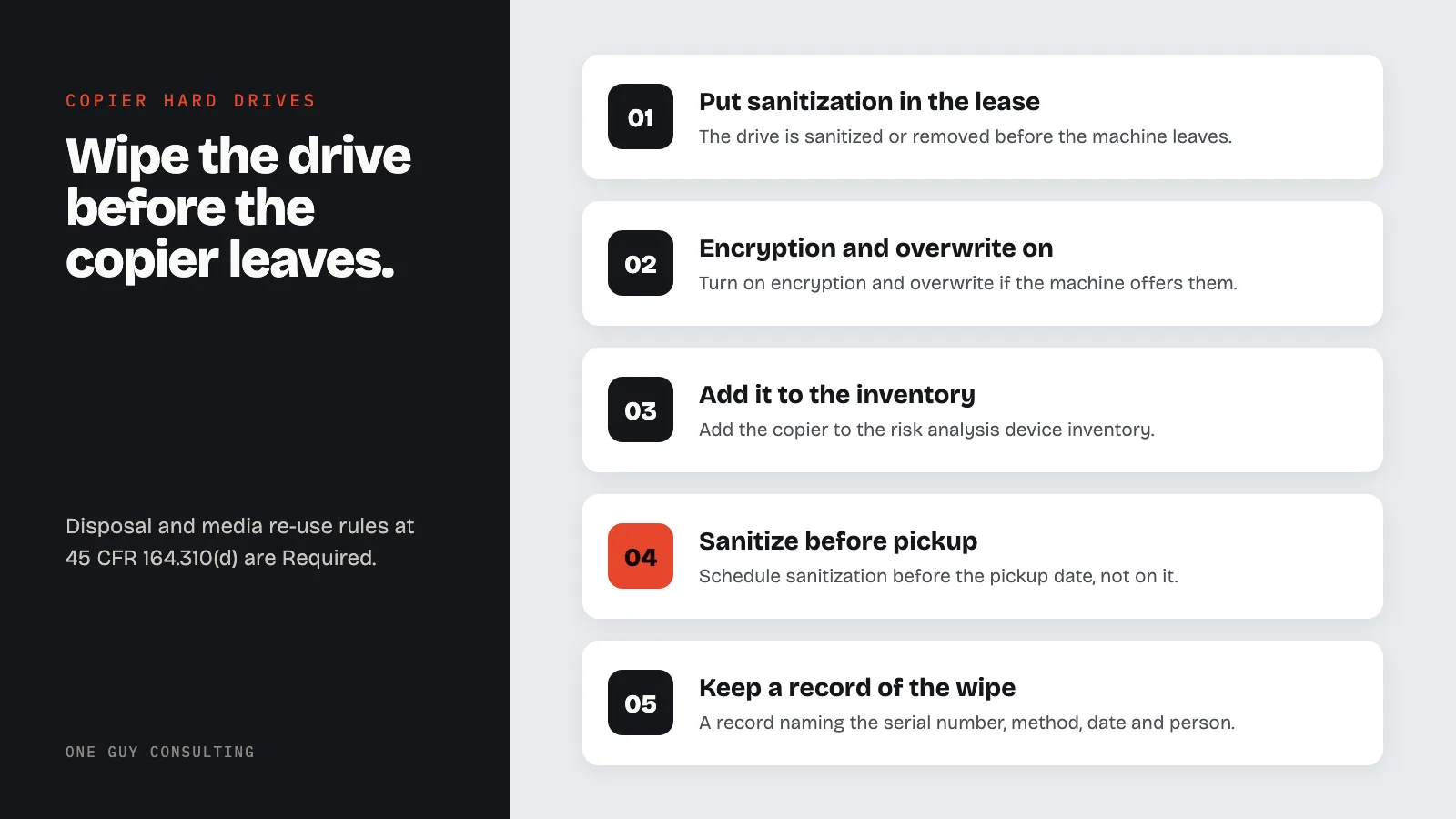
Before a copier or multifunction printer leaves your office, its hard drive must be wiped or removed. HIPAA's disposal and media re-use rules at 45 CFR 164.310(d) are both Required, not optional. Turn on encryption and overwrite if the machine offers them. Put sanitization in the lease. Keep a certificate naming the serial number, method, date, and person.
The copier lease is up. A technician arrives, unplugs the machine, wheels it to a truck, and the office gets a newer model with a touch screen. Nobody thinks about the old one again, which is a problem, because inside it is a hard drive holding an image of every insurance card, referral, lab requisition, and chart page the front desk scanned for the past four years.
This is not a hypothetical. On August 14, 2013, HHS announced a settlement with a health plan in a photocopier breach case, one of the earliest enforcement actions to turn on a machine most offices treat as furniture rather than as a store of P.H.I. (Protected Health Information). The Federal Trade Commission publishes a business guide on the same risk, and the Security Rule has two Required specifications that cover it directly. This post walks through the regulation, what a copier actually stores, what to do at each stage of the machine's life, and what to write into policy.
HIPAA Copier Hard Drive Rules: Device and Media Controls
1. The Standard That Covers Copiers, Printers, Scanners, and Fax Machines
45 CFR 164.310(d)(1) requires policies and procedures "that govern the receipt and removal of hardware and electronic media that contain electronic protected health information into and out of a facility, and the movement of these items within the facility." A leased copier is hardware containing electronic media, and its removal at lease end is exactly the event the standard names.
Two of its implementation specifications are Required. Disposal, at 164.310(d)(2)(i): "Implement policies and procedures to address the final disposition of electronic protected health information, and/or the hardware or electronic media on which it is stored." Media re-use, at (d)(2)(ii): "Implement procedures for removal of electronic protected health information from electronic media before the media are made available for re-use." A returned copier that the leasing company refurbishes and places with another customer is re-use.
Two more are Addressable: accountability, (d)(2)(iii), "a record of the movements of hardware and electronic media and any person responsible therefore," and data backup before movement, (d)(2)(iv). Addressable means you decide if it is reasonable and appropriate (a sensible fit) for your practice. If it is, you put it in place. If not, you write down why and use an equal alternative if one fits; the details are in why addressable does not mean optional.
2. What the Machine Actually Stores
The FTC's guide for businesses states it plainly: "Digital copiers require hard disk drives to manage incoming jobs and workloads," and "the hard drive in a digital copier stores data about the documents it copies, prints, scans, faxes or emails." The guide also makes the point that trips up most offices: deleting files or reformatting the drive does not remove the data; it only "alters how the hard drive finds the data and combines it to make files." The images are still there for anyone with a screwdriver and a utility program.
Lease paperwork rarely mentions any of this. The lease describes a machine, a monthly payment, and a return condition; it says nothing about the images on the drive, because the leasing company does not think of them as its problem. Under the Security Rule they are the practice's problem until the moment the drive is sanitized.
The same applies to devices nobody calls a copier. Multifunction printers store print jobs. Fax machines and fax servers hold received pages in memory, a point covered in the faxing and HIPAA post. Desktop scanners with local storage, label printers with job history, and the "scan to email" feature that keeps a copy on the device all sit inside 164.310(d).
| Device | Where ePHI hides | Before it leaves your control |
|---|---|---|
| Leased or owned copier or multifunction printer | Internal hard drive or SSD: scan, copy, print, fax images; address books; scan-to-email logs | Sanitize or remove the drive; obtain a written certificate naming the machine serial and method |
| Fax machine or fax server | Received-page memory, stored outbound queues | Clear memory per the maker's procedure; document it |
| Desktop printer with storage | Saved print jobs, secure-print queues | Factory reset with storage wipe, or drive removal |
| Scanner with local storage | Cached images, USB or SD media | Wipe and physically destroy removable media |
| Service loaner or swap unit | Whatever your staff scanned during the loan | Same sanitization step before the loaner goes back |
3. Acquisition: The Contract Is the Control
Most of the copier problem is solved at signing. The FTC guide notes that "most manufacturers offer data security features with their digital copiers, either as standard equipment or as optional add-on kits," typically encryption and overwriting. Ask for both, and ask that they be enabled at installation, in writing. Then put four clauses in the lease: the drive is sanitized or removed before the machine leaves the building; the practice may keep or destroy the drive at its option; the vendor supplies a certificate of sanitization identifying the serial number, the date, the method, and the person; and service technicians will not remove stored data from the premises.
That last clause raises the vendor question. A service company whose technicians can pull stored images from your machine may be a business associate. Under 45 CFR 160.103, that means an outside company that "creates, receives, maintains, or transmits" P.H.I. for you. Either contract for service that does not involve access to stored data, or get a B.A.A. (Business Associate Agreement) from the service vendor. The agreement mechanics are in the BAA guide.
4. In Service: Three Settings and One Inventory Line
Turn on drive encryption if the machine offers it. Turn on automatic overwrite after each job or on a schedule. Turn off, or password-protect, the saved-documents feature that keeps files on the device for reprinting. Then add the copier to the device inventory the risk analysis under 164.308(a)(1)(ii)(A) is built from, with its serial number, location, the security features enabled, and the lease end date. A practice that keeps a device inventory for laptops and forgets the copier has a gap in its risk analysis. The inventory process is part of device and IT audits, and the broader physical rules are in the physical safeguards guide.
5. Retirement: Sanitize, Certify, File
The federal reference for how to wipe media is NIST Special Publication 800-88, Guidelines for Media Sanitization, published in its current form as Revision 2 in September 2025. A small practice does not need to read all of it. It needs to pick a method appropriate to the drive type (a mechanical drive and a solid-state drive are wiped differently), apply it or have the vendor apply it, and keep the record. The record is what 164.316(b)(1)(ii) requires when an action "is required by this subpart to be documented," and (b)(2)(i) says it is kept for six years.
- Schedule sanitization before the pickup date, not on it.
- Confirm the method matches the drive type (overwrite, cryptographic erase, or physical destruction).
- If the drive is removed, either destroy it or lock it up; a drive in a desk drawer is a lost device waiting to happen.
- Obtain the certificate: machine make, model, serial, drive serial if available, method, date, name of the person who did it.
- Update the inventory to "retired" with the certificate reference, and note it in the accountability log under 164.310(d)(2)(iii).
- Do the same for loaners and swap units, which come and go without a lease event to remind anyone.
6. If a Machine Already Left Unwiped
Under 45 CFR 164.402, an impermissible disclosure of P.H.I. (sharing it in a way HIPAA does not allow) is presumed to be a breach unless a documented four-factor risk assessment shows a low probability of compromise. The factors include "whether the protected health information was actually acquired or viewed" and "the extent to which the risk to the protected health information has been mitigated." Call the leasing company the same day, find out where the machine is, and get the drive back or get it wiped with a certificate. That mitigation goes into the assessment. The day-one steps mirror the lost device incident response guide, and if the assessment cannot show low probability, you must notify patients under 164.404. Do it without unreasonable delay, and no later than 60 calendar days after the breach was discovered.
7. What to Write Into Policy
One page under the device and media controls policy: every device with internal storage is inventoried, including copiers, printers, scanners, and fax devices; encryption and overwrite features are enabled at installation; no device with storage leaves the facility, for return, repair, trade-in, or donation, until its media has been sanitized or removed and a certificate filed; loaners are treated the same; and the accountability log records who moved what and when. Name the person who signs off. Then put the lease end date on the compliance calendar twelve months out, because the lease company will remember it, and you should remember it first.
FAQ
Do copiers really store patient information?
Yes. The FTC's digital copier guide states that the hard drive stores data about the documents the machine copies, prints, scans, faxes, or emails, and that deleting or reformatting only changes how the drive finds the data rather than removing it.
Is wiping the copier hard drive required by HIPAA?
Yes. 45 CFR 164.310(d)(2)(i) disposal and (d)(2)(ii) media re-use are both Required implementation specifications, and a returned copier is electronic media made available for re-use.
Can we rely on the leasing company to wipe the drive?
Only with a contract clause and a certificate of sanitization naming the machine, the method, the date, and the person. The obligation stays with the practice; the vendor's certificate is the evidence.
Does the copier service technician need a BAA?
If the technician can access stored images, the vendor may count as a business associate under 45 CFR 160.103, and then it needs a business associate agreement, or the service must be arranged so that no access to stored data occurs.
What if a copier already went back without being wiped?
Treat it as a potential breach. Recover or sanitize the drive, run and document the four-factor risk assessment under 45 CFR 164.402, and notify under 164.404 if the presumption of breach cannot be rebutted.
The copier fix is a contract clause, three settings, and a certificate in a folder. One Guy Consulting's Full-Scope plan includes policy and procedure templates and the Security Risk Assessment tool. It also includes 4 hours a month of 1:1 implementation calls with Chuck. He walks you through the software and the process. Start with a free 30-minute intro call. No obligation, no pressure.
Sources
- 45 CFR 164.310 (physical safeguards: device and media controls)
- 45 CFR 164.308 (risk analysis)
- 45 CFR 164.316 (documentation requirements)
- 45 CFR 164.402 (breach definition and risk assessment)
- 45 CFR 160.103 (definition of business associate)
- FTC, Digital Copier Data Security: A Guide for Businesses
- NIST SP 800-88 Rev. 2, Guidelines for Media Sanitization (September 2025)
Related Reading