Yes, Jotform can be HIPAA compliant, but only on its Gold or Enterprise plan. You also have to turn on the HIPAA setting and sign the BAA (Business Associate Agreement) inside your account. The plan alone does nothing. Your forms and integrations must also keep patient information inside that HIPAA setup.
In April 2017, OCR (the HHS Office for Civil Rights, which enforces HIPAA) announced a settlement whose headline was a question: "No Business Associate Agreement?" The answer cost $31,000. Nothing exotic happened. A vendor held patient information, and the paperwork that HIPAA requires for that relationship did not exist. An online form builder that stores patient intake answers is exactly that kind of vendor.
So, is Jotform HIPAA compliant? Yes, with conditions. Jotform offers HIPAA compliance features on its Gold and Enterprise plans, and it will sign a BAA (Business Associate Agreement) with covered entity customers who turn those features on. The plan alone does nothing. The setting has to be enabled, the BAA has to be signed, and the forms and integrations have to be built so that PHI (Protected Health Information) never leaves the covered environment. This guide covers what Jotform's own pages say, what the BAA does not reach, and the setup list that turns a plan into a compliant intake workflow.
Is Jotform HIPAA Compliant: Plans, the BAA, and the Key Setting
When Jotform Signs a BAA
Yes. Jotform's HIPAA FAQ states that "our Covered Entity customers that have enabled HIPAA compliance features in their account can sign a Business Associate Agreement (BAA)." The signing happens inside the account: go to account settings, select the HIPAA option, and sign the BAA there. There is no sales call and no negotiation, which is convenient, and also why practices skip it. A plan upgrade is not a signature.
The regulation is blunt about why the signature matters. 45 CFR 164.502(e)(1)(i) allows a covered entity to let a vendor "create, receive, maintain, or transmit protected health information on its behalf" only "if the covered entity obtains satisfactory assurance that the business associate will appropriately safeguard the information," and 164.502(e)(2) requires that assurance to be "documented through a written contract." The Security Rule repeats the point at 164.308(b)(3), where the written contract is a Required implementation specification. If a patient's medications and insurance number land in a Jotform table, Jotform is a business associate under 45 CFR 160.103, and the BAA is not optional. The full anatomy of that contract is in the business associate agreement guide.
The HIPAA-Eligible Jotform Plans
Jotform's HIPAA page says that "by signing up for either the Gold or Enterprise plan," the HIPAA-enabled templates, integrations, and plugins become available, and its FAQ adds that HIPAA "is included in this cost and there is no additional fee." Plans below Gold cannot enable the feature at all.
| Plan | HIPAA features | BAA available | Notes |
|---|---|---|---|
| Free and lower paid tiers | No | No | Cannot hold PHI, regardless of how the form is built |
| Gold | Yes, when the HIPAA setting is enabled | Yes, signed in account settings | The practical floor for a solo or small practice |
| Enterprise | Yes, when enabled | Yes | Same HIPAA setting and the same in-account BAA as Gold |
What Happens When the HIPAA Setting Is Turned On
Jotform describes three concrete changes. First, existing data "will automatically be migrated to and securely stored in our isolated system of local data residency centers." Second, form data is encrypted on the form, then transferred and stored while still encrypted. Third, email behavior changes: "No submission data will be included in any notification emails," only an alert that a submission arrived, and the account holder must log in to read it. Staff notice that one, because the convenient email stops arriving. That is the feature working.
Encryption is where Jotform does the heavy lifting for you, and it maps to the Security Rule directly. 45 CFR 164.312(e)(2)(ii) asks for "a mechanism to encrypt electronic protected health information whenever deemed appropriate," and 164.312(a)(2)(iv) asks for encryption of stored ePHI.
Both are Addressable. That never means optional. Under 164.306(d)(3), you decide if each one is reasonable and appropriate for your practice.
If it is, you put it in place. If it is not, you write down why. Then you use another measure that does the same job, if that is reasonable and appropriate. With HIPAA enabled, Jotform gives you the mechanism; you still own the documentation.
What the Jotform BAA Does Not Cover
A BAA covers the vendor's conduct. It does not cover yours, and it does not extend to every door that Jotform can open. The gaps to know:
- Integrations that are not HIPAA-enabled. Jotform names four integrations "capable of enabling HIPAA compliance": Google Sheets, Google Drive, Dropbox, and Infusionsoft. Jotform advertises 150+ integrations. Every other one is a separate disclosure to a separate company with no BAA in the chain.
- The integration partner itself. Sending submissions to Google Sheets is only covered if your Google Workspace account has its own BAA in force, which is explained in the Google Workspace HIPAA guide. The same logic applies to Dropbox. Jotform's BAA covers Jotform. Google's covers Google.
- PDFs that leave the platform. Jotform's FAQ notes that a generated PDF can be "sent as an email attachment." The moment it is, the PDF is ordinary email, with all of ordinary email's risks.
- Payment processors. Jotform's payment fields hand card data to Square, Stripe, PayPal, Authorize.Net, or BlueSnap. Those relationships have their own terms, separate from Jotform's BAA.
- Who logs in. Shared logins, weak passwords, and former employees with active access are your problem, not Jotform's. 45 CFR 164.312(a)(2)(i) requires a "unique name and/or number for identifying and tracking user identity" for every person who touches ePHI.
- What you ask. A form that collects a Social Security number, a full medication history, and a photo ID for a newsletter signup violates the minimum necessary standard no matter how well it is encrypted. That rule says you use, share, and ask for only the patient information a task needs.
How to Set Up Jotform for HIPAA
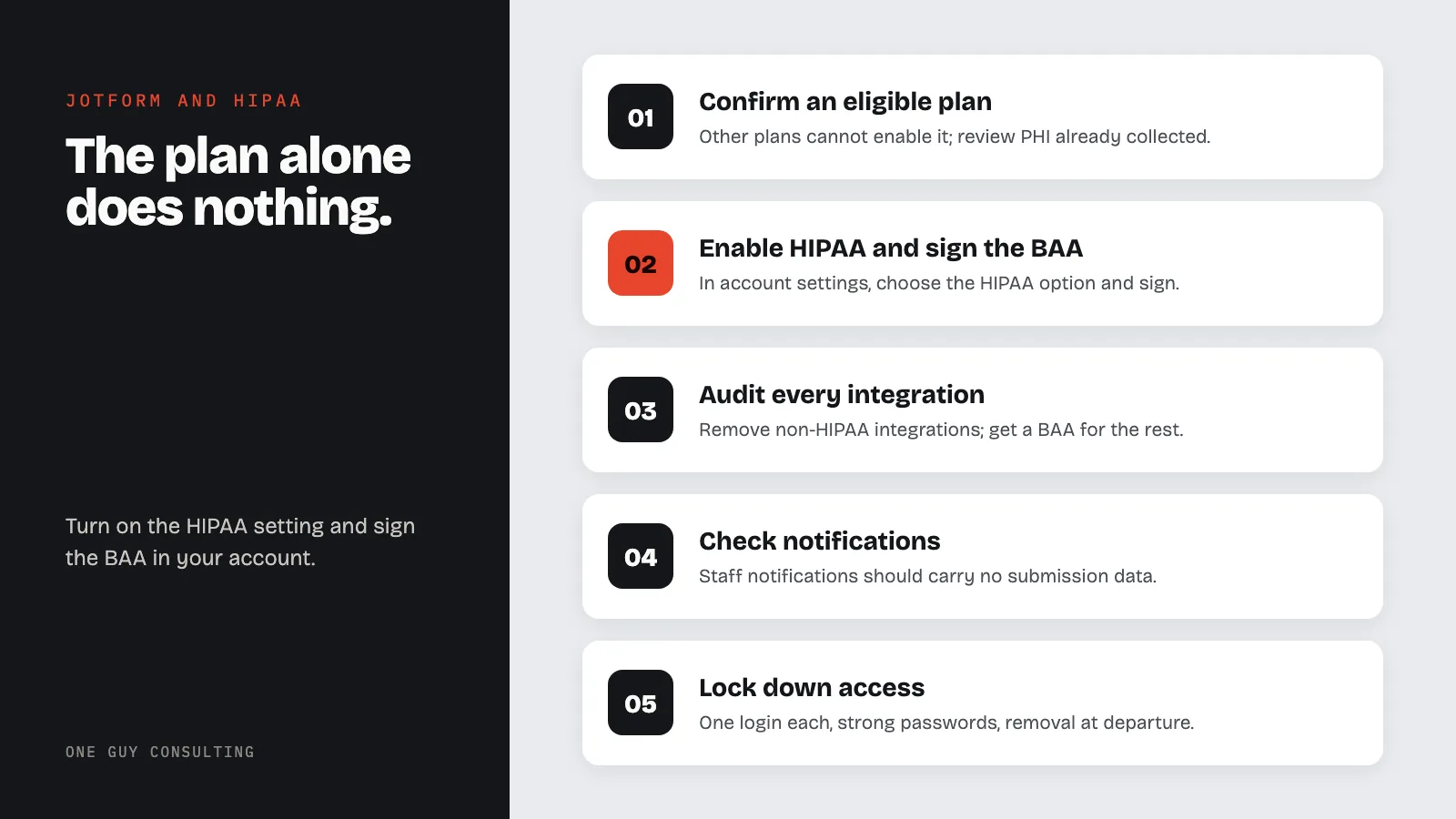
- Confirm the plan. Gold or Enterprise. Anything else cannot enable the feature, and any patient data already collected on a lower plan needs to be reviewed as a possible breach.
- Enable HIPAA and sign the BAA. Account settings, HIPAA option, sign. Download the signed BAA and file it in the vendor register with the date. The file should show the agreement, the plan tier, and the date the setting went on.
- Audit every integration. Remove anything outside Jotform's HIPAA-enabled list. For the ones that stay, confirm a BAA with that vendor too.
- Rebuild notifications on purpose. Confirm that staff notifications carry no submission data. Check any autoresponder sent to the patient, since an email that repeats their answers back to them travels over ordinary email.
- Trim the fields. Apply the minimum necessary rule to every form. Ask for what the visit needs, not what a template offers.
- Lock down access. One login per person, strong passwords, and a removal step in your termination checklist so a departed front-desk employee cannot still open submissions.
- Embed safely. Use Jotform's iframe, lightbox, or popup embed on a page served over HTTPS. The rest of the website picture is in the HIPAA website guide.
- Decide retention. Submissions are patient records. Decide where the record of truth lives (usually the EHR), how long the Jotform copy stays, and who deletes it. Write it down.
- Train the people who build forms. The employee who clones a template and adds a "helpful" Zapier connection is the breach vector, not the software.
Common Jotform HIPAA Mistakes
Upgrading and stopping. The Gold plan is purchased, the setting is never enabled, the BAA is never signed, and the practice believes it is covered because the invoice says Gold.
Forwarding the notification. Before HIPAA is enabled, submission emails contain the answers. Staff forward them to personal accounts "to work from home." Each forward is a disclosure.
Collecting consent with a form that has no BAA. A HIPAA authorization or a release built in a free-tier form builder is itself PHI sitting on an uncovered server. The document is only as protected as the server it sits on.
Treating the BAA as the whole program. The BAA is one line in a risk analysis that 45 CFR 164.308(a)(1)(ii)(A) requires anyway. Jotform belongs in that analysis as a system that holds ePHI, with the same review as the EHR.
Alternatives to Jotform for Patient Forms
| Tool | BAA | Best fit | Watch out for |
|---|---|---|---|
| Jotform (Gold or Enterprise) | Yes, in-account after enabling HIPAA | Practices that want a standalone form builder with e-signature and encrypted storage | Integrations outside the HIPAA-enabled list |
| Google Forms (paid Workspace) | Yes, through the Workspace BAA | Practices already on Workspace | Personal Gmail accounts are never covered |
| Microsoft Forms (commercial Microsoft 365) | Yes, in-scope under the Microsoft BAA | Practices already on Microsoft 365; see the Microsoft 365 guide | Consumer Microsoft accounts are not covered |
| EHR patient portal intake | Usually covered by the EHR vendor's BAA | Practices whose EHR already offers online intake | Confirm the portal feature is inside the existing BAA's scope |
The decision usually comes down to where the practice already lives. If Jotform's builder and templates are the draw, Gold plus the setting plus the signature is a defensible choice. The important part is that all three happen, and that the person who owns the account can show a stranger with an OCR badge the signed BAA and the integration list on request.
FAQ
Is Jotform HIPAA compliant on the free plan?
No. Jotform's HIPAA compliance features and the BAA are available only on the Gold and Enterprise plans, and only after the HIPAA setting is enabled in account settings. A free or lower-tier account cannot hold PHI.
Does Jotform charge extra for HIPAA compliance?
Jotform's FAQ says HIPAA is included in the Gold plan cost with no additional fee. Confirm current pricing with Jotform before buying, since plans and prices change.
Do Jotform's integrations stay HIPAA compliant?
Only the integrations Jotform identifies as HIPAA-enabled (it names Google Sheets, Google Drive, Dropbox, and Infusionsoft), and only if you also hold a BAA with that receiving vendor. Everything else must be disconnected from forms that collect PHI.
Will I still get form submissions by email?
With HIPAA enabled, notification emails contain no submission data, only an alert. Staff must log in to Jotform (or a HIPAA-enabled integration) to read submissions. That is by design.
Is a signed Jotform BAA enough to make my intake process compliant?
No. The BAA covers Jotform's obligations. Your obligations remain: a risk analysis that includes Jotform, minimum necessary form design, unique logins, integration control, staff training, and a retention decision for the submissions.
Online intake forms are one of the easiest vendor wins in a small practice, and one of the easiest BAAs to forget to file. One Guy Consulting's Full-Scope plan includes vendor management with digital BAAs and policy and procedure templates. It also includes 4 hours a month of 1:1 implementation calls with Chuck. Start with a free 30-minute intro call. No obligation, no pressure.
Sources
- Jotform: HIPAA-enabled forms (vendor page)
- Jotform: HIPAA frequently asked questions (vendor page)
- 45 CFR 160.103 (definitions, including business associate)
- 45 CFR 164.502 (uses and disclosures, business associates at (e))
- 45 CFR 164.308 (administrative safeguards)
- 45 CFR 164.312 (technical safeguards)
Related Reading