Is Dropbox HIPAA compliant? It can be, but only on paid Dropbox team plans with a signed Business Associate Agreement and proper security configuration. Free and personal Dropbox accounts do not qualify and should never be used to store protected health information.
Dropbox is one of the most commonly used file sharing tools in small offices. Staff drag patient files into shared folders, email Dropbox links to colleagues, and sync documents across devices without thinking about where the data lives. For healthcare practices, that casual use creates real HIPAA risk unless the right plan and settings are in place.
Which Dropbox Plans Support HIPAA Compliance?
Dropbox offers a Business Associate Agreement for its team plans. The plans that qualify include:
- Dropbox Standard
- Dropbox Business
- Dropbox Advanced
- Dropbox Business Plus
- Dropbox Enterprise
- Dropbox Education
Personal Dropbox accounts, including Dropbox Basic (free) and Dropbox Plus (paid personal), are not eligible. Dropbox does not list them among the plans that can sign a BAA. If anyone on your staff stores patient files in a personal Dropbox account, that is a potential HIPAA violation.
How to Get a BAA from Dropbox
Dropbox makes its BAA available electronically through the admin console. No sales call required. The process:
- Log into the Dropbox admin console as a team admin
- Open the Account page in the admin console
- Read the Business Associate Agreement and sign it online
Dropbox says only US-based customers can sign the BAA online in the admin console. Some vendors make you talk to their sales team first. Dropbox lets you sign the BAA yourself. That makes it easier for small practices.
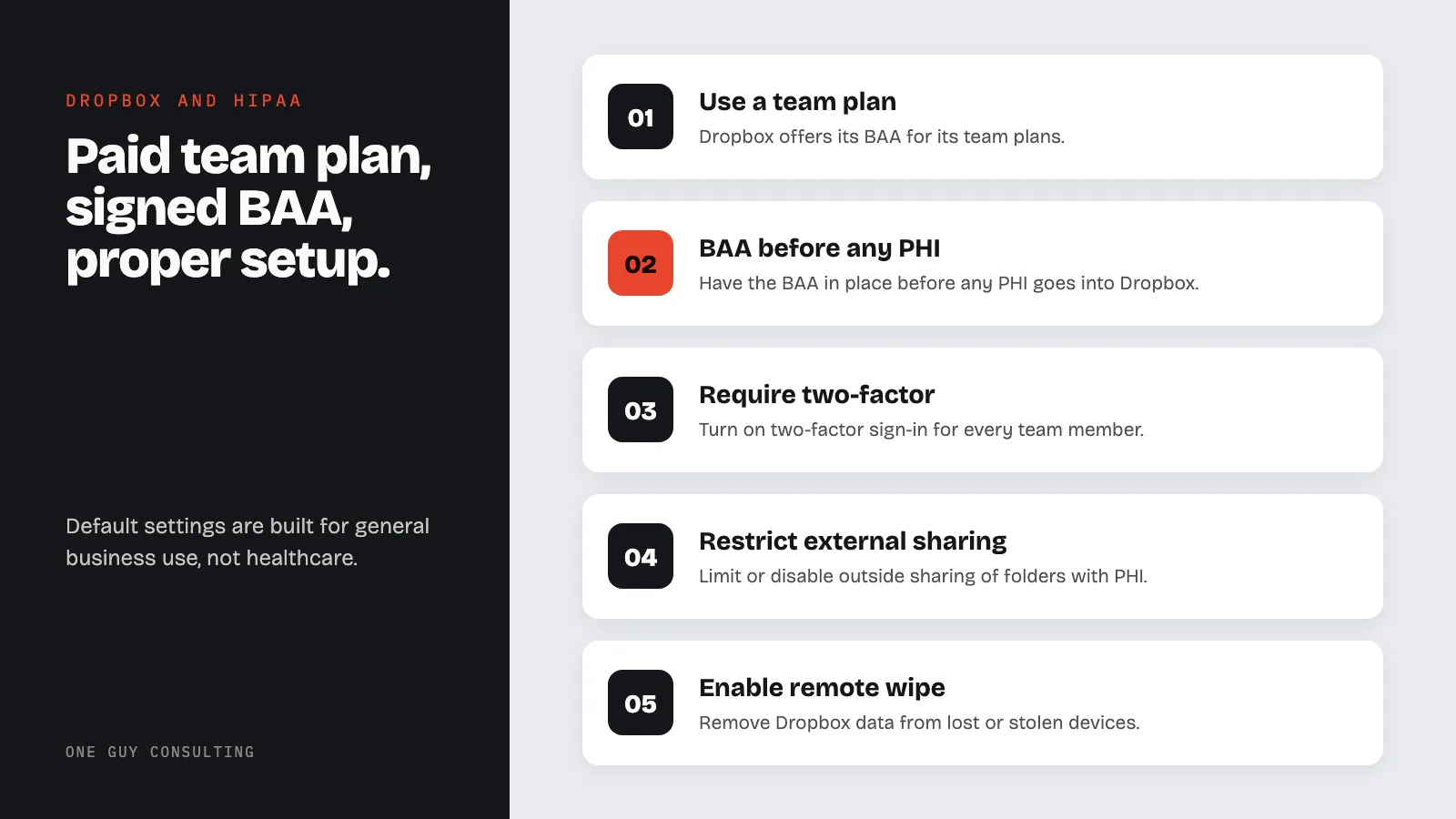
The BAA must be in place before you transfer any PHI into your Dropbox account. Not after. If your team has been storing patient data in Dropbox without a BAA, that existing data represents an ongoing compliance gap.
Required Security Settings
Dropbox's default settings are designed for general business use, not healthcare. Several defaults are too permissive for a practice handling patient data. After signing the BAA, configure:
- Two-factor authentication: require it for every team member. It helps with the access control standard at §164.312(a). It also helps with the person or entity authentication standard at §164.312(d). That standard means checking that each user is who they say they are
- Sharing restrictions: limit or disable external sharing for folders containing PHI so files cannot be shared outside your organization
- Link expiration: set shared links to expire automatically rather than remaining accessible indefinitely
- Password-protected links: require passwords on any shared links that must be external
- Remote wipe: enable remote device wipe so you can remove Dropbox data from lost or stolen devices
- Account transfer controls: ensure admin can transfer or delete accounts when employees leave, per HIPAA termination procedures
These map to the technical safeguards required under 45 CFR §164.312. Higher plans, such as Dropbox Advanced and Enterprise, add more admin controls. Check Dropbox's plan details to see which controls your plan includes.
What Dropbox Does Well for HIPAA
Dropbox has some advantages for healthcare practices that need simple, accessible file storage:
- Self-service BAA: no sales call, sign directly in the admin console
- Encryption at rest and in transit: AES 256-bit encryption for stored files and SSL/TLS for data in transit
- Version history: file versions are retained, supporting integrity controls under §164.312(c)
- Granular sharing controls: admins can restrict who can share, how, and with whom
- SOC 2 reports and ISO 27001 certification: outside reports and a certificate measure Dropbox against recognized security standards
Common Mistakes with Dropbox and HIPAA
Using personal accounts for work files. The most frequent issue. Staff use their personal Dropbox to sync files between home and office, and patient documents end up in an account with no BAA, no admin oversight, and no audit trail.
Leaving external sharing wide open. Dropbox makes it easy to generate share links. If a staff member shares a link to a folder containing patient records, anyone with that URL can access the files. Restrict external sharing to prevent this.
No offboarding process. When an employee leaves, their Dropbox data must be transferred to another team member or deleted. If former staff retain access to team folders containing PHI, that is an unauthorized access issue under the Security Rule.
Syncing to unmanaged devices. Dropbox syncs files to every connected device by default. If a staff member installs Dropbox on a personal laptop or tablet without encryption or device management, PHI is now sitting on an uncontrolled device.
Not including Dropbox in the risk assessment. If Dropbox is part of your workflow, it must appear in your HIPAA risk assessment. Document what PHI is stored, who has access, what sharing settings are configured, and what residual risks exist.
Dropbox vs. Google Drive for Healthcare
Both platforms can be HIPAA compliant on paid plans with a BAA. Key differences:
- BAA process: both offer self-service BAA acceptance through admin consoles
- Bundled services: Google Drive comes with Gmail, Docs, Meet, and Calendar all under one BAA. Dropbox is mainly file storage. You still need separate tools (and separate BAAs) for email, video calls, and messaging
- Admin controls: both offer extra admin tools, such as audit logs, on some plans. The tools you get depend on the plan you buy
For practices that only need file storage with a BAA, Dropbox works well. For practices that want email, video, messaging, and storage under one vendor agreement, Google Workspace or Microsoft 365 covers more ground.
Can I use Dropbox to share files with patients?
Dropbox can be used to share files externally, but sharing PHI with patients requires proper access controls. Use password-protected links, set expiration dates, and verify the recipient before sharing. Your practice should document these sharing procedures in your policies and train staff on what types of files can be shared externally.
Does Dropbox encrypt files?
Yes. Dropbox uses AES 256-bit encryption for files at rest and SSL/TLS for files in transit. This helps you meet the HIPAA encryption requirements under §164.312(a)(2)(iv) and §164.312(e)(2)(ii). But encryption alone does not make you compliant. You also need access controls, audit trails, and the right sharing settings.
What happens if PHI is stored in a personal Dropbox account?
Storing PHI in a personal Dropbox account is a potential HIPAA violation because no BAA exists for personal plans. If the data is accessed by an unauthorized party, your practice must follow breach notification requirements and may face OCR penalties. Prevent this with clear policies, staff training, and blocking personal account use on work devices where possible.
Is Dropbox Paper HIPAA compliant?
Dropbox's HIPAA overview does not name Paper. Before you put PHI in Paper, ask Dropbox to confirm in writing that your BAA covers it. Dropbox does say its Dash tool does not support HIPAA compliance. On a team plan, use the same settings for Paper: limit sharing, require two-factor authentication, and train staff on how to use it. Never put PHI in Paper on a personal account.