Is Microsoft Teams HIPAA compliant? Yes, but only on eligible paid Microsoft 365 plans with proper configuration. The free version of Teams does not qualify. Microsoft includes HIPAA coverage automatically in its Data Protection Addendum for commercial plans. There is no separate BAA signing step.
Teams is the default communication platform for many healthcare offices. Staff use it for internal messaging, video calls, file sharing, and scheduling. If your practice runs on Microsoft 365, you are likely already using Teams. The question is whether your setup meets HIPAA requirements.
Which Microsoft 365 Plans Support HIPAA Compliance?
Microsoft includes HIPAA compliance coverage in its Data Protection Addendum (DPA). The BAA covers the business cloud services Microsoft lists for HIPAA, and Teams is on that list. Eligible business and enterprise plans include:
- Microsoft 365 Business Basic, Standard, and Premium
- Office 365 E1, E3, and E5
- Microsoft 365 E3, E5, and F3
- Microsoft Cloud for Healthcare
The DPA functions as Microsoft's BAA. Unlike most vendors, there is no separate form to sign or request. When you subscribe to an eligible plan, the HIPAA terms are automatically part of your agreement.
The free version of Teams does not qualify. Microsoft does not extend HIPAA coverage to free-tier or personal Microsoft accounts. If your practice uses Teams Free or personal Outlook accounts for anything involving patient information, that is an active compliance gap.
What the Microsoft BAA Covers
Microsoft's HIPAA coverage extends across its cloud services, not just Teams. Covered services include:
- Microsoft Teams (chat, calls, video meetings, file sharing)
- Exchange Online / Outlook (email)
- SharePoint Online and OneDrive (file storage)
- Azure (cloud infrastructure)
- Microsoft 365 Apps (Word, Excel, PowerPoint)
This means your practice can use the full Microsoft 365 suite for PHI-related work under a single Business Associate Agreement. Email, file storage, video calls, and internal messaging are all covered.
Required Configuration for HIPAA Compliance
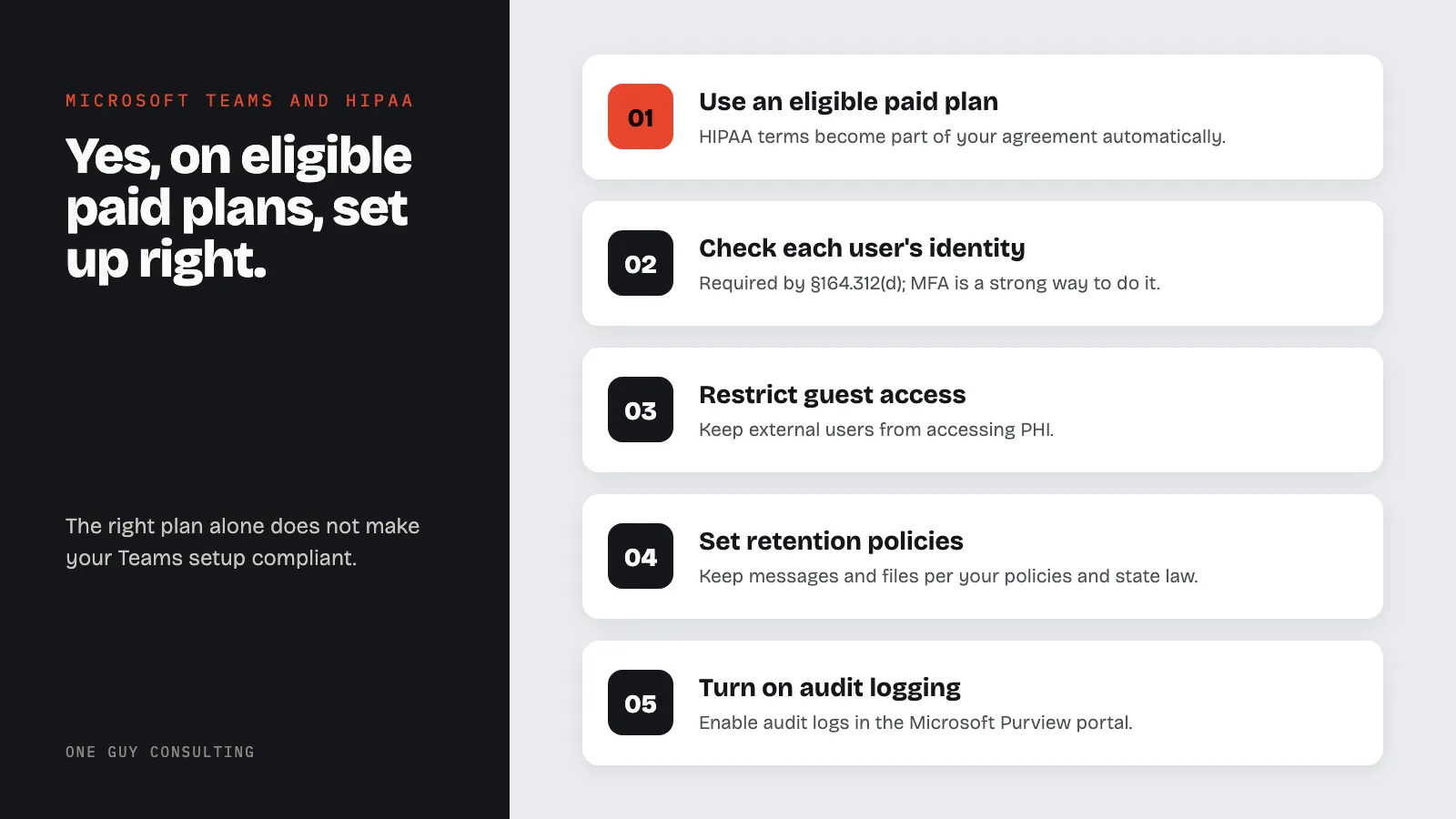
Having the right plan does not automatically make your Teams environment compliant. Your Microsoft 365 admin must configure:
- Multi-factor authentication (MFA) for all accounts. Today's HIPAA rules do not name MFA. But they do require you to check that each user is who they say they are (§164.312(d)). MFA is a strong way to do that. A proposed 2025 update to the Security Rule would require MFA. It is only a proposal, not law yet.
- Data Loss Prevention (DLP) policies to detect and block PHI from being shared in unauthorized channels
- Retention policies for Teams messages and files that match your record-keeping policies and state law
- Guest access restrictions to prevent external users from accessing PHI
- Conditional access policies to control which devices can access your Teams environment
- Audit logging turned on in the Microsoft Purview portal (formerly the Microsoft 365 compliance center)
These settings map to the technical safeguards required under 45 CFR §164.312, including access controls (§164.312(a)), audit controls (§164.312(b)), and transmission security (§164.312(e)).
Common Mistakes with Teams and HIPAA
Using Teams Free or personal accounts. The biggest mistake. No BAA coverage means every chat or call involving PHI is a potential violation.
Allowing unmanaged guest access. Teams makes it easy to invite external users to channels. If a guest can see messages or files containing PHI without proper authorization, that is an unauthorized disclosure.
No message retention policy. By default, users can delete Teams chat messages. HIPAA does not say how long to keep patient records; your state law usually does. HIPAA does require you to keep your HIPAA policies and related records for six years (§164.316(b)(2)). Set retention rules in the Microsoft Purview portal so Teams keeps messages as long as your policies say.
Skipping MFA. Without multi-factor authentication, a compromised password gives an attacker full access to chat history, shared files, and meeting recordings. All of these may contain PHI.
Not including Teams in the risk assessment. If Teams is part of your clinical or administrative workflow, it must be documented in your HIPAA risk assessment as a system that handles ePHI.
Teams vs. Zoom for Healthcare
Both platforms can be HIPAA compliant with the right plan and configuration. The main difference: Microsoft includes its BAA automatically in the DPA, while Zoom requires you to request a BAA separately. If your practice already uses Microsoft 365, Teams is the simpler path because the BAA is already in place.
For practices evaluating telehealth platforms, see our full guide on HIPAA and telehealth compliance.
Does Microsoft Teams encrypt messages and calls?
Yes. Teams uses TLS encryption for data in transit and BitLocker or service-level encryption for data at rest. Teams offers end-to-end encryption for one-on-one calls. This helps you meet the HIPAA encryption requirements under §164.312(a)(2)(iv) and §164.312(e)(2)(ii). Both rules are "addressable," which means you must use encryption if it is reasonable and fits your practice. If it does not fit, write down why and use another step that protects just as well, if one is reasonable.
Can I use Teams for telehealth patient visits?
Yes, if your organization has an eligible Microsoft 365 plan with the DPA in effect. Use the meeting lobby and meeting options to control who can join. This keeps out people who should not be there. Microsoft Cloud for Healthcare offers additional clinical workflow integrations built specifically for patient-facing use.
Is Teams chat safe for discussing patient information?
Teams chat is covered under the Microsoft BAA for eligible plans, so staff can discuss patient information internally. However, you must restrict external and guest access, enable message retention policies, and train staff not to share PHI in channels that include unauthorized users. Keep PHI out of channel names and meeting titles.
Do I need a separate BAA for Microsoft Teams?
No. Microsoft's HIPAA BAA is included in the Data Protection Addendum that comes with every eligible commercial Microsoft 365 plan. There is no separate document to sign. Check that your plan is eligible, and keep a copy of the Microsoft Data Protection Addendum (linked in Sources) with your HIPAA records.