Is Zoom HIPAA compliant? Yes, but only on paid plans with a signed Business Associate Agreement. Zoom offers a BAA on Pro (with BAA selected at checkout), Business, Business Plus, and Enterprise. The free version of Zoom is not HIPAA compliant and should never be used for telehealth sessions involving protected health information.
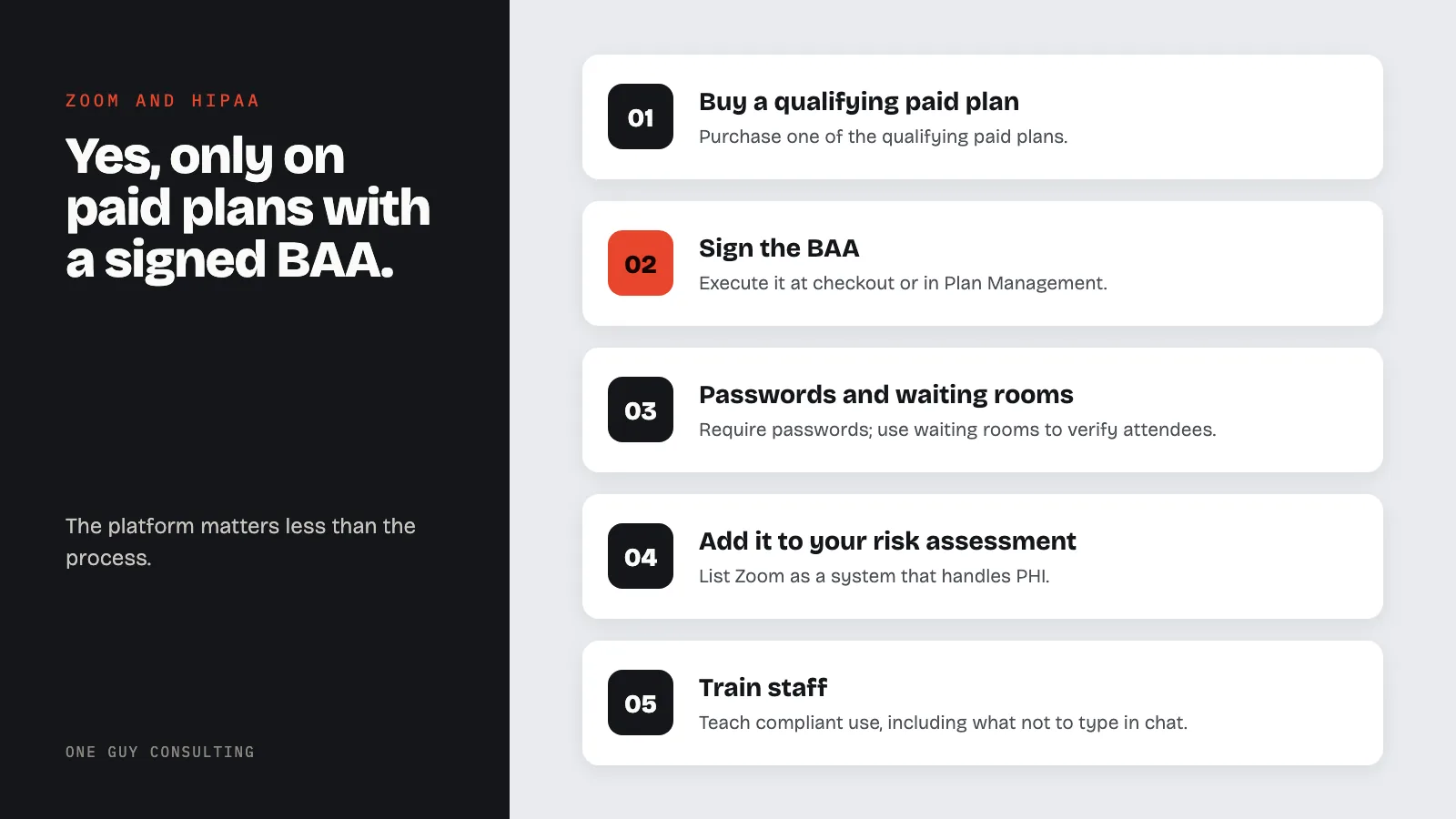
This post covers what most practices need to know: which plan to buy, how to get a BAA in place, what settings to check, and how to keep your team from creating risk during calls.
Which Zoom Plans Support HIPAA Compliance?
Zoom offers a Business Associate Agreement on its paid plans. The plans that qualify include:
- Zoom Pro (with BAA selected at checkout)
- Zoom Business
- Zoom Business Plus
- Zoom Enterprise
Zoom also offers dedicated Zoom for Healthcare packages with features built for clinical workflows, including Epic EHR integration. Contact Zoom sales for pricing on healthcare-specific plans.
The free tier of Zoom does not qualify. There is no BAA option. If your practice is using free Zoom for patient calls, stop. That is a potential breach every time PHI is discussed on the call.
How to Get a BAA from Zoom
A BAA is not automatic. You must request it. The process depends on your plan:
For Zoom Pro: When you purchase the plan, select "United States Agreement (BAA)" in the business country dropdown at checkout. Review the agreement and accept.
For existing plans: Go to Plan Management in your Zoom admin portal, find the Business Associate Agreement section, and click Enable.
For Business, Business Plus, or Enterprise: Contact Zoom sales directly to execute the BAA.
Zoom provides its own BAA. Like every BAA, it commits Zoom to use safeguards under 45 CFR Part 164 Subpart C (the Security Rule). Zoom says that once the BAA is in place, you do not need any extra manual setup. But your compliance obligations do not end at the BAA.
What the BAA Covers (and What It Does Not)
Signing a BAA makes Zoom a business associate under HIPAA. This means Zoom agrees to protect PHI that passes through its systems and report any breaches.
What the BAA does:
- Creates a legal relationship where Zoom is liable for PHI it handles
- Obligates Zoom to use appropriate safeguards under the Security Rule
- Requires Zoom to report security incidents and breaches
What the BAA does not do:
- It does not make your practice automatically compliant
- It does not cover how your staff uses the platform
- It does not protect you if your team shares PHI in the chat with unauthorized people
- It does not replace your risk assessment, policies, or training
A BAA is a contract. It is one piece of your compliance program. It is not the whole program.
Security Features You Should Know About
Zoom provides several security controls that support HIPAA compliance when configured properly:
- AES-256 encryption for video, audio, and screen sharing
- Waiting rooms to prevent unauthorized participants from joining
- Meeting passwords that you can require for all sessions
- Role-based access controls for account administration
- Event logs for tracking meeting access and usage history
- Locked meetings to prevent new participants after a session starts
These features exist, but they only work if your team actually uses them. A waiting room does nothing if the host admits everyone without checking who joined. Access controls do nothing if every staff member shares the same login.
What About Zoom AI Companion?
Zoom's AI Companion offers meeting summaries and transcription. For healthcare accounts with a BAA, some AI features may not be available or may have administrative restrictions. Zoom states it does not use customer audio, video, or chat content to train AI models. If your team discusses PHI during meetings, disable any AI features you cannot fully account for in your risk assessment.
Common Mistakes Practices Make with Zoom
The platform can be HIPAA compliant. The way your team uses it often is not. Here are the patterns that create risk:
Using free Zoom for patient calls. A provider signs up for a free account, starts seeing patients over video, and never checks whether a BAA is in place. No BAA means every session where PHI is discussed is a potential violation.
Sharing meeting links without passwords. If a link gets forwarded or posted in the wrong place, anyone can join. Always require meeting passwords and use waiting rooms to verify attendees.
Recording sessions without a policy. Cloud recordings of telehealth sessions contain PHI. You need a policy covering where recordings are stored, who can access them, how long they are retained, and when they are deleted.
Using the chat for PHI. Staff sometimes type patient details into Zoom chat during a call: names, diagnoses, medication lists, account numbers. Chat content may be logged or visible to people who should not see it. Train your team to keep PHI out of the chat window.
No risk assessment that includes Zoom. Your HIPAA Security Rule obligations require you to assess risk for every system that touches PHI. If Zoom is part of your workflow, it belongs in your risk assessment.
How to Set Up Zoom for HIPAA Compliance
Here is a step-by-step checklist for practices adopting Zoom for telehealth:
- Purchase a qualifying paid plan (Pro, Business, Business Plus, or Enterprise)
- Execute the BAA through checkout or Plan Management
- Enable waiting rooms for all meetings
- Require meeting passwords as a default setting
- Restrict screen sharing to host only unless clinically necessary
- Review AI features and disable any that are not needed for clinical use
- Set a cloud recording policy or disable cloud recording if not needed
- Add Zoom to your risk assessment as a system that handles PHI
- Train staff on compliant use, including what not to type in chat
- Document everything in your HIPAA documentation
Zoom is not the only option. Other HIPAA-capable video platforms exist, including Doxy.me and Microsoft Teams (with a BAA). For file storage, check whether Google Drive or Dropbox meet your needs. The platform matters less than the process: sign a BAA, configure settings, train staff, and include it in your risk assessment. For a broader look at what telehealth regulations require, see our guide on HIPAA and telehealth compliance.
Is Zoom HIPAA compliant for therapy sessions?
Yes, if the therapist's practice has a paid Zoom plan with a signed BAA. Mental health sessions involve sensitive PHI, which makes the BAA and proper configuration non-negotiable. Therapists should also enable waiting rooms and require passwords to prevent unauthorized individuals from joining sessions.
Can I use Zoom for group telehealth sessions under HIPAA?
Group sessions on Zoom can work if a BAA is in place. HIPAA lets a practice use and share patient information (PHI) for treatment. Group therapy is treatment. So you do not need a signed patient authorization (a written permission form) just to hold the session. Each participant should understand that other group members will see and hear their information. The host should lock the meeting once all participants join.
Does Zoom encrypt telehealth calls?
Zoom uses AES-256 encryption for meetings. End-to-end encryption is available, but it turns off some features. These include cloud recording, live transcription, and AI features.
The HIPAA Security Rule calls encryption "addressable." That means you use it if it is reasonable and appropriate for your practice. If it is not, you write down why and use another measure that works just as well. For most telehealth calls, Zoom's default encryption helps you meet this rule. It still needs a signed BAA, the right settings, and your own risk assessment.
What happens if I use free Zoom for a patient visit?
Using free Zoom for a telehealth visit where PHI is discussed is a potential HIPAA violation. There is no BAA on the free tier, which means PHI is being disclosed to a vendor without the legal protections HIPAA requires. If a breach occurs, your practice has no contractual recourse and may face penalties from OCR.