HIPAA incident management is how healthcare organizations find, document, assess, and respond to security incidents involving protected health information (PHI). A good system catches problems early. A bad one turns a minor event into a reportable breach with federal notification, OCR investigation, and fines. Understanding what triggers an OCR investigation helps you act before a complaint lands.
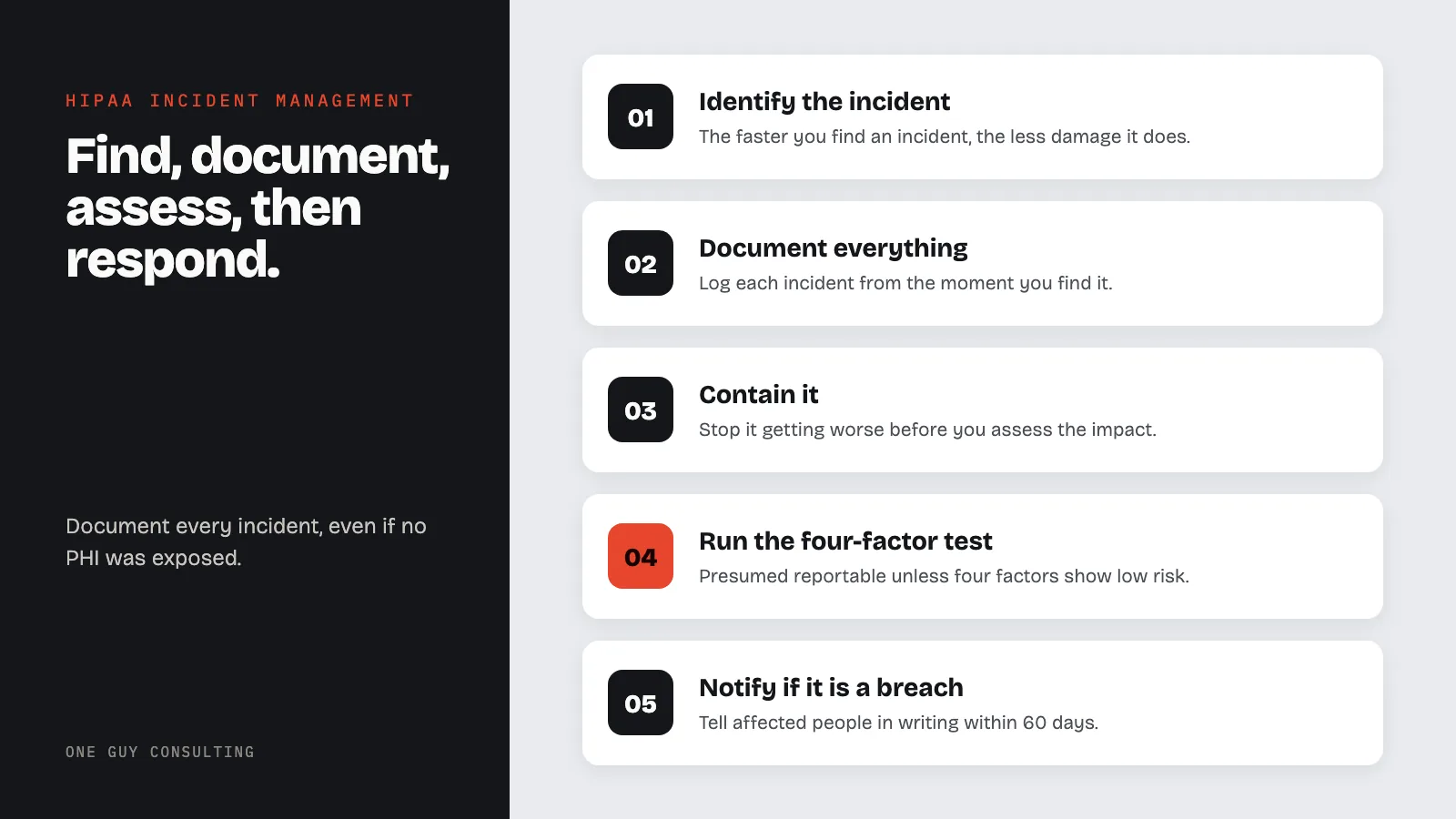
Most organizations have some form of incident response. Few have an actual system. A real system is repeatable. It catches incidents early, documents them right, decides if they are a breach, and tracks them to resolution. This guide covers what HIPAA requires and how to build a process that works.
What Counts as a Security Incident Under HIPAA
The HIPAA Security Rule (45 CFR 164.304) defines a security incident as the attempted or successful unauthorized access, use, disclosure, modification, or destruction of information - or interference with system operations.
Note the word "attempted." HIPAA does not limit incidents to successful breaches. A phishing email that staff almost clicked. A fired employee who tried to access the EHR after their last day. A scan that reveals an open port. These all count as security incidents. You must document them even if no PHI was exposed.
Common healthcare security incidents include:
- Staff accessing records without a treatment, payment, or operations reason
- Misdirected faxes, emails, or mail with PHI
- Lost or stolen devices with unencrypted PHI
- Ransomware or malware on systems that store PHI
- Unauthorized access by former employees or vendors
- Paper records left in unsecured areas or trashed improperly
- PHI shared on WhatsApp, personal email, or other non-compliant platforms
The HIPAA Incident Management Process
Good incident management follows a structured process. Each step has specific HIPAA requirements.
Step 1: Identify the Incident
The faster you find an incident, the less damage it causes. Build identification into daily operations:
- Audit log review - Check EHR access logs, email logs, and system events regularly. Look for unauthorized access patterns.
- Staff reporting - Create a clear, non-punitive way for staff to report suspected incidents. Most healthcare incidents are found by employees, not systems.
- Automated alerts - Set systems to flag unusual patterns like after-hours access, bulk downloads, or logins from odd locations.
- Vendor notifications - Your BAAs should require vendors to report incidents quickly.
Step 2: Document Everything
Document every incident from the moment you find it. Your log should capture:
- Date and time discovered
- Date and time it happened (if different)
- Who found and reported it
- What PHI was involved (data types, record count, people affected)
- What systems were involved
- What you did to contain it and when
- Assessment findings and breach decision
Keep incident records for at least six years. That is the HIPAA retention requirement. Many organizations keep them longer for legal protection.
Step 3: Contain It
Stop the incident from getting worse before you assess its impact:
- Revoke access for compromised accounts right away
- Isolate affected systems from the network
- Preserve evidence - do not wipe systems before investigation
- Change any credentials that may have been exposed
- Notify your IT security team or provider
Step 4: Decide if It Is a Breach (Four-Factor Test)
Not every incident is a breach. Under the Breach Notification Rule (45 CFR 164.402), a breach is presumed reportable unless you can show a low probability that PHI was compromised. You prove this with four factors:
- What PHI was exposed? Social Security numbers and diagnoses are high risk. Appointment times are low risk.
- Who accessed it? Another healthcare provider (lower risk) or a random outsider (higher risk)?
- Was PHI actually viewed or taken? An encrypted laptop stolen while powered off (may not have been accessed) versus records confirmed downloaded.
- What did you do to reduce the risk? Did you recover the data or get confirmation it was destroyed?
Document this assessment carefully. If OCR investigates, they will ask for your reasoning. Saying "we decided it was not a breach" without a written four-factor analysis will not hold up.
Step 5: Notify (If Required)
If the incident is a breach of unsecured PHI, notification rules depend on the number of people affected:
- Any breach - Notify affected individuals in writing within 60 days of discovery. Tell them what happened, what PHI was involved, what they should do, and what you are doing about it.
- 500+ people - Also notify HHS OCR within 60 days. Notify major media in affected states.
- Under 500 people - Notify HHS by the end of the calendar year (annual log submission).
Presence Health paid $475,000 in 2017 for being one month late on notification. The timeline is strict. Start counting from the date you found the incident, not from when you finished investigating.
Step 6: Fix the Root Cause
After resolving the incident, figure out why it happened:
- What control failed or was missing?
- Was training a factor?
- Does a policy need updating?
- Does a technical control need to be added or reconfigured?
- Was this risk flagged in your last risk assessment?
Feed findings back into your security program. Every incident shows where you are vulnerable. Turn incidents into corrective actions. That is how an incident management system improves your security over time.
Building Your Incident Management System
A system that works in practice needs three things:
Written policies and procedures. Define what counts as reportable, who handles each step, escalation paths, and communication rules. Staff need to know exactly what to do when they spot something - not figure it out in the moment.
An incident tracking tool. Spreadsheets work for small practices. Larger organizations need a dedicated system that logs events, tracks status, manages timelines, and creates reports. Whatever you use, it must create an auditable record.
Regular testing. Run tabletop exercises at least once a year. Walk through real scenarios: a ransomware attack, a misdirected fax, a lost laptop, an employee snooping in records. Test whether staff know the process, whether containment works, and whether your breach decisions hold up.
FAQ
What is the difference between a security incident and a breach?
Every breach is a security incident. Not every incident is a breach. A security incident is any attempted or successful unauthorized access to PHI. A breach is specifically when unsecured PHI is accessed or disclosed in a way that violates the Privacy Rule - and the four-factor test shows it was not low risk. You track all incidents. You only notify externally for confirmed breaches.
How long do I have to report a HIPAA breach?
You must notify affected individuals and HHS within 60 days of discovering the breach. For 500+ people, also notify media within 60 days. For fewer than 500, report to HHS by March 1 of the next year. The clock starts at discovery, not when you finish investigating. Start your breach assessment immediately.
What happens if we report late?
Late notification is itself a HIPAA violation. OCR has issued fines just for being late, separate from fines for the breach itself. Presence Health's $475,000 was solely for late notification. The 60-day deadline is a maximum, not a target. Notify as fast as you can.
Do we report incidents that were not breaches?
You do not need to report non-breach incidents to HHS or affected individuals. But you must document them under the Security Rule (45 CFR 164.308(a)(6)). Keeping a complete log of all incidents - including non-breaches - shows OCR that you have an active program. That matters during enforcement.
Sources
- 45 CFR Part 164 Subpart D - Breach Notification Rule
- HHS Breach Notification Rule Guidance
- 45 CFR 164.308 - Administrative Safeguards (Incident Response)