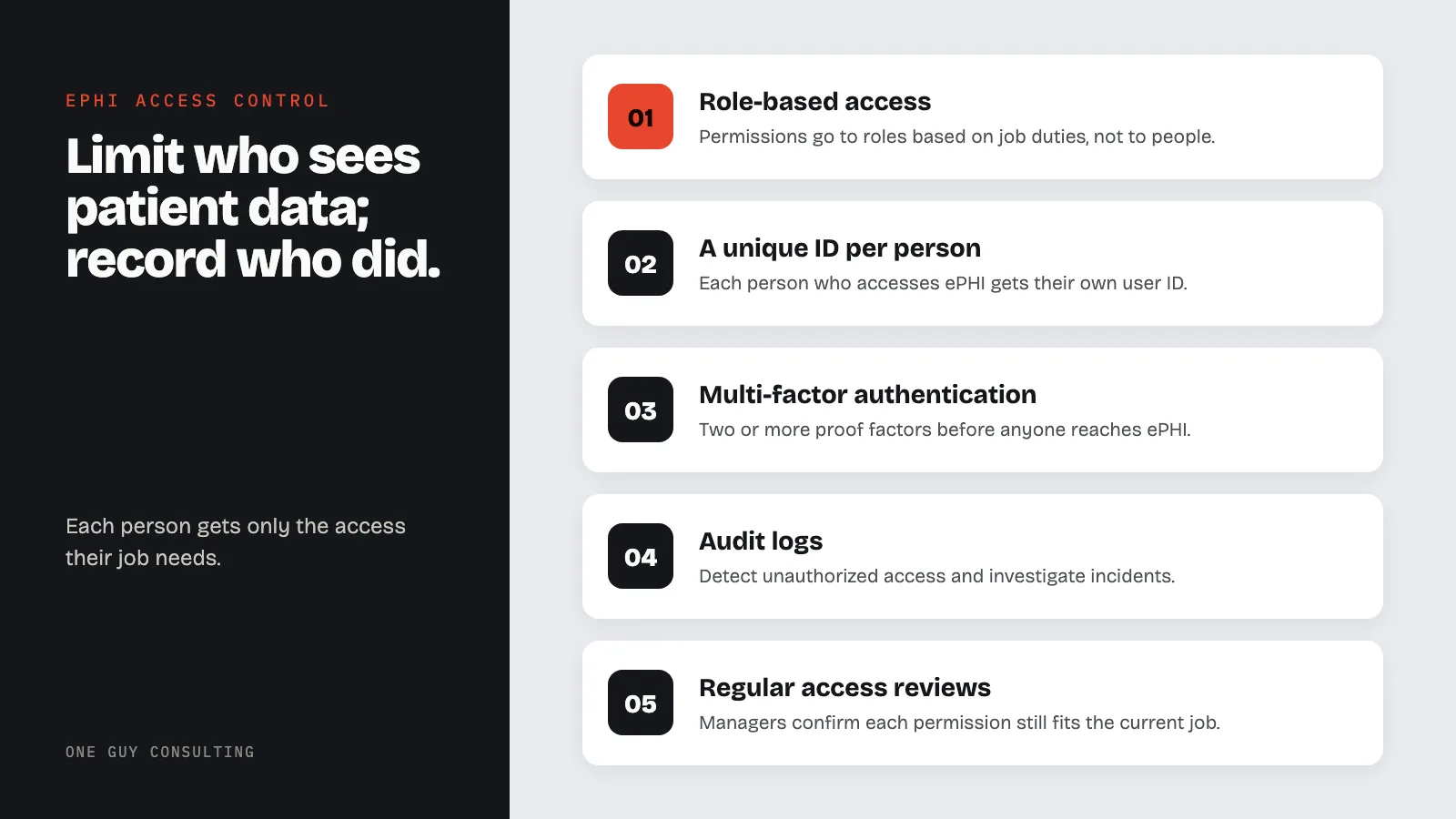
The best ePHI access control practices are role-based access, a unique user ID for each person, automatic logoff, emergency access plans, MFA, audit logs, and regular access reviews. Each person gets only the access their job needs. Together, these limit who can see patient data. They also record who saw it.
ePHI access control is the base of HIPAA Security Rule compliance. Without the right controls, even strong encryption fails to protect patient data. The HIPAA Security Rule requires covered entities and business associates to limit ePHI access to those who need it.
Weak access control can lead to breaches. It can also lead to action by OCR, the HHS office that enforces HIPAA. Former staff sometimes keep system access months after they leave. These gaps expose teams to breaches, fines, and lost patient trust.
Criminals go after health data. Staff with more access than they need can misuse it. Every system that touches ePHI needs strong, layered access controls. This guide covers the best practices every healthcare team should follow. These practices form the core of a solid compliance program.
They also work alongside protections like encryption and breach prevention.
Role-Based Access Control (RBAC)
How to Build an RBAC Framework
Role-based access control (RBAC) is the best approach for managing ePHI access. RBAC assigns permissions to roles, not to people. Users get placed into roles based on their job duties. A good RBAC framework needs:
- Role definitions based on job duties, not personal requests
- Granular permissions that separate read, write, modify, and delete actions
- Role hierarchy so senior roles inherit permissions from lower roles where it makes sense
- Separation of duties so no single role grants too much access
- Clear records of each role, its permissions, and the business reason behind them
Start with a full list of all systems that hold ePHI. Map the minimum access each job needs. Common healthcare roles include clinical staff, admin staff, IT staff, and management.
Common RBAC Mistakes
Teams often weaken their RBAC programs through these mistakes:
- Role explosion: Too many narrow roles that become hard to manage
- Role creep: People collect permissions over time and no one removes the old ones
- Generic roles: Broad roles like "staff" or "user" that grant too much access
- Exception-based access: One-off permissions that bypass the role structure
- Incomplete coverage: Applying RBAC to the EHR but skipping shared drives or reporting tools
Review roles once a year. Confirm they still match real job duties. Remove any permissions that have built up over time.
Unique User IDs
Why Shared Accounts Break HIPAA
The HIPAA Security Rule requires a unique user ID for each person who accesses ePHI. Shared accounts make it impossible to know who accessed what and when. Useful audit trails depend on individual tracking. Every user must have:
- A unique username that identifies the staff member
- Individual credentials not shared with anyone else
- An account tied to their specific role and permissions
- Activity logging linked to their unique ID
Shared accounts are a real problem in clinical settings. Ensure your facility meets all physical access controls for workstations and server rooms. Providers often share workstations during a shift. Use fast user switching, proximity badge logins, or tap-to-verify systems instead. These tools keep individual tracking intact without slowing down work.
Managing Service Accounts
Apps and automated processes also use accounts that need careful handling. These service accounts should:
- Be documented with a clear business purpose and a named owner
- Have permissions limited to the minimum needed for their function
- Use strong, rotated credentials managed through a secrets tool
- Be watched for unusual activity
- Be turned off right away when no longer needed
Automatic Logoff and Session Controls
Setting Up Session Controls
Automatic logoff is an "addressable" part of the HIPAA Security Rule. Addressable means you decide if it is reasonable and appropriate for your practice. If it is, you put it in place. If it is not, you write down why.
Then you use an equal measure instead, where that is reasonable. Automatic logoff stops access to records when workstations are left alone. Without it, anyone walking by can read patient records on an open screen. Best practices include:
- Idle timeouts that lock or log off sessions after 5 to 15 minutes
- Screen locks that kick in before full logoff and require a password to resume
- Session end that closes the app and clears cached data after long idle time
- Session limits that stop users from logging in on several devices at once
- Session tracking that flags odd patterns, like sessions active outside normal hours
Balance security with workflow speed. Badge tap, fingerprint scan, or PIN entry lets staff resume locked sessions fast.
Device-Specific Settings
Apply automatic logoff settings across all device types:
- Desktop workstations in clinical areas: 5-10 minute idle timeout
- Shared workstations at nursing stations: 2-5 minute idle timeout
- Mobile devices (tablets, phones): 2-5 minute idle timeout with device encryption
- Remote access sessions (VPN, Citrix): 15-30 minute idle timeout with full session end
- EHR app sessions: App-level timeout separate from the operating system
Emergency Access Plans
Planning for Crisis Events
The Security Rule requires emergency access plans for when normal controls are not available. These plans ensure patient care continues during critical events. Security controls must never block access when a patient's life is at risk. Emergency access plans should cover:
- Break-the-glass access: A way for approved staff to override normal limits in an emergency, with required logging and post-event review
- Disaster recovery access: Steps to reach ePHI when primary systems go down during disasters, attacks, or system failures
- Emergency credential issuance: A process to give temp access to first responders or key staff
- Failover login methods: Backup ways to log in when primary systems like Active Directory or MFA services go down
Log and review every emergency access event. Break-the-glass access should trigger alerts to security and compliance teams right away. Test emergency access plans at least once a year through drills or tabletop exercises.
Balancing Security and Patient Care
Healthcare access control always balances security against patient care. Clinicians must never be blocked from data needed in a life-or-death situation. Emergency access plans resolve this tension by allowing access while keeping a record. Set clear rules for what counts as an emergency. Train all staff on those rules. Address misuse through discipline.
Multi-Factor Authentication (MFA)
MFA as a Key Access Control Layer
Multi-factor authentication (MFA) requires users to present two or more proof factors before accessing ePHI. MFA is not named in the current HIPAA Security Rule text. But the rule does require you to check that each person seeking access is who they say they are (45 CFR 164.312(d)).
MFA is a strong way to do that. In January 2025, HHS proposed a Security Rule update that would require MFA. It is still only a proposal, not law. The three factors are:
- Something you know: Passwords, PINs, security questions
- Something you have: Smart cards, security tokens, phone apps
- Something you are: Fingerprints, facial scans, iris scans
Use MFA for:
- All remote access to systems that hold ePHI
- VPN connections to the practice network
- Cloud-based apps and services that hold ePHI
- Admin and privileged account access
- EHR system access, especially from outside the office
- Email access from personal devices
Choosing the Right MFA Methods
Not all MFA methods are equal. Weigh security, ease of use, and cost:
- Hardware security keys (FIDO2/WebAuthn): Strong defense against phishing but need to be handed out and managed
- Authenticator apps (TOTP): Strong security with low cost and wide support
- Push alerts: Balance security and ease of use, but can be hit by MFA fatigue attacks
- SMS-based codes: Better than no MFA but can be intercepted
- Biometrics: Easy in clinical settings but need special hardware and privacy care (especially in states like Illinois with its BIPA biometric privacy law)
Avoid SMS-based MFA where you can. Use phishing-proof methods like hardware security keys or authenticator apps for privileged accounts.
Audit Controls and Access Tracking
Building a Full Audit Program
The HIPAA Security Rule requires audit controls for systems that hold or use ePHI. These controls record what happens in those systems so it can be checked. Audit logs help detect unauthorized access and investigate incidents. They also prove compliance during audits. A good audit program must capture:
- User login events: Successful and failed login attempts, password changes, MFA events
- ePHI access events: Records viewed, changed, printed, downloaded, or sent
- Admin events: Permission changes, role assignments, account creation and deletion
- System events: Config changes, software updates, backup runs
- Security events: Firewall alerts, intrusion detection alerts, malware hits
Protect audit logs against tampering and store them safely. HIPAA says to keep your security policies for six years. The same goes for written records of any action the Security Rule says to document (45 CFR 164.316(b)(2)). Keeping audit logs for six years as well keeps them in step with that rule. Use a SIEM system (a tool that collects security logs in one place) to link events across systems and flag suspicious activity.
Proactive Access Tracking
Collecting logs is not enough. Track access patterns to catch bad activity:
- Peer comparison: Flag users whose access patterns differ from peers in the same role
- VIP patient tracking: Alert when records of employees, executives, or well-known patients are accessed
- After-hours review: Look at access events that happen outside normal work hours
- Volume-based alerts: Detect users who access large numbers of records
- Former employee checks: Verify that access gets removed when someone leaves
These audit controls work alongside other protections. See our HIPAA Security Rule guide for the full picture.
Access Reviews and Least Privilege
How Least Privilege Works
The principle of least privilege means users get only the ePHI access their job requires. No one gets more than they need. This supports the HIPAA minimum necessary standard. It also limits damage when an account is hacked. Least privilege requires:
- Default deny: New accounts start with no access and get permissions only as justified
- Need-to-know basis: Access is based on a documented business need, not ease
- Granular permissions: Systems support fine-grained controls rather than all-or-nothing
- Time-limited access: Temp access for projects or coverage expires on its own
- Regular sign-off: Managers review and confirm their team's access is still right
Running Access Reviews
Run formal access reviews on a set schedule:
- Quarterly: High-risk systems like EHR, billing, and pharmacy
- Twice a year: Medium-risk systems like email, file shares, and messaging
- Yearly: Low-risk systems and general network access
- Event-driven: Triggered by role changes, transfers, departures, or security incidents
During each review, managers should check every user's permissions. Confirm each one is still needed for the user's current job. Remove unneeded access right away. Document the review, findings, and fixes for compliance.
Access review findings should feed into the team's broader compliance program and shape future policy updates.
Frequently Asked Questions
What access controls does HIPAA require?
The HIPAA Security Rule requires four access control parts. Two are required: unique user IDs and emergency access plans. Two are addressable: automatic logoff and encryption. Addressable means you decide if it is reasonable and appropriate for your practice.
If it is, you use it. If not, you write down why and use an equal measure where that is reasonable. Beyond these, teams must let only people and software that have been given access rights reach ePHI. RBAC, MFA, audit controls, and least privilege are common ways to do that.
Is MFA required by HIPAA?
The current HIPAA Security Rule text does not require MFA. A January 2025 proposed update to the rule would require it. That proposal is not final and is not law. The current rule does require you to confirm each user is who they say they are. MFA is a strong way to do that. Treat MFA as a must-have, especially for remote access and privileged accounts.
How often should we review user access to ePHI?
Review high-risk systems quarterly. Review medium-risk systems twice a year. Check low-risk systems yearly. Also review access when a user changes roles, transfers, or leaves. Run reviews after security incidents or when new systems go live.
What is break-the-glass access?
Break-the-glass access lets approved users override normal access limits in an emergency. It applies when care requires quick access to ePHI outside a user's normal permissions. Every break-the-glass event should be logged, trigger an alert to security and compliance teams, and get a post-event review.
How do we handle access control for personal devices?
Teams that allow personal devices to access ePHI need a full BYOD policy. That policy should include device enrollment in a mobile device management tool, required device encryption, app-level access controls, separation of personal and work data, and the ability to remotely wipe work data from personal devices. BYOD access should require MFA and be limited to approved apps.
ePHI Access Control: Key Takeaways
Good ePHI access control is not a single tool or policy. It is a full program covering role-based access, unique IDs, session controls, emergency plans, MFA, audit controls, and regular access reviews. Each piece backs up the others to create a layered defense.
Building this program takes knowledge of both HIPAA and real-world healthcare work. One Guy Consulting's Full-Scope plan includes 1:1 implementation calls with Chuck. He walks you through our software and a step-by-step process for becoming HIPAA compliant.
Key point: "Unauthorized access/disclosure" is one of the breach types listed on the HHS Breach Portal. It includes staff who look at records outside their job. Role-based access controls and regular access reviews are a main defense.
Sources
- 45 CFR 164.312(a)(1): Access Control Standard
- 45 CFR 164.312(b): Audit Controls
- 45 CFR 164.312(d): Person or Entity Authentication
- NIST SP 800-66 Rev. 2: HIPAA Security Rule Implementation