The HIPAA Security Rule requires every covered entity and business associate to protect electronic protected health information (ePHI) with three types of safeguards: administrative, physical, and technical. These are federal rules set out in 45 CFR Part 164, Subpart C, and gaps in them are a common reason practices pay settlements to the Office for Civil Rights (OCR).
These are not suggestions. OCR is the federal office that enforces HIPAA.
Yet most practices ask the same question: what do these safeguards actually require day to day?
The legal text is dense. The standards overlap. Some rules are "required" and others are "addressable." This trips up many practices the first time they see it.
If you only focus on one type while ignoring the others, you have a gap. OCR can find it in an investigation.
This guide breaks down all three safeguard types in plain language. For each one, you will find what the rule says, what it means for your practice, and what you need to do.
If your practice has not yet done a HIPAA risk assessment, start there. The safeguards only work when built on a clear view of your risks.
This content is for educational and informational purposes only and should not be construed as legal advice.
Administrative, Physical, and Technical HIPAA Safeguards
How the HIPAA Security Rule Organizes Safeguards
Before diving into the three types, it helps to see how the Security Rule is set up. Under 45 CFR 164.302 to 164.318, the Security Rule lays out:
- Standards: broad security goals every covered entity and business associate must meet.
- Implementation specifications: specific actions that satisfy those standards. Each is classed as either required or addressable.
A required spec is just what it sounds like: you must put it in place. Period.
What "Addressable" Really Means
An addressable spec is often misread. "Addressable" does not mean optional.
It means you decide whether the spec is a sensible fit for your practice. The rule calls this reasonable and appropriate. If it fits, you put it in place. If it does not, you write down why. Then you use an equal alternative, if one is reasonable and appropriate. Either way, you must write down your choice.
Skipping addressable specs is a compliance failure. OCR has penalized organizations for doing just that. For a deeper look, see our article on why "addressable" does not mean optional.
The Three Safeguard Categories
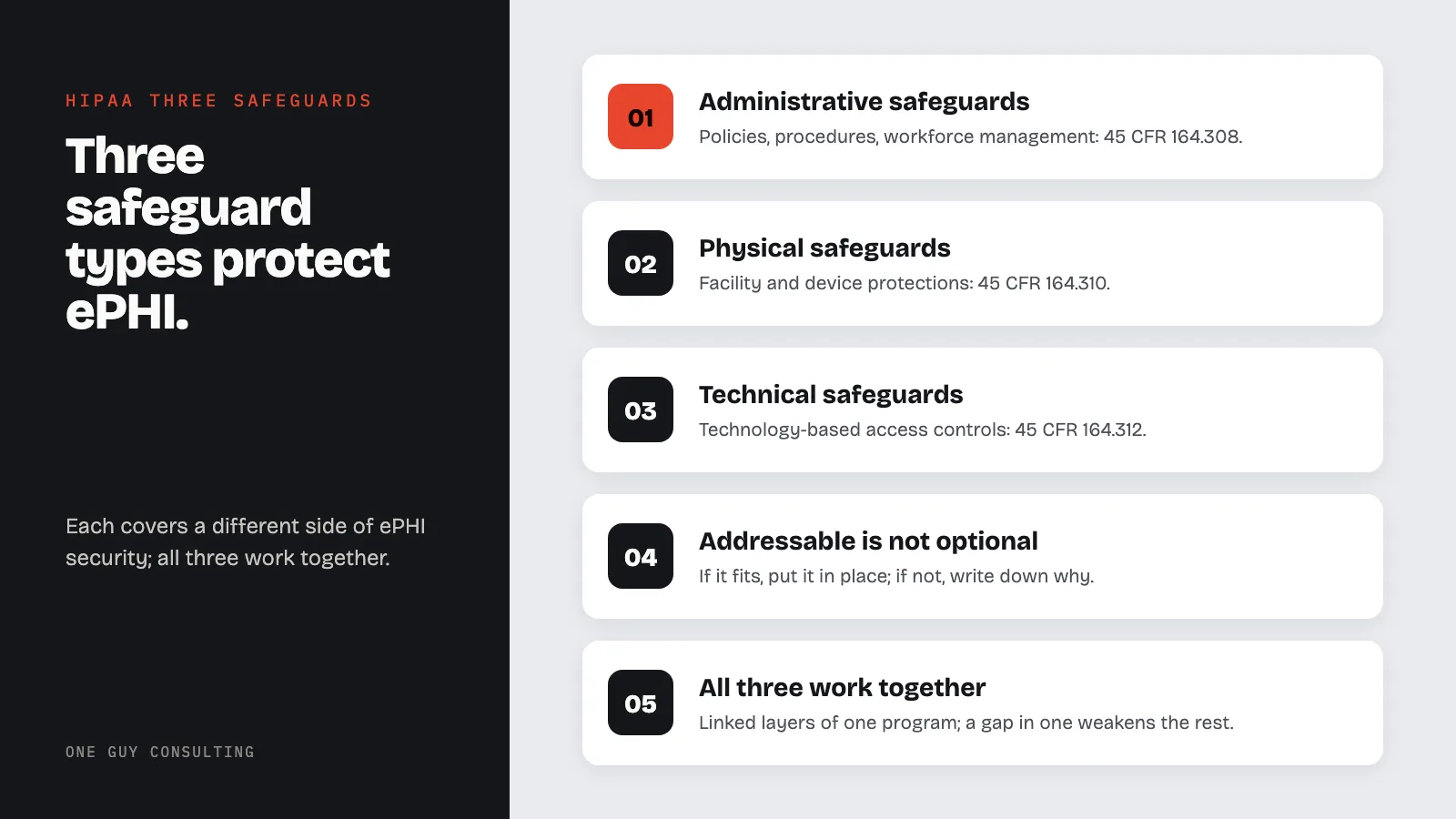
The three safeguard types are:
- Administrative safeguards (45 CFR 164.308): policies, procedures, and workforce management
- Physical safeguards (45 CFR 164.310): facility and device protections
- Technical safeguards (45 CFR 164.312): technology-based access controls and protections
Each type covers a different side of ePHI security. All three must work together.
A locked server room means nothing if any worker can log into the EHR with no login check. The strongest encryption in the world does not help if your staff has never been trained on phishing.
Administrative Safeguards: The Foundation
Administrative safeguards are found in 45 CFR 164.308. They are the largest and most involved type.
These safeguards set the policies, roles, and processes that hold up the rest of the program. Think of them as the backbone of your compliance work.
If your practice has strong administrative safeguards, you have a real chance when something goes wrong. If you do not, even the best tools will not save you.
Security Management Process (164.308(a)(1))
This is the starting point for every compliance program. It has four specs:
Risk analysis (required): Run a thorough review of risks and weak spots tied to ePHI. This is the HIPAA risk assessment that OCR often asks to see in an investigation. If you do not have a current one, nothing else in your program stands on solid ground.
Risk management (required): Put security measures in place to bring risks down to a level that is reasonable and appropriate for your practice. A risk analysis without risk management is just an expensive document.
Sanction policy (required): Apply proper sanctions against staff who break security policies. You do not need to fire someone for every misstep. But you do need a written, steady process.
Information system activity review (required): Review system activity records on a regular basis. This includes audit logs, access reports, and security incident tracking.
Assigned Security Responsibility (164.308(a)(2))
Every covered entity and business associate must name one person to own the security program. This is your HIPAA Security Officer.
The role can be paired with other duties. This is common in smaller practices. But someone must be named, and that person must actually do the work.
For guidance on this role, see our HIPAA compliance officer guide.
Workforce Security (164.308(a)(3))
This standard covers who can access ePHI and how that access is managed:
- Authorization and/or supervision (addressable): Set up steps for approving and watching over staff who work with ePHI.
- Workforce clearance procedure (addressable): Check whether a staff member's access is proper before granting it.
- Termination procedures (addressable): Set up steps for cutting access when someone leaves or changes roles.
The termination spec is one of the most often missed. When a worker leaves, their access to email, EHR, cloud storage, and any other ePHI system must be cut right away. "We'll get to it next week" is not good enough.
Information Access Management (164.308(a)(4))
This standard controls who can access what:
- Isolating healthcare clearinghouse functions (required): If a clearinghouse is part of a larger organization, it must keep its ePHI away from the rest of that organization.
- Access authorization (addressable): Set up policies for granting access to ePHI.
- Access establishment and modification (addressable): Create policies that set up, record, review, and change a user's right to access ePHI.
Security Awareness and Training (164.308(a)(5))
You cannot protect ePHI if your staff does not know the threats. This standard calls for a training program with four addressable specs:
- Security reminders: Periodic updates to keep security top of mind.
- Protection from malicious software: Steps for guarding against, spotting, and reporting harmful software.
- Log-in monitoring: Steps for watching log-in attempts and flagging problems.
- Password management: Steps for creating, changing, and guarding passwords.
Training must go to all staff, including management. One training session when someone is hired is unlikely to be enough. The rule lists regular security reminders as one of its specs. So plan for ongoing training.
For a step-by-step approach, see our guide on HIPAA training program implementation.
Security Incident Procedures (164.308(a)(6))
Your practice must have policies to handle security incidents. So must your business associates, the vendors that handle patient data for you. The single required spec is response and reporting. You must spot and respond to suspected or known incidents. You must limit the harm as much as you can and record what happened and what you did about it.
This is where your incident management procedures come in. An incident that is not written down might as well not have been handled. You will have no proof of your response.
Contingency Plan (164.308(a)(7))
If your systems go down, can you still reach ePHI? Can you get it back? The Contingency Plan standard requires:
- Data backup plan (required): Create and keep exact copies of ePHI that you can retrieve.
- Disaster recovery plan (required): Set up steps to restore any lost data.
- Emergency mode operation plan (required): Keep critical tasks running during a crisis.
- Testing and revision procedures (addressable): Test and update your plans on a regular basis.
- Applications and data criticality analysis (addressable): Rank how critical each app and data set is.
The practices that handle ransomware best are the ones that tested backup and recovery before the attack hit.
Evaluation (164.308(a)(8))
Run regular checks of your security policies, both technical and non-technical. This is not a one-time task. Your risks change. Your tools change. Your compliance program must keep up.
Business Associate Contracts (164.308(b))
Before any business associate creates, receives, keeps, or sends ePHI on your behalf, you must have a written contract. This contract must meet the rules in 45 CFR 164.314(a).
This is the business associate agreement (BAA). If you lack BAAs with every qualifying vendor, you have an open gap.
For more detail, see our guide on business associate agreement mistakes to avoid.
Physical Safeguards: Protecting the Real World
Physical safeguards are defined in 45 CFR 164.310. They cover the physical protection of electronic systems and the buildings that house them.
This type is often overlooked. Some practices spend heavily on firewalls and encryption but leave server room doors unlocked. Others let laptops with ePHI leave the building with no tracking.
Physical safeguards keep people without permission from physically getting to ePHI. They also protect it from tampering and theft. For a full breakdown, see our physical safeguards article.
Facility Access Controls (164.310(a)(1))
This standard calls for policies to limit who can walk into areas with electronic systems. It has four addressable specs:
- Contingency operations: Allow facility access in support of restoration of lost data.
- Facility security plan: Safeguard the facility and equipment from unauthorized physical access, tampering, and theft.
- Access control and validation procedures: Control and validate a person's access based on their role or function.
- Maintenance records: Document repairs and modifications to physical security components (hardware, walls, doors, locks).
In practice, this means controlling who can enter areas where ePHI is stored. Badge readers, visitor logs, locked server rooms, and cameras are common setups.
A solo practice might meet this with a locked office door and a rule about who holds a key. A hospital needs layered controls across many buildings.
Workstation Use (164.310(b))
This required standard is simple. Set up policies that spell out what tasks can be done on each workstation, how they are done, and where the workstation sits.
If a workstation can access ePHI, you need to define who can use it and what they can do on it. A check-in kiosk in a waiting room has different needs than a workstation in a locked back office.
Screen position matters too. Patients should not be able to read a monitor showing another patient's records.
Workstation Security (164.310(c))
This required standard calls for physical safeguards on all workstations that access ePHI. The goal: only let approved users reach them. Cable locks, closed-off areas, privacy screens, and auto screen locks are common tools.
Device and Media Controls (164.310(d)(1))
This standard governs how hardware and media with ePHI are moved:
- Disposal (required): Set up policies for getting rid of ePHI and its storage media. You cannot toss a hard drive in a dumpster. Common methods are wiping the drive, erasing it with a strong magnet (called degaussing), or crushing it. Write down the process.
- Media re-use (required): Remove ePHI from electronic media before reuse.
- Accountability (addressable): Maintain a record of hardware and media moves and who is in charge.
- Data backup and storage (addressable): Create a copy of ePHI before moving gear.
The disposal spec matters a lot. OCR has settled cases where an organization got rid of devices without wiping the ePHI on them first.
Technical Safeguards: Protecting the Data Itself
Technical safeguards are found in 45 CFR 164.312. These are the tech-based controls that gate access to ePHI and guard it at rest and in transit.
If administrative safeguards are the policies and physical safeguards are the locks, technical safeguards are the digital controls. They enforce protection at the system level.
Access Control (164.312(a)(1))
This standard calls for technical policies that let only approved people reach ePHI systems. It has four specs:
- Unique user identification (required): Assign a unique name or number for identifying and tracking user identity. Shared logins are a compliance failure.
- Emergency access procedure (required): Establish procedures for obtaining ePHI during an emergency. When systems are down, authorized users still need critical patient data.
- Automatic logoff (addressable): Terminate electronic sessions after a set time of inactivity. This prevents unauthorized access when a user walks away.
- Encryption and decryption (addressable): Implement a mechanism to encrypt and decrypt ePHI. Encryption is addressable, but most practices will find it is a sensible fit for them.
For a full breakdown, see our guide on ePHI access control best practices.
Audit Controls (164.312(b))
This required standard calls for tools that record and review activity in ePHI systems.
Audit logs should capture who accessed what, when, and what they did. These logs are key for spotting bad access and investigating incidents. They also help show compliance during an OCR audit.
Making logs is only half the job. You must also review them on a set schedule. Logs that no one reads give you no security value.
Integrity (164.312(c)(1))
This standard calls for policies to protect ePHI from being wrongly changed or destroyed:
- Mechanism to authenticate ePHI (addressable): Implement electronic mechanisms to confirm that ePHI has not been altered or destroyed. Checksums, digital signatures, and version control systems are common tools.
Data integrity is often missed in favor of privacy. But it matters just as much. If a patient's drug record is changed, whether by a bad actor or a system glitch, the results can be clinical, not just legal.
Person or Entity Authentication (164.312(d))
This required standard calls for steps to verify that a person seeking ePHI access is who they claim to be. Passwords, tokens, biometrics, and smart cards are all common methods.
In January 2025, HHS proposed changes to the Security Rule. They would make multi-factor authentication required for most ePHI access. This is only a proposal. It is not law yet.
Transmission Security (164.312(e)(1))
This standard protects ePHI when it is sent over a network:
- Integrity controls (addressable): Implement measures to ensure transmitted ePHI is not improperly modified.
- Encryption (addressable): Implement a mechanism to encrypt ePHI in transit. Most practices treat it as a basic step. Common tools are TLS for email, HTTPS for web apps, and encrypted VPNs for remote access.
For current encryption rules, see our HIPAA encryption requirements guide.
How the Three Safeguards Work Together
A common mistake is treating these three types as separate checklists. They are not. They are linked layers of one security program. A gap in one type weakens the others.
Practical Example: Employee Departure
Think about what happens when a worker leaves your practice:
- Administrative safeguards require a termination procedure that revokes access to ePHI.
- Physical safeguards control who can enter your building. So collect their badge or key.
- Technical safeguards control who can get into your systems. So turn off their user account.
If you handle two of three and miss the third, you have a weak spot. The former worker might not be able to log in from home. But they can still walk through the front door and use a workstation.
This is why the Security Rule demands a full approach. Compliance is not about checking boxes alone. It is about building a program where policies, physical controls, and tech work as one.
Required vs. Addressable: A Quick Reference
Knowing this split is key for planning.
Always Required (No Flexibility)
Always required (no flexibility):
- Risk analysis
- Risk management
- Sanction policy
- Information system activity review
- Assigned security responsibility
- Isolating health care clearinghouse functions
- Security incident response and reporting
- Data backup plan
- Disaster recovery plan
- Emergency mode operation plan
- Evaluation
- Business associate contracts
- Workstation use policies
- Workstation security
- ePHI disposal procedures
- Media re-use procedures
- Unique user identification
- Emergency access procedures
- Audit controls
- Person or entity authentication
Addressable Specifications
Addressable (must implement, document an alternative, or document why neither applies):
- Security reminders
- Malicious software protection procedures
- Log-in monitoring
- Password management
- Contingency plan testing
- Applications and data criticality analysis
- Authorization and supervision
- Workforce clearance procedures
- Termination procedures
- Access authorization
- Access establishment and modification
- Facility contingency operations
- Facility security plan
- Access control and validation
- Maintenance records
- Device accountability
- Data backup before equipment movement
- Automatic logoff
- Encryption and decryption (at rest)
- Mechanism to authenticate ePHI
- Integrity controls (in transit)
- Encryption (in transit)
For each addressable spec, your practice must write down its choice. "We chose not to do it" without analysis is a violation.
For more on records, see our HIPAA documentation requirements guide.
Implementation: Where to Start
If your practice is building or fixing its safeguards program, here is a practical order:
Step 1: Conduct a Risk Assessment
Everything starts with the risk assessment. You cannot put the right safeguards in place if you do not know what you are guarding. The risk assessment maps your ePHI, lists threats, and gives you a ranked list of risks.
See our risk assessment service for guidance.
Step 2: Assign Responsibility
Pick a HIPAA Security Officer. Make sure this person has the power and means to run the security program.
In a small practice, this might be the office manager or the doctor. In a larger organization, it is often a full-time compliance or IT security role.
Step 3: Develop Policies and Procedures
Based on your risk findings, write policies and procedures. These must cover every standard and spec in the Security Rule. They are not optional (45 CFR 164.316). OCR usually asks for them during an investigation.
Step 4: Implement Technical Controls
Set up the tech-based guards: access controls, encryption, audit logging, auto logoff, MFA, and transit security. Work with your IT team to make sure setups match your written policies.
Step 5: Implement Physical Controls
Lock down your buildings, workstations, and devices. This covers access controls for rooms, screen placement, and media disposal steps.
Step 6: Train Your Workforce
Roll out security training to all staff. Training must cover your own policies, not just generic HIPAA content. Run training on a set schedule and track who showed up.
See our guide on HIPAA training program implementation.
Step 7: Test, Monitor, and Update
Compliance is not a one-time project. Test your backup plans. Check audit logs. Watch for security incidents. Review your program on a set cycle. Update it when your risk picture changes.
Common Mistakes Organizations Make
The same mistakes come up again and again. Here are the common ones:
Treating the Risk Assessment as a Formality
The risk assessment is the base. If it is just a checkbox drill rather than an honest review, every safeguard built on top of it is off target.
Ignoring Addressable Specifications
Once more: addressable does not mean optional. Failing to address an addressable spec is a compliance failure. You must do it, do something equal, or write down why neither fits.
No Documentation
If it is not written down, it did not happen. OCR does not take verbal claims. Policies, procedures, risk analyses, training records, and incident reports must all be written down (paper or electronic).
Focusing on Technology and Neglecting Administration
Buying a firewall or signing up for encrypted email does not make you compliant. Without the policies, training, and oversight that administrative safeguards demand, tech is just a costly safety blanket.
No Incident Response Plan
When a breach hits, every hour counts. Practices without a tested response plan waste key time figuring out what to do instead of doing it.
If you need help building one, see our incident management services.
Stale Business Associate Agreements
BAAs must be signed before a vendor touches ePHI. They must also be checked and updated when the vendor relationship or the rules change.
Frequently Asked Questions
Do all three safeguard categories apply to business associates?
Yes. Under the HITECH Act and the Omnibus Rule, business associates must follow the HIPAA Security Rule. This covers all three safeguard types.
Business associates must put in place safeguards that fit their work. If a business associate has a breach of unsecured PHI, they must notify the covered entity under 45 CFR 164.410.
What is the difference between required and addressable specifications?
Required specs must be done as written. Addressable specs need a written review.
If the spec fits your setting, you do it. If it does not, you write down why. Then you use an equal option, if one is reasonable and appropriate. You cannot just skip addressable specs.
How often do we need to review our safeguards?
The Security Rule calls for regular reviews under 45 CFR 164.308(a)(8). It does not set a fixed schedule.
Best practice: do a formal review at least once a year. Also review after big changes like new tech, staff shifts, or security incidents. Talk to legal counsel about the right pace for your case.
Can a small practice realistically implement all three?
Yes. The Security Rule is built to scale. Reasonable and appropriate means a sensible fit for you. What fits depends on your size, how complex your practice is, your technology, your costs, and your risks.
A two-provider practice will not look like a hospital system. But it still must cover every standard. The risk assessment helps you right-size your plan. Our HIPAA consulting services can help.
Is encryption required or addressable?
Encryption is classed as addressable for data at rest (45 CFR 164.312(a)(2)(iv)) and data in transit (45 CFR 164.312(e)(2)(ii)).
Still, in nearly every modern healthcare setting, encryption is the most sensible choice. Practices that skip encryption must write down why. They must also use an equal option, if one is reasonable and appropriate. That stance is very hard to defend.
Also, under the Breach Notification Rule, properly encrypted data is not "unsecured PHI." A loss or theft of encrypted data may not trigger a breach notice. For current details, see our HIPAA encryption requirements guide.
How would the proposed Security Rule changes affect the three safeguards?
In January 2025, HHS proposed changes to the Security Rule. They are not final, so they are not law yet. HHS now targets July 2027 for the final rule. If adopted, the changes would raise the bar across all three types. Key proposed changes include:
- Removing the required/addressable split (making nearly all specs required)
- Requiring specific technical controls like MFA and encryption
- Requiring more detailed asset inventories
- Adding new requirements for patch management and network segmentation
For a full breakdown, see our article on new HIPAA Security Rule changes. Talk to legal counsel about how proposed changes may affect your duties.
The three HIPAA safeguard types (administrative, physical, and technical) form the core of the Security Rule. They are not optional add-ons. They are linked rules that must be put in place together, written down fully, and kept up over time.
Administrative safeguards set the people, policies, and processes that guide your security program. Physical safeguards protect the spaces and gear where ePHI lives. Technical safeguards enforce protection at the system and data level.
Together, they form a program that can guard patient data and help protect your practice from enforcement actions.
If your practice needs help with its safeguards or with building a compliance program, One Guy Consulting can help. We work with covered entities and business associates. Start with a risk assessment: it is the base that holds up the rest.
If you have questions about how the safeguards apply to your practice, we also offer compliance consulting made for medical practices.
Three HIPAA Safeguards at a Glance
Each safeguard type covers a different side of ePHI protection. Together they form a layered defense that works as one program.
| Category | CFR Reference | Focus Area | Key Requirements | Common OCR Finding |
|---|---|---|---|---|
| Administrative | 164.308 | Policies, procedures, workforce | Risk analysis, workforce training, contingency plan, access management | Missing or incomplete risk analysis |
| Physical | 164.310 | Facility and device controls | Facility access controls, workstation security, device/media controls | Lost or stolen unencrypted devices |
| Technical | 164.312 | Technology-based protections | Access controls, audit controls, integrity controls, transmission security | Activity logs not kept or not reviewed |
Key point: OCR is focusing its enforcement on risk analysis under 164.308(a)(1). In late 2024, OCR started its Risk Analysis Initiative. That effort targets this one requirement. Treat administrative safeguards as a real program, not just paperwork.
Sources
- 45 CFR Part 164, Subpart C, Security Standards for the Protection of Electronic Protected Health Information
- 45 CFR 164.308, Administrative Safeguards
- 45 CFR 164.310, Physical Safeguards
- 45 CFR 164.312, Technical Safeguards
- HHS HIPAA Security Rule Summary
- HHS Security Rule Guidance Material
- NIST SP 800-66 Rev. 2, Implementing the HIPAA Security Rule: A Cybersecurity Resource Guide
- HHS Office for Civil Rights, HIPAA Enforcement