Physical Safeguards: HIPAA Security Rule Requirements
Physical Security Requirements
HIPAA physical storage guidelines require healthcare organizations to control physical access to facilities, workstations, and devices that store or process electronic protected health information (ePHI). The four standards within Physical Safeguards under 45 CFR 164.310 are facility access controls, workstation use, workstation security, and device and media controls.
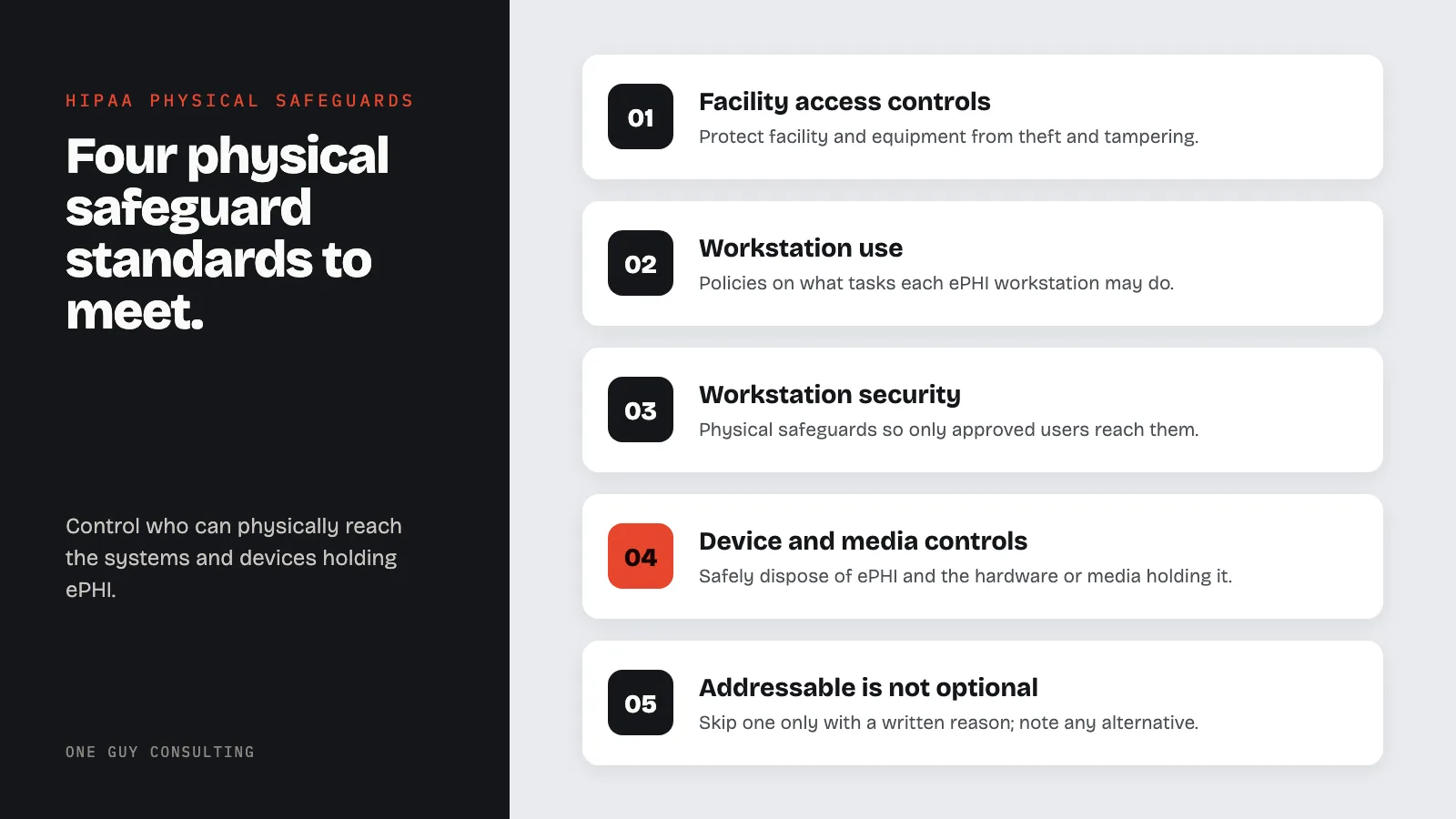
These physical safeguards are one of three safeguard categories required by the HIPAA Security Rule, alongside administrative and technical safeguards. Physical security failures can lead to major breaches.
Lost laptops, forced facility entry, and unsecured workstations can all lead to breaches and fines. You must control who can physically reach the systems and devices that hold ePHI.
The Security Rule (45 CFR 164.310) sets four physical safeguard standards. They are: facility access controls, workstation use, workstation security, and device and media controls.
Each standard has specs that are either required or addressable. Required specs must be done as written. Addressable specs must be done unless you record a valid reason for an alternative. This guide covers each standard with practical steps for healthcare practices of all sizes.
Required vs. Addressable: Quick Reference
Before diving into each standard, here is how required and addressable implementation specifications differ in practice. This distinction matters for auditors and OCR investigators.
| Standard | Implementation Specification | Required or Addressable |
|---|---|---|
| Facility Access Controls | Contingency Operations | Addressable |
| Facility Access Controls | Facility Security Plan | Addressable |
| Facility Access Controls | Access Control and Validation Procedures | Addressable |
| Facility Access Controls | Maintenance Records | Addressable |
| Workstation Use | Workstation Use (the standard itself) | Required |
| Workstation Security | Workstation Security (the standard itself) | Required |
| Device and Media Controls | Disposal | Required |
| Device and Media Controls | Media Re-Use | Required |
| Device and Media Controls | Accountability | Addressable |
| Device and Media Controls | Data Backup and Storage | Addressable |
Key rule: “Addressable” does not mean optional. If you skip an addressable spec, you must write down why it is not reasonable for your situation and describe any equal alternative you use instead. Gaps without records can be treated as violations in an OCR audit.
Facility Access Controls
Contingency Operations
Plan how staff will get into the building during a disaster. When systems go down, they need to get in and restore lost data.
- Write down steps for accessing the facility during emergencies and for recovering from disasters.
- List the staff approved for emergency facility access.
- Create backup methods for entry in case the main access fails. These can include key overrides and emergency codes.
- Test emergency access steps as part of regular disaster recovery drills.
- Keep a current contact list for staff with emergency entry authority.
Facility Security Plan
Make and follow rules to keep your facility and its equipment safe from theft, tampering, and unwanted entry.
Core facility security measures:
- Perimeter security: Locked exterior doors, cameras, good lighting, and posted signs.
- Access control systems: Badge readers, key cards, or biometric controls at entry points to areas with ePHI.
- Intrusion detection: Alarm systems that watch for unwanted entry after hours.
- Secure areas: Restricted zones for server rooms, records storage, and workstations with ePHI access.
- Security staff: Security guards or a contracted service, sized for your facility and risk level.
Access Control and Validation
Put steps in place to control and check who enters your facility. Base access on each person's role. This includes managing visitors and controlling access to software used for testing.
Validation steps:
- Keep an access list that shows who is approved for each restricted area.
- Update access when staff change roles or leave your practice.
- Use badge or credential systems that block entry to areas a person is not approved for.
- Log and audit physical access events, especially for high-security areas like server rooms.
- Review access logs on a set schedule to spot anything unusual.
Maintenance Records
Record all repairs and changes to physical parts of your facility that relate to security. This includes hardware, walls, doors, locks, and any structure that protects ePHI.
Maintenance records should include:
- Date of repair or change.
- Description of the work done.
- Name of the person or company that did the work.
- Whether the work affected security controls.
- Confirmation that security stayed intact during and after the work.
Workstation Use
Policies for Workstation Use
The Security Rule requires policies that spell out what tasks may be done on each workstation that accesses ePHI. Policies must also cover the physical setup around those workstations.
Workstation use policies should address:
- Approved actions: Define what ePHI tasks are allowed on each type of workstation.
- Screen positioning: Place monitors so screens showing ePHI are not visible to patients or passersby.
- Privacy screens: Require screen filters on workstations in open areas where someone could look over a shoulder.
- Auto screen lock: Set workstations to lock after a set period of no action (often 2 to 5 minutes in clinical areas).
- Personal use rules: Limit or ban personal use of workstations that access ePHI.
- Remote workstation use: Set clear rules for home offices and remote locations, including physical setup standards.
Workstation Classification
Not all workstations need the same level of protection. Group workstations by their ePHI access and physical location.
| Classification | Description | Security Level |
|---|---|---|
| High-security | Server room terminals, system admin workstations. | Restricted area, badge access, surveillance. |
| Clinical | EHR workstations in exam rooms, nurse stations. | Privacy screens, auto-lock, clean-desk. |
| Administrative | Billing, scheduling, registration workstations. | Privacy screens, auto-lock, supervised area. |
| Public-adjacent | Check-in kiosks, waiting area terminals. | No ePHI access, hardened setup. |
| Remote | Home office, mobile workstations. | Encrypted, VPN-required, physical setting standards. |
Workstation Security
Physical Protection of Workstations
Put physical safeguards on all workstations that access ePHI. Only approved users should be able to reach them.
Workstation security measures:
- Cable locks: Secure desktops and laptops to desks or docking stations to stop theft.
- Locked rooms: Keep workstations in rooms that lock when no one is there.
- Surveillance: Put cameras in areas with high-security workstations.
- Hardware tracking: Keep a list of all workstations with serial numbers, assigned users, and locations.
- Tamper detection: Use asset tags and tamper-evident seals to spot unapproved hardware changes.
- Clean desk rule: Require all removable media and printouts with PHI to be locked away when the workstation is not in use.
Device and Media Controls
Disposal
You need policies for how to safely dispose of ePHI and the hardware or media that holds it. Dispose only after the retention clock has run; how long to keep medical records covers those timelines.
Disposal rules:
- Hard drives: Degauss, physically destroy, or use NIST-approved wiping methods before disposal or reuse.
- Solid-state drives: Use the maker's secure erase commands or physically destroy them.
- Removable media: Physically destroy CDs, DVDs, USB drives, and tapes that held ePHI.
- Copiers and printers: Clear internal hard drives on multifunction devices before disposal, return, or lease end.
- Mobile devices: Run a certified remote wipe or factory reset before reuse or disposal.
- Paper records: Cross-cut shred paper with PHI. Use a HIPAA-compliant shredding service for large amounts.
- Documentation: Keep destruction records for all media with ePHI, including date, method, and responsible party.
Media Re-Use
Before reusing any digital media, remove all ePHI from it.
- Confirm your wiping steps meet NIST SP 800-88 guidelines.
- Test a sample of wiped media to confirm data is gone.
- Document the cleaning process for each media item.
- Keep a chain of custody for media from removal through cleaning.
Accountability
Track all moves of hardware and digital media. Record who handles each move.
Accountability measures:
- Track all hardware and media with ePHI from purchase through disposal.
- Log every move of portable devices and media, including check-out and check-in records.
- Assign a named person to be responsible for each device with ePHI.
- Run regular physical counts to confirm all tracked items are still where they should be.
Data Backup and Storage
Create an exact copy of ePHI before moving any equipment.
- Back up all ePHI before moving, servicing, or retiring any hardware.
- Verify the backup works before making equipment changes.
- Store backup media in secure, access-controlled locations.
- Test restore steps on a regular schedule to make sure backups are usable.
Physical Safeguards Compliance Checklist
Use this checklist during internal audits or when preparing for an OCR investigation. Every “No” answer needs a written plan to fix it. Addressable items have a second option. You can write down why the item is not a reasonable fit for your size, risks, and costs. Then write down what you do instead.
| Requirement | Spec Type | Implemented? | Documented? |
|---|---|---|---|
| Written contingency operations procedure for emergency facility access | Addressable | Yes / No / Alt | Yes / No |
| Facility security plan covering perimeter, access controls, and intrusion detection | Addressable | Yes / No / Alt | Yes / No |
| Access control and validation procedures (role-based physical access) | Addressable | Yes / No / Alt | Yes / No |
| Maintenance records for all security-relevant repairs and modifications | Addressable | Yes / No / Alt | Yes / No |
| Written workstation use policies (screen position, auto-lock, approved tasks) | Required | Yes / No | Yes / No |
| Workstation classification by ePHI access level and physical location | Good practice | Yes / No | Yes / No |
| Physical controls on all ePHI workstations (cable locks, locked rooms, surveillance) | Required | Yes / No | Yes / No |
| Remote workstation physical security standards documented and distributed | Required | Yes / No | Yes / No |
| Hardware and media disposal policy (NIST SP 800-88 compliant methods) | Required | Yes / No | Yes / No |
| Media re-use procedures with sanitization verification and documentation | Required | Yes / No | Yes / No |
| Hardware inventory and movement tracking (accountability) | Addressable | Yes / No / Alt | Yes / No |
| Data backup created before any equipment move or retirement | Addressable | Yes / No / Alt | Yes / No |
| Visitor sign-in and escort procedure | Addressable | Yes / No / Alt | Yes / No |
| Environmental controls in place (fire suppression, climate, UPS, water sensors) | Good practice | Yes / No | Yes / No |
Visitor Management
Controlling Visitor Access
Visitors are a physical security risk that many practices underestimate. Delivery workers, vendors, and contractors can all reach areas with ePHI, by accident or on purpose.
Visitor management practices:
- Sign-in rules: All visitors must sign in at a reception desk with their name, company, purpose, and arrival time.
- Badge issuance: Give visitors a temporary badge that looks different from employee badges.
- Escort policy: Require an escort for visitors in areas with ePHI or ePHI systems.
- Access limits: Keep visitors in non-sensitive areas unless a specific business need requires access to a restricted zone.
- Sign-out and badge return: Require visitors to sign out and return badges when they leave.
- Visitor log retention: Keep visitor logs on file. Your policy should say how long you keep them.
Environmental Controls
Protecting Against Environmental Threats
Physical safeguards go beyond access control. You must also protect ePHI from environmental threats that could destroy or damage it.
Environmental protection measures:
- Fire suppression: Install and keep fire detection and suppression systems in server rooms and records storage areas.
- Climate control: Keep temperature and humidity at proper levels for digital equipment and physical media.
- Water damage protection: Raise equipment off the floor in flood-prone areas and install water detection sensors.
- Power protection: Use uninterruptible power supplies (UPS) and surge protectors on key systems.
- Backup power: Install generators or arrange emergency power for key systems during long outages.
- Natural disaster planning: Include facility protection steps in your disaster recovery and emergency operations plans.
Off-Site Considerations
Remote Work and Mobile Devices
Remote work and mobile devices extend physical safeguard rules beyond your facility walls. Every location where ePHI is accessed or stored needs proper physical protection.
Remote and mobile physical security rules:
- Home office standards: Set minimum physical security rules for home offices: locked rooms or cabinets, screen privacy, and secure Wi-Fi.
- Laptop security: Require full-disk encryption, cable locks in public spaces, and secure storage when not in use.
- Mobile device management: Use remote wipe, screen lock rules, and a clear lost-device reporting process.
- Travel security: Give staff guidance for securing devices while traveling: never leave devices in cars, use hotel safes, avoid public Wi-Fi without VPN.
- Off-site storage: If you store physical records or backup media off-site, confirm that facility meets the same physical security standards.
For a full look at HIPAA security rules including administrative and technical safeguards, see our guide on HIPAA Security Rule implementation.
Common Physical Safeguard Failures and Real Consequences
OCR enforcement actions often involve the same physical safeguard failures. Knowing these patterns helps you prioritize your remediation efforts.
Unencrypted Laptop and Device Theft
Stolen laptops have caused many large HIPAA breaches. The root cause is almost never the theft itself. It is the lack of full-disk encryption and a missing mobile device policy. When a laptop is stolen and the drive is not encrypted, every record on it triggers a potential breach notice. A practice with 10,000 patient records on an unencrypted stolen laptop must notify all 10,000 people and HHS. If more than 500 of them live in one state, it must also notify major media outlets in that state.
Prevention: Require full-disk encryption on all portable devices that access ePHI. Put this rule in your workstation security policy. Pair it with an MDM tool that enforces encryption and allows remote wipe. See our guide on mobile device security for healthcare for implementation steps.
Improper Device Disposal
Copiers, printers, and multifunction devices have internal hard drives that store images of every document scanned or printed. Some practices return leased copiers at the end of a contract without wiping those drives. This is a known source of HIPAA breaches. The same risk applies to old desktops donated to schools or sold at surplus auctions without proper data wiping.
Prevention: Add a step to your device retirement checklist: require documented data destruction for any device with internal storage before it leaves your control. Use a HIPAA-compliant vendor and get a certificate of destruction for every device.
Tailgating and Social Engineering
Tailgating (following someone through a secured door without using your own badge) is a common physical access control failure. It takes no technical skill and often goes unnoticed without video cameras. Variants include people posing as vendors or delivery workers to get into server rooms or records storage areas.
Prevention: Train all staff to challenge unfamiliar people in restricted areas, no matter how official they look. Post your visitor escort policy where it is visible. Use video cameras at entry points to restricted zones and review footage after any odd event.
Unsecured Workstations in Patient-Visible Areas
Reception and check-in workstations placed so that patients in waiting areas can see the screen are a quiet, ongoing compliance failure. HIPAA does not need a breach to impose a penalty: a finding that screens are visible to the wrong people during a complaint review is enough for corrective action.
Prevention: Audit every workstation position annually. Install privacy screens on monitors in open areas. Set auto-lock timers to 2 to 5 minutes in clinical and reception areas.
Proposed 2025 HIPAA Security Rule Changes: Physical Safeguard Implications
In January 2025, HHS published a proposal to change the HIPAA Security Rule, called a Notice of Proposed Rulemaking (NPRM). An NPRM is a proposal, not law. As of August 2026 it is not final, and HHS now aims to finish it by July 2027. Until then, the current rule still applies, with its split between required and addressable specs. If finalized, the changes would affect physical safeguards.
Key proposed changes affecting physical safeguards:
- No more required vs. addressable: The 2025 NPRM proposes making all specs required, removing the option to document alternatives for addressable specs. If the proposal becomes final, every physical safeguards spec would become required.
- Asset inventory rules: The proposed rule would require a current, accurate list of all hardware that creates, receives, stores, or sends ePHI, including portable devices and removable media. Today, tracking where hardware goes is an addressable spec called Accountability.
- Written policies: The proposed rule would require all Security Rule policies and procedures to be in writing. That would include your physical safeguard policies.
- Yearly review of policies: The proposed rule would add a formal yearly review for Security Rule policies, including physical safeguard steps. Proof of each yearly review would become mandatory.
For the most current status of the 2025 Security Rule rulemaking, check the HHS HIPAA Security Rule page directly. Subscribe to HHS updates to receive notifications when the final rule publishes.
Physical Safeguards FAQ
Are physical safeguards required for cloud-based systems?
Yes. Even when ePHI is stored in the cloud, physical safeguards still apply to the devices used to access it. Workstations, laptops, and mobile devices that reach cloud-based ePHI must be physically secured.
Also check your cloud provider's physical security. Review their SOC 2 reports or similar records. Look at their data center access controls and environmental protections.
What is the difference between required and addressable physical safeguards?
Required specs must be done exactly as written. Addressable specs require you to assess them and write down your decision. If the spec fits your setting, do it. If not, write down why and use an equal alternative.
"Addressable" does not mean "optional." You must address every spec, either by doing it or by writing down your rationale for an alternative.
How should we handle physical security for a multi-tenant building?
In shared buildings, physical safeguards become more important. Keep your practice's space secured separately from other tenants. Use dedicated access controls for your suite or floor.
Address shared areas like lobbies, elevators, and parking garages in your facility security plan. Review the building's security measures. Add your own controls as needed to meet HIPAA rules.
What are the minimum physical safeguards required for a small medical practice?
Even the smallest practice must meet all four Physical Safeguard standards. There is no small-practice exemption under HIPAA. That said, “reasonable and appropriate” scales to your org’s size, complexity, and resources. A practical minimum for a solo or small-group practice includes:
- A locked room or secured closet for the server, router, and any workstations that hold ePHI when the office is unattended
- Screen positioning and privacy filters on reception and clinical workstations visible to waiting areas
- Automatic screen lock set to 5 to 10 minutes of inactivity on all workstations
- A written policy requiring staff to lock screens when stepping away
- A visitor sign-in log
- A documented disposal procedure for old computers, hard drives, and USB drives
- Written home office security standards for any staff who access ePHI remotely
The key word in HIPAA is “documented.” A small practice that cannot afford high-end access control systems can still show compliance with written policies, training records, and proof that each standard was assessed and addressed based on the practice’s actual risk profile. See our guide on HIPAA compliance for small practices for a full walkthrough.
Do HIPAA physical safeguards apply to employees working from home?
Yes. HHS guidance applies workstation security rules to any location where ePHI is accessed, including home offices. The physical location does not change the compliance duty, only the practical controls you use to meet it.
For remote employees, your physical safeguard policies should address:
- Screen privacy: The workstation must be placed so that household members or others cannot see ePHI on screen. A written note from the employee confirming their home workspace meets this standard can serve as your record.
- Physical access control: The area where the workstation sits should be lockable: a room with a door that locks is the practical standard. Shared family computers are not okay for ePHI access.
- Device security: Full-disk encryption, automatic screen lock, and VPN requirements are the technical floor. Physically, the device should be stored securely when not in use, not left unattended in a car or visible through a window.
- Lost or stolen device reporting: Remote employees must have a clear, documented process for reporting a lost or stolen device immediately. A slow report delays your breach response.
Include remote work physical security standards in your workforce training and have remote employees sign an acknowledgment that they have read and will follow the policy. This documentation is your evidence of compliance if OCR investigates.
Physical Safeguards Takeaways
Physical safeguards are a core part of HIPAA compliance. No practice can afford to skip them. Digital threats get most of the attention, but physical security failures cause real breaches, real fines, and real harm to patients.
A full approach to facility access, workstation security, device controls, visitor management, and environmental protection builds the physical base that your technical and administrative safeguards rely on.
Check your current physical safeguards against the rules in this guide. Fix gaps in order of risk, starting with the highest-risk areas. Document your decisions, maintain your security systems, and train your staff on their physical security duties.
One Guy Consulting walks healthcare practices through a step-by-step process for HIPAA compliance, including physical safeguards. Our plans include policy templates and staff training tools. Start your risk assessment to look at your physical safeguards, run a gap analysis, or read our HIPAA compliance guide for full coverage of all HIPAA rules.
Key point: Lost laptops, stolen devices, and poor disposal of old equipment are all physical safeguard failures. Many of them come down to device and media controls under 164.310(d)(1), especially for portable devices taken off-site without encryption or inventory tracking.
Frequently Asked Questions
What are the HIPAA security rule physical safeguards for facility access controls?
The HIPAA Security Rule physical safeguards for facility access controls are defined in 45 CFR 164.310(a). They require covered entities and business associates to limit physical access to electronic information systems and the facilities that house them. This includes contingency operations procedures, a facility security plan, access control and validation procedures, and maintenance records. Practical measures include badge readers, visitor logs, locked server rooms, and escort policies for non-authorized personnel.
What are HIPAA physical storage guidelines for healthcare organizations?
HIPAA physical storage guidelines require healthcare organizations to secure all media containing ePHI, including hard drives, backup tapes, and USB devices. Under 164.310(d), organizations must implement device and media controls covering disposal, media re-use, accountability tracking, and data backup and storage. Paper records fall under the Privacy Rule instead. It requires reasonable safeguards for PHI (45 CFR 164.530(c)). Common ways to meet it are locked cabinets or locked rooms with limited access, cross-cut shredding, and certified destruction services.
Sources
- 45 CFR 164.310: Physical Safeguards
- 45 CFR 164.312: Technical Safeguards
- NIST SP 800-66 Rev. 2: HIPAA Security Rule Implementation Guide
- HHS Security Rule Guidance
Related Reading
- ePHI Access Control Best Practices
- Is MFA Required for HIPAA?
- HIPAA Encryption Requirements for 2026
- HIPAA Three Safeguards Guide
- What Is ePHI?
Related reading: The HIPAA Copier Hard Drive Problem: What Leaves at Lease End