Is Google Workspace HIPAA compliant? Yes, Google Workspace can be used with patient information once a super administrator accepts Google's HIPAA Business Associate Addendum in the Admin console and PHI (protected health information) stays inside the services Google lists as Included Functionality. Until then, Google's help page says customers "must not use PHI" in Workspace.
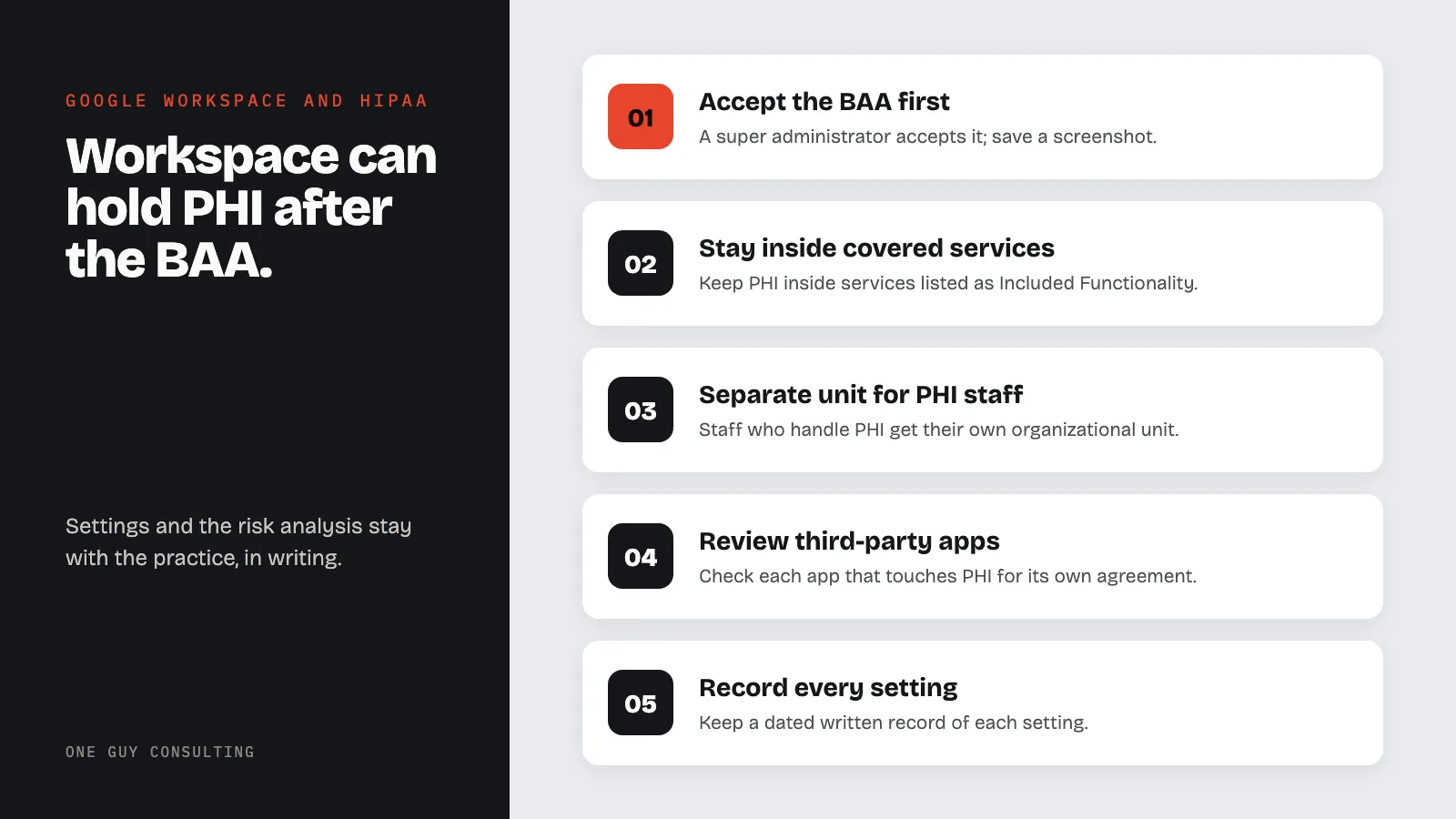
Below: signing the BAA, the covered services, what the agreement leaves to the practice, a setup checklist, and what Google says about plans.
Is Google Workspace HIPAA Compliant: The BAA, Covered Services and Setup
Google's position fits in two sentences from its HIPAA help page. "Administrators must review and accept a BAA before using PHI in Google services." And: "Customers who have not signed a BAA with Google must not use PHI in Google Workspace or Cloud Identity services."
The Security Rule explains why the agreement matters. Under 45 CFR 164.308(b)(1), "A covered entity may permit a business associate to create, receive, maintain, or transmit electronic protected health information on the covered entity's behalf only if the covered entity obtains satisfactory assurances, in accordance with § 164.314(a), that the business associate will appropriately safeguard the information."
Google's BAA is the written agreement Google offers for that purpose.
How to Sign the BAA with Google Workspace
Google's help page says the BAA "is made available to customers for electronic acceptance via their Admin console." The steps, from Google's own pages:
- Sign in at admin.google.com with a super administrator account.
- Go to Account settings, then Legal and compliance. Google's path: "From a super administrator account, go to the Admin console Home page, and then go to Account settings Legal and compliance."
- Read the HIPAA BAA and accept it. The agreement states: "This BAA will be effective as of the date electronically accepted by Customer".
- Save proof. In Google's words, "the customer can produce a screenshot of their Admin Console/HIPAA acceptance that gets shown in the Legal and compliance section."
Google adds: "Such an electronic agreement is as binding as a paper-based agreement". The agreement is titled the HIPAA Business Associate Addendum (last modified September 12, 2025); the help page calls it a Business Associate Amendment. The screenshot belongs with the practice's other vendor agreements (see BAA management). The Gmail side is covered in Is Gmail HIPAA compliant.
Which Google Services the BAA Covers
The question "is Google HIPAA compliant" covers all of Google. The BAA does not. It covers a named list, and Google's HIPAA Included Functionality page gives it:
"As of August 31, 2026, the following functionality is Included Functionality under the applicable HIPAA Business Associate Addendum: AppSheet, Apps Script, Cloud Identity Management, Gemini app (excluding Gemini in Chrome), Gemini Mac App, Gemini in Workspace, Gmail, Google Calendar, Google Chat, Google Cloud Search, Google Drive (including Google Docs, Google Forms, Google Pics, Google Sheets, Google Slides, and Google Vids), Google Groups, Google Keep, Google Meet, Google Sites, Google Tasks, Google Vault (if applicable) and Google Voice (managed users only)."
Forms, Drive and Gemini each have their own guide: Google Forms, Google Drive and Google Gemini.
Everything else sits outside the agreement. Google's HIPAA Implementation Guide (September 2025) says Core Services outside Google's covered list "may not be used in connection with PHI," and names Google Contacts as one. For Additional Google Services such as YouTube, the help page states that "neither the Cloud Data Processing Addendum (CDPA) nor the Google Workspace BAA terms extend to Additional Google Services."
| Google service or feature | Status on Google's pages | Source |
|---|---|---|
| Gmail, Calendar, Chat, Meet, Drive (Docs, Forms, Sheets, Slides and more) | Included Functionality | Included Functionality page |
| Gemini in Workspace, Gemini app as a Workspace Core Service, Gemini Mac App | Included Functionality | Included Functionality page; Implementation Guide |
| Gemini in Chrome | Excluded by name | Included Functionality page |
| Google Vault; Google Voice | Vault "(if applicable)"; Voice for managed users only | Included Functionality page |
| Google Contacts | Core Service where PHI is not permitted | Implementation Guide |
| YouTube, Blogger, Google Photos | Turned off for staff who manage PHI, unless a separate BAA covers them | Implementation Guide |
| Third-party apps and add-ons | Not included | HIPAA help page |
| Google technical support | Not part of the Included Functionality | Implementation Guide |
On add-ons, the help page is plain: "Third-party applications including add-ons are not included in the Included Functionality covered by the BAA."
What the BAA Leaves to the Practice
The practice acknowledges that the BAA "does not apply to (a) any other Google product, service, or feature that is not a Covered Service; or (b) any PHI that Customer creates, receives, maintains, or transmits outside of the Covered Services".
The same agreement says the customer "is solely responsible for ensuring that its and its End Users’ use of the Covered Services complies with HIPAA and HITECH." The settings are the practice's job.
Other vendors. The Implementation Guide says "Customers are solely responsible for determining if they require a BAA or any other data protection terms in place with a third party before sharing PHI with the third party using Google Workspace services or applications that integrate with them." HHS's enforcement listing includes a case titled "Florida contractor physicians' group shares protected health information with unknown vendor without a business associate agreement" (December 4, 2018). Tracking every vendor is covered in the HIPAA vendor management process.
The risk analysis. Accepting a BAA is not an assessment. The implementation specification at 45 CFR 164.308(a)(1)(ii)(A) (risk analysis, required) reads: "Conduct an accurate and thorough assessment of the potential risks and vulnerabilities to the confidentiality, integrity, and availability of electronic protected health information held by the covered entity or business associate."
Both One Guy Consulting plans include vendor management with automated contract execution (digital BAAs). On the Full-Scope plan, Chuck "Answers vendor questions you have + aids technologically as needed with regard to the vendor profile."
Google Workspace HIPAA Compliance Checklist for a Small Practice
Each Google setting below comes from a Google help page or the Implementation Guide; a Security Rule section is shown where one relates. Settings can apply to one organizational unit; the guide notes a small account typically has "two or three organizational units," one for employees who may manage PHI.
- BAA accepted by a super administrator, screenshot saved (45 CFR 164.308(b)(1)).
- A separate organizational unit for staff who handle PHI.
- Additional Google services turned off for that unit. Google notes that a Workspace business edition with an @gmail.com account cannot use these controls until the domain is verified.
- Gemini in Chrome turned off if the practice does not want it offered. The guide says "customers should not upload PHI into Gemini in Chrome."
- Third-party apps reviewed, each one that touches PHI checked for its own agreement (45 CFR 164.308(b)(1)).
- No PHI in Google technical support requests.
- Drive external sharing set under Apps, Google Workspace, Drive and Docs, with the guide's default file visibility of "Private to the owner" and no PHI in file titles.
- Calendar external sharing set to "Only free/busy information".
- Gmail Secure transport (TLS) compliance setting configured under Apps, Google Workspace, Gmail, Compliance, for the domains the practice exchanges PHI with (45 CFR 164.312(e)(1)).
- 2-Step Verification enforced under Security, Authentication, 2-step verification (45 CFR 164.312(d)).
- A dated written record of each setting (45 CFR 164.316(b)(1)).
Email in transit. The standard at 45 CFR 164.312(e)(1) reads: "Implement technical security measures to guard against unauthorized access to electronic protected health information that is being transmitted over an electronic communications network."
Gmail's default comes from Google, not the practice. Google's TLS page: "If the receiving server doesn't use TLS, Gmail still sends messages but the connection isn't secure." For the addresses and domains listed in the TLS compliance setting, outgoing mail to a server without TLS changes: "Messages aren't delivered, and will bounce." More in the HIPAA email compliance guide.
Sign-in. The standard at 45 CFR 164.312(d) reads: "Implement procedures to verify that a person or entity seeking access to electronic protected health information is the one claimed." The current text names no method; 2-Step Verification is a Google setting. Multifactor authentication appears in the Security Rule changes HHS published as a proposed rule on January 6, 2025 (90 FR 898). That rule is proposed, not final.
Records. 45 CFR 164.316(b)(2)(i) says: "Retain the documentation required by paragraph (b)(1) of this section for 6 years from the date of its creation or the date when it last was in effect, whichever is later." That covers the policies, procedures and records paragraph (b)(1) describes, not every email and file in Workspace.
Which Plan: What Google's Pages Say
Which Google Workspace plan is HIPAA compliant? None of the four Google HIPAA pages read on September 29, 2026 (the help page, the BAA, the Included Functionality page and the Implementation Guide) lists the editions that can accept the BAA, and none says which editions include Vault.
So this guide makes no edition or price claims. On where the BAA is found, Google's help page says it "is made available to customers for electronic acceptance via their Admin console."
This article is educational and is not legal advice.
FAQ
Which Google Workspace plan is HIPAA compliant?
No plan is compliant on its own. Google's HIPAA pages (read September 29, 2026) do not list the editions that can accept the BAA. Google's help page says the BAA "is made available to customers for electronic acceptance via their Admin console."
How do you sign the BAA with Google Workspace?
A super administrator signs in at admin.google.com, goes to Account settings, then Legal and compliance, reads the HIPAA BAA and accepts it. It is effective on the date it is electronically accepted. Google says a screenshot of the acceptance can serve as proof.
Does Google's BAA cover Gmail, Drive, Docs and Forms?
Yes. Google's Included Functionality list as of August 31, 2026 names Gmail and Google Drive, and lists Docs and Forms within Drive. Third-party add-ons are not included.
Is Gemini covered by Google's BAA?
Gemini in Workspace, the Gemini app (excluding Gemini in Chrome) and the Gemini Mac App are on Google's list. Google's Implementation Guide covers the Gemini app as a Workspace Core Service, and says customers should not upload PHI into Gemini in Chrome or into the Gemini app accessed as an Additional Product.
Is personal Gmail HIPAA compliant?
Google's help page says Workspace customers who are subject to HIPAA and wish to use services on its HIPAA Included Functionality list "must enter a Business Associate Amendment (BAA) with Google," and that customers without a signed BAA "must not use PHI" in Workspace. The BAA is accepted in the Admin console. Google's pages do not say whether a Workspace Business subscription on a personal @gmail.com address can accept it.
Google Workspace can hold PHI once a super administrator accepts the BAA, and only inside the services on Google's list. Everything after that, from sharing settings to the risk analysis, stays with the practice, in writing.
Want help putting this in place? The Full-Scope plan from One Guy Consulting pairs the compliance software with 4 hours a month of 1:1 implementation calls with Chuck Weiselberg, C.H.P., to get your plan set up, with no per-user fees. See how it works or book a free HIPAA compliance review. No obligation, no pressure.
Sources
- Google: HIPAA Compliance with Google Workspace and Cloud Identity (fetched 2026-09-29)
- Google: HIPAA Business Associate Addendum (fetched 2026-09-29)
- Google: HIPAA Included Functionality (fetched 2026-09-29)
- Google: HIPAA Implementation Guide, September 2025 (fetched 2026-09-29)
- Google: Send email over a secure TLS connection (fetched 2026-09-29)
- Google: Deploy 2-Step Verification (fetched 2026-09-29)
- Google: Manage external sharing (fetched 2026-09-29)
- Google: Turn an additional service on or off (fetched 2026-09-29)
- Google: About Gmail-based Google Workspace accounts (fetched 2026-09-29)
- 45 CFR 164.308
- 45 CFR 164.312
- 45 CFR 164.314
- 45 CFR 164.316
- Federal Register: proposed Security Rule, 90 FR 898
- HHS OCR: Resolution Agreements
Related Reading