Yes, if you sign a BAA (Business Associate Agreement) through Adobe sales. Adobe lists Acrobat Sign and Acrobat Sign for Government as HIPAA-Ready Services. For those, Adobe acts as your business associate, a vendor that handles patient information for you. Acrobat Reader, Acrobat Pro, and personal Adobe accounts are not on that list. Keep patient information out of them.
A new-patient packet goes out by email as a PDF. The patient fills it in, signs with a finger on a phone, and emails it back. The front desk saves it to a shared folder. Every step of that used a tool that was never chosen, only found: whatever PDF app was on the phone, whatever email account was open, whatever folder was nearest. The practice now holds a signed history form and has no idea which vendors saw it on the way.
Will Adobe Acrobat Sign a BAA? Yes, for the enterprise solution, with a BAA (Business Associate Agreement) executed through Adobe sales. Adobe's trust site lists "Adobe Acrobat Sign" and "Adobe Acrobat Sign for Government" among its HIPAA-Ready Services, states that "Adobe acts as a Business Associate for its HIPAA-Ready Services," and tells customers to "contact your Adobe sales representative" to execute a BAA. The rest of Adobe's catalog is a different story, and Adobe says so in one sentence: "Customers are not permitted to create, receive, maintain, or transmit PHI through Adobe products and services that are not designated as HIPAA-Ready Services." This guide covers what Adobe's pages say, which Acrobat Sign counts, what the BAA leaves to you, and the setup for consent forms and authorizations.
Will Adobe Acrobat Sign a BAA?
When Adobe Signs a BAA for Acrobat
Yes, through sales, for the HIPAA-Ready version of the service. Adobe's HIPAA page defines the category: HIPAA-Ready Services are "ready to accept PHI" and allow "customers, who are Covered Entities or Business Associates, and Adobe to comply with their respective HIPAA obligations." Adobe adds a separate category, "Health Data-Ready Services," for organizations that "engage with consumer health data but are not within the healthcare industry," which is a useful reminder that a wellness app and a medical practice are not the same customer.
Adobe's own rule is worth quoting because it is exactly right. To use a HIPAA-Ready Service with patient information, customers "must have the correct license and a signed BAA with Adobe." That is the regulation's structure too. 45 CFR 164.502(e)(1)(i) lets a covered entity hand PHI (Protected Health Information) to a business associate with "satisfactory assurance that the business associate will appropriately safeguard the information," documented in a written contract, and 164.504(e)(2) lists what that contract must say.
Adobe's BAA is that contract. Adobe's software is not. The contract's required contents are laid out in the business associate agreement guide.
The HIPAA-Eligible Acrobat Sign Editions
| Adobe product | On Adobe's HIPAA-Ready list? | Use with PHI? |
|---|---|---|
| Acrobat Sign | Yes, listed as a HIPAA-Ready Service | Yes, after the BAA is executed and the configuration guidance is applied |
| Acrobat Sign for Government | Yes | Yes, same conditions |
| Acrobat Sign on individual or small-team plans | Not stated on Adobe's HIPAA pages | Do not assume coverage; ask Adobe in writing |
| Acrobat Pro, Acrobat Reader, "Fill and Sign" on a personal Adobe account | Not on the HIPAA-Ready list | No |
| Other Adobe services not designated HIPAA-Ready | No | No, by Adobe's rule |
The middle rows are where practices get hurt. The clinician signing a treatment plan through a personal Acrobat account, or the office using a free PDF signing feature, is outside the list. It does not matter that the logo is the same.
Why E-Signature and HIPAA Fit Together
Nothing in the Privacy Rule requires ink. A valid authorization under 45 CFR 164.508(c)(1)(vi) must contain the "signature of the individual and date," and the rule does not specify the medium. The same is true for the acknowledgment of the Notice of Privacy Practices and for the release forms most practices use daily. An e-signature platform that records who signed, when, and from where produces better evidence than a clipboard. The content requirements for the documents themselves are in the authorization form guide, the release form guide, and the NPP guide.
Retention matters as much as the signature. 45 CFR 164.316(b)(2)(i) requires Security Rule documentation to be kept "for 6 years from the date of its creation or the date when it last was in effect, whichever is later," and the Privacy Rule's parallel rule at 164.530(j) applies the same six years to authorizations, acknowledgments, and policies. A signed consent that lives only in a vendor account with a 90-day auto-delete is a retention failure waiting to be discovered. The documentation requirements guide covers what has to be kept and for how long.
What the Adobe BAA Does Not Cover
- Adobe products outside the HIPAA-Ready list. Adobe's rule is absolute: no PHI through non-designated services.
- Your configuration. Adobe publishes setup guidance for some of its HIPAA-Ready Services. Acrobat Sign is one of them. The BAA assumes you followed it.
- The email around the signature. Signing requests and completion notices travel by email. If a completed PDF is attached to that email, it is now in the recipient's inbox with all the risks in the HIPAA email guide.
- Integrations. Acrobat Sign connects to CRMs, HR systems, and cloud storage. Each destination is a separate vendor with its own BAA question.
- Who may send and who may see. User roles, group permissions, and template access are yours to set. 45 CFR 164.308(a)(4) requires policies "for authorizing access to electronic protected health information." In plain words, these are written rules for who can see patient records. Those rules must be "consistent with the applicable requirements" of the Privacy Rule. That includes the minimum necessary standard, which means staff see only the patient information their job needs.
How to Set Up Acrobat Sign for HIPAA
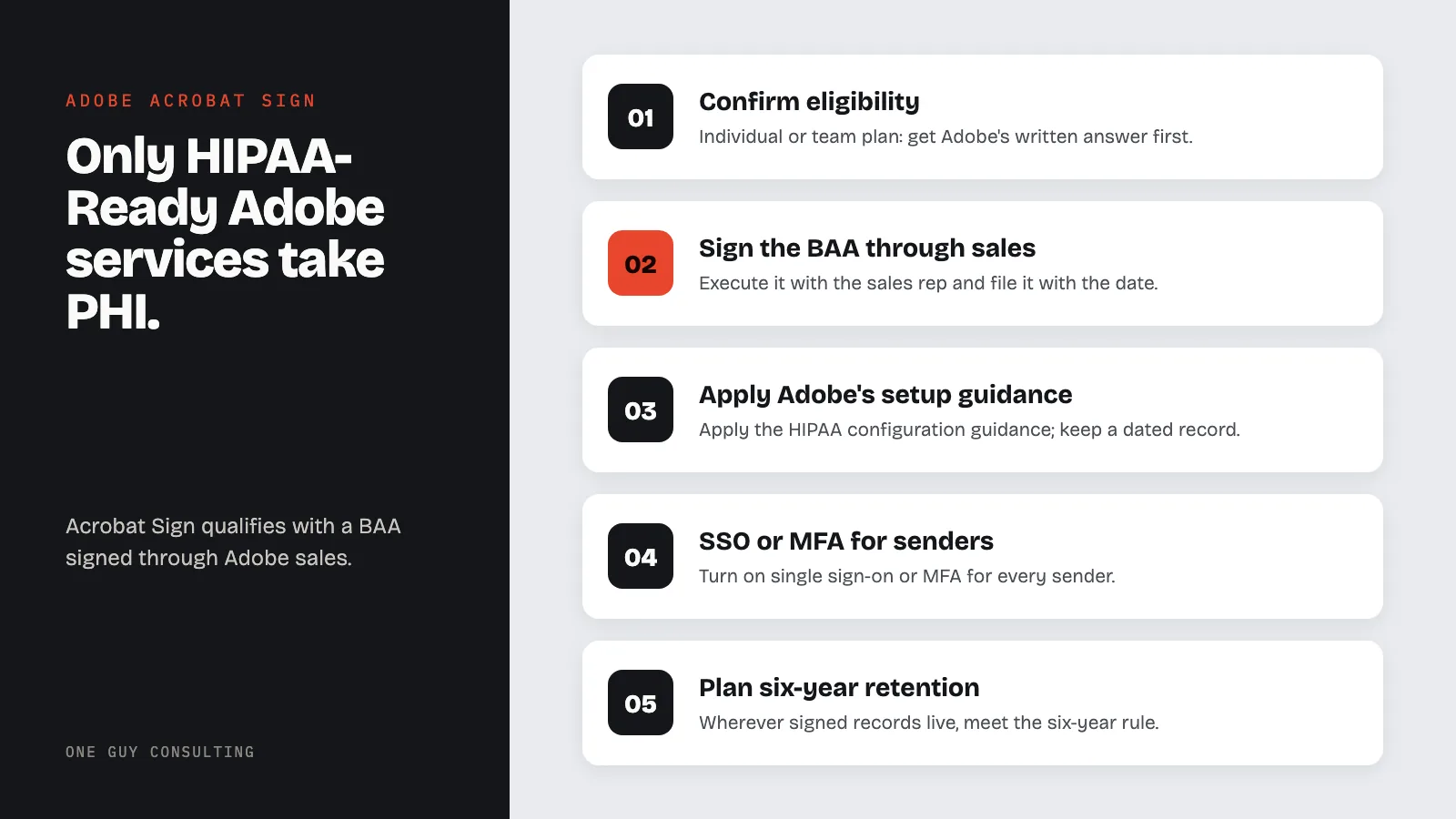
- Confirm the enterprise solution. If the practice is on an individual or team Acrobat Sign plan, get Adobe's written answer on HIPAA eligibility before moving PHI, or upgrade.
- Execute the BAA through the sales representative and file it with the date. A quote that mentions HIPAA is not the agreement.
- Obtain and apply Adobe's Acrobat Sign configuration guidance for HIPAA customers, and keep a dated record of the settings chosen.
- Turn on single sign-on or multifactor authentication for every sender. Unique logins (one login per person) meet the unique user identification requirement in 45 CFR 164.312(a)(2)(i); the second factor is what stops a phished password from exposing every signed record.
- Check what completion emails contain. If signed documents are attached to notification emails, change the setting so recipients get a link that requires authentication, and document the choice.
- Set retention on purpose. Decide whether the signed record of truth lives in Acrobat Sign or is exported to the EHR, and make sure the six-year rule is met wherever it lives.
- Restrict templates and sending rights. Only trained staff should send PHI-bearing documents, and only from approved templates built with minimum necessary fields.
- Verify signer identity for sensitive documents. Use the stronger signer authentication options Acrobat Sign offers where the document authorizes a disclosure.
- Vet integrations and disable the rest. No BAA at the destination, no PHI through the connector.
- Close the consumer accounts. Personal Adobe IDs used for work are outside the BAA. Write it into policy and check for them.
- Add Acrobat Sign to the risk analysis as a system that stores ePHI, per 45 CFR 164.308(a)(1)(ii)(A).
Common Acrobat Sign HIPAA Mistakes
Same brand, wrong product. A free Acrobat feature and Acrobat Sign Solutions for enterprise share a logo and nothing else that matters here.
Buying the product and skipping the BAA. Adobe says the BAA comes through sales. Nobody asked sales.
Attached PDFs in completion emails. The signed history form, mailed to the patient's shared family address.
Vendor retention as record retention. A signed authorization that expires from the vendor account before six years is gone when OCR asks.
Alternatives for Patient E-Signatures
| Option | BAA | Notes |
|---|---|---|
| Acrobat Sign | Yes, via Adobe sales | Listed as HIPAA-Ready; configuration guidance published |
| EHR or patient portal e-consent | Usually inside the EHR vendor's BAA | Keeps signed documents in the chart automatically |
| Jotform Sign on Gold or Enterprise | Yes, signed in-account after enabling HIPAA | Forms and signatures in one tool |
| Paper, then scan | Not applicable | Still PHI; the scanner, the folder, and the shredder all need rules |
Acrobat Sign on the enterprise solution, with the BAA on file and the configuration guidance applied, is a sound way to collect the signatures a HIPAA program runs on. The failure mode is never the signature. It is the version of Adobe that was already installed, and the assumption that the name on the window was enough.
FAQ
Does Adobe sign a HIPAA Business Associate Agreement for Acrobat Sign?
Yes. Adobe lists Acrobat Sign among its HIPAA-Ready Services, states that it acts as a business associate for those services, and directs customers to their Adobe sales representative to execute a BAA.
Which Acrobat Sign plan is HIPAA compliant?
Adobe's HIPAA-Ready Services page lists Adobe Acrobat Sign and Adobe Acrobat Sign for Government. Adobe's HIPAA pages do not state whether individual or small-team plans qualify, so get a written answer from Adobe before using them with PHI.
Can I use Acrobat Reader or a personal Adobe account to sign patient forms?
No. Adobe prohibits creating, receiving, maintaining, or transmitting PHI through products not designated as HIPAA-Ready Services, and consumer Acrobat features and personal accounts are not on that list.
Are electronic signatures valid for HIPAA authorizations?
Yes. 45 CFR 164.508(c)(1)(vi) requires the signature of the individual and the date and does not specify a medium. An e-signature platform that records who signed and when provides strong evidence, provided the record is retained for six years.
What do I still have to configure after the BAA?
Apply Adobe's Acrobat Sign configuration guidance, enforce SSO or MFA, control what completion emails contain, set retention to meet the six-year rule, restrict sending rights and templates, vet integrations, and add Acrobat Sign to the risk analysis.
Consent forms, authorizations, and your own BAAs are the documents that prove a compliance program exists, and they deserve a signing tool that is itself covered. One Guy Consulting's Full-Scope plan includes vendor management with digital BAAs, policy and procedure templates, and 4 hours a month of 1:1 implementation calls with Chuck. Start with a free 30-minute intro call. No obligation, no pressure.
Sources
- Adobe Trust Center: HIPAA/Health Data Services, the page that carries the HIPAA-Ready Services list (vendor page)
- Adobe Trust Center: Compliance list (vendor page)
- 45 CFR 164.502 (uses and disclosures; business associates at (e))
- 45 CFR 164.504 (business associate contract requirements at (e))
- 45 CFR 164.308 (administrative safeguards)
- 45 CFR 164.312 (technical safeguards)
Related Reading