Yes, DocuSign can be HIPAA compliant if you set it up right. DocuSign signs a Business Associate Agreement (BAA) only on its Enhanced plans, sold by its sales team. A BAA is a contract where the vendor promises to protect patient data. You still have to set up email notifications, logins, and retention so patient data does not leak.
On March 5, 2026, the HHS Office for Civil Rights (OCR) announced a settlement with MMG Fusion, LLC, a Maryland software company. MMG Fusion is not a hospital or a clinic. It is a business associate, a vendor whose software touches patient records on behalf of covered entities.
OCR found that the Protected Health Information (PHI) of approximately 15 million people may have been impermissibly disclosed. The settlement was $10,000 plus a three-year corrective action plan. The dollar figure is small. The number that matters is 15 million, and every one of those patients trusted a practice that trusted a vendor.
DocuSign is that kind of vendor. The moment a signed intake form, a treatment consent, or an authorization with a diagnosis on it lands on DocuSign's servers, DocuSign is your business associate. So, is DocuSign HIPAA compliant? Yes, it can be. DocuSign will sign a Business Associate Agreement (BAA), but only on eligible plans, and the BAA does nothing about the account settings that decide whether PHI leaks through email notifications, retention, or a shared login. This guide covers the BAA, which plans and products qualify, the security behind it, a step-by-step configuration, the common mistakes, and how DocuSign compares to the alternatives.
DocuSign HIPAA Compliance: BAA, Plans, and Configuration
Does DocuSign Sign a BAA?
Yes. DocuSign's own words: "Docusign is a Business Associate for HIPAA purposes when a healthcare provider uses Docusign eSignature for documents that contain PHI." DocuSign's Legal FAQ states that it will sign a Business Associate Addendum with customers who are required by law to comply with HIPAA, meaning covered entities and business associates. The agreement itself is published as the Service Attachment of DocuSign Business Associate Addendum for DocuSign Signature. Ask DocuSign for the current copy.
Why a BAA is not optional: 45 CFR 164.502(e) allows a covered entity to disclose PHI to a business associate only after obtaining "satisfactory assurance" that the business associate will safeguard it, and 45 CFR 164.504(e) says that assurance has to be a written contract with specific required terms. In plain words: no BAA means every PHI document you route through DocuSign is an impermissible disclosure. Saying "we only send consent forms" does not change the classification.
In Google Workspace, an admin can accept the BAA in the admin console. DocuSign has no self-serve button like that. It goes through DocuSign's sales and legal process. Ask for it in writing before the first PHI envelope goes out, and file the countersigned copy in your business associate management records.
One line from DocuSign's addendum is worth reading twice: "Due to the encryption configuration and security controls associated with DocuSign Signature, DocuSign will not have access to or know the nature of PHI contained within Customer's encrypted eDocuments." That is the vendor telling you it will not police your content. What you put in an envelope, and who you send it to, is on you.
Which DocuSign Plans and Products Are Covered?
DocuSign's own eSignature pricing page prints the answer in its feature table (checked September 3, 2026). The row labeled "HIPAA support through BAA" reads Does Not Include for the Personal, Standard, and Business Pro plans, and Contact sales for the Enhanced plans. The BAA is a sales-assisted, enterprise-level agreement, not a checkbox on a self-serve plan. Confirm it with your DocuSign representative in writing. A verbal "yes, we are HIPAA compliant" from a sales rep is not a BAA.
| Plan | BAA Available? | Notes for Healthcare Use |
|---|---|---|
| Free account | No | Never use with PHI. No BAA, no admin controls. |
| Personal | No | Single user, no BAA. Not for practice use. |
| Standard | No | Team features, but the pricing page lists HIPAA support through BAA as "Does Not Include." |
| Business Pro | No | Adds signer authentication options, payments, and advanced fields, but the same "Does Not Include" for the BAA. |
| Enhanced plans (through sales) | Yes, contact sales | The only tier where DocuSign lists HIPAA support through a BAA, plus SSO, advanced admin, and organization-level controls. |
Product scope also matters. The Business Associate Addendum names DocuSign eSignature (DocuSign Signature). DocuSign sells other products, including contract lifecycle management, identity verification, and AI-assisted agreement tools. Do not assume those are covered by the same addendum. If a product is not named in your signed BAA, treat it as out of scope for PHI until DocuSign says otherwise in writing.
DocuSign Encryption and Security
Encryption in transit and at rest: DocuSign states that documents are protected with 256-bit encryption in transit and at rest, and that every completed document is digitally sealed with Public Key Infrastructure (PKI). If a sealed document is altered after signing, the seal breaks. That tamper evidence is a genuine advantage over a scanned wet signature in a shared drive.
Audit trail: Every envelope produces a Certificate of Completion that records who signed, when, from what IP address, and how they were authenticated. 45 CFR 164.312(b) requires audit controls that "record and examine activity" in systems containing ePHI. The Certificate of Completion is exactly that record. Keep it with the signed document.
Certifications: DocuSign holds SOC 2 Type 2 and ISO 27001. Certifications describe DocuSign's controls, not yours. A SOC 2 report does not tell an auditor whether your front desk shares one login.
What DocuSign does not do: It does not encrypt the email notification that carries the signing link. It does not stop a staff member from typing a diagnosis into the email subject line. It does not decide how long signed PHI sits in your account. DocuSign's blog says it plainly: "Docusign eSignature customers determine their accounts' retention policies." Those three gaps are where practices get hurt.
How to Configure DocuSign for HIPAA
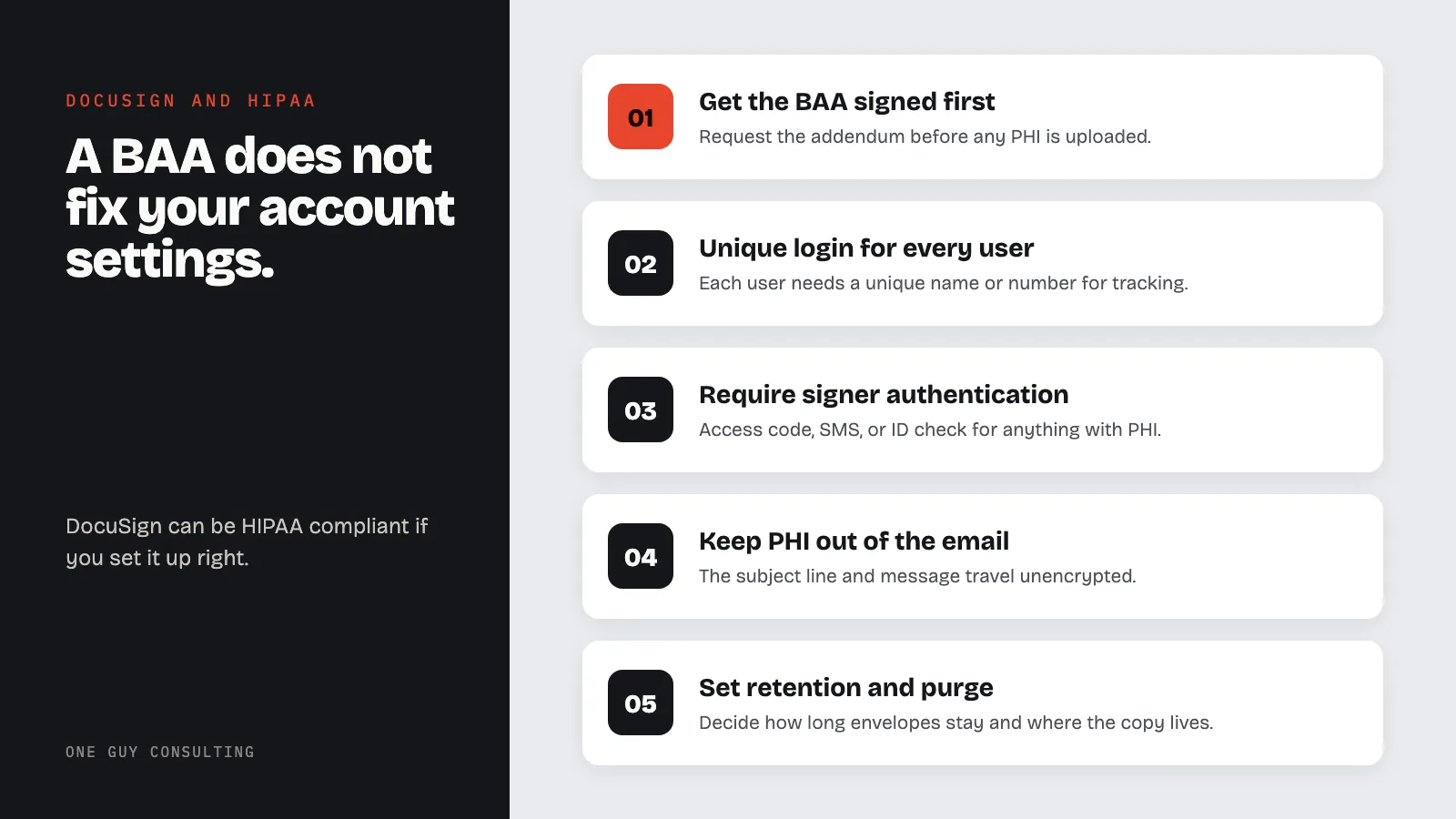
1. Get the BAA countersigned first. Request the Business Associate Addendum through your DocuSign representative before any PHI is uploaded. Store the executed copy with your other vendor BAAs.
2. Confirm your plan. Only DocuSign's Enhanced plans list HIPAA support through a BAA. If you are on Personal, Standard, or Business Pro, talk to DocuSign sales before the first patient form goes out, not after.
3. Enforce MFA for every user. Under the proposed HIPAA Security Rule update, MFA would become an express requirement, and it is already the expected baseline control. Turn it on for all account users, including the office manager and the owner. On an Enhanced plan, tie DocuSign to your identity provider with single sign-on.
4. Give every user a unique login. 45 CFR 164.312(a)(2)(i) requires a unique name or number for identifying and tracking each user. A shared "frontdesk@" DocuSign login erases the audit trail you just paid for.
5. Require signer authentication on PHI envelopes. Email delivery alone means anyone who can read that inbox can open the document. Use an access code delivered separately, SMS authentication, or ID verification for anything containing PHI. Set it as the default in your templates so staff cannot forget.
6. Keep PHI out of the notification email. The email subject line and message travel unencrypted through the patient's mail provider. "Please sign your intake form" is fine. "Please sign the consent for your psychiatric evaluation" is a disclosure. Train the template, not just the staff.
7. Set document retention and purge. Decide how long completed envelopes stay in DocuSign and where the authoritative copy lives (your EHR or practice management system). Then configure DocuSign's retention and purge settings to match. Note the retention floor: signed authorizations must be retained for six years under 45 CFR 164.530(j), and 45 CFR 164.508(b)(6) requires the covered entity to document and retain every signed authorization. Purging DocuSign is fine only if the signed copy and its Certificate of Completion already live somewhere you control.
8. Lock down sharing and templates. Restrict who can create templates, who can share envelopes, and who can download completed documents. Turn off any option that lets signers forward or reassign a PHI envelope without your control.
9. Train staff and write it down. Which forms go through DocuSign, what authentication they require, what never goes in the subject line, and where the signed copy gets filed. Then put that procedure in your HIPAA policies, because when an auditor asks, and they will ask, a screenshot of a setting is not a policy.
Common DocuSign HIPAA Mistakes
Signing the BAA after the fact. Practices sign up on a Standard plan, send patient forms for a year, then request the BAA during an audit. Every envelope before the countersignature was an unprotected disclosure. The BAA is not retroactive.
PHI in the email body. The most common one. A staff member writes "Attached is the release for your HIV test results" in the DocuSign message field. The signed document was encrypted. The email was not.
One shared login for the front desk. Cheaper on seats, fatal on audit trails. If four people share one login, the Certificate of Completion says one name and proves nothing.
Forever retention by default. Signed PHI accumulates in the DocuSign account for years because nobody set a retention policy. That is a growing pile of ePHI that has to be inventoried in your risk analysis and would be in scope in a breach.
Assuming every DocuSign product is covered. The addendum names eSignature. Bolting on a new DocuSign product and pushing PHI through it without checking the BAA scope is the same mistake as using YouTube under a Google Workspace BAA.
How Does DocuSign Compare to Other E-Signature Tools?
| Platform | BAA Available? | Best For | Key Limitation |
|---|---|---|---|
| DocuSign eSignature | Yes (Enhanced plans, through sales) | Practices that already run on DocuSign; strong audit trail and signer authentication | No BAA on the self-serve Personal, Standard, or Business Pro plans |
| Other e-signature vendors | Varies by vendor and plan | Practices already committed to that vendor's ecosystem | Get the vendor's current BAA terms in writing before any PHI moves |
| Free e-signature tools | No | Nothing involving patients | No BAA, no admin controls, no audit trail you can rely on |
The honest summary: DocuSign signs a BAA only on its Enhanced plans. Free e-signature tools do not come with one. Pick based on where your documents already live and which vendor will put the BAA in writing fastest. Then configure it. Every e-signature tool has the same three failure points: the notification email, shared logins, and retention.
FAQ
Is the free DocuSign plan HIPAA compliant?
No. Free, Personal, Standard, and Business Pro DocuSign accounts do not include a BAA and cannot be used with PHI. A practice that sends patient forms from a free account is disclosing PHI to a vendor without the written assurance HIPAA requires.
Does HIPAA allow electronic signatures on patient authorizations?
Yes. HIPAA does not prohibit electronic signatures. HHS has said the Privacy Rule allows electronic documents to qualify as written documents, and electronic signatures to satisfy signature requirements, as long as they are valid under applicable law. The authorization still needs every core element in 45 CFR 164.508(c), and the covered entity still has to retain the signed copy.
Do I need a BAA if the document only has a name and a signature?
If the document is a consent, intake, or authorization from your practice, it identifies a person as your patient. That is PHI. Treat every patient-facing form as PHI and get the BAA. Trying to sort envelopes into "PHI" and "not PHI" is how mistakes happen.
Can patients sign DocuSign forms from a personal email account?
Yes, and that is exactly why signer authentication matters. The patient's Gmail or Yahoo inbox is outside your control. Use an access code, SMS code, or ID verification on PHI envelopes, and keep the email message free of clinical detail.
How long do I keep signed DocuSign forms?
Signed authorizations must be retained for at least six years under 45 CFR 164.530(j). State medical record laws often require longer. Store the signed document and its Certificate of Completion in a system you control, then set DocuSign's retention to match your written policy.
DocuSign can be a HIPAA-compliant way to collect patient signatures. The BAA is available, the encryption and audit trail are solid, and electronic signatures are permitted. The catch is that none of it is automatic. The BAA has to be requested on an eligible plan, and the account has to be configured so PHI does not walk out through the notification email, a shared login, or a decade of forgotten envelopes.
Maybe your practice has a DocuSign account but no BAA signed by both sides. That is not shameful. It is the starting point. Get the addendum, upgrade the plan if needed, run the nine steps above, and write the procedure down.
Have questions about your DocuSign setup, or any other vendor? Book Your Free 30-Minute Intro Call with One Guy Consulting. No obligation, no pressure.
This content is for educational and informational purposes only and should not be construed as legal advice.
Sources
- DocuSign: Is Docusign eSignature HIPAA Compliant?
- DocuSign: eSignature Plans and Pricing (feature table row: HIPAA support through BAA)
- DocuSign: Legal FAQ
- DocuSign: eSignature and Contract Management for Healthcare
- HHS: OCR Settles HIPAA Investigation of MMG Fusion, LLC Breach Affecting 15 Million Individuals
- HHS: HIPAA Privacy Rule
- 45 CFR 164.504: Business Associate Contract Requirements
- 45 CFR 164.312: Technical Safeguards
Related Reading:
- Is Microsoft 365 HIPAA Compliant? BAA, Covered Services, and Setup
- Is Google Workspace HIPAA Compliant? BAA, Covered Services, and Configuration Guide
- Is Dropbox HIPAA Compliant? BAA, Security Settings, and What to Watch For
- Is Faxing HIPAA Compliant? Rules, Risks & Alternatives
- Is Zoom HIPAA Compliant? Telehealth, BAA, and Security Settings Explained