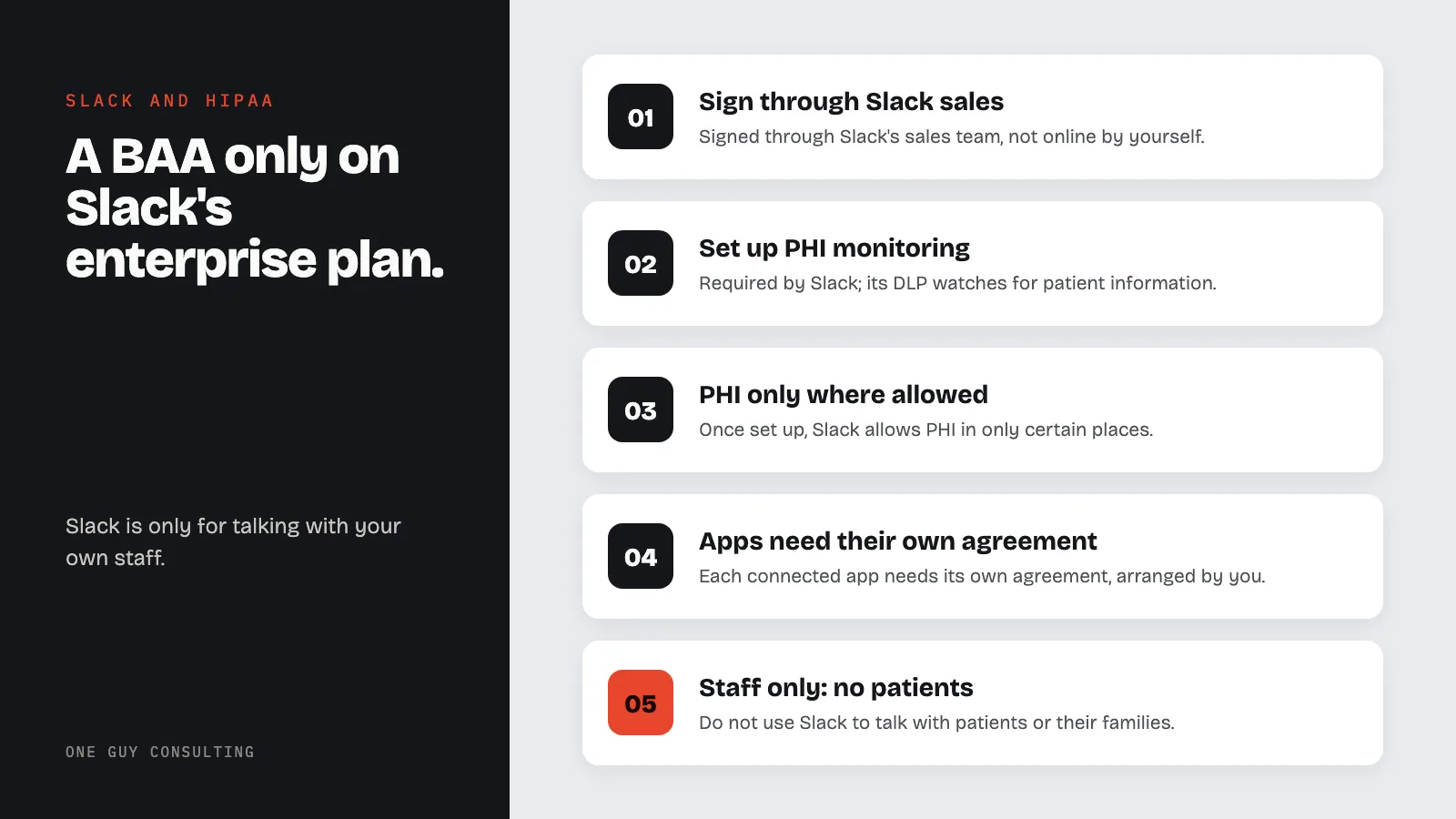
Is Slack HIPAA compliant? Only on a Slack Enterprise plan. Slack Free, Pro, and Business+ plans do not qualify. Slack is owned by Salesforce. Slack signs a Business Associate Agreement (BAA, the contract HIPAA requires with a vendor that handles patient information) only with Enterprise customers. Even then, you cannot use Slack to talk with patients.
Slack is a popular internal messaging tool, and some healthcare organizations use it for team coordination. But most practices do not realize that HIPAA compliance on Slack is limited to a single, expensive plan with significant restrictions.
Which Slack Plans Support HIPAA Compliance?
Only one plan qualifies:
- Slack Enterprise: BAA available. Custom pricing through Slack's sales team. Slack's pricing page lists this plan as Enterprise+. Older Slack material calls it Enterprise Grid.
The following plans do not qualify:
- Slack Free: no BAA, no HIPAA compliance possible
- Slack Pro: no BAA available
- Slack Business+: no BAA available
This matters. Zoom signs a BAA through its Zoom for Healthcare offering, and Microsoft Teams has BAA coverage on Business Basic and above. Slack offers its BAA only on its enterprise plan. Most small and mid-sized healthcare practices cannot reach that plan. You have to go through Slack's sales team, and it is priced for large organizations.
What Slack's BAA Covers
Once your Enterprise plan is set up for HIPAA, Slack allows PHI (patient health information) in only these places:
- Messages: direct messages, group messages, and channel messages
- Files and file names
- Names of private channels and direct messages
Keep PHI out of every other Slack feature. Slack also has a rule that most other platforms do not: you cannot use Slack to talk with patients, plan members, or their families or employers. So do not add patients to your Slack as members or guests. Slack is only for talking with your own staff.
How to Get a BAA from Slack
You sign the BAA through Slack's sales team. You cannot do it yourself online. Your organization must:
- Contact Slack sales and ask for the Slack Enterprise plan
- Sign the BAA with Slack as part of the enterprise agreement
- Set up PHI monitoring, which Slack requires. Use Slack Data Loss Prevention (DLP), which watches for patient information in Slack. Or connect an outside DLP tool through Slack's Discovery APIs (Slack's connection for outside tools).
- Configure required security settings before allowing PHI in messages
Once the BAA is in place, some features work differently. For example, Slack says you cannot email messages into Slack. Slack has no BAA with any outside app you connect, so each app needs its own agreement, and arranging it is your job. Slack also says it should not be where you keep official health records. Keep those in your health record system.
Security Settings to Configure
Slack's Enterprise plan includes security features that support HIPAA compliance when set up properly:
- Enterprise Key Management (EKM): gives your organization control over encryption keys
- Data Loss Prevention (DLP) to watch for PHI in messages. Slack requires this for HIPAA use.
- Single Sign-On (SSO) and multi-factor authentication
- Custom data retention policies for message and file retention
- Audit logs through the Slack Audit Logs API
- SCIM provisioning for automated user management
These controls map to the HIPAA Security Rule requirements for access controls, audit controls, and transmission security under 45 CFR §164.312.
Why Most Healthcare Practices Should Not Use Slack for PHI
For most small and mid-sized practices, Slack is not the right tool for HIPAA-covered communications. Here is why:
Cost barrier. Slack Enterprise pricing is designed for large organizations. Most practices with 5 to 50 staff members will find this cost prohibitive compared to alternatives.
No patient communication. Unlike Zoom or Teams, Slack explicitly prohibits patient-facing use. If your practice needs a communication tool that works for both staff coordination and patient interactions, Slack does not qualify.
Alternatives are more accessible. Zoom signs BAAs through its Zoom for Healthcare offering. Microsoft Teams includes BAA coverage on Business Basic plans. Both are easier for small practices to get than a Slack Enterprise plan.
Maybe your organization already uses a Slack Enterprise plan for other business reasons. Then you can set it up for HIPAA and use it for healthcare communication too. But for most practices, picking Slack just for HIPAA makes little sense when cheaper options exist.
What to Use Instead
If your practice needs a HIPAA-compliant messaging and collaboration tool, consider:
- Microsoft Teams: BAA included automatically on Business Basic and above, covers chat, video, and file sharing
- Google Chat (via Google Workspace): covered under Google's BAA for paid Workspace plans
- Zoom Team Chat: before any PHI goes into it, ask Zoom to confirm its BAA covers Team Chat on your plan
For a broader look at HIPAA-compliant communication options, see our guide on HIPAA email compliance and HIPAA texting rules.
Can I use Slack Pro for internal messages that do not contain PHI?
Yes. If no PHI is discussed, the BAA requirement does not apply. However, enforcing a "no PHI in Slack" policy is difficult in practice. Staff may inadvertently share patient names, diagnoses, or appointment details in messages. If your team uses Slack Pro, you need a clear written policy and staff training defining what can and cannot be discussed.
Does Slack encrypt messages?
Slack encrypts data on all plans, both while it is being sent and while it is stored. Slack's Enterprise plan adds an option called Enterprise Key Management (EKM). EKM gives your organization control over the encryption keys. Lower plans have standard encryption that meets basic security standards. But without a BAA, that is not enough for HIPAA.
Is Slack Connect HIPAA compliant?
Slack Connect lets you message people at other organizations. Slack's HIPAA help article does not spell out rules for sharing PHI this way. Each outside organization has its own setup and its own agreements. That adds complexity and risk. Most healthcare organizations should avoid sharing PHI through Slack Connect.
What happens if we discuss PHI on Slack without a BAA?
Talking about PHI on any Slack plan without a BAA may break HIPAA. You have shared patient information with a vendor (Slack) without the contract HIPAA requires. If a breach occurs, your practice has no contract to fall back on. You may also face OCR enforcement. OCR is the federal office that enforces HIPAA.