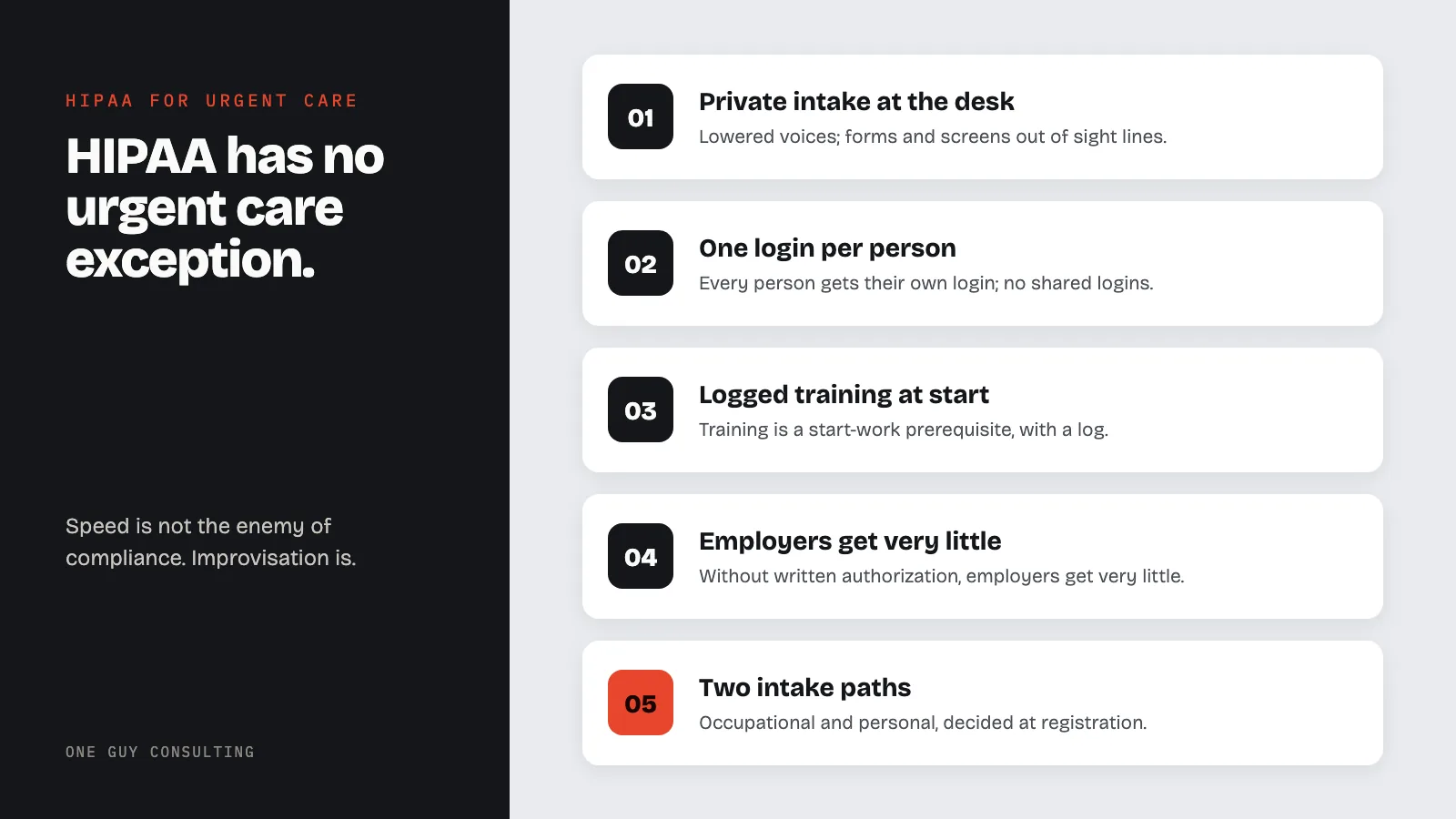
HIPAA compliance for urgent care means following the same Privacy and Security Rules as any practice, at walk-in speed. Four spots matter most: the walk-in desk, shared computers, a rotating staff roster, and employers asking for results. The fixes are private intake, one login per person, logged training, and two intake paths.
Urgent care is healthcare at retail speed: a steady stream of patients, many of them new, staff rotating across locations, and a lobby where the sick and the impatient sit shoulder to shoulder. HIPAA does not have an urgent care exception. The same Privacy and Security Rules that govern a quiet family practice govern the Saturday rush, which means the compliance program has to be built for the pace, not for the brochure.
Four pressure points do most of the damage in this setting. Here they are, with the rules and the fixes.
HIPAA Compliance for Urgent Care: The Four Pressure Points
1. The Walk-In Desk
Registration at an urgent care happens fast, in public, with strangers in line. The rules are the standard reasonable-safeguard rules: collect what you need in a lowered voice, keep intake forms and screens out of sight lines, and hand sensitive questions (reason for visit, medication lists) to a form or a private moment rather than a call-and-response across the counter. Sign-in sheets are allowed if they ask for only a few details, such as name and arrival time. The full set, including voicemail scripts for results callbacks, is in the front desk rules.
One urgent-care-specific wrinkle: identity. Walk-ins are strangers, and their self-reported identity is often the only authentication you have. Verify against photo ID at intake where possible, and be deliberate before releasing records or results to a caller claiming to be yesterday's patient; callback procedures exist for exactly this.
2. Shared Workstations
Six providers, three shifts, two computers at the nursing station. The Security Rule starts with unique user IDs. Every person gets their own login, and no shared logins, ever.
Automatic logoff (the computer ends the session after a set idle time) is "addressable." That means you decide if it is reasonable and appropriate for your clinic. If you skip it, write down why, and use an equal alternative where one is reasonable. A shared login means your audit trail says nothing, and when an incident happens, "we cannot tell who accessed it" converts one problem into two. Role-based access applies at speed too: the access control practices scale down to a two-computer clinic.
3. The Rotating Roster
Urgent care staffing is fluid: per-diem providers, floaters, new techs monthly. Every one of them is your workforce under HIPAA. Each new staff member must be trained within a reasonable time after joining. You must also keep a record of that training.
In a walk-in clinic, a new tech can see PHI (protected health information, the patient details HIPAA covers) on day one. Waiting for the next quarterly onboarding batch leaves a long gap. The clinics that get this right treat HIPAA training like N95 fit-testing: a start-work prerequisite with a log, per the training program guide. The onboarding checklist puts it in sequence.
4. The Employer on Line Two
Occupational medicine is urgent care's most misunderstood disclosure lane. An employer sends a worker for a drug screen, a fitness-for-duty exam, or an injury visit, pays the bill, and then calls asking for everything. Paying does not equal entitled. Without the employee's written authorization, the employer is entitled to very little: 45 CFR 164.512(b)(1)(v) lets a provider who treats a worker at the employer's request give the employer only the findings it needs for workplace medical surveillance or a work-related injury under OSHA, MSHA (mine safety), or a similar state law, with written notice to the worker. Everything else, including fit-for-duty conclusions and restrictions, travels on the authorization the worker signs at intake. Diagnosis-level information needs a signed authorization meeting 45 CFR 164.508.
Workers' compensation runs on a different rail: 45 CFR 164.512(l) permits disclosures authorized by state workers' comp law without patient authorization. Share only what that law calls for, and only the details actually needed (the minimum necessary rule). The practical fix is two intake paths, occupational and personal, decided at registration, with the disclosure rules attached to each. Mixing the paths is how a strep test ends up described to someone's HR department.
Results, Referrals, and the Handoff
The rest of urgent care's disclosure traffic is happily simple. Sending records to the ER you are transferring to, the specialist you are referring to, or the primary care doctor who will follow up: all treatment disclosures, permitted without authorization. Results callbacks follow the voicemail rules (minimal message, callback number). And when the visit generates a records request from an attorney or insurer later, the standard authorization analysis applies before anything leaves.
The Program, Built for the Pace
An urgent care compliance program that works is short and drilled: a risk assessment that names the walk-in desk and shared stations, one-page policies staff can actually follow mid-rush, training as a start-work gate, the two-path occupational intake, and an incident procedure with a name attached. Speed is not the enemy of compliance here. Improvisation is.
FAQ
Can an employer get results from an urgent care visit they paid for?
Paying does not create access. Without the worker's written authorization, an employer can usually get only two things. First, findings about a work-related injury or workplace medical surveillance that it needs under OSHA, MSHA, or a similar state law. Second, what workers' compensation law allows. Fitness-for-duty results, restrictions, and diagnosis-level detail need a signed authorization.
How does workers' compensation interact with HIPAA?
45 CFR 164.512(l) permits disclosures authorized by state workers' compensation law without patient authorization. Share only what that law calls for, and only the details actually needed (the minimum necessary rule).
Are shared computer logins acceptable in a busy clinic?
No. The Security Rule requires unique user identification. That means every workforce member gets their own login. Automatic logoff is addressable: the clinic decides if it is reasonable and appropriate, and writes down that choice. Shared logins destroy the audit trail that protects the clinic in an investigation.
Do per-diem and floater staff need HIPAA training?
Yes. Temporary and rotating staff are workforce under HIPAA. Their training is the clinic's responsibility. Each new member must be trained within a reasonable time after joining, and the training must be documented. Training them before they see PHI closes the gap in a fast-turnover clinic.
Can urgent care send records to a patient's regular doctor?
Yes. Disclosures for treatment, including transfers, referrals, and follow-up with the primary care provider, are permitted without patient authorization.
One Guy Consulting helps urgent care teams build a program that holds up on a busy schedule. That means policy templates staff can follow at speed and training tracking that fits rotating rosters. On the Full-Scope plan, you also get four hours a month of 1:1 implementation calls with Chuck. Start with a free 30-minute intro call. No obligation, no pressure.
Sources
- 45 CFR 164.512(l) (workers' compensation)
- 45 CFR 164.508 (authorizations)
- HHS: employers and health information
Related Reading