Yes, Google Forms can be HIPAA compliant, but only on a Google Workspace account. A super administrator (the top admin on the account) must first accept Google's Business Associate Amendment. It is never compliant on a personal Gmail account. Forms is covered as part of Google Drive. Add-ons are not covered. Share the response sheet only with named staff.
The Workspace administrator was slow to answer, so the receptionist built the new-patient form herself, on her own Gmail account, in twenty minutes. It works beautifully. Responses land in a spreadsheet she can open on her phone. Eight months later there are 1,100 rows of names, dates of birth, insurance numbers, and medication lists in a personal Google account that the practice does not control and could not shut off if she quit tomorrow.
Is Google Forms HIPAA compliant? Yes, on a Google Workspace account with the Business Associate Amendment accepted, and no on any personal Google account. Google's HIPAA Included Functionality list, as of August 31, 2026, covers "Google Drive (including Google Docs, Google Forms, Google Pics, Google Sheets, Google Slides, and Google Vids)." Forms rides on Drive's coverage, which means the same BAA (Business Associate Agreement, which Google calls an Amendment) and the same conditions apply: a managed account, an administrator who accepted the amendment, and sharing settings that keep the response sheet away from "anyone with the link." This guide covers the amendment, the account problem, what the BAA does not fix, and the settings that make an intake form defensible.
Is Google Forms HIPAA Compliant: The Workspace Amendment and Account
When the Google BAA Covers Forms
Yes, for Google Workspace and Cloud Identity customers. Google's HIPAA page states that customers subject to HIPAA "who wish to use certain Google Workspace or Cloud Identity services listed on the HIPAA Included Functionality list must enter a Business Associate Amendment (BAA) with Google," and that "customers who have not signed a BAA with Google must not use PHI in Google Workspace or Cloud Identity services." A super administrator accepts it in the Admin console under Account settings, then Legal and compliance, and Google says a screenshot of that page is how a customer proves acceptance. Everything else about the Workspace side, including plan tiers and the services outside the list, is in the Google Workspace HIPAA guide.
The regulation behind the click is 45 CFR 164.502(e)(1)(i): a covered entity (your practice) may let a business associate (a vendor like Google) "create, receive, maintain, or transmit protected health information on its behalf" only with "satisfactory assurance that the business associate will appropriately safeguard the information," documented in a written contract under 164.502(e)(2). A form response containing a patient's history is PHI (protected health information) created and maintained by Google on your behalf. No amendment, no permitted disclosure.
The Google Accounts That Are HIPAA-Eligible for Forms
| Account | Amendment available? | Use Forms with PHI? |
|---|---|---|
| Personal Gmail account (free) | No. There is no Admin console and nothing to accept. | No, ever |
| Google Workspace account, amendment not yet accepted | Yes, but not in force | No, until a super administrator accepts it |
| Google Workspace account, amendment accepted | Yes, in force | Yes, subject to the settings below |
| Workspace account with third-party Forms add-ons | Add-ons are excluded | Only with the add-ons removed from PHI forms |
Google is explicit about the last row: "Third-party applications including add-ons are not included in the Included Functionality covered by the BAA." A Forms add-on that emails responses, builds documents, or pushes rows to another service is a separate vendor. The consumer-account problem is the same one covered in the Gmail comparison: the product is identical, the contract is absent.
Why the Response Sheet Is the Real Risk
A form is a front door. The responses live behind it, in a linked Sheet or in the form's own response store inside Drive, and that is where the PHI accumulates. Google's own guidance on sharing points at the right control: limit access "such as sharing with specific recipients as opposed to anybody with the link." A response sheet shared with "anyone with the link" is a patient database with a public address. The Google Drive HIPAA guide covers the sharing model in depth; the form is simply the fastest way to fill a Drive file with PHI.
Ownership is the second problem. A form owned by an individual account, even a managed one, goes wherever that account goes. When the employee leaves, the practice's intake history is tangled up in a departing user's Drive. Shared drives, owned by the organization rather than a person, solve that for the response files.
What the Google BAA Does Not Cover
- Personal accounts and personal devices signed into them. The receptionist's form in the opening paragraph is the single most common version of this failure.
- Add-ons and scripts that send data elsewhere. Apps Script itself is on Google's list; a script that emails responses to a personal address is a disclosure you wrote.
- Emails that carry the answers. Any setting that sends a copy of responses by email, to staff or back to the patient, moves PHI into email with all of email's risks. Check what your notifications contain.
- What you ask. A form that collects a Social Security number, full medication list, and a photo ID to book a cleaning is over-collecting. 45 CFR 164.502(b)(1) requires "reasonable efforts to limit protected health information to the minimum necessary," and the minimum necessary guide applies to form fields as much as to chart access.
- The website the form sits on. An embedded form on an HTTP page, or a page loaded with tracking scripts, has its own problems, covered in the HIPAA website guide.
How to Set Up Google Forms for HIPAA
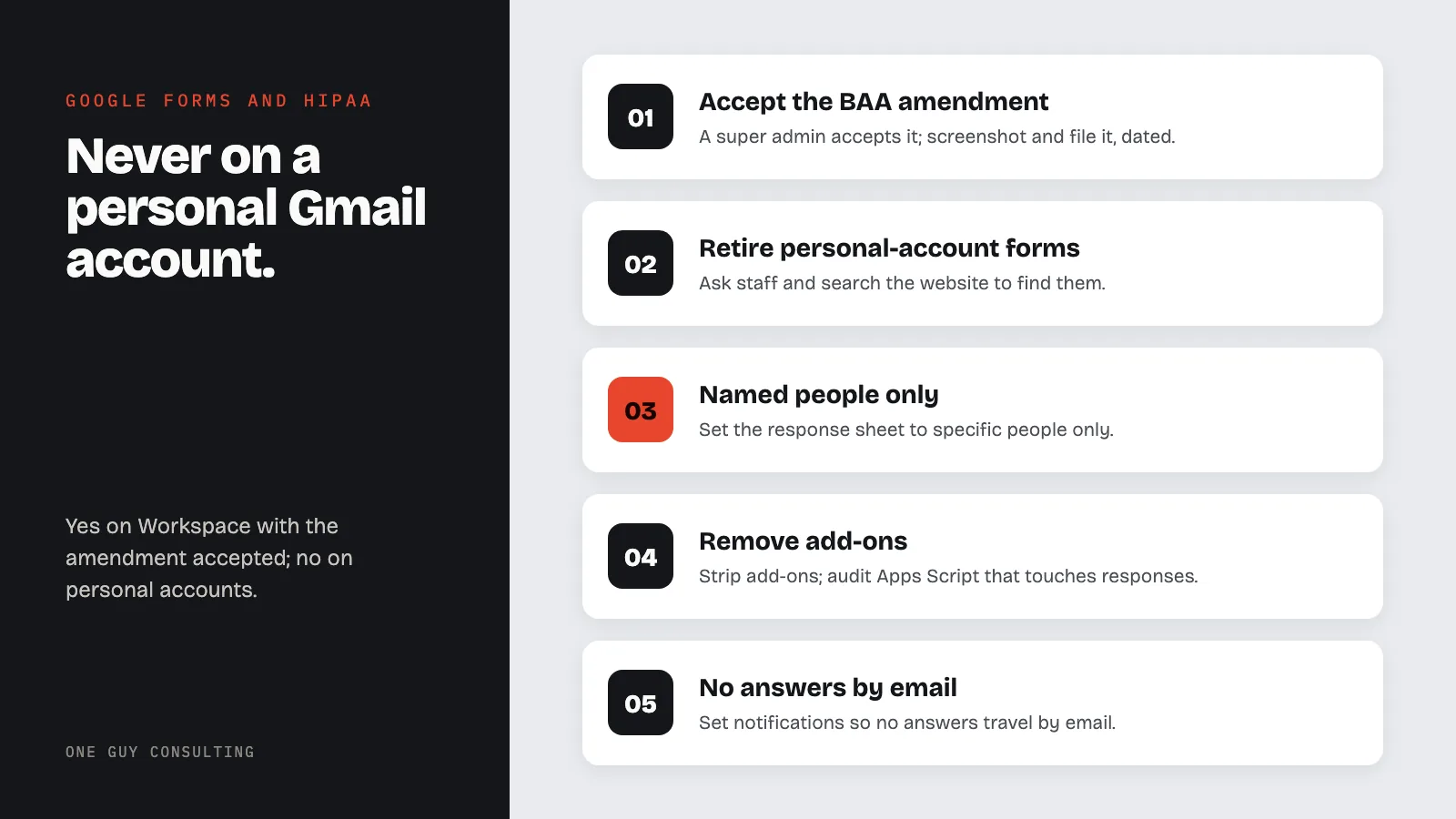
- Accept the Business Associate Amendment in the Admin console as a super administrator, screenshot the acceptance, and file it with the date.
- Find and retire the personal-account forms. Ask staff, search for forms embedded on the website, and migrate the questions (not the old responses) to a managed account. Treat the old response data as a disclosure to review, then have the employee delete it and document the deletion.
- Build PHI forms from a managed account and store responses in a shared drive owned by the organization, with access limited to named staff.
- Set the response sheet to specific people only. Never "anyone with the link." Review the sharing panel of every response file quarterly.
- Remove add-ons from PHI forms and audit Apps Script projects that touch response data.
- Configure notifications so no answers travel by email. A "new response" alert is fine; a copy of the response is not. Decide whether respondents receive a copy at all.
- Trim the fields to minimum necessary. Ask what the visit needs. Move sensitive identifiers like Social Security numbers into the EHR intake instead, or drop them.
- Enforce two-step verification for every account that can open response files, since a phished password now opens the patient list.
- Decide retention. The EHR should be the record of truth; set a schedule for moving responses into it and deleting the Drive copy, and write the schedule down.
- Add Forms and its response files to the risk analysis as systems that store ePHI (PHI kept in electronic form), per 45 CFR 164.308(a)(1)(ii)(A), and to the termination checklist so a departing user's forms are transferred, not orphaned.
Common Google Forms HIPAA Mistakes
The personal-account form. Built fast, forgotten, and full of patients.
"Anyone with the link" on the response sheet. The link gets pasted into a group chat, and the group chat gets forwarded.
Collecting consent on an uncovered form. A HIPAA authorization gathered through a personal-account form is itself PHI on an uncovered server. The container matters as much as the wording.
Add-ons "just for notifications." A convenience add-on is a vendor with no BAA.
Alternatives to Google Forms for Intake
| Tool | BAA | Best fit | Watch out for |
|---|---|---|---|
| Google Forms (Workspace, amendment accepted) | Yes, via the Workspace amendment | Practices already on Workspace | Response sheet sharing, add-ons, personal accounts |
| Microsoft Forms (commercial Microsoft 365) | Yes, in-scope under the Microsoft BAA; see the Microsoft 365 guide | Practices already on Microsoft 365 | Consumer Microsoft accounts |
| Jotform (Gold or Enterprise) | Yes, signed in-account after enabling HIPAA | Practices that want a standalone builder with e-signature | Integrations outside Jotform's HIPAA-enabled list |
| EHR patient portal intake | Usually inside the EHR vendor's BAA | Practices whose EHR offers online intake | Confirm the portal feature is inside the existing BAA's scope |
Google Forms on a covered Workspace account, with responses in a shared drive that only named staff can open, is a perfectly good intake tool. The same form on a personal account is the breach that will be discovered when the receptionist gives notice. The product is identical. The account, the amendment, and the sharing panel are the whole difference.
FAQ
Is Google Forms on a free Gmail account HIPAA compliant?
No. Personal Google accounts have no Admin console and no Business Associate Amendment, and Google says customers without a BAA must not use PHI in its services. Only a Workspace account with the amendment accepted is covered.
Is Google Forms on Google's HIPAA covered list?
Yes. As of August 31, 2026, Google's HIPAA Included Functionality list covers Google Drive including Google Forms, along with Docs, Sheets, Slides, Pics, and Vids, for Workspace customers who have accepted the Business Associate Amendment.
Are Google Forms add-ons covered by the BAA?
No. Google states that third-party applications including add-ons are not included in the functionality covered by the BAA. Remove add-ons from any form that collects PHI.
Where should form responses be stored?
In a shared drive owned by the organization, shared with specific named staff, never with anyone who has the link. Move responses into the EHR on a schedule and delete the Drive copy per a written retention rule.
What if patient data is already in a form on a personal account?
Treat it as a disclosure to a vendor without a BAA, run the four-factor breach risk assessment, rebuild the form on a managed account, have the old responses deleted, and document each step.
A patient intake form is the first PHI a practice collects and the first vendor question it forgets to ask. One Guy Consulting's Full-Scope plan includes vendor management with digital BAAs, policy and procedure templates, and 4 hours a month of 1:1 implementation calls with Chuck. Start with a free 30-minute intro call. No obligation, no pressure.
Sources
- Google Workspace: HIPAA Included Functionality (vendor page)
- Google Workspace Admin Help: HIPAA Compliance with Google Workspace and Cloud Identity (vendor page)
- 45 CFR 164.502 (uses and disclosures; minimum necessary at (b), business associates at (e))
- 45 CFR 164.308 (administrative safeguards)
- 45 CFR 160.103 (definitions)
Related Reading