No, not a free @gmail.com address. The Google BAA that covers Gmail is an addendum to a Google Workspace agreement, accepted by a super administrator in the Admin console, and Google says an admin account does not end in @gmail.com.
Picture a three-person office that has used one free @gmail.com address since the day it opened. Patients write to it. Nobody decided that. It just happened. This post covers what Google's own pages say, what the HIPAA text and HHS guidance say about business associates and about patients who email first, a checklist for moving to Google Workspace, and where Hotmail fits.
Is Gmail HIPAA Compliant: Free @gmail.com vs Google Workspace
Google answers the core question on its administrator help page: "Customers who have not signed a BAA with Google must not use PHI in Google Workspace or Cloud Identity services."
That BAA is the Google Workspace HIPAA Business Associate Addendum, and its terms page sets a condition: "Customer must have an existing Services Agreement in place for this BAA to be valid and effective." Google's HIPAA Included Functionality page, dated "As of August 31, 2026", lists Gmail among the covered services.
Why Free Gmail Has No Path to Google's BAA
Google makes the BAA available "for electronic acceptance via their Admin console". Its privacy compliance page says who can accept it: "To review and accept this BAA, you must be signed in to an administrator account for your organization's Google Workspace or Cloud Identity account." For the acceptance step itself, it adds: "You must be signed in as a super administrator for this task."
A free account never gets there. Google's sign-in help says to use "your admin account (it does not end in @gmail.com)" and that "The Admin console is only available when you're signed in to an admin account." No admin account, no Admin console. No Admin console, no BAA.
That matters because of what HIPAA asks for before a business associate handles PHI (Protected Health Information). Under 45 CFR 164.502(e)(1)(i), "A covered entity may disclose protected health information to a business associate and may allow a business associate to create, receive, maintain, or transmit protected health information on its behalf, if the covered entity obtains satisfactory assurance that the business associate will appropriately safeguard the information."
Section 164.502(e)(2) says those assurances "must be documented through a written contract or other written agreement or arrangement with the business associate". The Security Rule says the same for electronic PHI at 164.308(b)(1): "only if the covered entity obtains satisfactory assurances ... that the business associate will appropriately safeguard the information."
In plain words: the written agreement is the proof, and a free inbox has none. OCR's enforcement list includes a 2017 entry titled "No Business Associate Agreement? $31K Mistake". The business associate agreement guide covers what the contract contains.
When Patients Already Email Your Free Inbox
HHS has addressed the patient side. HHS FAQ 570 says: "Patients may initiate communications with a provider using e-mail. If this situation occurs, the health care provider can assume (unless the patient has explicitly stated otherwise) that e-mail communications are acceptable to the individual."
Patients can also ask for another channel. Under 45 CFR 164.522(b)(1)(i), a covered health care provider "must accommodate reasonable requests by individuals to receive communications of protected health information from the covered health care provider by alternative means or at alternative locations."
Here is the part that gets missed. The patient's choice settles whether e-mail is acceptable to that patient. It does not settle where the practice's inbox sits. The messages still land in an account with no BAA behind it. Under 164.502(e)(2), the assurance has to be in writing. A Workspace account with an accepted BAA is the route Google offers. Whether a specific past message was a violation is a question for a healthcare attorney.
Moving From Free Gmail to Workspace: Checklist
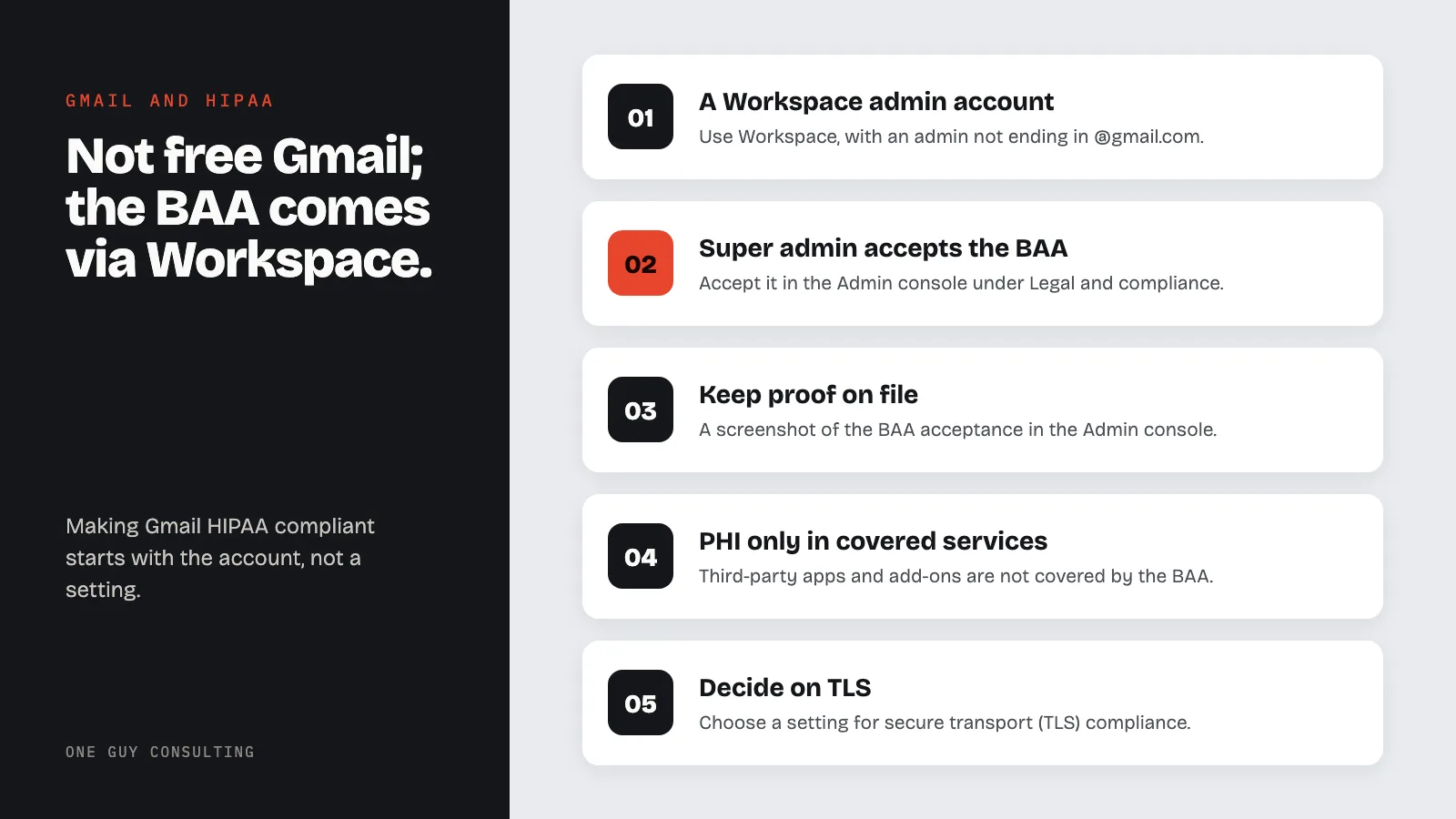
How to make Gmail HIPAA compliant starts with the account. Each step comes from Google's own pages (fetched September 29, 2026):
- A Google Workspace account with an admin account that does not end in @gmail.com.
- The BAA accepted by a super administrator: Admin console, Menu, Account, Account settings, Legal and compliance, then the Security and Privacy Additional Terms section.
- Proof on file. Google says the customer "can produce a screenshot of their Admin Console/HIPAA acceptance that gets shown in the Legal and compliance section."
- PHI only in covered services. Google's FAQ: "Third-party applications including add-ons are not included in the Included Functionality covered by the BAA."
- A decision on TLS: Apps, Google Workspace, Gmail, Compliance, "Secure transport (TLS) compliance".
The BAA does not finish the job. It says the customer "is solely responsible for ensuring that its and its End Users’ use of the Covered Services complies with HIPAA and HITECH." The Google Drive post covers the same BAA for file storage.
Encryption and TLS: What the Security Rule Says
Start with Google's TLS help page: "If the receiving server doesn't use TLS, Gmail still sends messages but the connection isn't secure." With the TLS compliance setting on for listed domains, Google says those outgoing messages "aren't delivered, and will bounce."
The encryption line for transmission security, 45 CFR 164.312(e)(2)(ii), reads: "Encryption (Addressable). Implement a mechanism to encrypt electronic protected health information whenever deemed appropriate."
Addressable does not mean optional. Under 45 CFR 164.306(d)(3), the practice must "Assess whether each implementation specification is a reasonable and appropriate safeguard in its environment", then implement it if reasonable and appropriate, or document why not and use an equivalent alternative if reasonable and appropriate.
A Security Rule update proposed on January 6, 2025 (90 FR 898) would change the encryption language. It is proposed, not final; the Addressable text above is the rule in force. The HIPAA email compliance guide compares email options in more depth.
Hotmail, Outlook.com and Yahoo
Is Hotmail HIPAA compliant? Same test: is there a signed BAA for that account? Microsoft's HIPAA page says it enters into Business Associate Agreements to support customers' HIPAA compliance "when utilizing Microsoft enterprise products and services". Its in-scope list names Office 365 and Exchange Online, not Outlook.com or Hotmail. The Microsoft 365 HIPAA post covers the business side. For Yahoo Mail or any other inbox, the test is the same: without a signed BAA for that account, 164.502(e) has nothing to stand on.
A Google BAA is one vendor agreement among several. One Guy Consulting's plans include vendor management with automated contract execution (digital BAAs), covered on the BAA management page. On the Full-Scope plan, Chuck "Answers vendor questions you have + aids technologically as needed with regard to the vendor profile."
This article is educational and is not legal advice.
FAQ
How do you make Gmail HIPAA compliant?
Use Gmail through a Google Workspace account, have a super administrator accept Google's BAA in the Admin console, and keep PHI in services on Google's HIPAA Included Functionality list. The practice's own Security Rule work follows, including the encryption assessment that 164.306(d)(3) requires.
Is Gmail for business HIPAA compliant?
No product is compliant on its own. Workspace Gmail is on Google's Included Functionality list, so Google's BAA can cover it once accepted, and the BAA leaves the customer responsible for how the services are used.
Can a personal Gmail account be used for patient emails?
Not under Google's BAA. Google says: "Customers who have not signed a BAA with Google must not use PHI in Google Workspace or Cloud Identity services." The BAA is reviewed and accepted from an administrator account, which does not end in @gmail.com.
What if a patient emails PHI to a practice's @gmail.com address?
HHS FAQ 570 says a provider can assume e-mail is acceptable to a patient who writes first, unless the patient has explicitly stated otherwise. That settles the patient's preference, not the mailbox, which still has no BAA. Whether a specific message was a violation is a question for a healthcare attorney.
Is Hotmail or Outlook.com HIPAA compliant?
Microsoft's own HIPAA page does not list them. Microsoft offers BAAs for its enterprise products and services, and its in-scope list names Office 365 and Exchange Online, not Outlook.com or Hotmail.
Conclusion
Making Gmail HIPAA compliant starts with the account, not a setting. The Google BAA that covers Gmail comes through a Google Workspace agreement, and it is accepted from an admin account, which does not end in @gmail.com. After that comes the practice's own Security Rule work, including the encryption assessment that 164.306(d)(3) requires.
Want help putting this in place? The Full-Scope plan from One Guy Consulting pairs the compliance software with 4 hours a month of 1:1 implementation calls with Chuck Weiselberg, C.H.P., to get your plan set up, with no per-user fees. See how it works or book a free HIPAA compliance review. No obligation, no pressure.
Sources
- Google: HIPAA Compliance with Google Workspace and Cloud Identity
- Google: Sign in to your Admin console
- Google: Privacy compliance and records for Google Workspace and Cloud Identity
- Google Workspace HIPAA Business Associate Addendum
- Google Workspace HIPAA Included Functionality
- Google: Send email over a secure TLS connection
- Microsoft Learn: HIPAA and HITECH Act
- HHS FAQ 570: e-mail with patients
- HHS OCR resolution agreements
- Federal Register: proposed Security Rule, 90 FR 898
- 45 CFR 164.502
- 45 CFR 164.522
- 45 CFR 164.306
- 45 CFR 164.308
- 45 CFR 164.312
Related Reading