Reviewed, customized policy set
The written policies and procedures your practice runs on, reviewed against how you actually work before anything is published.
Not a promise of compliance. The actual documentation, records and reports your practice receives as their deliverable from One Guy Consulting. This is what you build inside the tool, shown here screen by screen.
HIPAA compliance for small practices: $120 a month, flat, including 4 hours a month of 1:1 calls with me.

Exhibit 01
You start by naming who is in charge.
Assign your Privacy Officer, save your signature once, and enter your organization details. That signature then applies itself to every policy and BAA the tool generates, and your logo lands on every document your staff reads.
More on HIPAA consulting
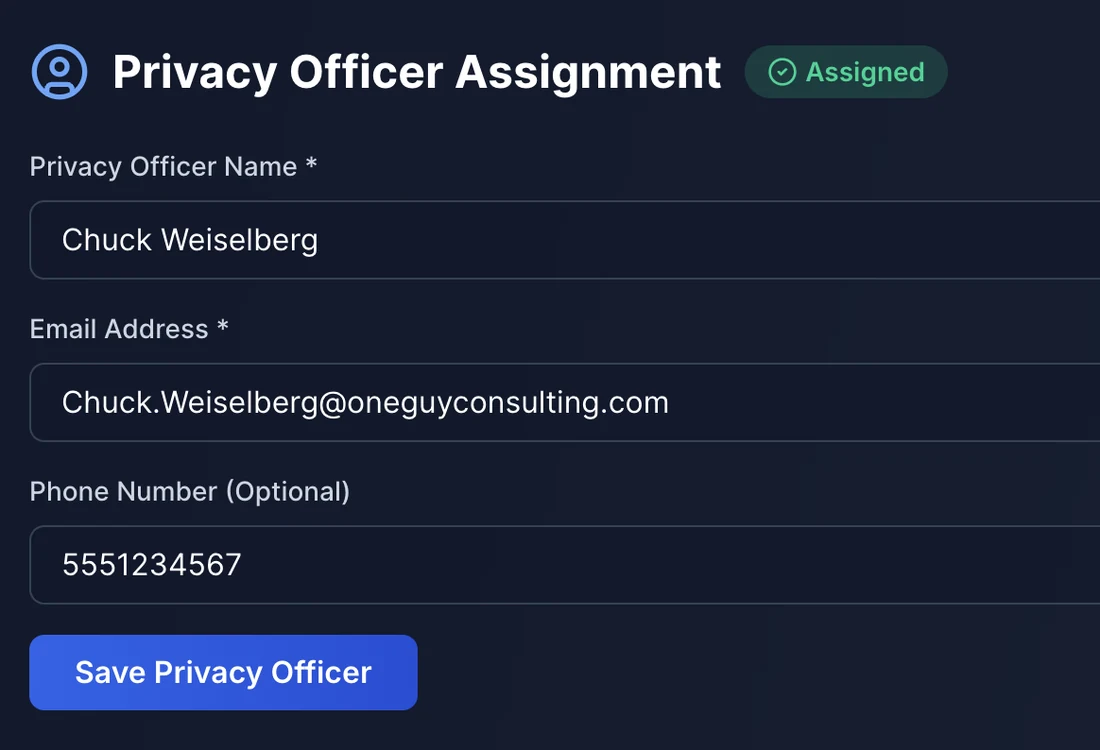
PLATE 1.1 Assigned, and the step flips green on your checklist.
Exhibit 02
The foundation everything else is built on.
63 questions covering everywhere PHI lives. Each one cites the exact HIPAA rule behind it. Only answer yes if you can back it with evidence. No is a fine answer, because anything missing is what we build next.
More on Security Risk Assessment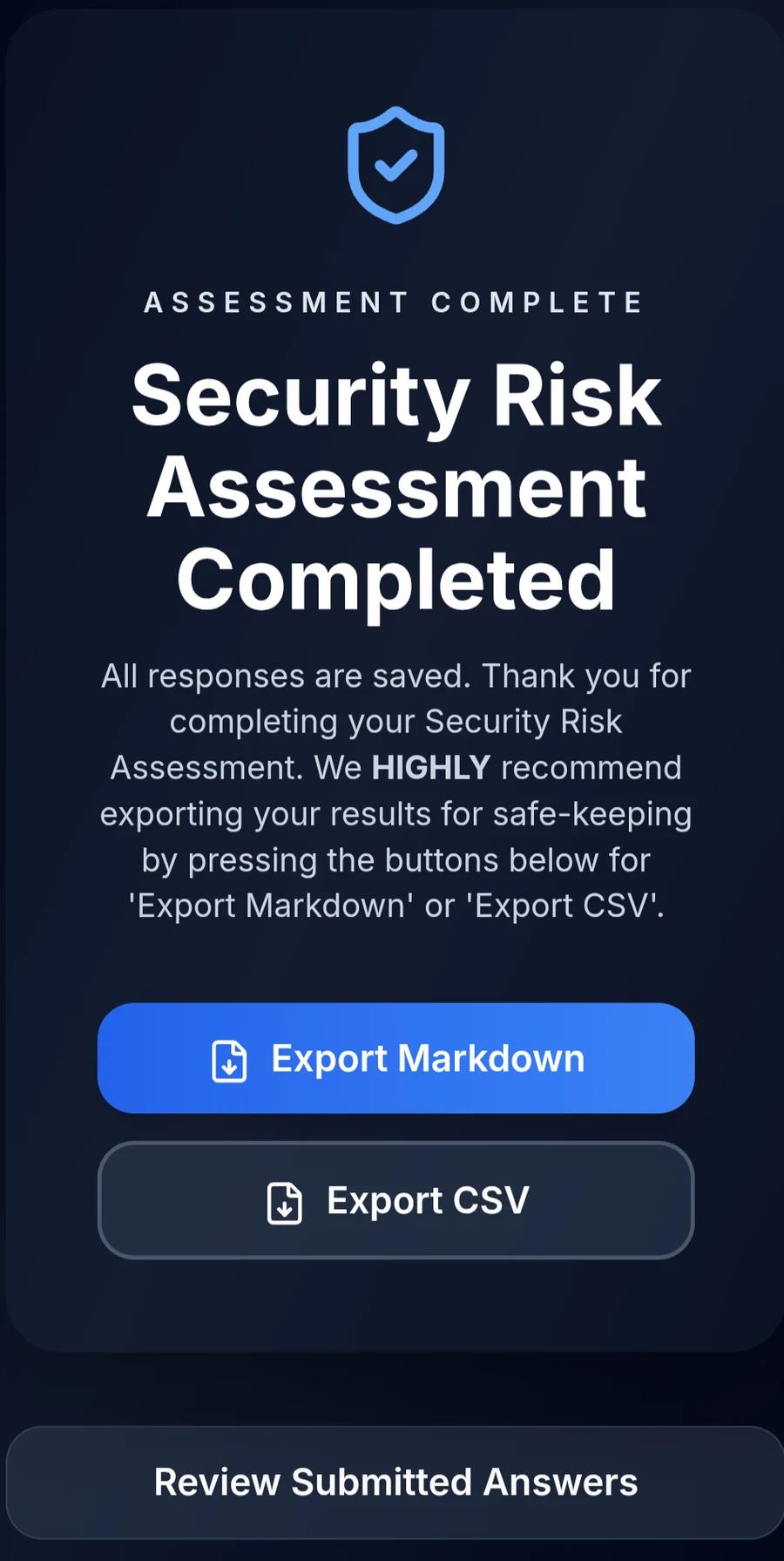
PLATE 2.1 Submitted and locked, with one-click export.
Exhibit 03
Done the moment you submit, automatically.
The tool reads your answers against the regulation and hands back the report: total gaps, which ones put you out of compliance, sorted into categories. Nothing further for your Privacy Officer to do.
More on Gap Analysis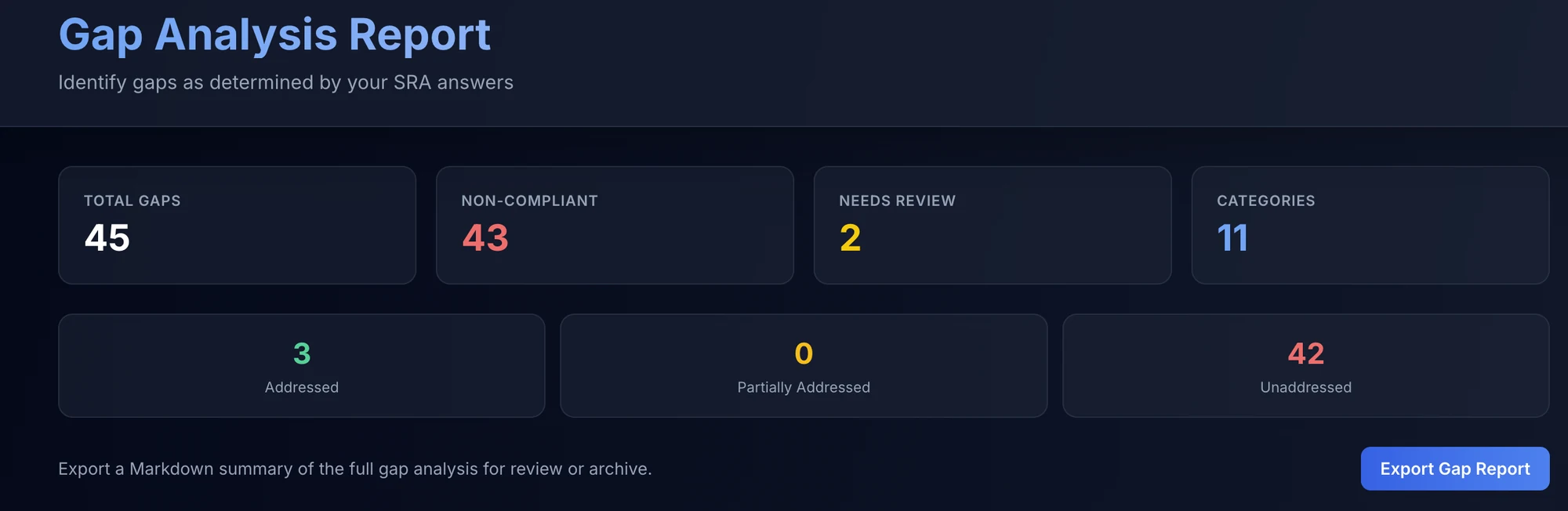
PLATE 3.1 Real numbers from a real assessment, not a sample. Yours will look different.
Want this running on your practice?
Exhibit 04
Your gaps become a tracked to-do list.
Every gap turns into a task with a priority, an owner and a due date, and each one explains the fix in plain English. Attach your proof to the task as you close it, so the plan doubles as your evidence trail.
More on Remediation Plans
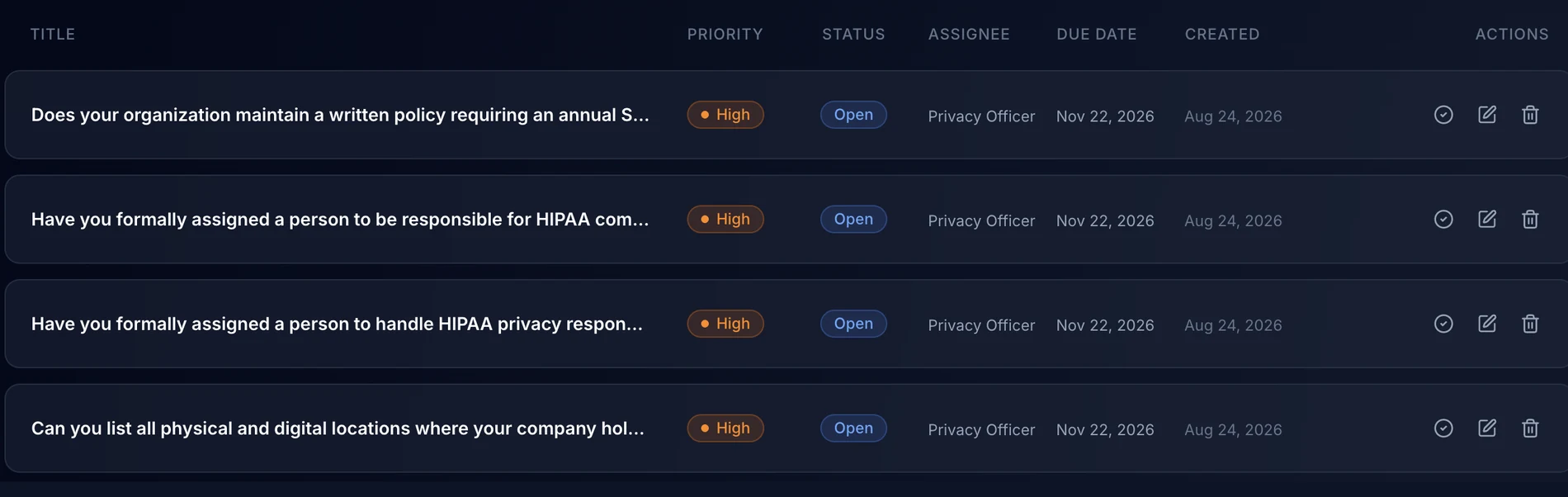
PLATE 4.1 The band across the top is the whole plan at a glance. PLATE 4.2 Every task carries a priority, an owner and a due date.
Exhibit 05
Your whole team, from one screen.
Add a name and a work email. The tool invites them and assigns their training. You watch progress live, and one click sends a reminder listing exactly what that person still owes. Everything completed lands in a timestamped record you can hand to an auditor.
More on HIPAA Staff Training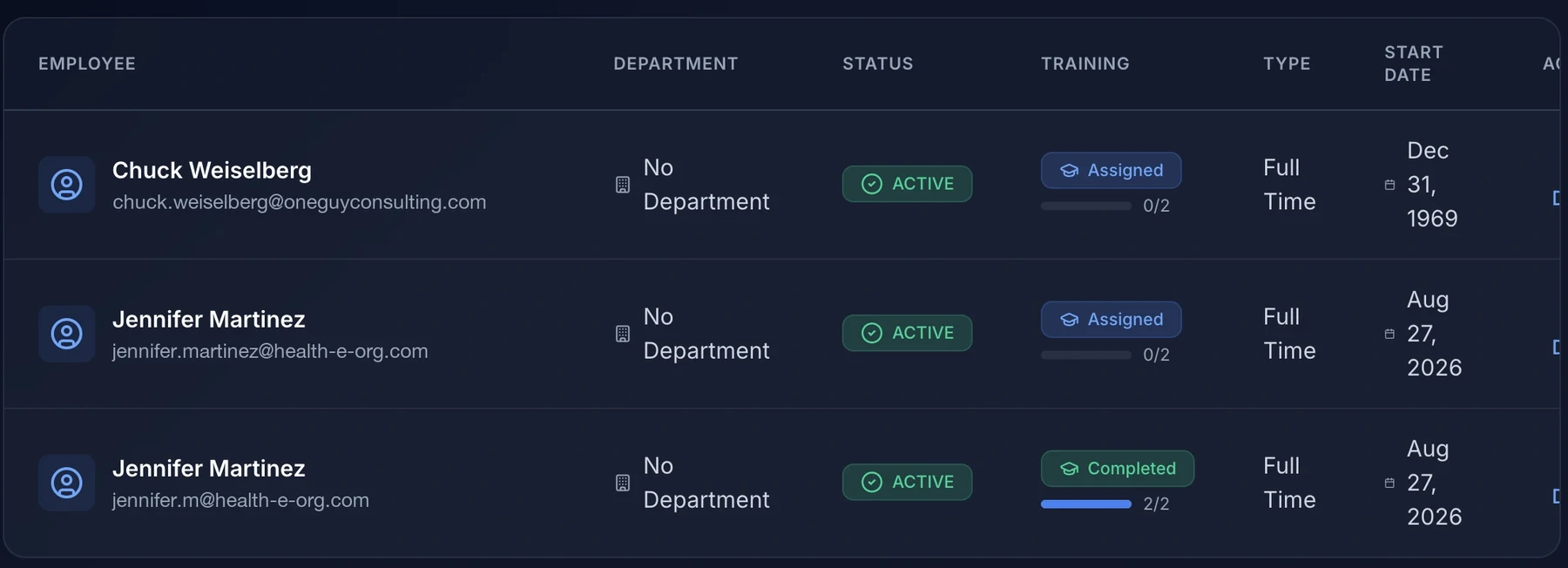
PLATE 5.1 Live completion tracking, per employee.
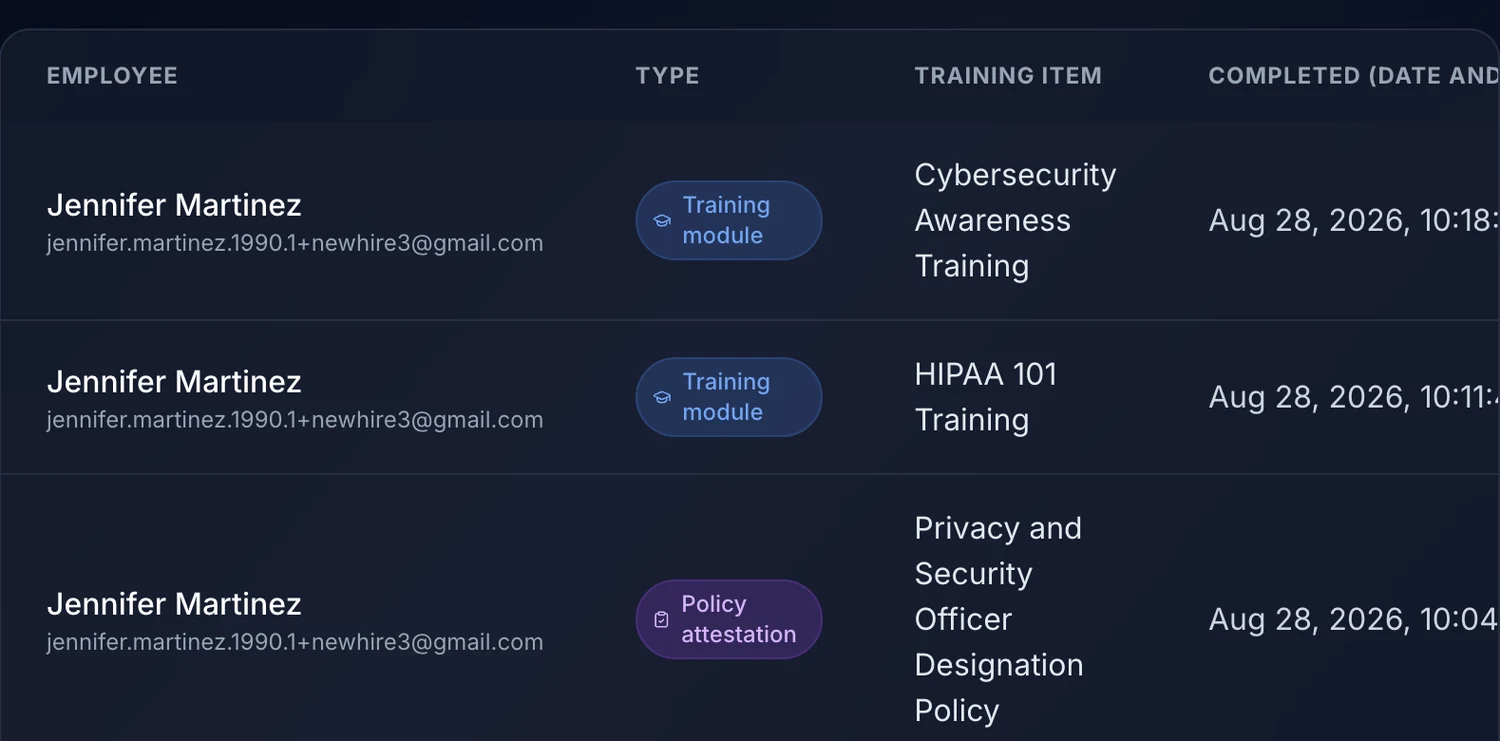
PLATE 5.2 And the record it produces: every module and attestation, timestamped, downloadable as a CSV.
The written policies and procedures your practice runs on, reviewed against how you actually work before anything is published.
Policies released to your staff, with the record of who acknowledged what and when.
Seen the reports. Here is what they cost.
$120 a month, billed monthly with no long-term commitment, including 4 hours a month of 1:1 calls with me. A $60 a month Self-Guided plan is on the pricing page.
Exhibit 08
Every vendor tracked, every agreement executed.
Build the vendor profile, then send the Business Associate Agreement for signature. The vendor signs electronically, and the countersigned agreement is stored on their profile as a PDF. Already have signed BAAs? Upload them.
More on Vendor Management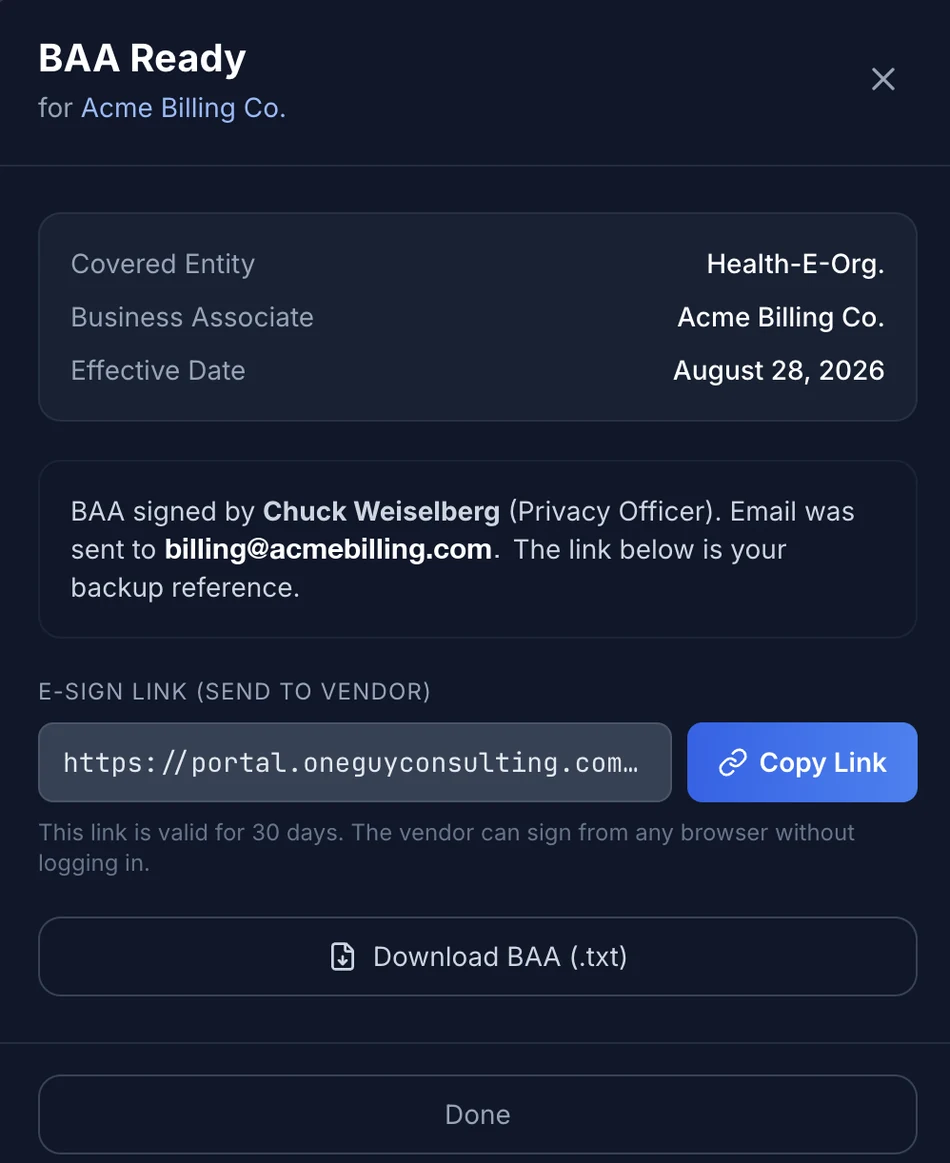
PLATE 8.1 Generated, signed by you, and ready to send.
A written record of your physical premises and your network, captured once and kept where the rest of the program lives.
Every device that touches PHI, listed and assessed, so you can answer the question without walking the building.
Exhibit 11 / last
One form, and the clock starts properly.
Staff report an incident with the dates, systems and people affected. Your Privacy Officer is alerted on submit. From the log you review each one, add comments and close it out.
More on Incident Management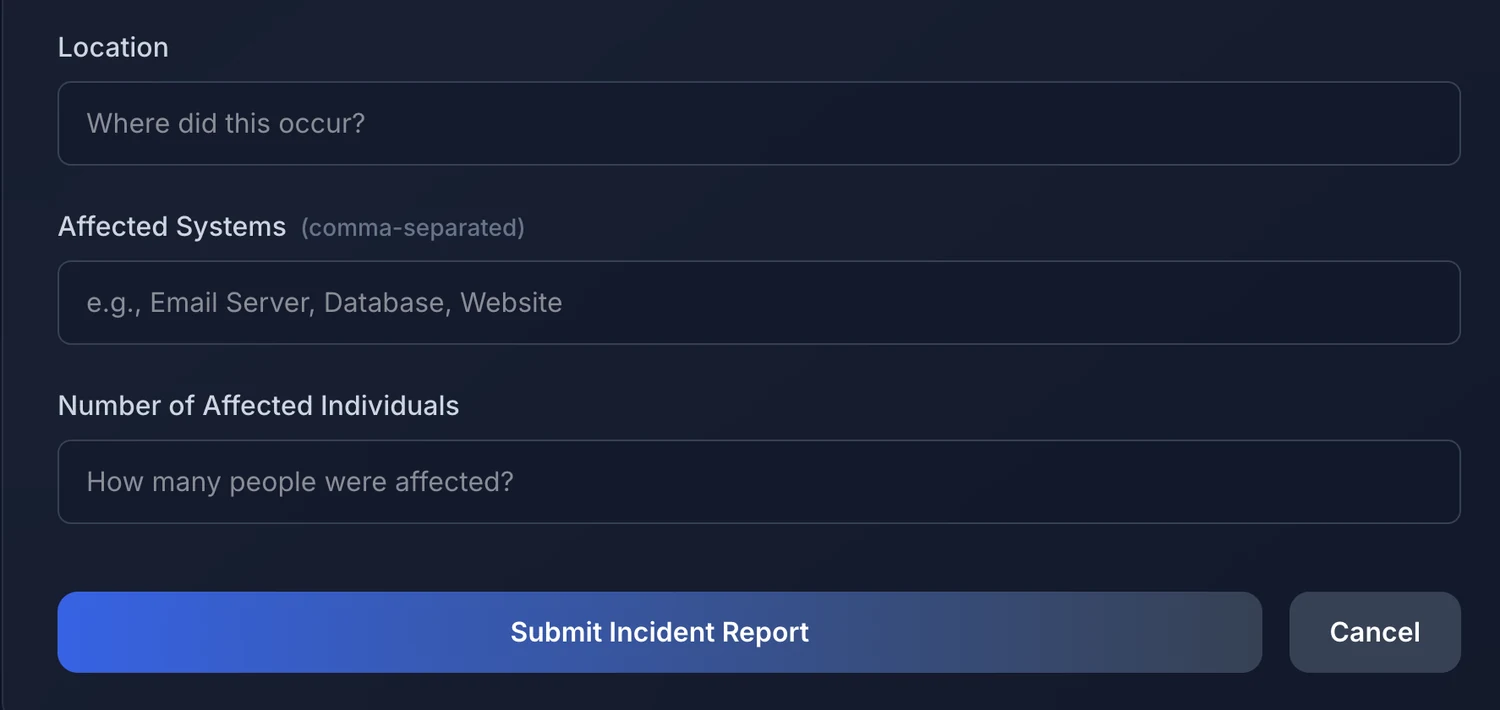
PLATE 11.1 The report form your staff actually see.
Tell us where you are today. We will tell you what the first few weeks look like.