Find the Outdated Software on One Office Computer
A small, report-only program lists what is installed. We check every program against published flaws, including the ones attackers are using right now, and email you a plain-English report with what to fix first.
Three Steps, About Ten Minutes of Your Time
Tell us, then sign
Give us your practice, your name, role, email, phone, Mac/PC, and earliest date we can scan. We draw up a one-time authorization; you sign digitally and get an email copy.
Pay, then check your email
Pay $59 by card at checkout. The moment you pay, we email you the installer for your computer with a short READ ME.
Install, get your report
Run an installer on a computer you choose, Windows or Mac - in about two minutes. Once news on vulnerabilities returns, we check the results and email your report within 1 business day.
Report-Only, and Gone in 3 Days
What it sends us
The computer's name, its operating system version and updates, and the list of installed programs with their versions. Nothing else.
What it never touches
Your documents, email, browsing, passwords, screen or patient records. It does not read logs or watch network activity. The only changes made to the computer are installing itself and, 3 days later, removing itself.
It removes itself
The agent uninstalls itself 3 days after you install it, even if the computer was off at the time. You can also remove it sooner.
What You're Agreeing To, in Two Minutes
A plain-English walk through the one-time scan agreement: what the agent collects, what it never collects, how it removes itself, and what you confirm when you sign.
The agreement you sign online is what counts. You get a copy by email.
Read the transcript+
Before you sign, here's what you're agreeing to for the One-Time Device Scan, in plain English. This is a summary. The agreement you sign is what counts.
Here's what we do. You install our temporary scanning agent on one computer. It sends us a list of what's installed. We check that list against public lists of known security problems, and you get a plain-English report with fix steps.
The agent collects only three things: the computer's name, its operating system, version and update level, and the list of installed programs and their versions. Nothing else.
It never collects files, documents, emails, browsing history, passwords, screen contents, keystrokes, or patient records. And we don't log into the computer, view it, or control it.
The agent is temporary. It only reports, and it doesn't take commands from us. It removes itself automatically three days after it's installed, you can remove it any time with our removal tool, and we take the computer off our scanning server when the report is delivered or the window ends.
Your scan data travels encrypted to our scanning server, which is hosted by a provider that has signed a HIPAA business associate agreement with us. We delete the raw scan data within thirty days after your report, and the report itself arrives encrypted or by secure link.
By signing, you confirm that you own the computer or are allowed to authorize installing software on it, that only someone allowed to install software will install the agent, and that you'll give your IT provider notice if they need it. Have a current backup first. Your antivirus may flag the agent.
Know the limits. This isn't a manual penetration test or continuous monitoring. It doesn't guarantee it finds every problem, and it doesn't certify HIPAA compliance. The agreement also limits One Guy Consulting's liability, covers indemnification, and is governed by New York law, so read those parts in full.
To sign, type your name and click Sign and authorize. That counts as a handwritten signature, and a copy is emailed to you. Questions? Email hello at one guy consulting dot com.
See Exactly What You Get
Pages from a real scan of one Windows front-desk computer in our own test office, with names removed. Your report lists what is actually on your computer.
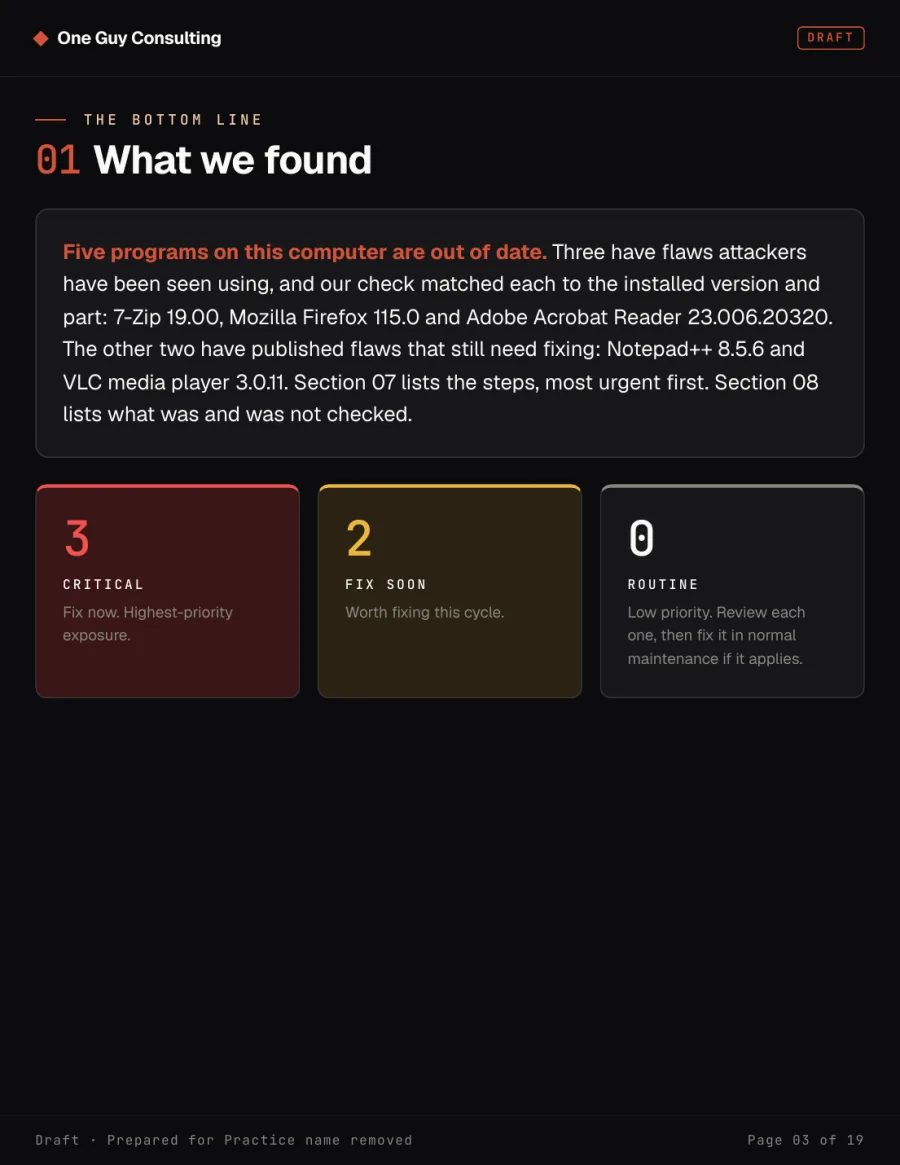
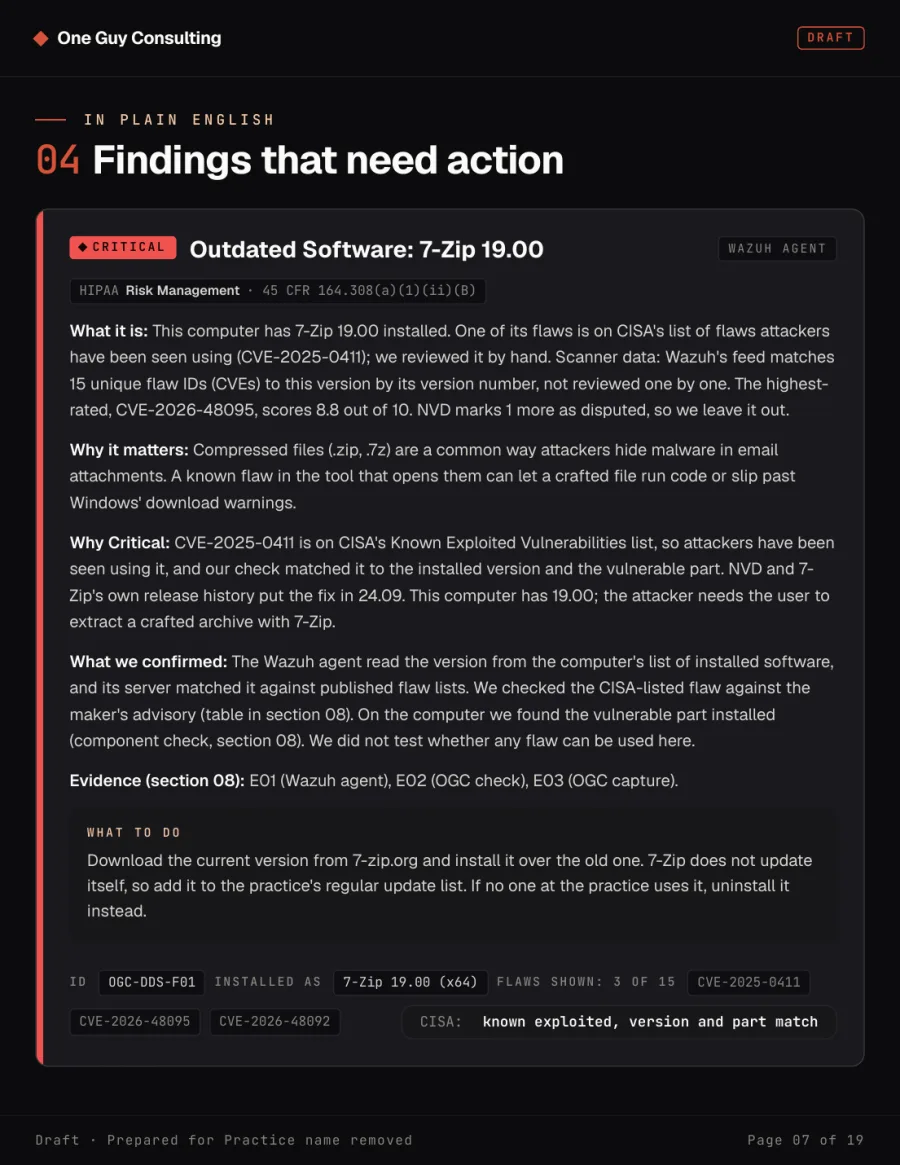
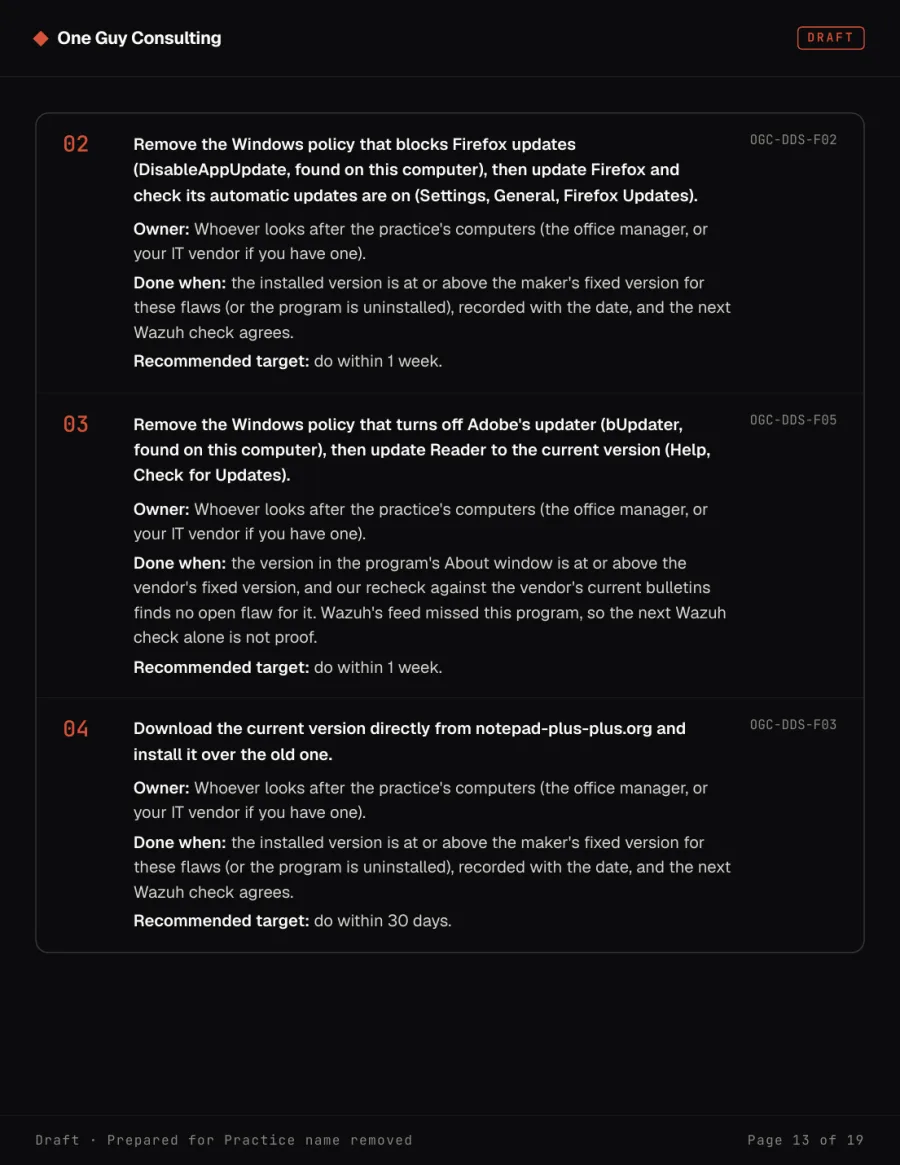
Every flaw on CISA's known-exploited list has already been used by attackers in real attacks.
If one of them exposes unencrypted patient records, HIPAA requires a notice to every affected patient and a report to HHS, and that cost falls on the practice, not the software maker.
One Computer, One Price
- Report-only agent for Windows or Mac
- Every flaw checked against CISA's known-exploited list
- Plain-English report with what to fix first
- Report in your inbox within 1 business day
- Agent removes itself after 3 days
Want the Whole Office's Security Monitored?
One computer shows the pattern. To cover every computer in the office all year, book a free 30-minute intro call and we will walk you through the options.
Frequently Asked Questions
What happens after I pay?+
What if it finds something serious?+
How fast do I get my report?+
Can it see patient data?+
Will it change or slow down the computer?+
How much does it cost?+
We have an IT company. Will this get in their way?+
Do I need an IT person?+
Who does the vulnerability scan?+
See The Vulnerabilities You're Susceptible To
A one-time vulnerability scan of one computer, from the firm that already runs HIPAA compliance for small practices. Call us at 646-694-8025 or email hello@oneguyconsulting.com.
Questions About the Scan?
Tell us about your situation or question.