HIPAA compliant email for therapists is possible on a business email service, such as Google Workspace or Microsoft 365, when the company signs a Business Associate Agreement (BAA) that covers your mailbox and you set the account up correctly. If your email company will not sign one, no setting fixes that, and client email needs to move somewhere else. This guide covers both paths, including where to go if you have to switch.
In a therapy practice, even the fact that someone is a client is private. A misdirected email can reveal more than an appointment time, which is why the setup matters.
The short version
- A BAA is a contract in which your email company promises to protect client information it handles for you. No BAA covering your email, no client information in it. A client's own email company is not working for you and does not need one.
- Google Workspace and Microsoft 365 both offer one. GoDaddy offers one for its Microsoft 365 email as a paid add-on. Free Gmail has no way to sign one.
- The BAA covers the company, not you. You still set up the account, write down your choices, and train anyone who uses the mailbox.
- Appointment reminders are not marketing under HIPAA and do not need a signed authorization.
HIPAA Compliant Email for Therapists: Configure or Switch
Three questions decide it. First, will your email company sign a BAA for the email product you use? Second, can you set up the safeguards: email sent in encrypted form, a separate login for each person, and a record of who used the mailbox? Third, do you have time to write it all down: your risk assessment, your policies, and the list of fixes?
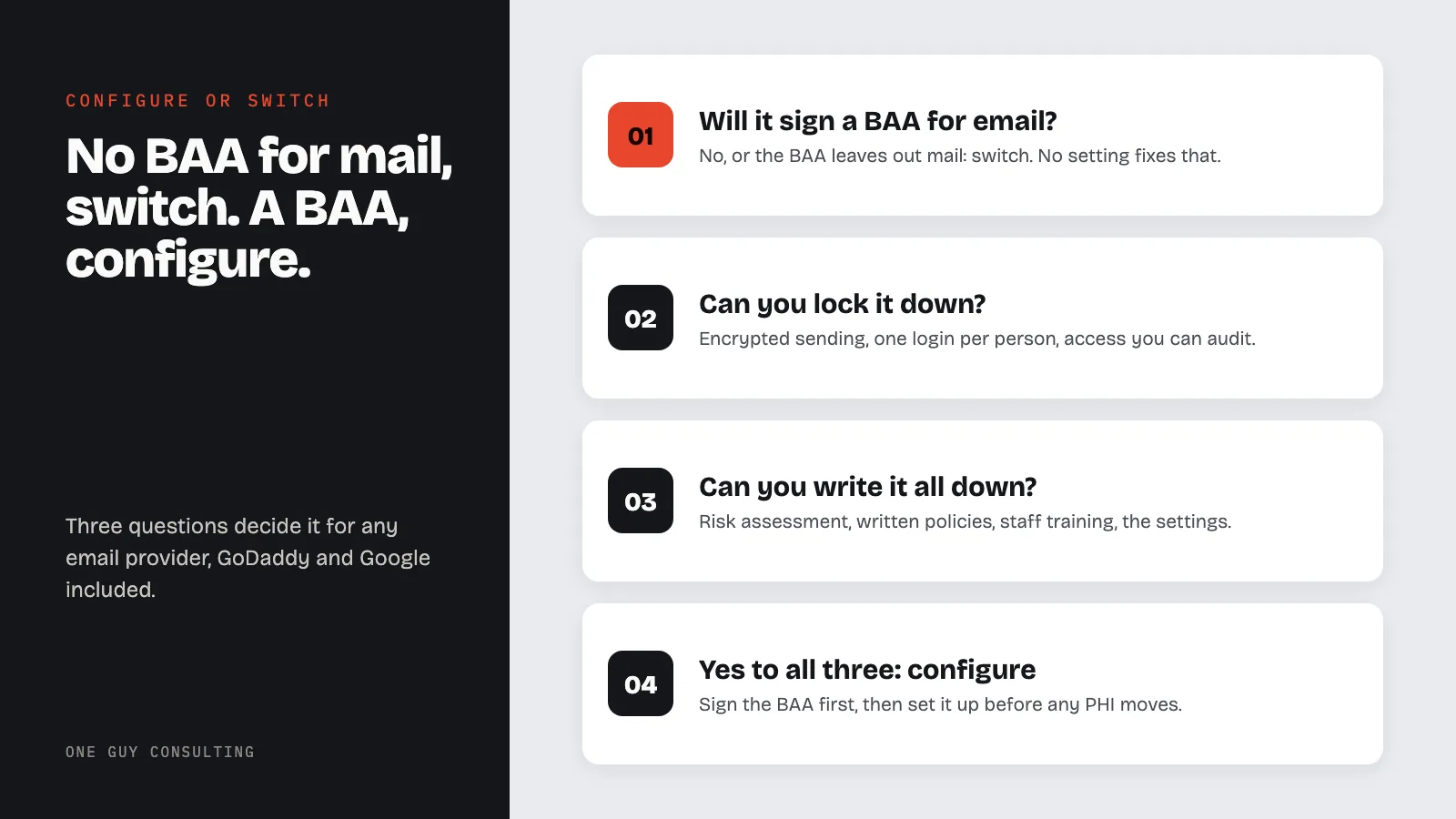
If the answer to the first question is no, switch. If it is yes, configure what you have. If the third answer is no, get help with the paperwork rather than skipping it.
A note on encryption, since it comes up first. HIPAA calls encryption "addressable." That does not mean optional. It means you decide whether it is reasonable for your practice, and if you do not use it, you write down why and what you do instead.
If You Use Google Workspace
Google Workspace (once called G Suite) can be used for client information after you sign Google's BAA. Google's help page is blunt: "Customers who have not signed a BAA with Google must not use PHI in Google Workspace or Cloud Identity services." Gmail, Google Calendar and Google Drive are on Google's list of covered services.
To sign it: a super administrator on your account goes to the Google Admin console, then Account, then Account settings, then Legal and compliance. Under Security and Privacy Additional Terms, open the HIPAA Business Associate Amendment and click Review and Accept. It covers your whole account. Take a screenshot of the acceptance and keep it with your other vendor agreements.
Then set it up:
- In Drive, stop files from being shared outside your practice by default. Google's HIPAA guide describes setting new files to "Private to the owner."
- Keep client information in Google's covered services. Google Contacts is not one of them, and add-ons from other companies are not covered either.
- Turn on 2-Step Verification for every user.
More detail is in is Google Workspace HIPAA compliant.
If You Use Microsoft 365 or Outlook
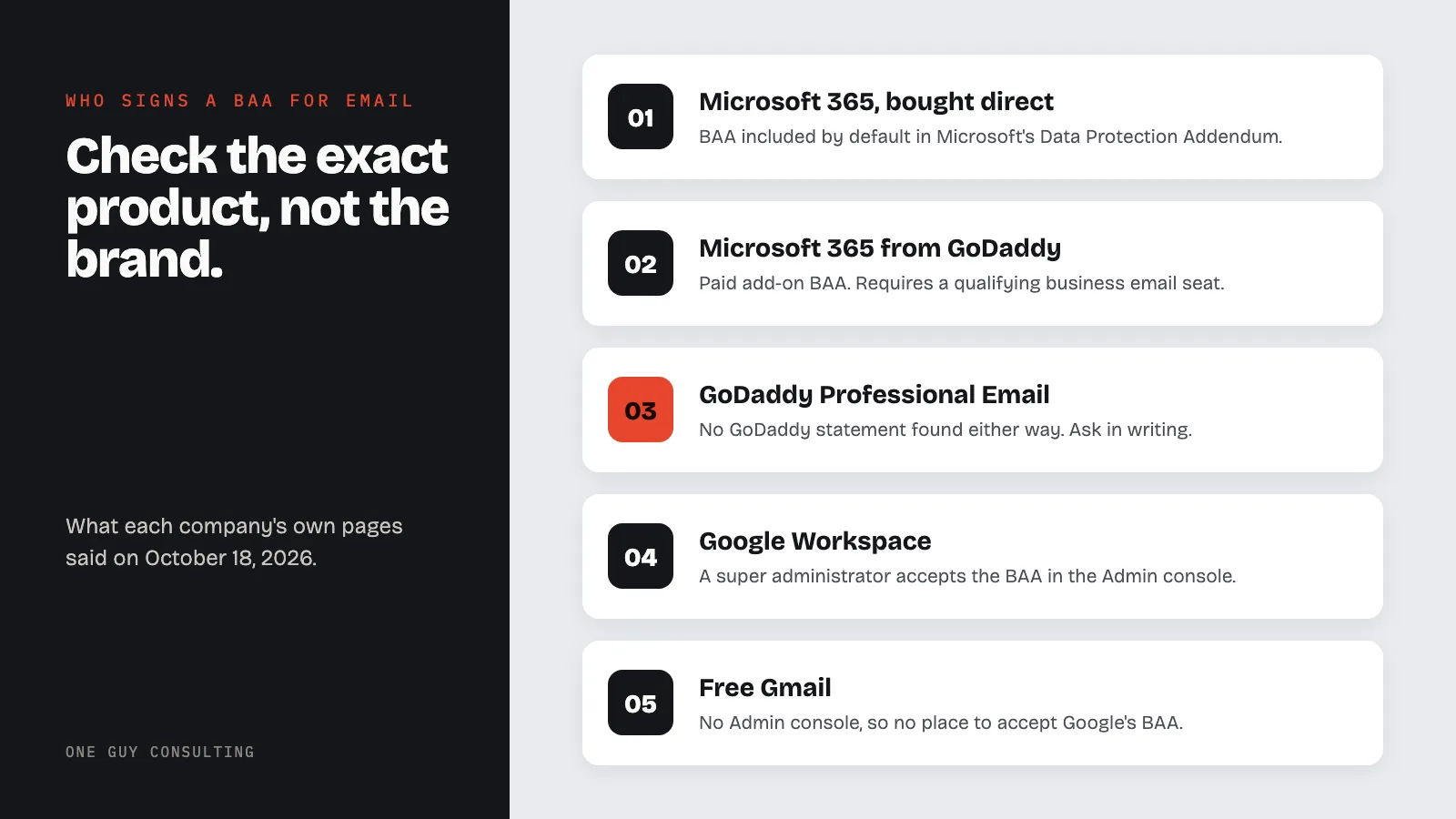
If you pay Microsoft directly for a business plan, the BAA is already part of your agreement. Microsoft says its HIPAA BAA "is available through the Microsoft Online Services Data Protection Addendum by default to all customers who are covered entities or business associates under HIPAA." Exchange Online, the service behind business Outlook email, is on Microsoft's list of covered services.
The same setup rules apply: a separate login for each person, two-step sign-in, no automatic forwarding to personal accounts, and a written record of your settings. See is Microsoft 365 HIPAA compliant for the details.
If You Use GoDaddy
Check which GoDaddy email you have, because the answer differs. For Microsoft 365 from GoDaddy, GoDaddy says: "We offer an optional privacy and security contractual supplement (also called a HIPAA business associate agreement or BAA) to assist Microsoft 365 customers in meeting HIPAA compliance requirements." It is a paid add-on, and GoDaddy says "To use HIPAA compliant email, you must have at least one Business Professional or Premium Security Microsoft 365 account."
GoDaddy's HIPAA pages cover only Microsoft 365. We found nothing from GoDaddy about a BAA for its separate Professional Email product. If that is what you have, ask GoDaddy in writing. If you cannot get a clear yes, switch. GoDaddy itself notes that its HIPAA email "doesn't achieve compliance on its own," so the setup steps above still apply.
Where to Switch If Your Email Will Not Sign a BAA
There are four places to move client email.
- A business mailbox that signs a BAA. Move to Google Workspace or Microsoft 365 and follow the setup above. You keep an ordinary inbox and your own address.
- An encrypted email service. Hushmail sells its own encrypted mailbox and says it is "Designed for therapists who need simple, HIPAA-compliant email and forms." Its healthcare page says: "Get a signed business associate agreement (BAA) for healthcare providers."
- An encryption add-on for the mailbox you have. Paubox says it "works with Google Workspace and Microsoft 365 to encrypt every email by default," that "Paubox includes BAAs with all accounts," and that recipients get the message in their own inbox: "No portals, passwords, or plugins to slow communication."
- The client portal in your practice software. If you already use practice management software, sensitive messages can go through its portal instead of email. SimplePractice says its Client Portal "lets clients send messages, manage documents, and schedule and pay for appointments"; its help center notes that "Secure Messaging is available on the Essential and Plus plans," and that "When you create your trial account, you agree to the Business Associate Agreement." TherapyNotes says its client portal, TherapyPortal, is "included with your TherapyNotes subscription at no extra cost" and lists "Use secure messaging to communicate with your clients"; for covered entities that accept its updated Terms of Service, "the BAA is automatically in effect."
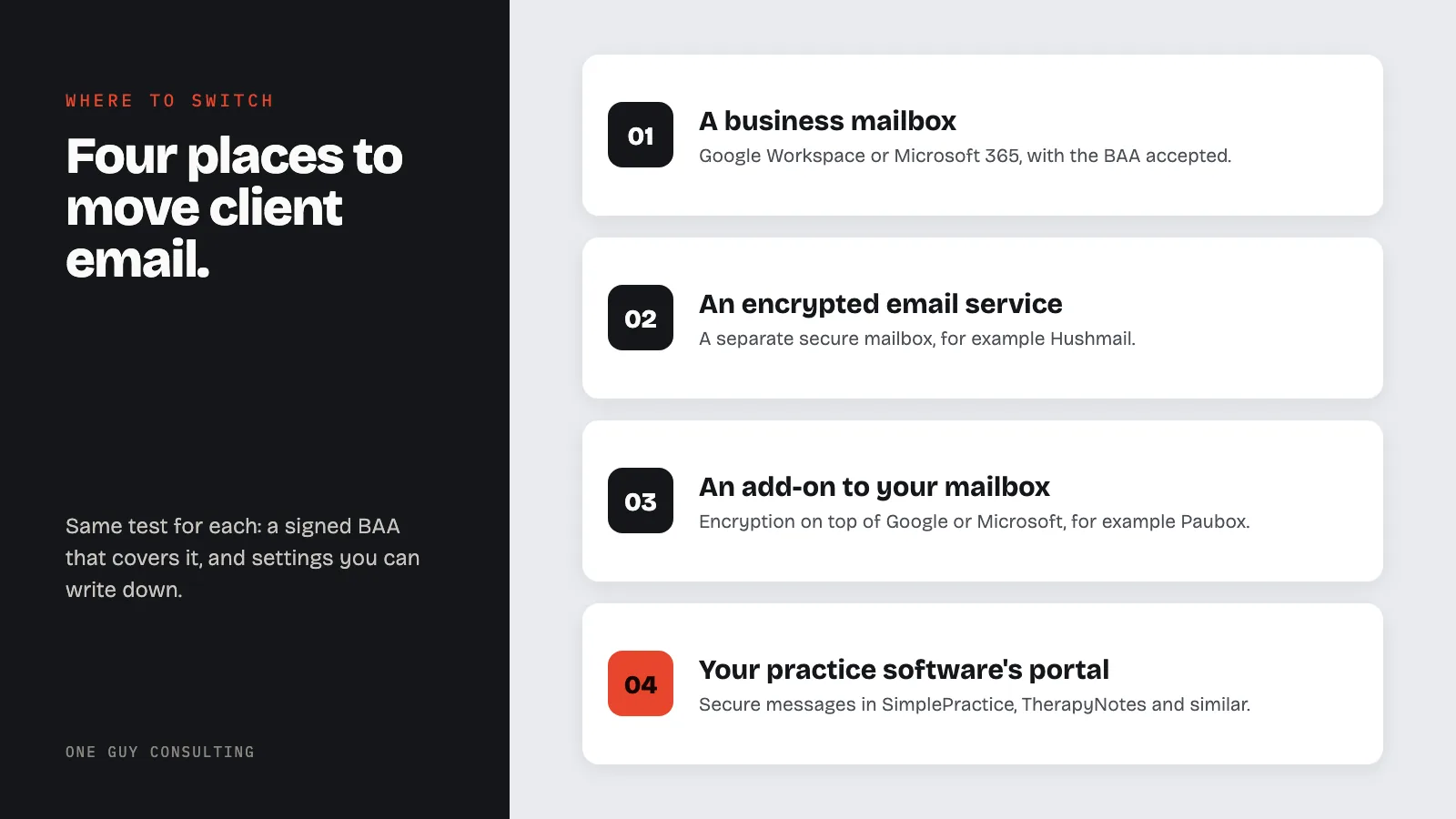
Whichever you choose, the same test applies: a signed BAA that covers the service, and settings you can describe in writing. Our HIPAA compliant email services guide compares more options side by side, with each company's published price.
What Stays With You After the BAA
The BAA makes the email company promise to protect its part. The rest is yours under the HIPAA Security Rule:
- Encrypted sending. Under the Security Rule, encryption in transit is addressable, not mandatory in every case, but most practices will want it. TLS protects email while it travels between mail servers that support it. It does not encrypt messages once they sit in a mailbox, and it does not stop the recipient or their email company from reading them. For something sensitive, use one of the stronger options under "Emailing Clients Directly" below.
- One login per person. HIPAA requires each user to have a unique login. A shared practice login fails this.
- A record of activity. HIPAA requires mechanisms that record and examine activity in systems holding client information. It does not name a product or require logging every action. Check which activity logs your email service provides, and note in your risk assessment how you use them.
- Paperwork. A written risk assessment, written policies, and training for anyone who handles client information.
If you are not sure HIPAA applies to your practice at all, start with does HIPAA apply to therapists in private practice.
Emailing Clients Directly
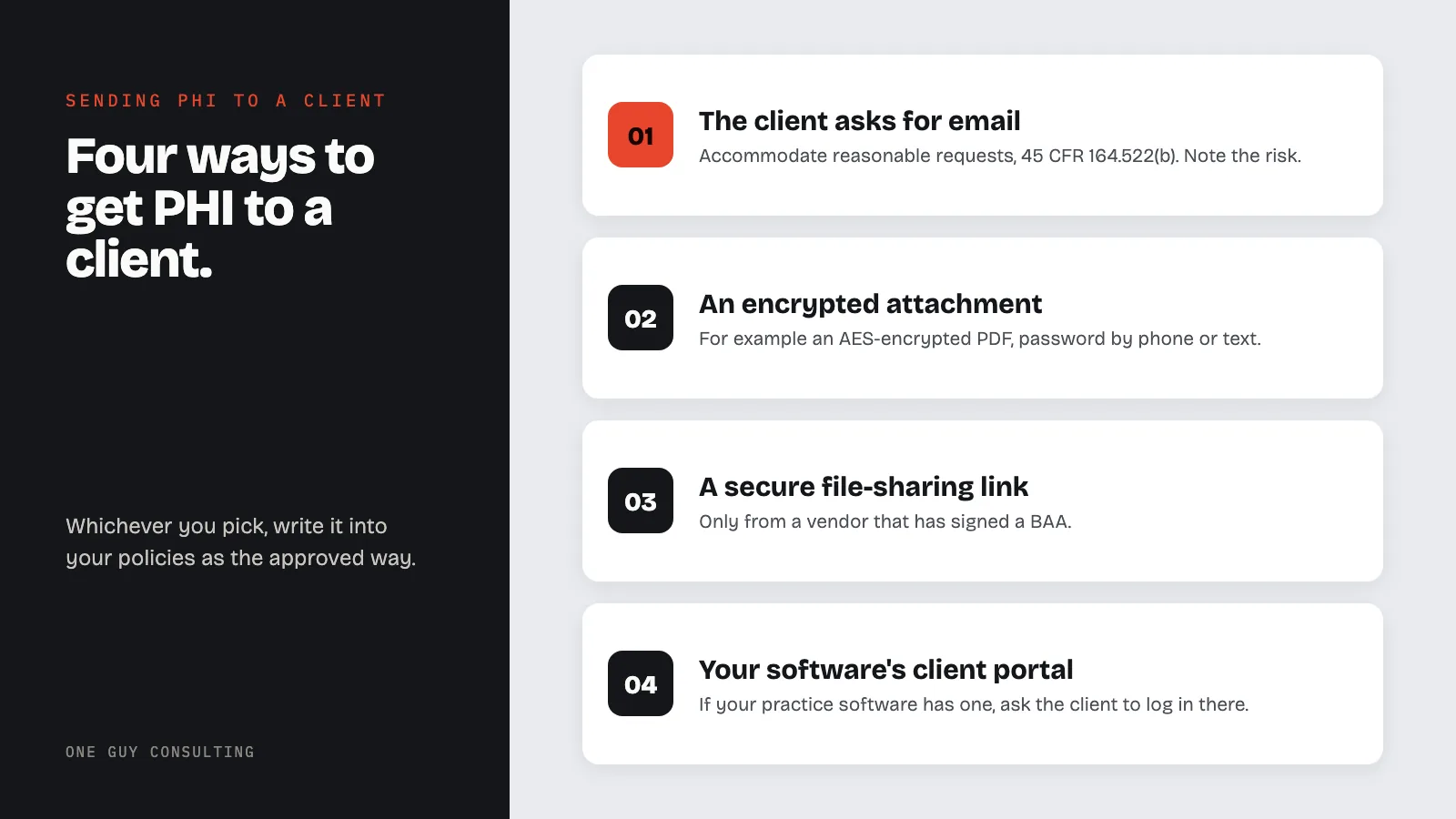
Ordinary treatment email with a client is allowed with reasonable safeguards. If a client asks you to use email, HIPAA lets you honor that: the rules require providers to accommodate reasonable requests to receive communications by other means or at other addresses. A sensible practice is to tell the client plain email carries some risk, and write down that they chose it.
A request for a copy of the client's records is a different thing. That falls under the right of access (45 CFR 164.524), which requires you to provide an electronic copy in the form and format the client asks for, if it is readily producible that way. If they ask for it by plain email, warn them of the risk first and record that they still want it that way.
When you send something sensitive on your own initiative, use one of these: an encrypted attachment (for example a PDF locked with a password you give by phone or text), a secure link from a service that has signed a BAA, or the client portal in your practice software if you have one. Write the method you use into your policies.
Two cautions specific to therapy practices. First, psychotherapy notes, your separate notes on what was said in session, have their own rule: HIPAA requires the client's authorization for most uses and disclosures of them. HIPAA does not ban emailing them outright, but given that rule and how sensitive they are, keeping them out of email is the cautious choice. Second, check the address before you send. An email to the wrong outside person is presumed to be a breach unless an assessment shows a low probability that the information was compromised.
Reminders and Newsletters
Under HIPAA, marketing means a message that encourages someone to buy or use a product or service. The definition leaves out treatment communications and messages that describe your own health-related products or services, unless another company pays you to send them.
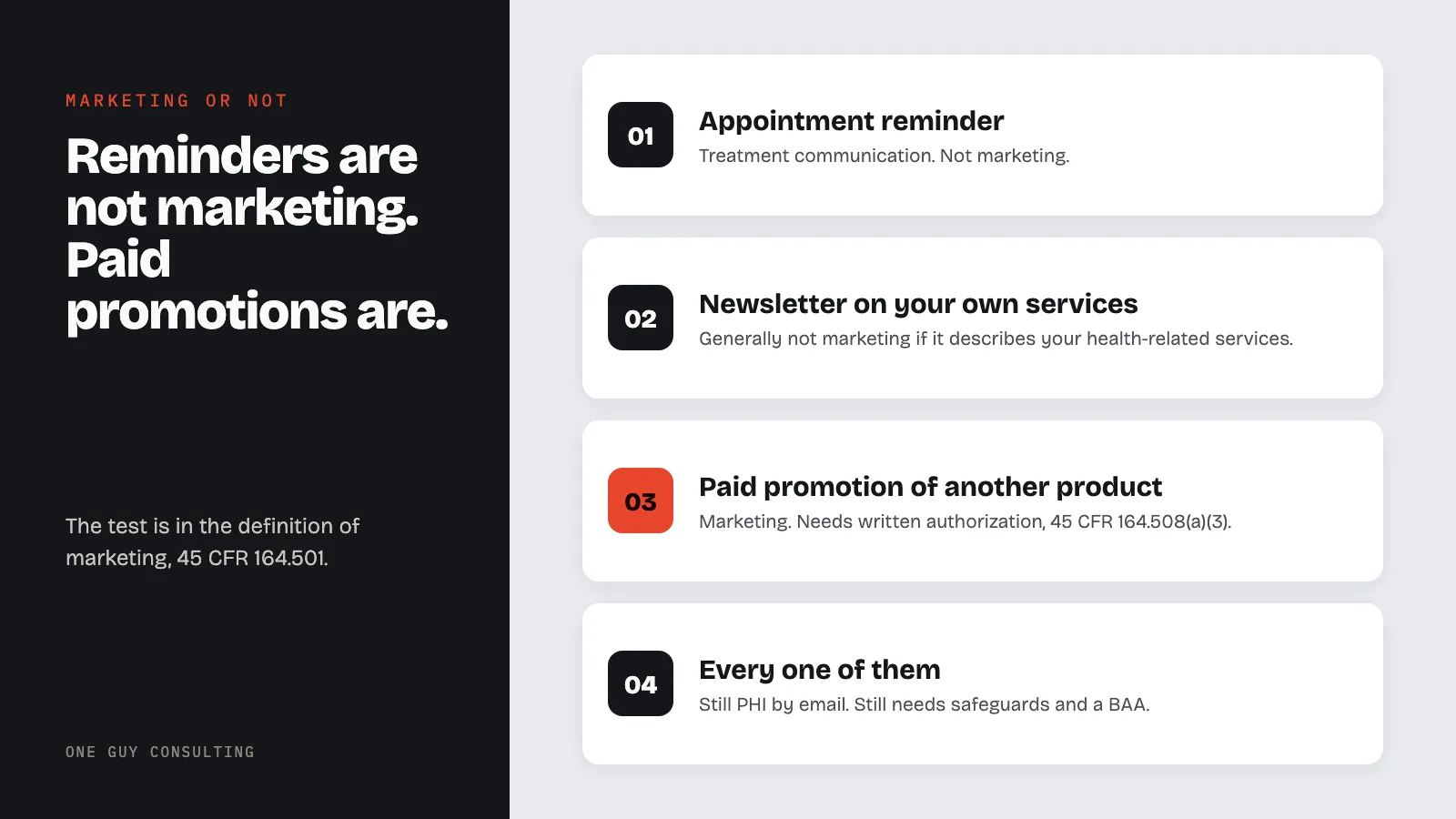
So appointment reminders are not marketing, and a newsletter that describes your own health-related services generally is not either. A newsletter is not exempt just because your practice sends it: one that encourages clients to buy or use something outside those exceptions can be marketing. A signed authorization is required for marketing, such as being paid to promote another company's product to your clients.
Reminders still carry client information. Keep them short, leave out anything clinical, and ask each client how they want reminders to appear, because the sender name alone can tell someone reading over their shoulder that they see a therapist. Ask before adding anyone to a newsletter list, and use a newsletter service that signs a BAA; see is Mailchimp HIPAA compliant.
Checklist Before You Send Any Client Information
These are practical setup steps. Where HIPAA itself requires something, the sections above say so.
- Sign the BAA first. No BAA covering your mailbox, no client information in it.
- Require encrypted sending. Encryption in transit is called TLS. According to Google, Gmail tries TLS by default but still sends the message unencrypted if the receiving server does not use it. Google's TLS setting changes that for the addresses and domains you list: those messages bounce instead. Check the equivalent setting in your own email service.
- Turn on two-step sign-in for every account, including yours.
- Turn off automatic forwarding to personal email addresses.
- Set a timeout so idle sessions sign out. HIPAA lists automatic logoff as addressable: implement it, or document why not and what you do instead.
- Write it down. Each setting, the date, and a screenshot. HIPAA requires your policies in writing, and a safeguard you cannot show is hard to prove.
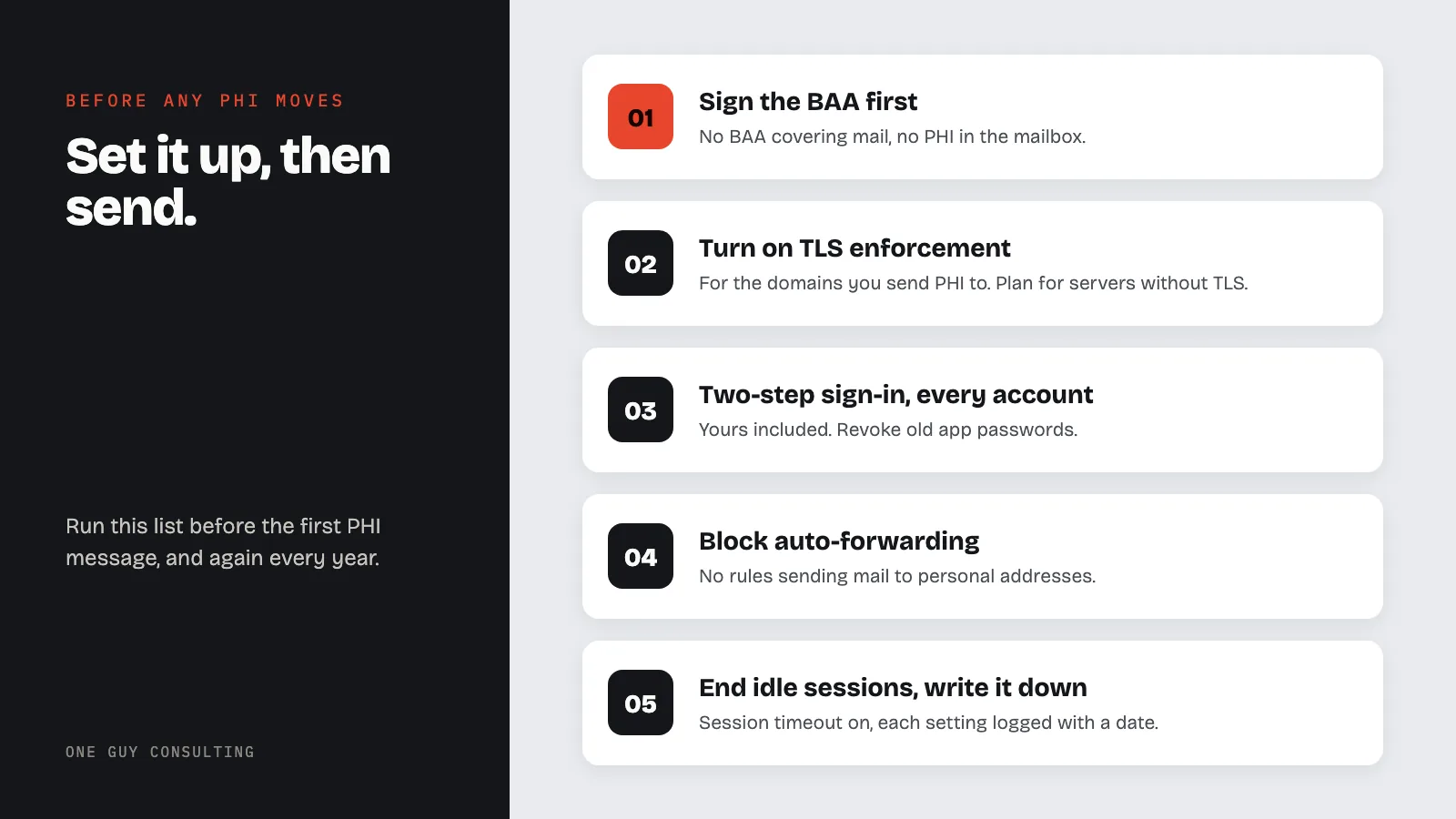
HIPAA calls for reviewing your documentation periodically and updating it when your systems or risks change. It does not set an annual email check, but going through this list once a year, and whenever you change email companies, is a sensible habit.
Where One Guy Consulting Fits
One Guy Consulting is not an email company. You still pay Google, Microsoft or GoDaddy, and you make the changes in your own account. What we provide is the rest of the program. Full-Scope is $1,300 a year per location (or $120 a month, or $2,300 for 24 months), with no per-user fees: the Security Risk Assessment tool, automated gap analysis and remediation plans, policy and procedure templates, digital BAAs, and 4 hours a month of 1:1 implementation calls with Chuck, who walks you through setups like this one.
FAQ
Is GoDaddy email HIPAA compliant?
It can be, for Microsoft 365 from GoDaddy. GoDaddy offers a BAA there as a paid add-on, which needs at least one Business Professional or Premium Security account. GoDaddy's HIPAA pages do not cover its separate Professional Email product, so get a written answer for that. With a BAA in place, you still set up the account yourself.
Is G Suite (Google Workspace) email HIPAA compliant with a BAA?
It can be. A super administrator accepts Google's BAA in the Admin console, and Gmail, Calendar and Drive are on Google's list of covered services. The BAA alone is not enough: restrict Drive sharing, keep client information in covered services, and turn on 2-Step Verification.
Can I use regular Gmail for a therapy practice?
Not for client information. Google's BAA is accepted by a Google Workspace administrator in the Admin console, and a free Gmail account has no Admin console. A Google Workspace business account can be used once the BAA is accepted and the account is set up.
Do appointment reminders by email need client authorization?
No. Under HIPAA's definition of marketing, treatment communications such as appointment reminders are not marketing, so no authorization is needed. Keep reminders short, leave out clinical details, and ask clients how they want them to appear.
What happens if my email company will not sign a BAA?
Move your client email. HIPAA allows a company to handle electronic client information for you only if you get written assurances that it will protect it, which is what the BAA is. No setting replaces that. Also watch for a BAA that leaves out email.
Conclusion
HIPAA compliant email for therapists comes down to the BAA first and the settings second. If your email company will sign one that covers your mailbox, set it up and write down what you did. If it will not, move your client email somewhere that will.
Want help putting this in place? The Full-Scope plan from One Guy Consulting pairs the compliance software with 4 hours a month of 1:1 implementation calls with Chuck Weiselberg, C.H.P., with no per-user fees. See how it works or start with a free 30-minute intro call. No obligation, no pressure.
Sources
- 45 CFR 164.306
- 45 CFR 164.308
- 45 CFR 164.312
- 45 CFR 164.316
- 45 CFR 164.402
- 45 CFR 164.501
- 45 CFR 164.508
- 45 CFR 164.524
- 45 CFR 164.522
- Google: HIPAA Compliance with Google Workspace and Cloud Identity
- Google: HIPAA Implementation Guide
- Google: Send email over a secure TLS connection
- Microsoft: HIPAA and HITECH Act
- GoDaddy: What is HIPAA and HIPAA compliant email
- GoDaddy: Set up HIPAA compliant email
- Hushmail: HIPAA compliant email for healthcare
- Hushmail: HIPAA compliant email for therapists
- Paubox Email Suite
- Paubox Email Suite pricing
- SimplePractice: Client Portal
- SimplePractice: Using Secure Messaging with clients
- SimplePractice: BAA, Terms of Service and Trust and Security information
- TherapyNotes: TherapyPortal, your custom client portal
- TherapyNotes: FAQ on Terms of Service, Privacy Policies and BAA
Related Reading